Ticketing
Every market reports
differently. Not here.
A run crosses four ticketing companies and gets back four kinds of report, each week, in a different shape. GigOps reads whatever arrives, a wrap, a pasted count email, a feed, and puts every show in the same columns, so the week-to-week comparison is a comparison.
In every product. GigOps does not sell tickets.

What it replaces
Four reports a week,
none of them the same.
Nobody on a tour chooses the ticketing company; the building does. So the counts arrive as a wrap from one, an email from another and a dashboard login from a third, and somebody rebuilds them into one sheet every Monday.
The rebuild
Monday morning, every week
Four exports with four sets of column names get joined by hand into one view. GigOps reads what a report calls its columns, sold or tickets to date, gross or revenue, capacity or manifest, into one shape.
The comparison
Not actually comparable
A number from one market and a number from another are not the same number until somebody has decided what each one counts. Here they land in the same columns, in local currency and in dollars.
The lag
A problem you see at settlement
Counts that are rebuilt weekly tell you about a soft show after the week it went soft. Pace against what a show needs shows it while there is still something to do.

How it works
However it arrives, it lands the same.
One row per show, in your columns
Tickets sold, average ticket price, gross in the local currency and in dollars, and sell-through against capacity, for every show on the run. Rows can be marked as not counting toward the total, and each one says who reported it, so a number you did not enter yourself is attributable.
Drop in whatever the box office sent
Import a CSV of many shows at once, or paste the count email and let GigOps read it. Column names do not have to match: sold, tickets to date and total sold all mean the same thing, and so do gross and revenue, or capacity and manifest. Rows it could not place are listed rather than silently dropped.
Pace, not just totals
Daily wraps build sell-through and the pace a show is running at against what it needs. A show that is behind looks behind while it is still on sale, which is the only time the information is worth anything.
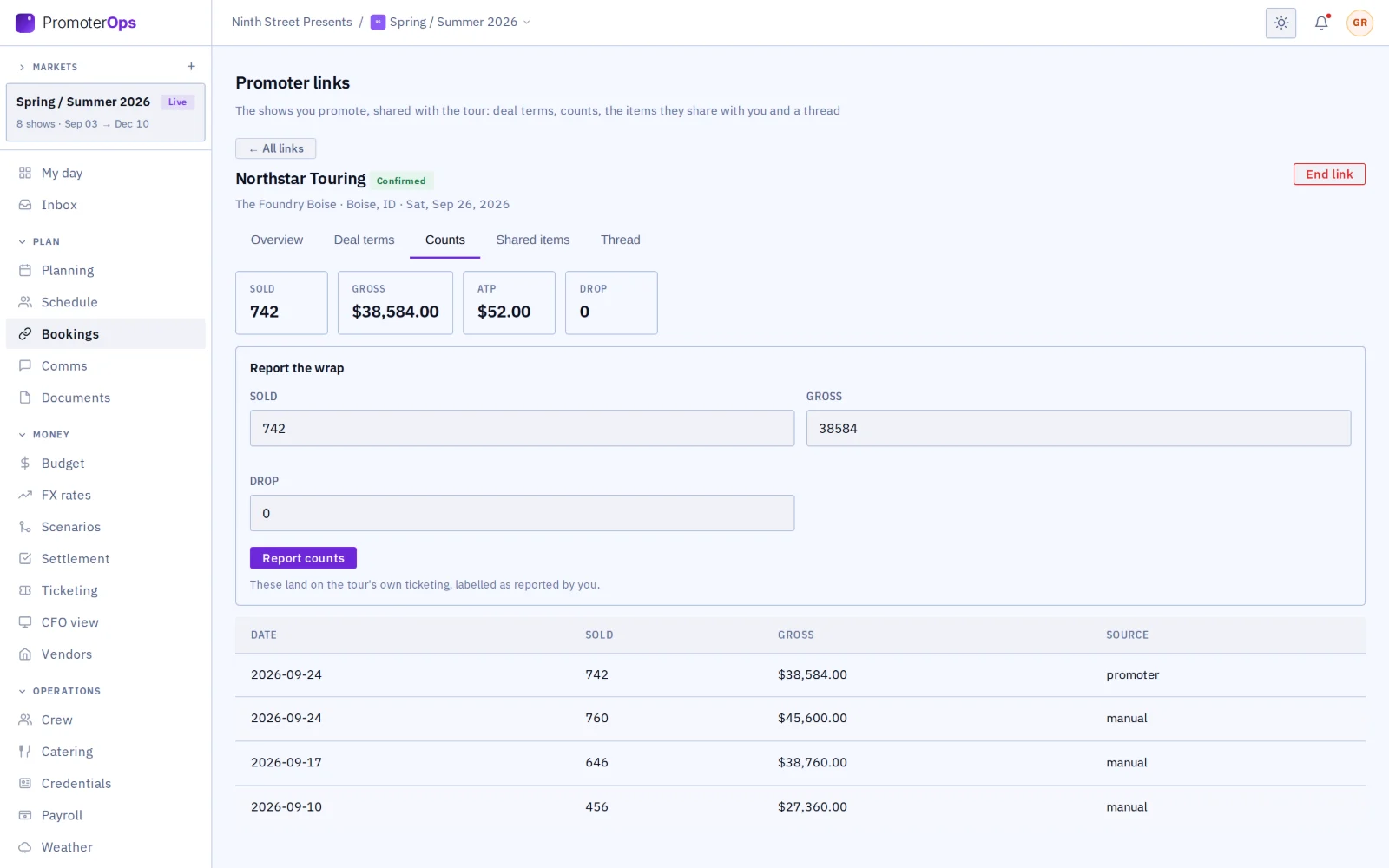
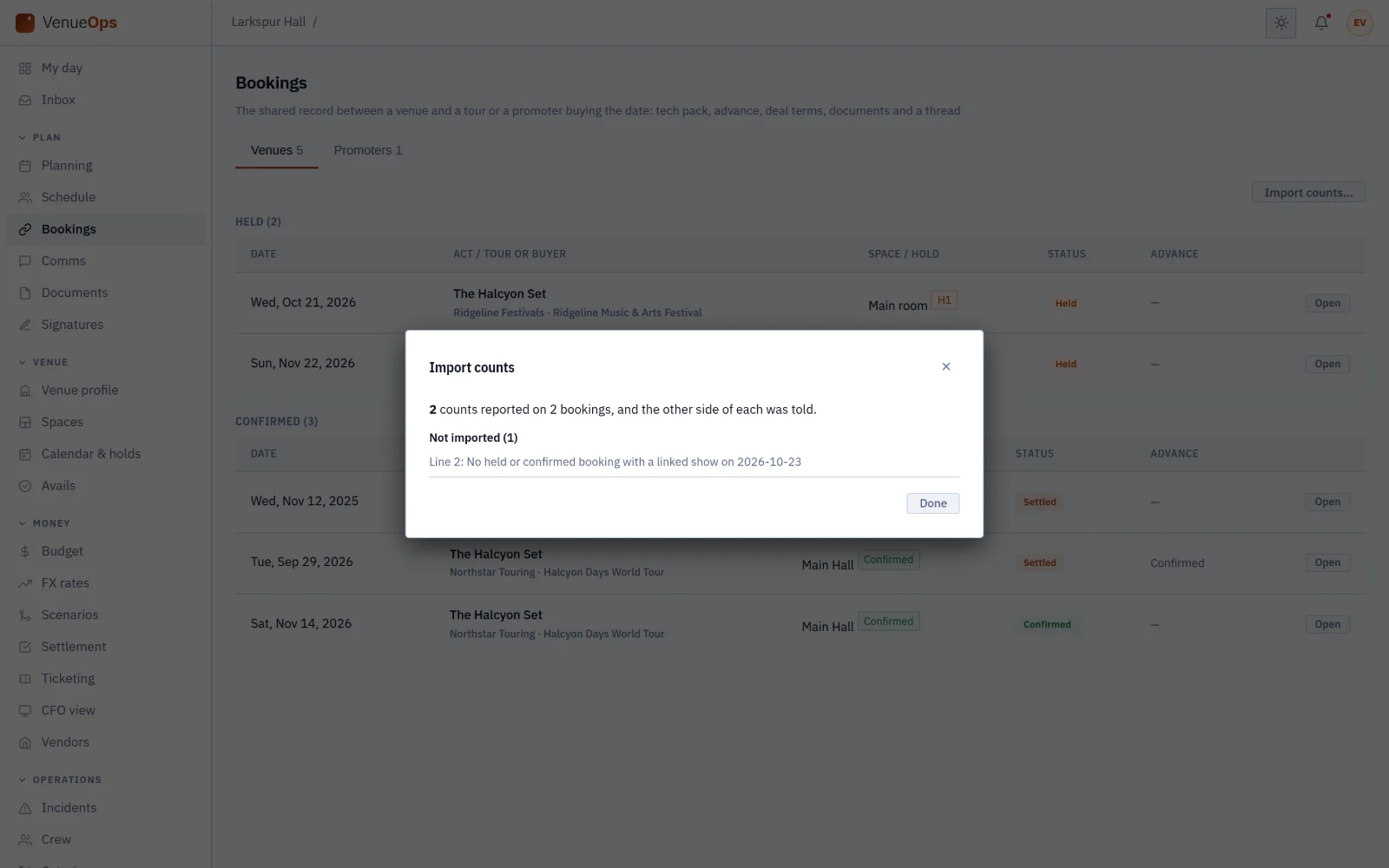
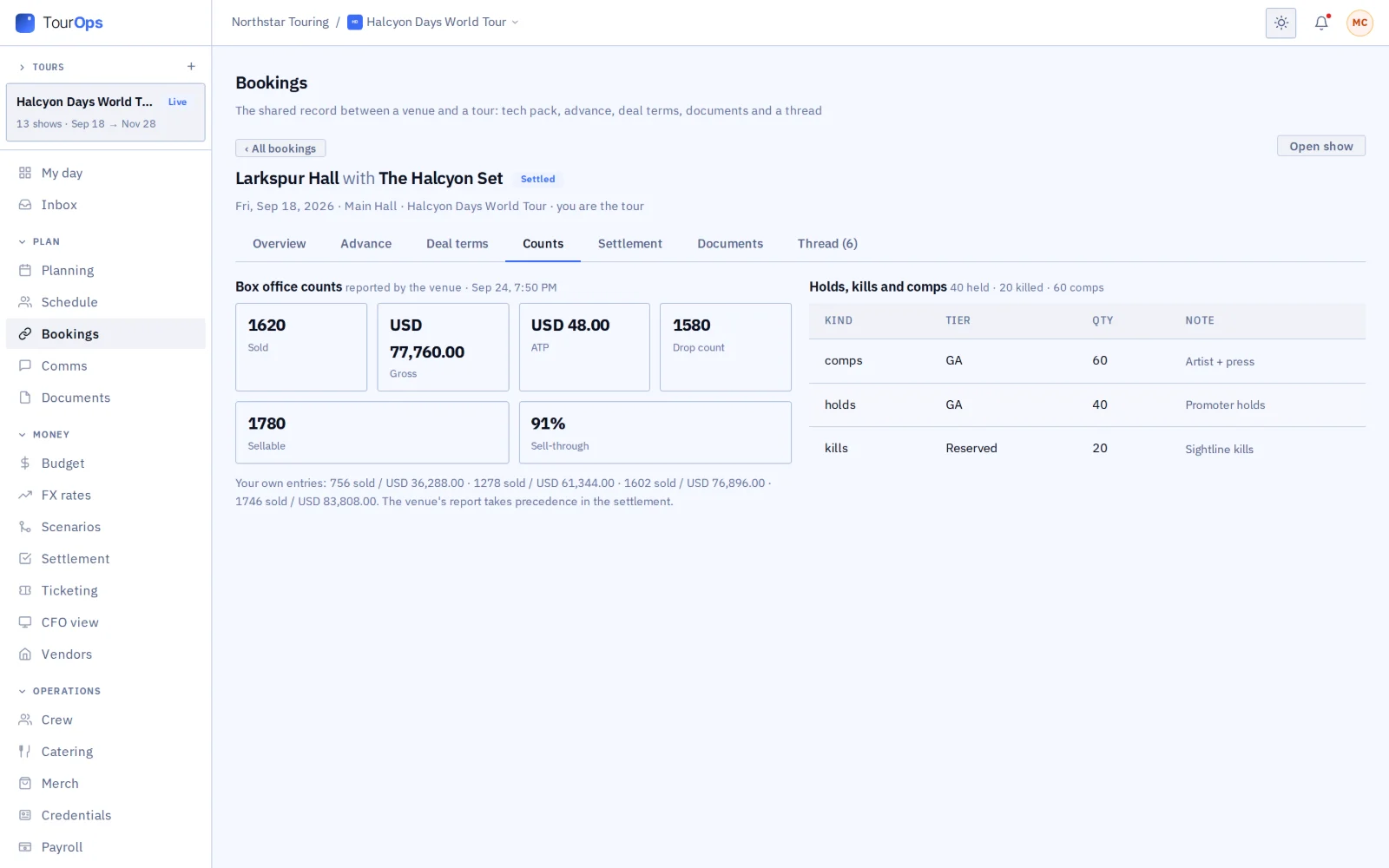
The other side reports its own
When the venue or the promoter is on GigOps too, they report the counts on the booking and it reaches you there. Nobody retypes a number off a PDF, and both sides are settling against the same figures later.
What it connects to
- It feeds the settlement
- The counts are what the settlement works the split from, so the deal is calculated on numbers already in the system rather than ones typed in again.
- A feed, if there is one
- Any system that can serve a JSON count feed can be pointed at a show, and the counts come in on their own.
- A photo of the report
- A PDF or a photo of a count sheet can be read rather than retyped, and you check what it found before it saves.
- Currency, handled
- Counts convert to dollars on the rate you choose, so a run across borders totals without a second spreadsheet.
- Manifests and scaling
- A venue can hold its manifests and price scaling, so capacity and sell-through mean the same thing every time that room is played.
- Marketing against it
- In PromoterOps, marketing spend tracks against the budget beside the pace it is meant to be moving.
- Who can see it
- Owner, Company Admin, Tour Manager, Finance, Legal and Ops seats add and change counts. Coordinator and View only read them.
More on counts a venue or promoter reports to you: How it connects. Step by step in the help guide: ticket counts, counts, wraps and imports and settlement. Where the numbers end up: Finance and Reporting.
Who it is for
Who is watching the counts.
TourOps
Every market in the same columns, however its box office reports, with sell-through down the run and the numbers waiting in each settlement.
Explore TourOpsPromoterOps
Daily wraps, sell-through and pace against what a show needs, with marketing spend tracked against the budget beside it.
Explore PromoterOpsVenueOps
Report counts on a booking once and they reach the tour or promoter, with manifests and scaling held on the room.
Explore VenueOpsFestivalOps
Multi-day ticketing across tiers and days, with the P&L by day reading from it.
Explore FestivalOpsActionOps
Spectator ticketing for a comp, counted the same way as everything else and landing in the event P&L.
Explore ActionOpsQuestions
What people ask about ticketing.
- Does GigOps sell tickets?
- No. You keep the ticketing company the building or the market uses. GigOps reads the counts they report and puts every show in the same columns, so a run across four different sellers can be read as one run.
- Is it connected to my ticketing company?
- Not as an integration you have to buy or configure per seller. Counts arrive the way they already do, a wrap dropped in, a count email pasted, a PDF or photo read, or a JSON feed pointed at a show. What makes it useful is that they all land in one shape.
- My export has different column names. Will it work?
- Yes. GigOps reads what a report calls its columns, so sold, tickets to date and total sold are all read as sold, and the same for gross against revenue or capacity against manifest. Anything it could not place is listed back to you rather than dropped.
- What is a daily wrap?
- The box office’s numbers for one day: sold and gross, and later the drop. Wraps build sell-through and the pace a show is running at, which is what tells you a show is soft while it is still on sale.
- Where do the counts go?
- Into the settlement, where the split is worked out from them, and into the CFO view and the reports. The point of entering them once is that nothing downstream asks for them again.
- Can the venue report counts to me?
- Yes, when they are on GigOps. They report on the booking and the numbers reach your side of the same show, so both companies settle against one set of figures.
Read every market the same way.
Ticketing comes with every product. 7-day free trial. Company Users are $39 per user / month. View only seats are $0. Crew are always free.
Book a demo.
Tell us about the show you are planning, and we will walk you through the product that fits it, on your own dates. We reply within 48 hours.