{{ menuLabel }} How it connects Apps Pricing Sign in Start free trial
{{ f.tagline }}
by GigOps

Run the comp.

Run the comp from the start list to the podium: live judging, leaderboards, results and prize money, on top of everything GigOps runs on site.

Start free trial Book a demo
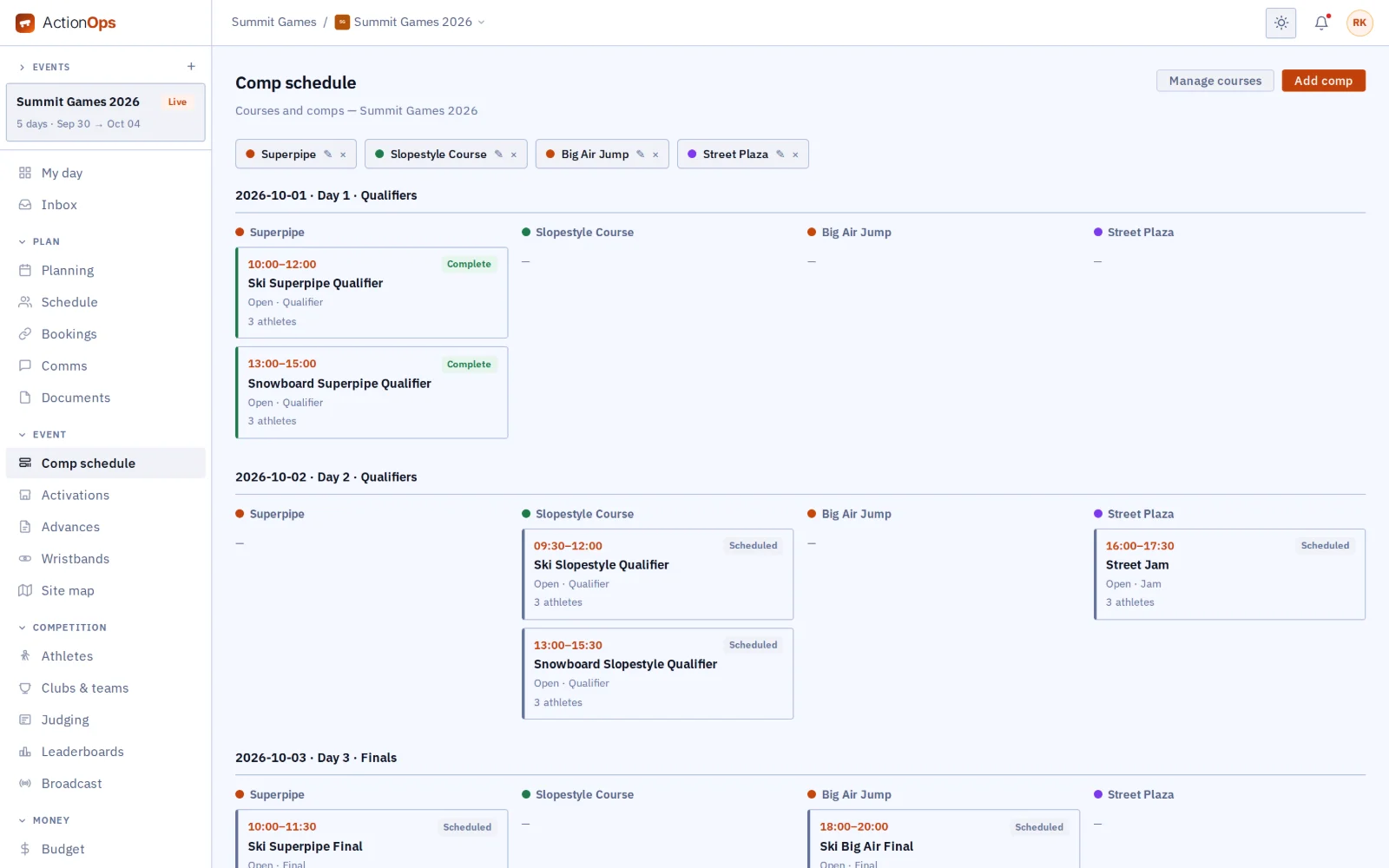
Comp schedule by course and day
What you get

Everything the comp runs on, in one place.

{{ c.title }}

{{ c.body }}

Also in ActionOps

{{ a.title }}
{{ a.body }}
A comp in ActionOps

From the start list to the podium.

{{ r.num }}

{{ r.title }}

{{ r.body }}

{{ r.img }}
Works with the rest of GigOps

Everything GigOps runs on site, under the comp.

{{ w.title }}

  • {{ i }}
See how it connects →
Also included

The shared core

  • {{ c }}
And the apps

Crew are always free.

{{ a.name }}
{{ a.line }}
See the apps →

Put the next comp on ActionOps.

7-day free trial. Company Users are $39 per user / month. View only seats are $0. Crew are always free.

Start free trial Book a demo
Book a demo

Book a demo.

Leave your name and email, and we'll reply the same week to set up a walkthrough of the product that fits.

{{ accLabel }}
{{ accLabel }}
{{ accLabel }}
Could not send. Please email hello@gigops.ai directly.

$39 per user / month · View only $0 · 7-day free trial

Your name, company and email go to a Google Sheet through Google Apps Script, where only the GigOps team reads them.

ActionOps
by GigOps

Run the comp.

Run the comp from the start list to the podium: live judging, leaderboards, results and prize money, on top of everything GigOps runs on site.

Start free trial
Comp schedule by course and day
What you get

Everything the comp runs on, in one place.

Comp schedule

Lay out every comp by course and day: qualifiers, finals and jams.

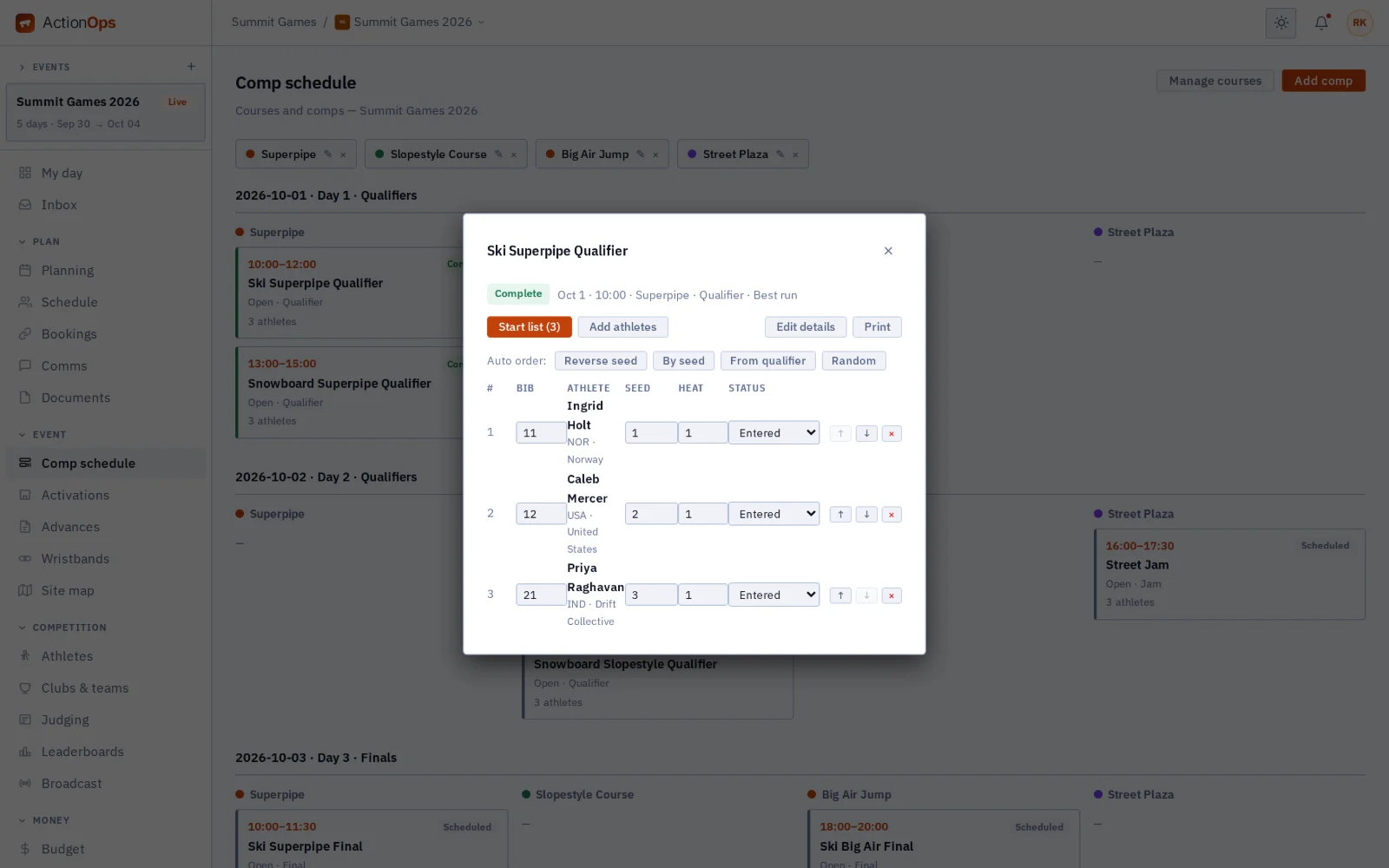
Start lists

Set bib, seed, heat and order, or let GigOps propose the order by seed, reverse seed, qualifier result or at random. Athletes on the list hear when it changes.

Live judging

Seat a panel of judges for each comp, with a head judge. Each judge scores the run from their phone in GigOps Crew. GigOps works out the run score by the comp’s own rule, with its score range and criteria, and drops the high and low scores when the rule says so.

Every comp format

Best run, best two runs, average of runs, best trick, jam, timed runs with penalties, head-to-head brackets and points. Ties break by your rule, and falls, DNS, DNF and disqualifications sort to the bottom.

Leaderboards

The board updates as each score lands, and a full-screen mode puts it on the ops room TV. Move the top riders into the next round in one step, and print official or provisional results.

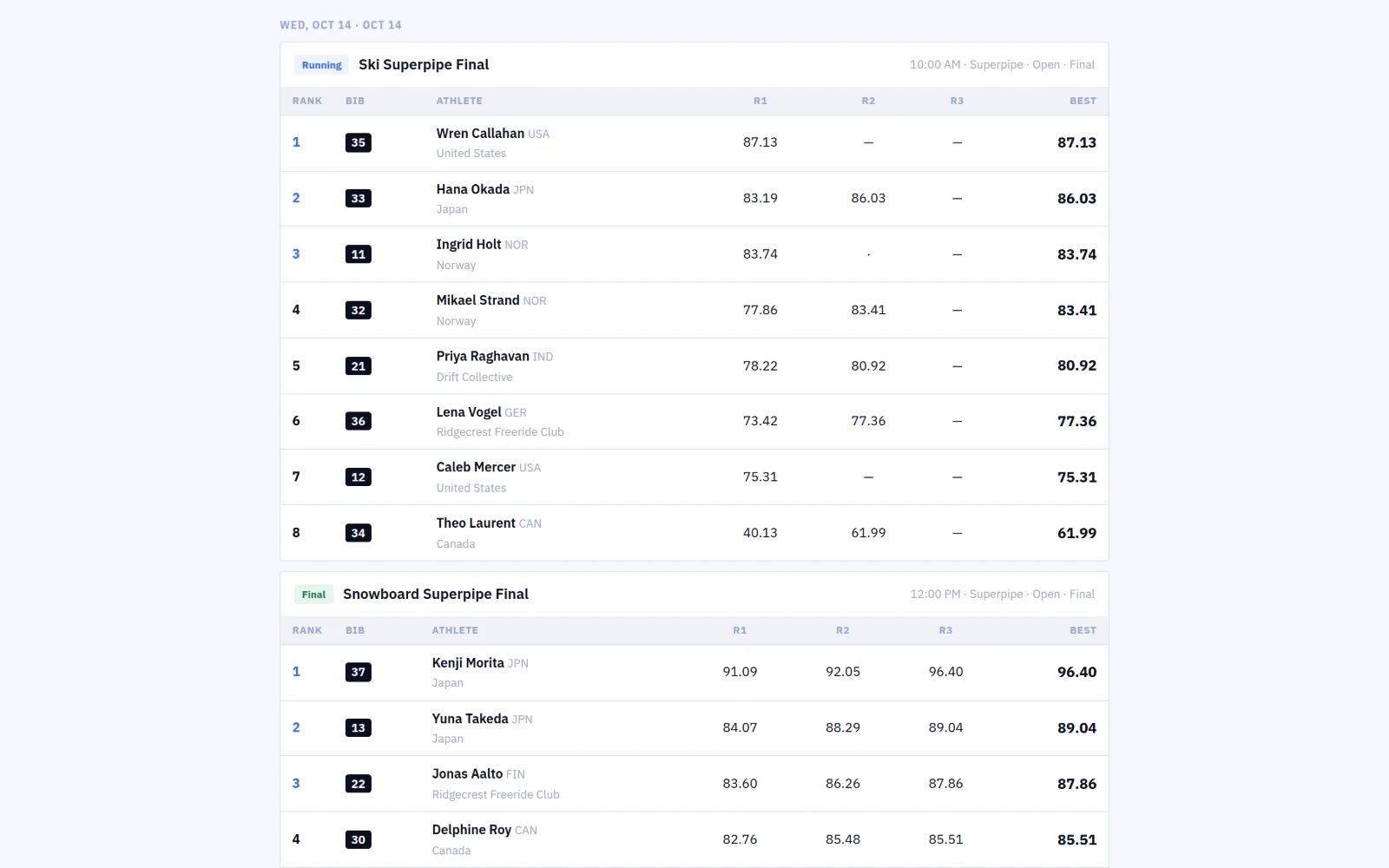
Live results for the media

Share a results page that updates itself, for the media room and broadcast partners. It shows names, bibs, nations and scores, never what each judge gave.

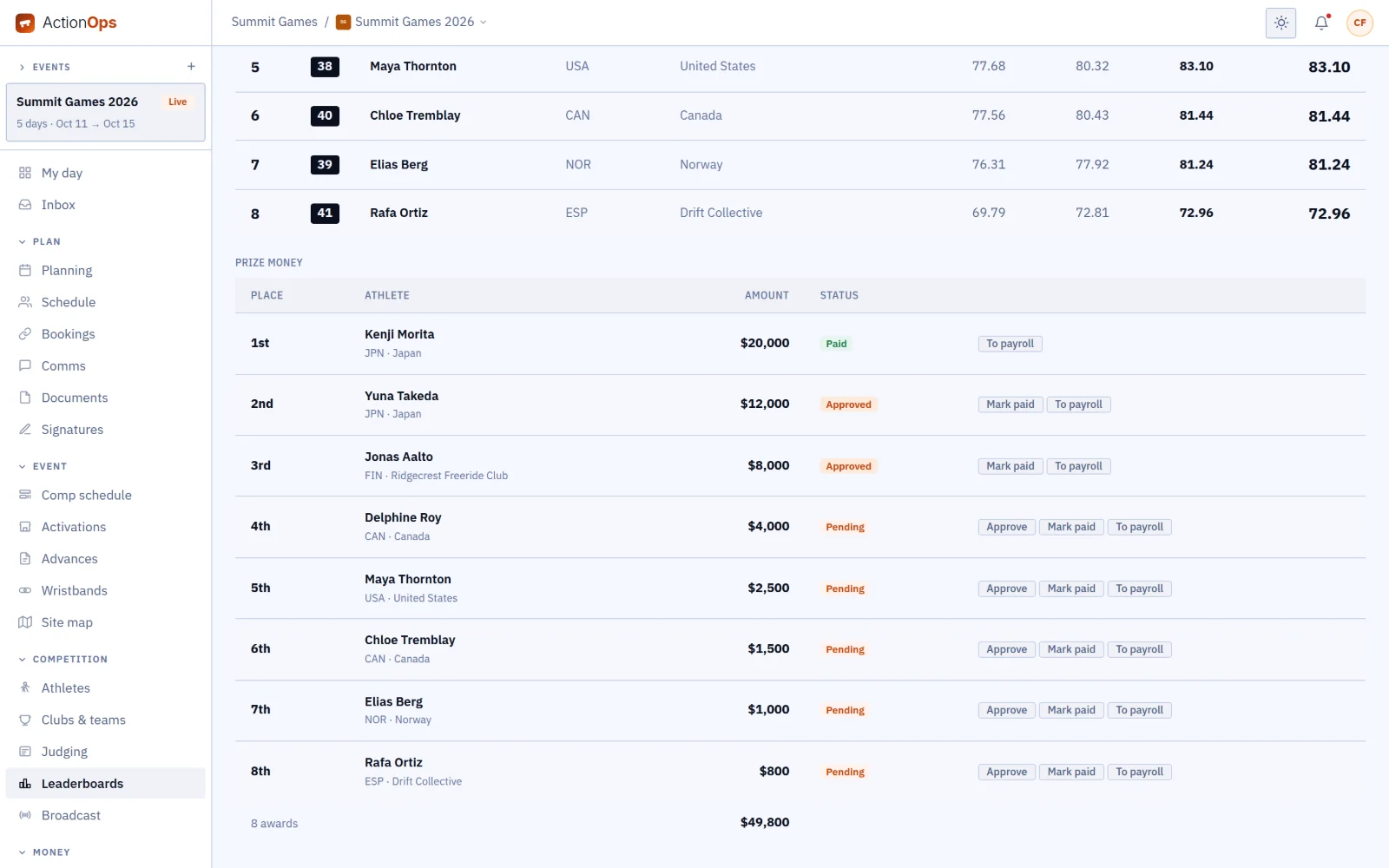
Prize money

Set the purse by place, and completing a comp works out every athlete’s prize. Approve it, mark it paid, or send it to payroll.

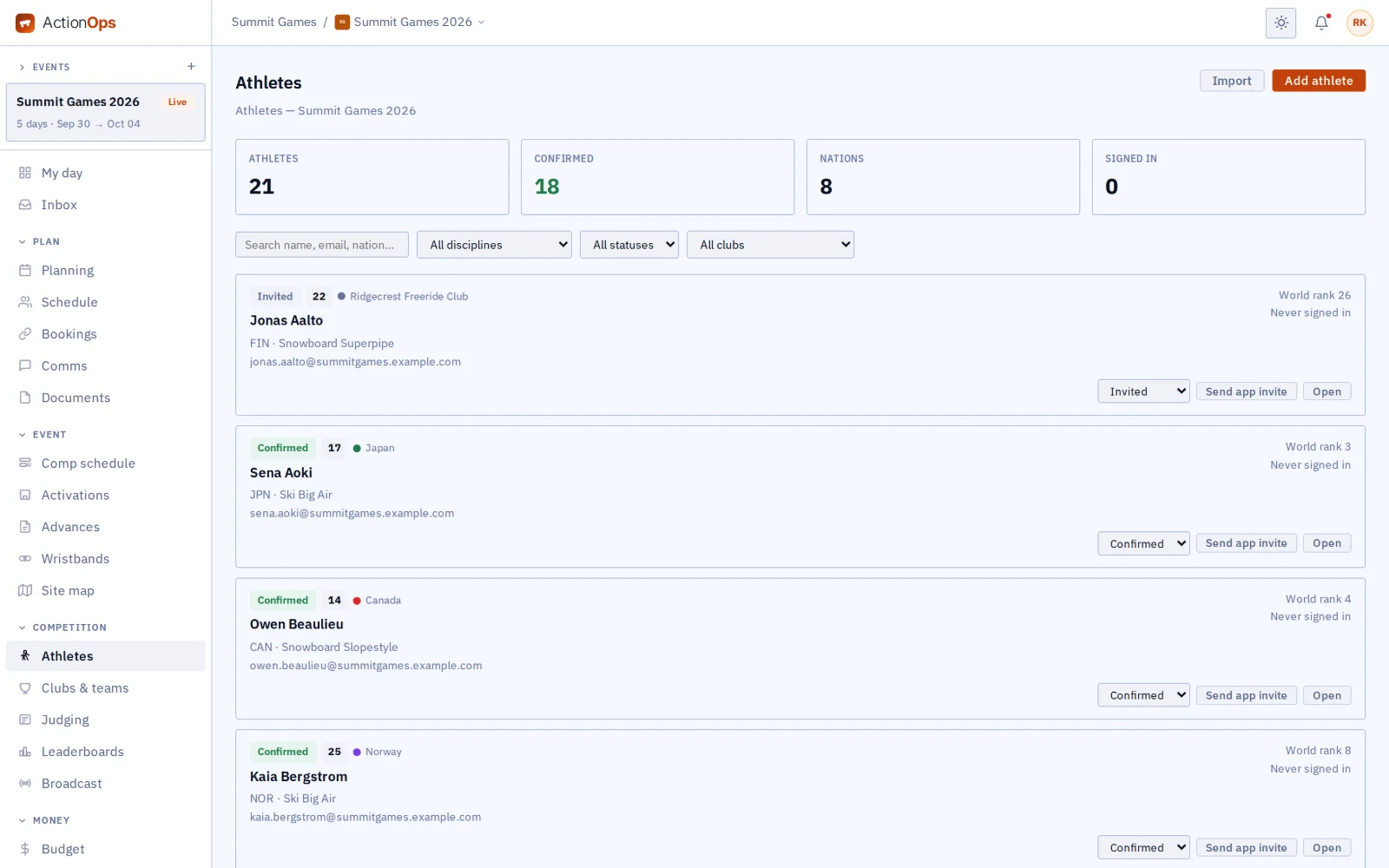
Athletes

Keep each athlete’s discipline, nationality, bib, world rank and status. Import the roster from a spreadsheet, or paste any list and AI sets it out as rows for you to check. Only owners, admins and ops see medical notes.

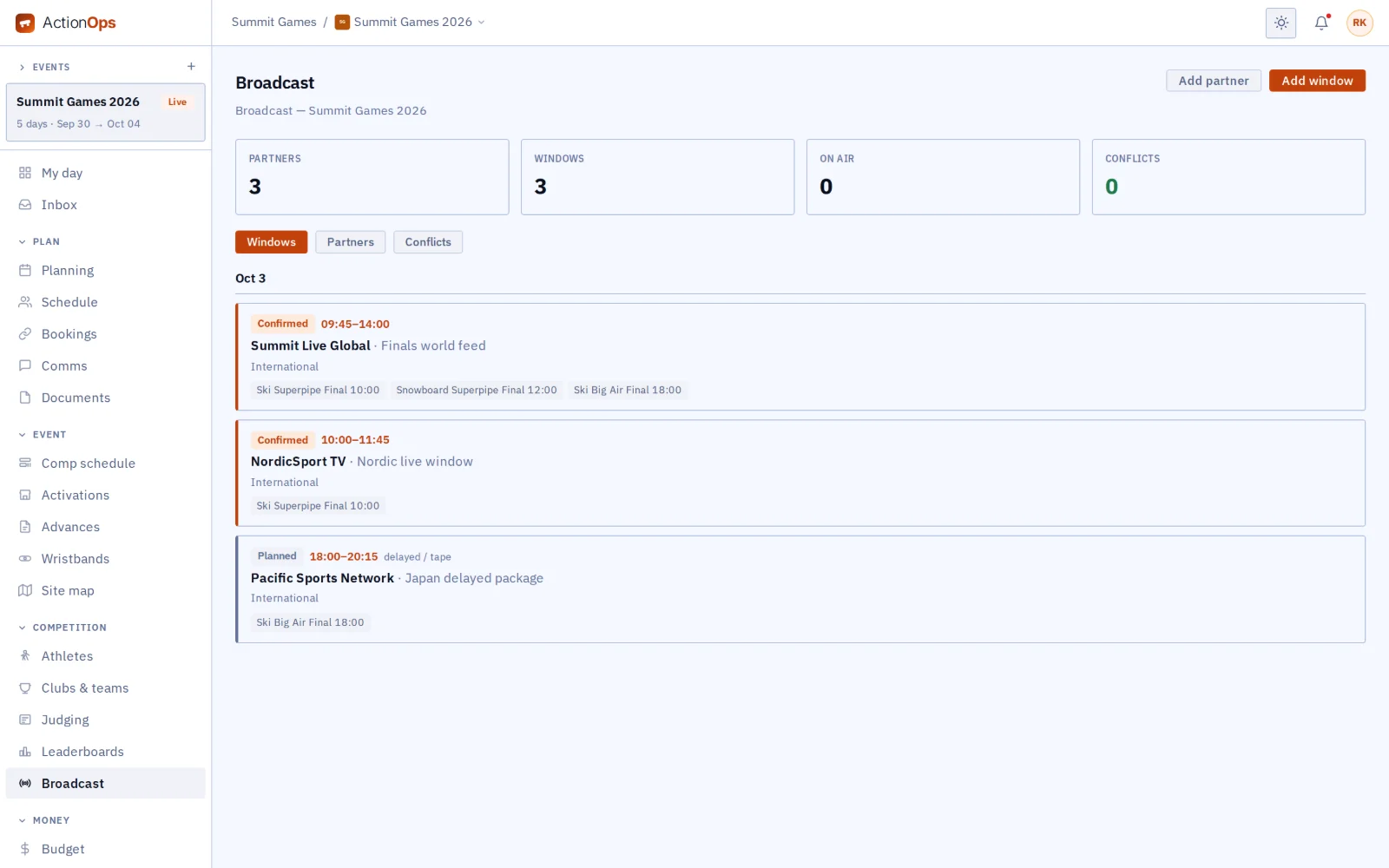
Broadcast windows

Plan each partner’s windows on a timeline over the comp schedule. Clashes are flagged, and partners get an email when a comp moves.

Also in ActionOps

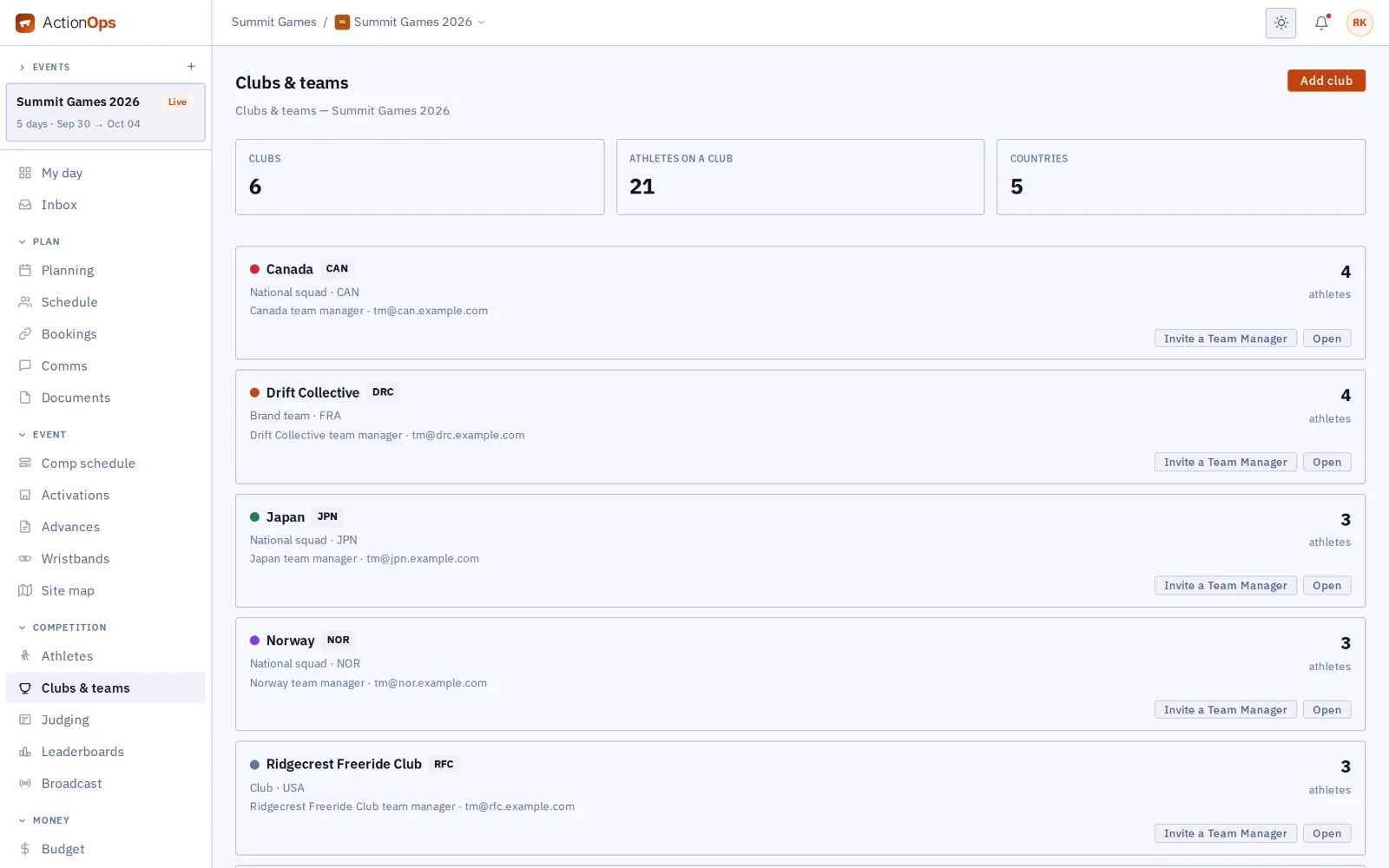
Clubs and teams
Give each team manager a paid seat that sees only their own club. When a comp is delayed, held or cancelled, the managers of the riders on it hear at once.
Corrections on the record
When a score is corrected, the first one stays in the history. Only the head judge can change a score once a run is scored.
Practice and inspection slots
Put practice and course inspection on the schedule, and each athlete sees their own slots in the app.
Weather holds
Set a wind and visibility limit for each course. When the forecast crosses it, GigOps suggests a hold; it never holds a comp on its own.
Duplicate the event
Start next year’s event from this one: its courses, judges and comp formats, without last year’s entries or scores.
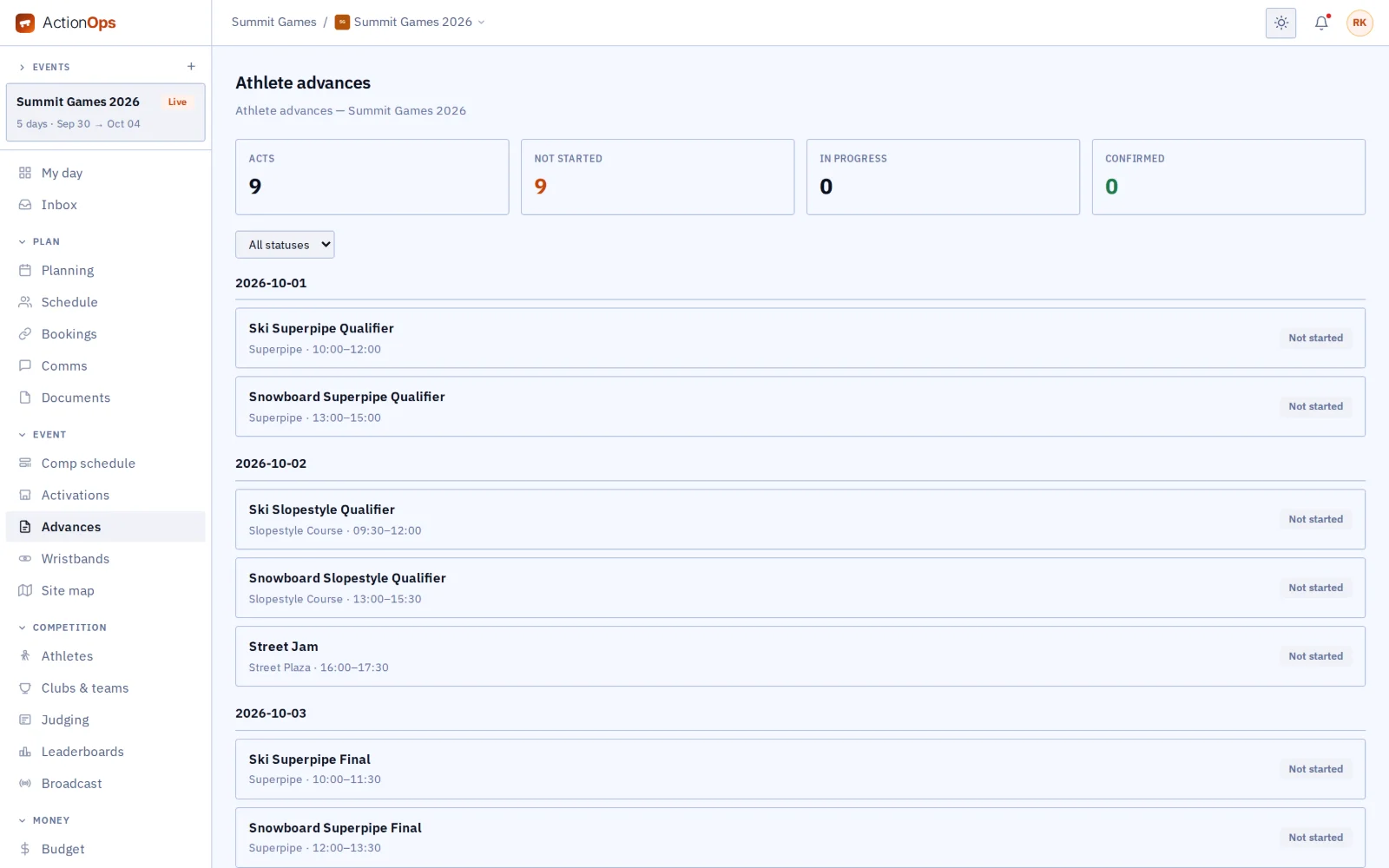
Athlete advances and event travel
Advance athletes in the sport’s own words: practice slot, gear list, course setup. Book travel and hotel blocks for crew, athletes and judges.
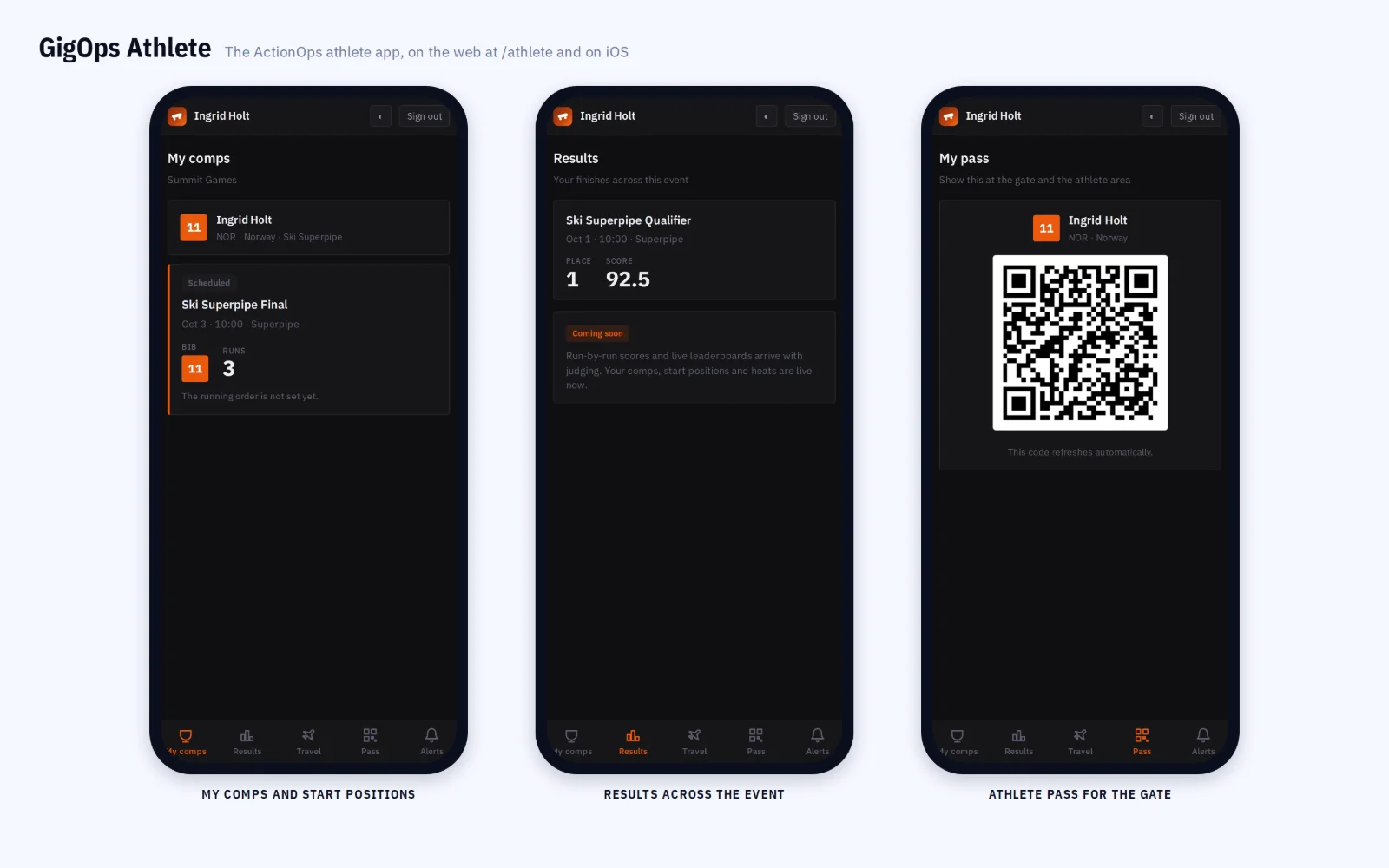
GigOps Athlete app
Athletes follow their place and each run’s score live, open the leaderboard, and see their practice slots, travel, pass and alerts.
A comp in ActionOps

From the start list to the podium.

01 / 14

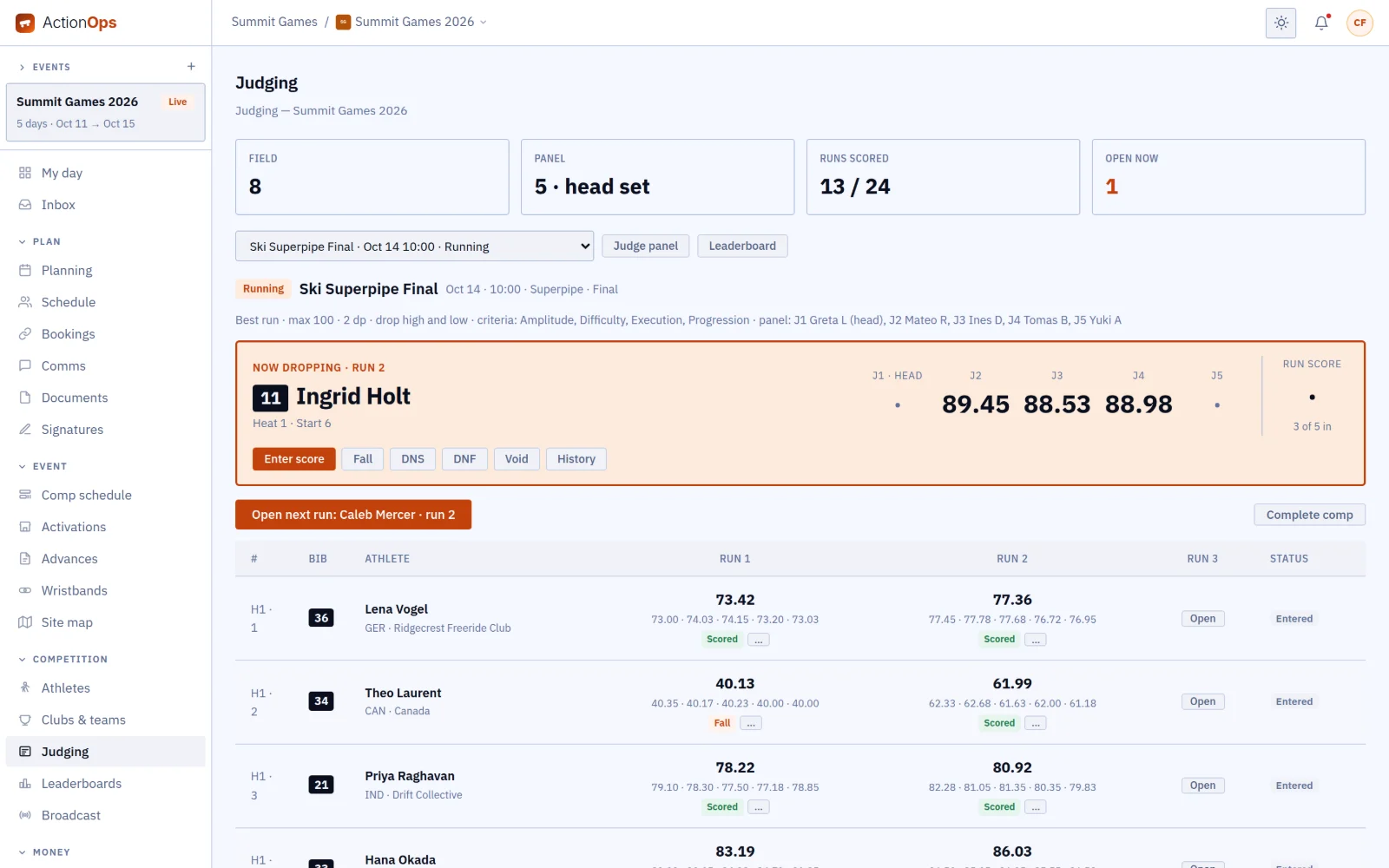
Run the judging.

The open run sits at the top with each judge’s score as it arrives, and the field’s runs below, so the head judge sees who is still to score.

Judging: a five-judge panel, the open run with three of five seats in, and the run table
02 / 14

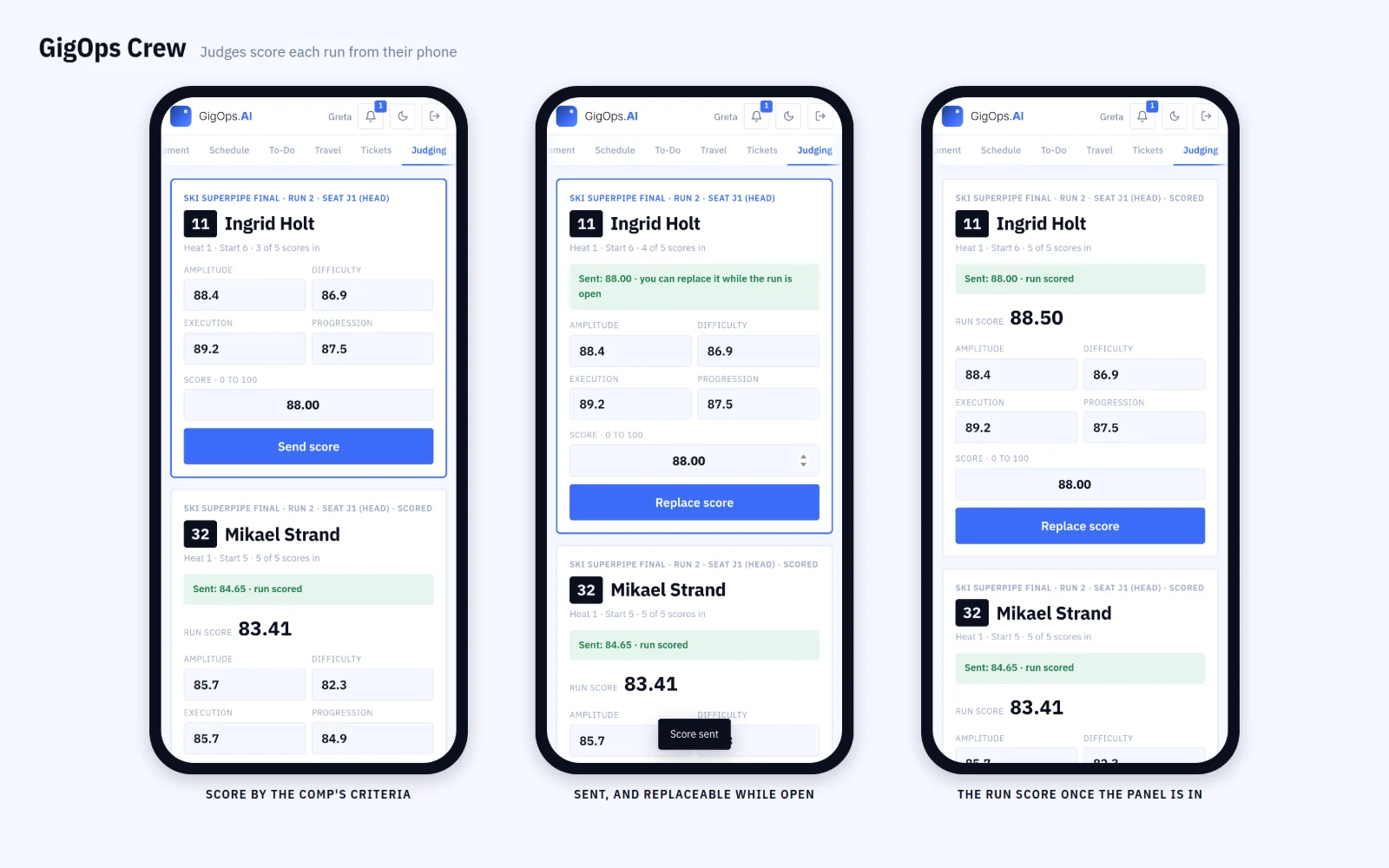
Score from the phone.

Each judge types the criteria into GigOps Crew and sends. A score can be replaced while the run is open, and the run score shows once the panel is in.

GigOps Crew on three phones: a judge enters the criteria, sends the score and sees the run score
03 / 14

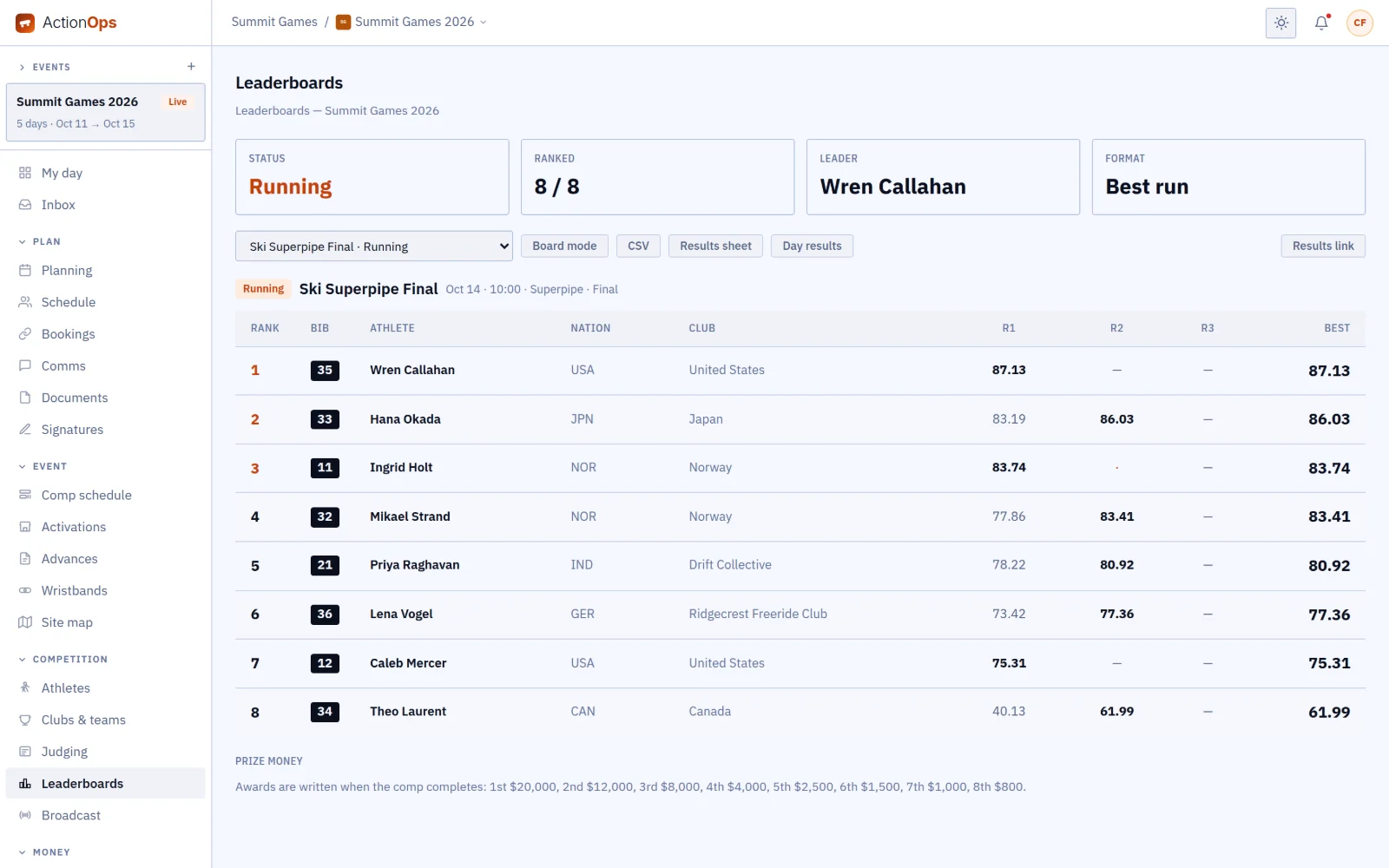
Rank the field live.

The best run per athlete, ranked as the scores come in, with the purse shown by place.

Leaderboard for a running final, with the prize breakdown
04 / 14

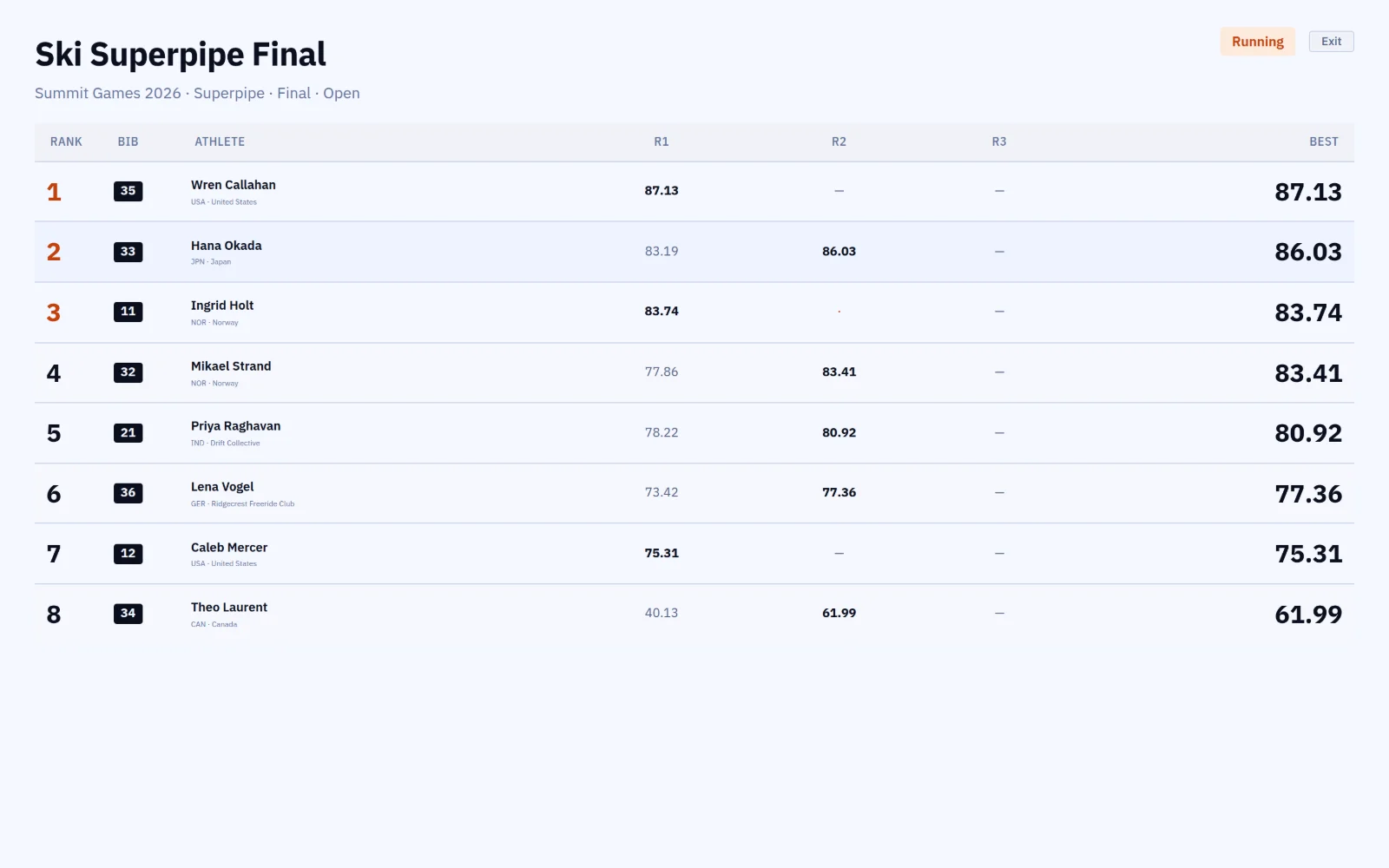
Put it on the TV.

One click turns the board into large type for the screen in the ops room.

The leaderboard’s full-screen TV mode
05 / 14

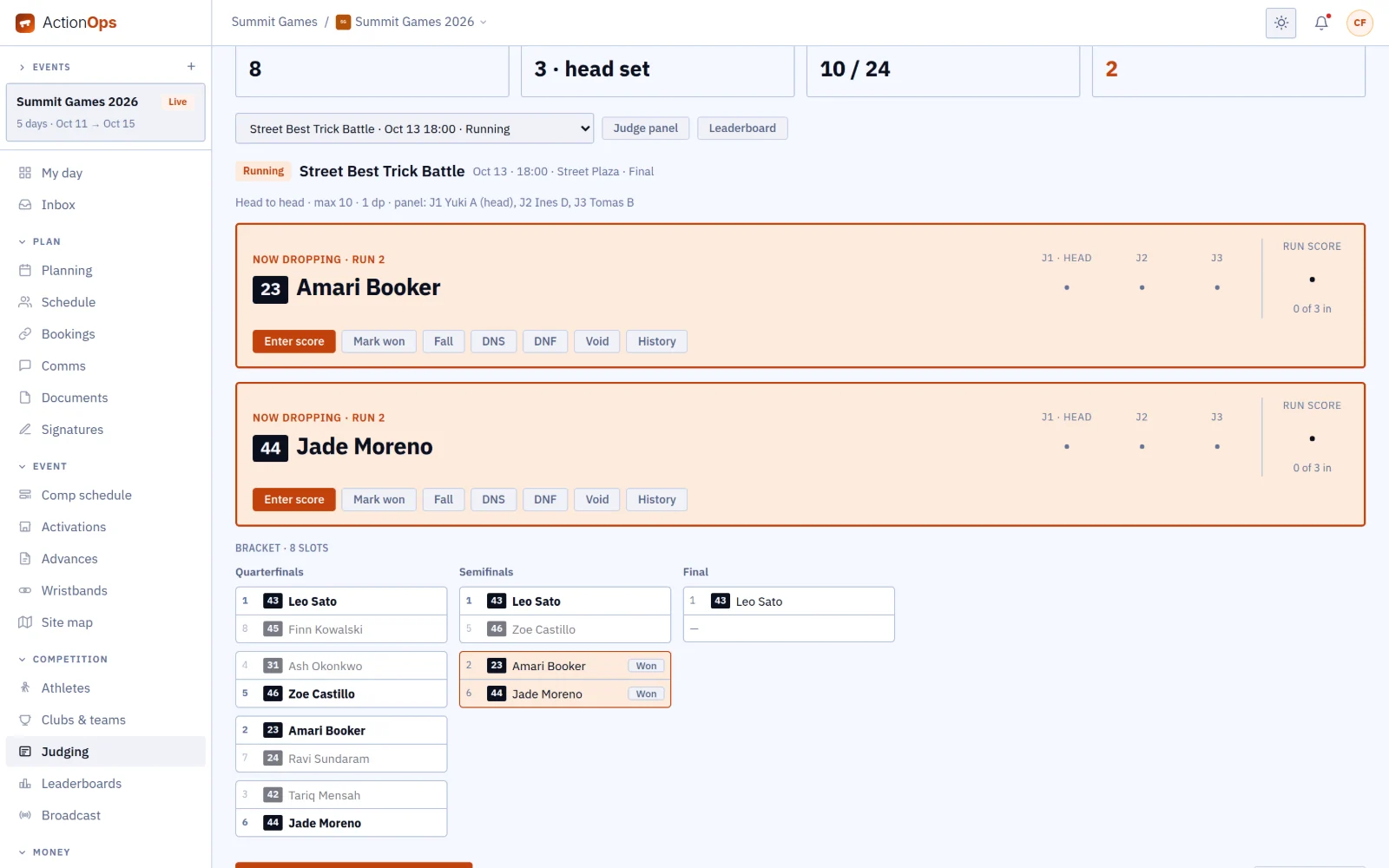
Run a bracket.

In a best-trick battle, two riders go head to head and the winner moves up the bracket to the final.

A head-to-head battle: the open matchup and the bracket from quarterfinals to final
06 / 14

Give the media one page.

The media room keeps one page open, and it fills in run by run for every final of the day.

The public results page for the media room
07 / 14

Pay out the purse.

Each award moves from pending to approved to paid, with the total for the comp at the bottom of the list.

Prize money on a completed final, $49,800 in all
08 / 14

Build the start list.

Seed the heats and set the running order, and change it without reprinting a sheet for every rider.

Start list for a comp
09 / 14

Keep the roster.

Every athlete’s bib, nation and rank in one list, with medical notes kept to the people who need them.

Athlete roster
10 / 14

Seat the team managers.

Each club’s manager sees their own riders and hears first when a comp moves.

Clubs and teams
11 / 14

Clear the broadcast windows.

Lay each partner’s windows over the comps, and spot a clash before the producer does.

Broadcast windows
12 / 14

Advance the athletes.

Practice slots, gear lists and course setup for each athlete, in one place.

Athlete advances
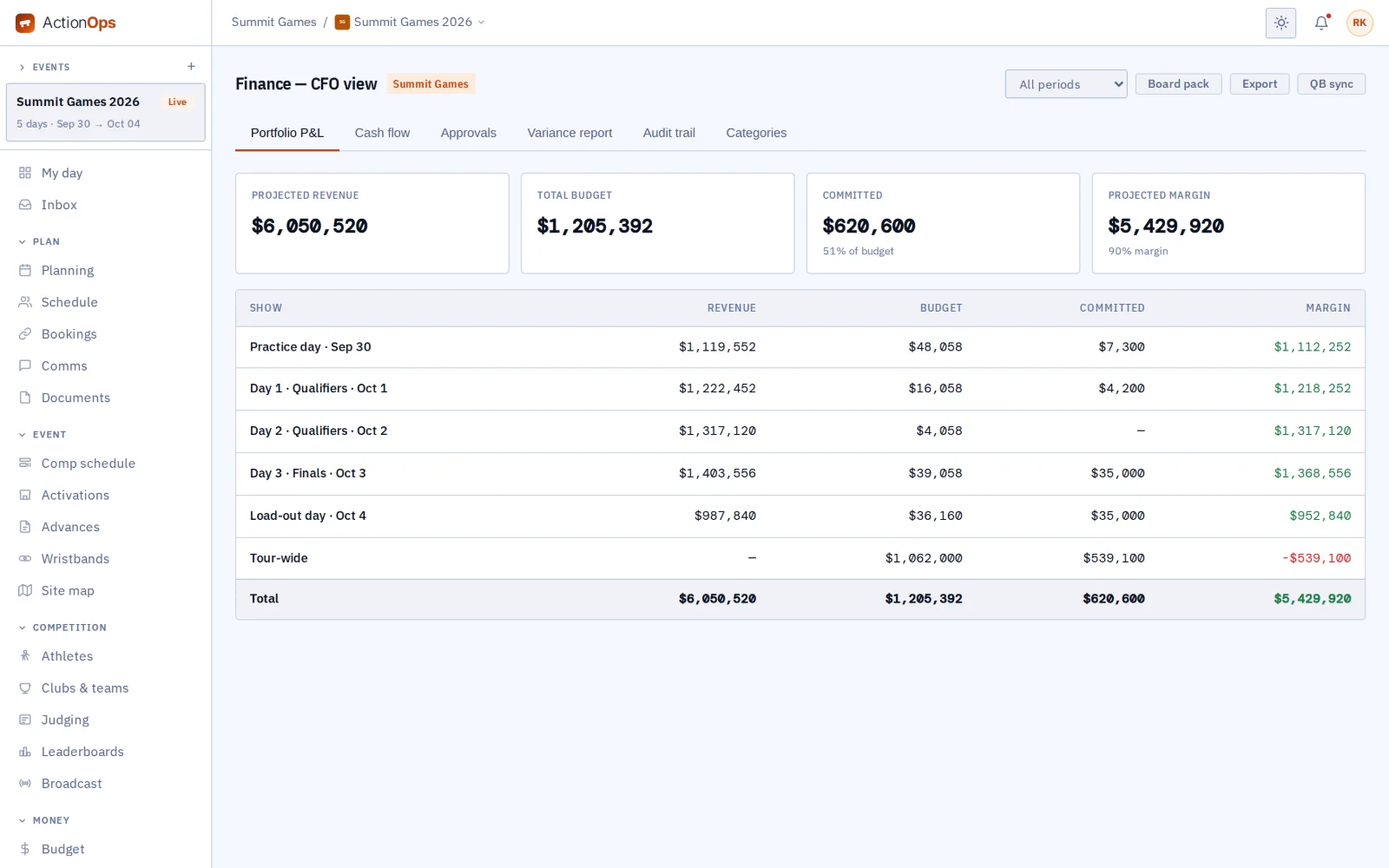
13 / 14

Read the event’s money.

Revenue and costs by day, for the whole event.

Event profit and loss by day
14 / 14

Put the comp on their phones.

Athletes see their own place live, the leaderboard and their practice slots in GigOps Athlete.

GigOps Athlete on three phones: my comps, live place and runs, and the live leaderboard
Works with the rest of GigOps

Everything GigOps runs on site, under the comp.

Across the event

  • Credentials and gate scanning.
  • Crew, catering and will-call.
  • The budget and the finance summary.

GigOps Crew

  • Judges score from the crew app they already use for their schedule and pass.

GigOps Athlete

  • The athlete app, with live results.
See how it connects →
Also included

The shared core

  • My day
  • Planning and tasks
  • Crew and payroll
  • Catering and meal check-in
  • Credentials and gate scanning
  • Guest list and will-call
  • Budget and finance
  • Documents
  • Signatures (GigOps Sign)
  • Comms and alerts
  • Logistics and dispatch
  • Weather
  • CAD
And the apps

Crew are always free.

GigOps Crew
The free crew app: badge, schedule, tasks and travel on the phone.
GigOps Athlete
The ActionOps athlete app: comps and start positions, live results, travel, pass and alerts.
GigOps Company
The office on your phone, for Company Users.
GigOps Scan
The gate scanner: verify credentials online or offline, and log every scan.
See the apps →

Put the next comp on ActionOps.

7-day free trial. Company Users are $39 per user / month. View only seats are $0. Crew are always free.

Start free trial
Book a demo

Book a demo.

Leave your name and email, and we'll reply the same week to set up a walkthrough of the product that fits.

$39 per user / month · View only $0 · 7-day free trial

Your name, company and email go to a Google Sheet through Google Apps Script, where only the GigOps team reads them.