{{ menuLabel }} How it connects Apps Pricing Sign in Start free trial
{{ f.tagline }}
by GigOps

Run the grounds.

Many acts, one site, weeks of build. FestivalOps adds stages, the lineup, advance forms and site operations to everything GigOps already runs.

Start free trial Book a demo
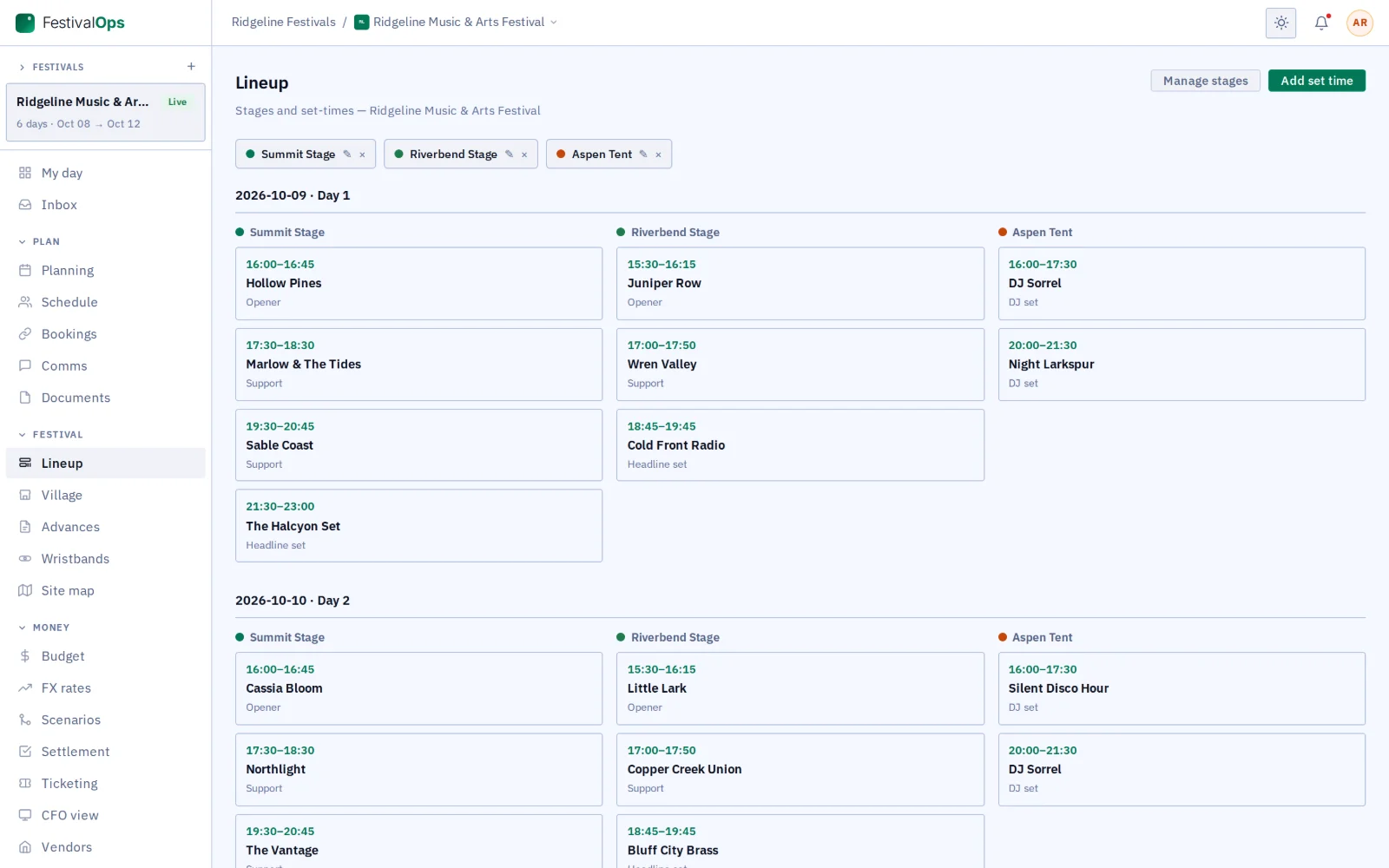
Lineup grid by stage and day
What you get

Everything the site runs on, in one place.

{{ c.title }}

{{ c.body }}

Also in FestivalOps

{{ a.title }}
{{ a.body }}
A festival in FestivalOps

From build days to strike.

{{ r.num }}

{{ r.title }}

{{ r.body }}

{{ r.img }}
Works with the rest of GigOps

Acts on TourOps work with you on the festival link.

{{ w.title }}

  • {{ i }}
See how it connects →
Also included

The shared core

  • {{ c }}
And the apps

Crew are always free.

{{ a.name }}
{{ a.line }}
See the apps →

Put the next edition on FestivalOps.

7-day free trial. Company Users are $39 per user / month. View only seats are $0. Crew are always free.

Start free trial Book a demo
Book a demo

Book a demo.

Leave your name and email, and we'll reply the same week to set up a walkthrough of the product that fits.

{{ accLabel }}
{{ accLabel }}
{{ accLabel }}
Could not send. Please email hello@gigops.ai directly.

$39 per user / month · View only $0 · 7-day free trial

Your name, company and email go to a Google Sheet through Google Apps Script, where only the GigOps team reads them.

FestivalOps
by GigOps

Run the grounds.

Many acts, one site, weeks of build. FestivalOps adds stages, the lineup, advance forms and site operations to everything GigOps already runs.

Start free trial
Lineup grid by stage and day
What you get

Everything the site runs on, in one place.

Stages, lineup and build days

The set-times grid by stage and day is the festival’s run of show, with load-in, show and load-out days on the same schedule.

Advance forms

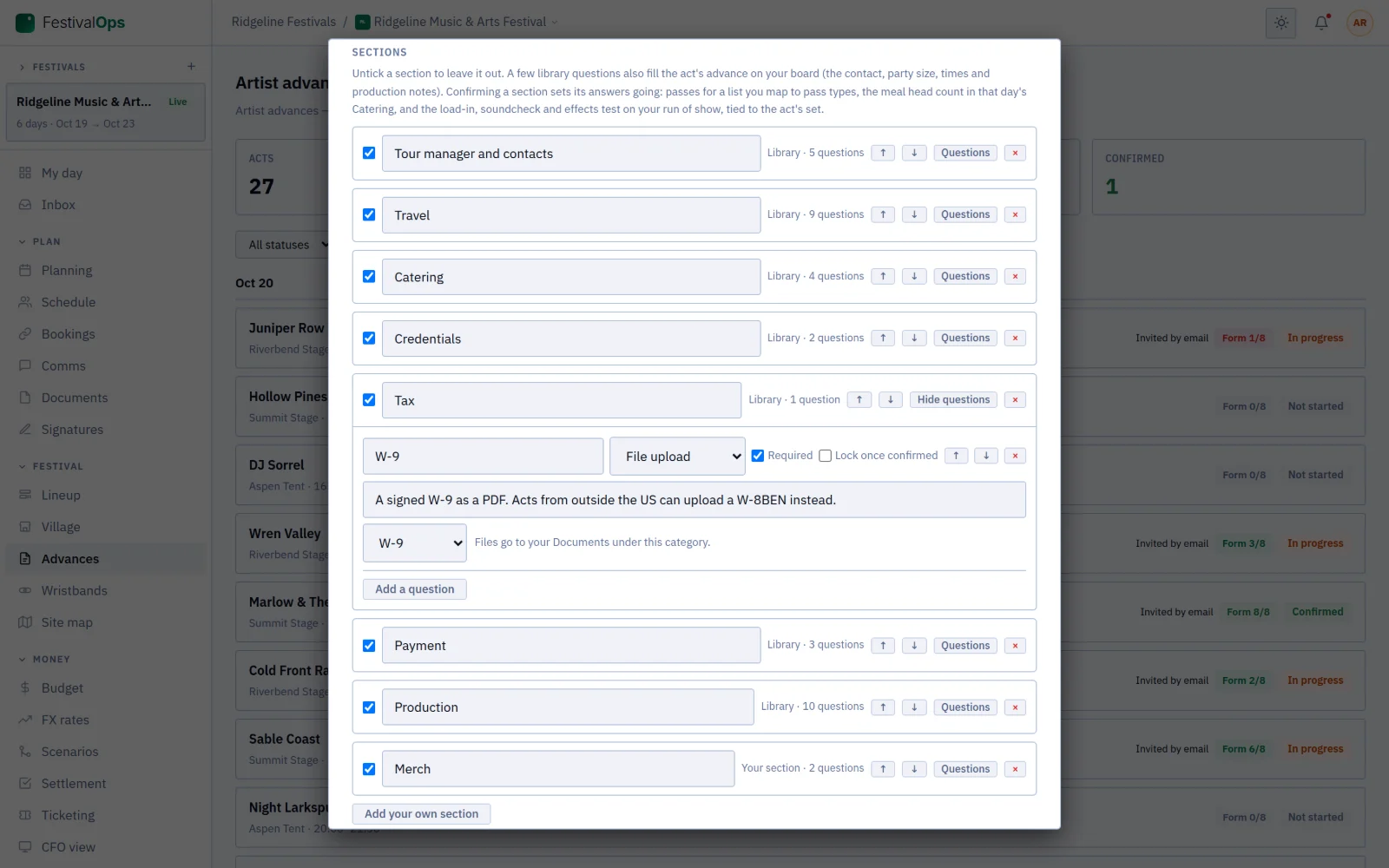
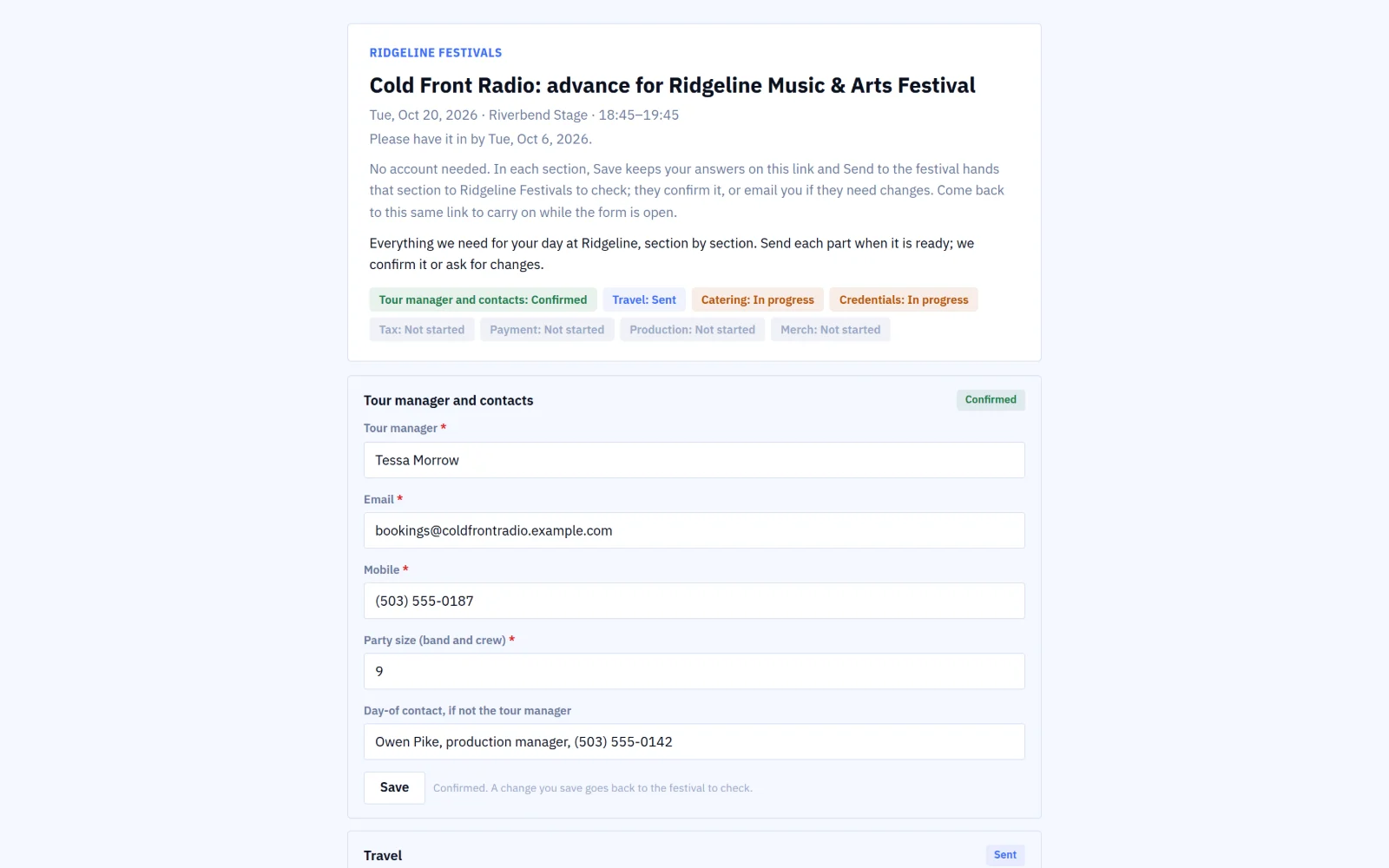
Build the form your acts fill in from a library (tour manager and contacts, travel, catering, credentials, tax, production, payment) and your own questions. Acts on TourOps answer on the festival link; the rest on a private link, with no account. Each section goes from sent to confirmed, and reminders go out a week and two days before it is due.

Answers that do the work

Confirming a section issues the act’s passes (to its crew in GigOps Crew by name), puts its meal counts into Catering, and its load-in, soundcheck and effects test on the run of show.

What your acts see

Private by default; then each act’s own set, or the full schedule; the site map; a note and contacts; announcements to every act at once.

Vendor village

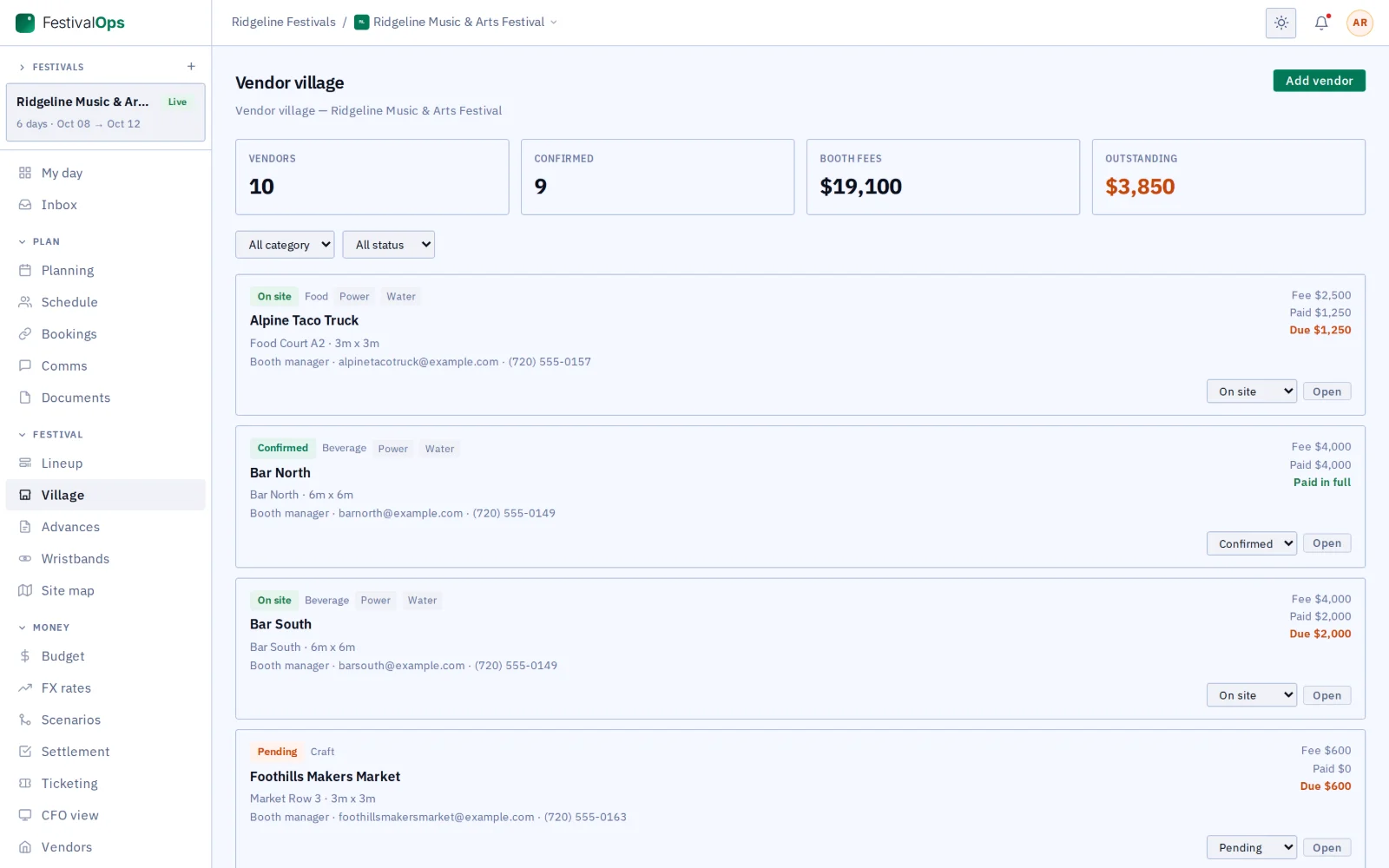
Place every food, drink, merch, craft, sponsor and activation stall, with its power, water, fees and revenue share.

Wristbands

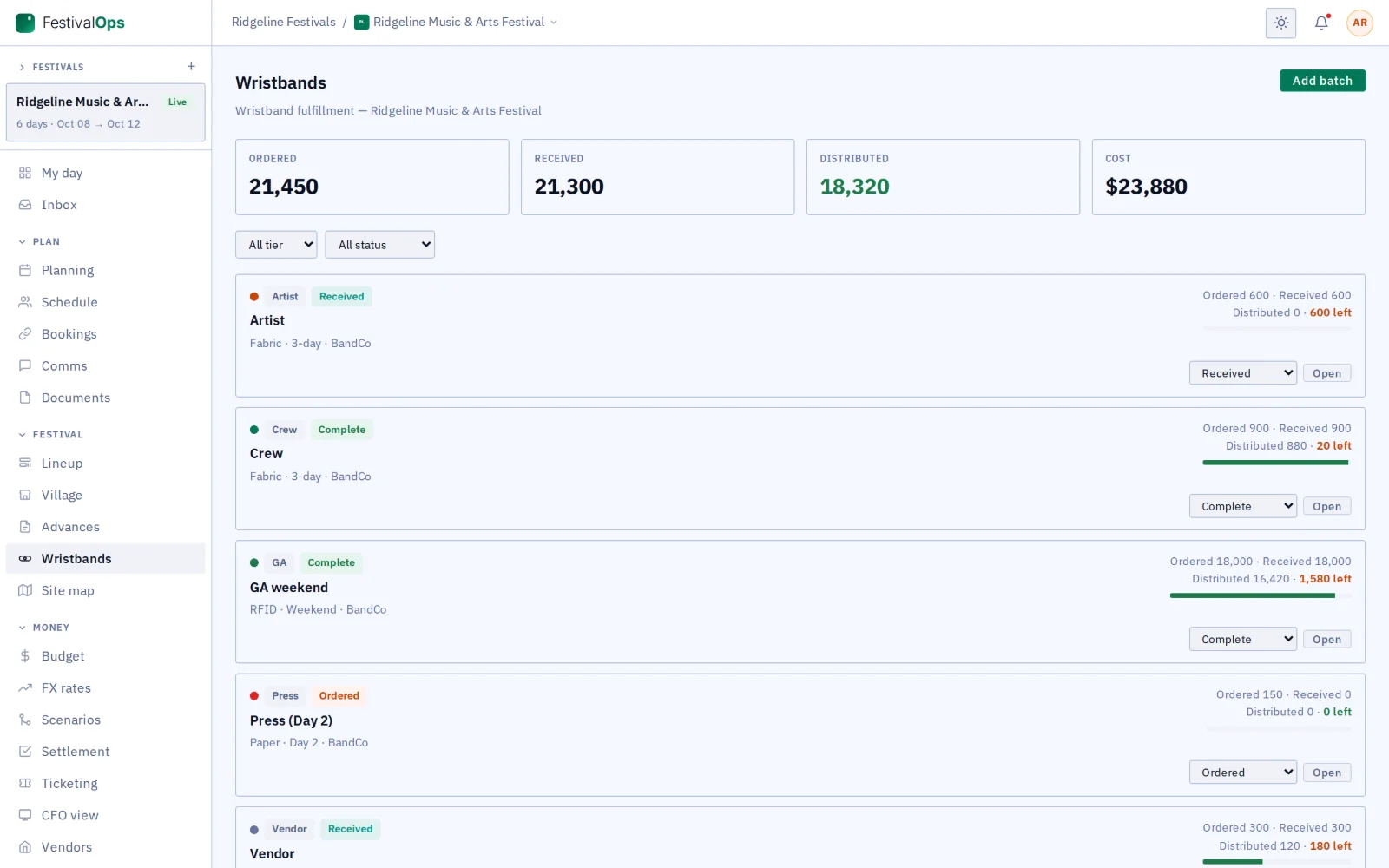
Follow each batch by tier and type from ordered to handed out, with what it cost.

Site map

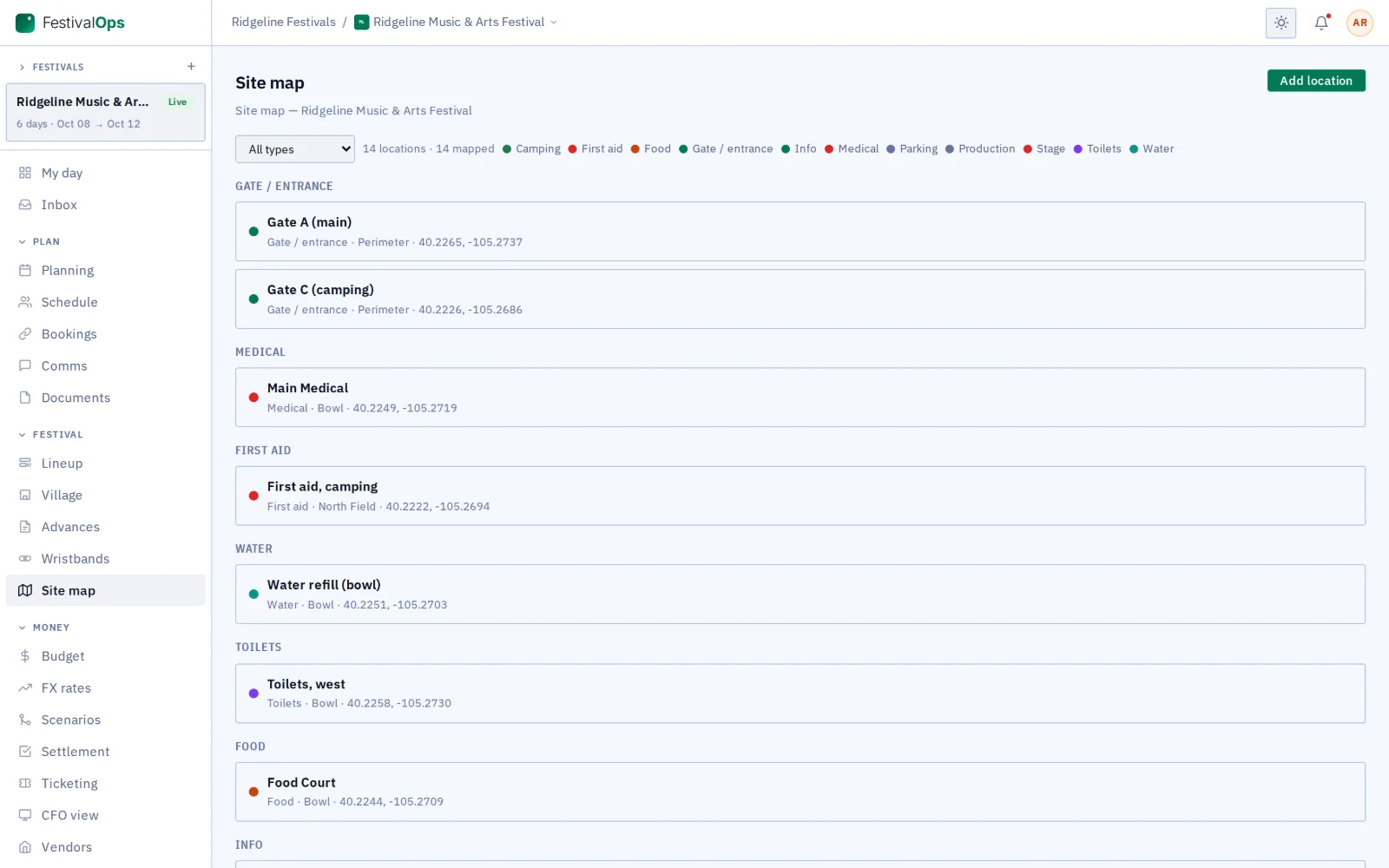
Mark the gates, medical, water, info, toilets, food, parking and camping on a map of the site.

Incident and health-and-safety log

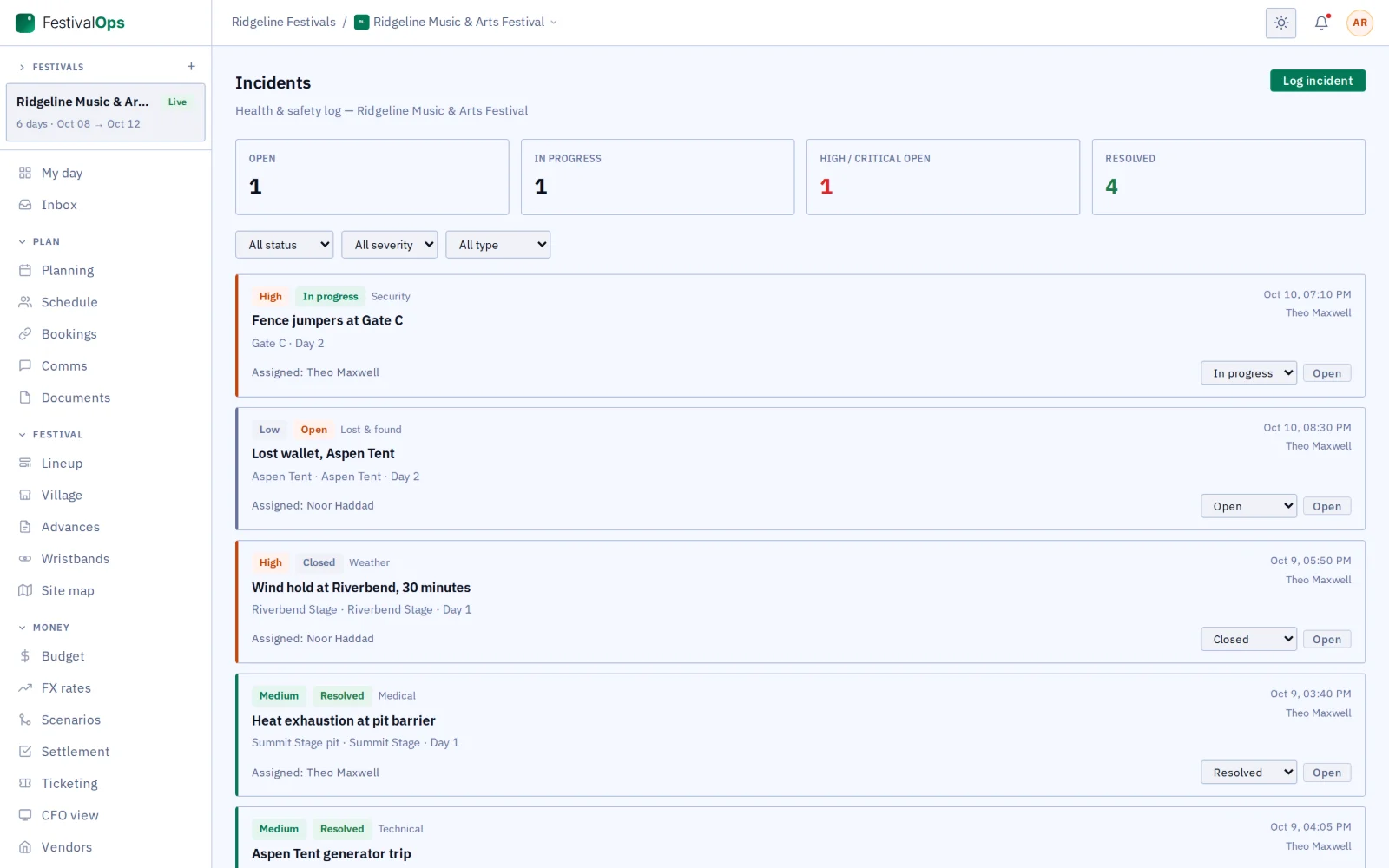
Log every incident with its severity, status and who is on it. A critical incident alerts the festival’s admins at once.

Festival profit and loss

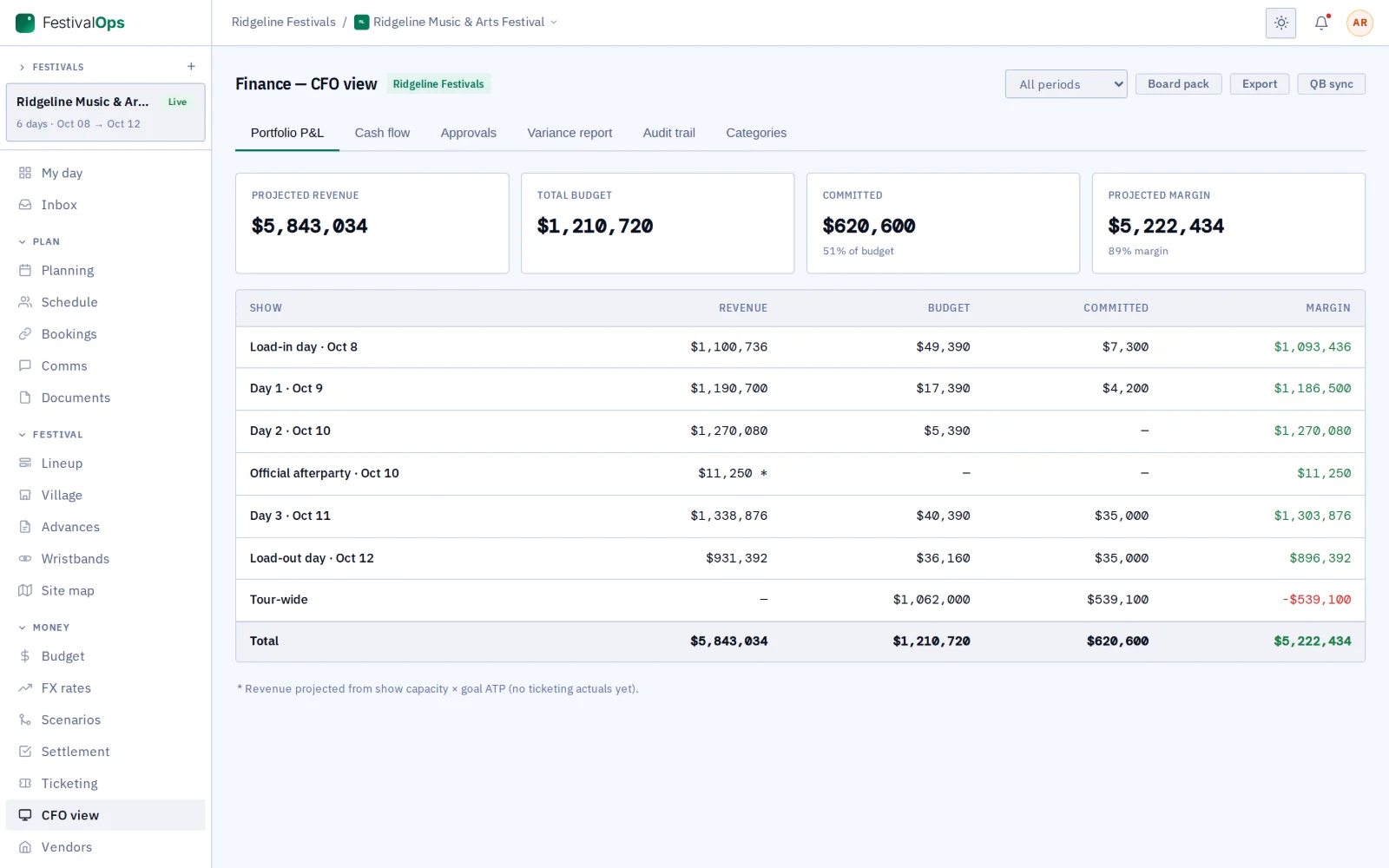
See the money by day and for the whole festival.

Also in FestivalOps

Site-scale CAD
Draw the whole site to scale, with festival gear ready to place.
Event travel
Book crew flights, hotels, cars and shuttles for the whole festival once, without tying them to a day.
Bank details, encrypted
The form’s payment section takes US or international bank details (routing numbers and IBANs checked), encrypted on GigOps’ own server. The festival sees the last four digits; owners, admins and finance reveal the rest, and every reveal is logged. GigOps does not make the payment.
A festival in FestivalOps

From build days to strike.

01 / 15

Build the advance form.

Start from the library sections, switch off the ones you do not need and add your own, like a merch section. You write it once for every act on the bill.

The advance form builder: library sections and the festival’s own Merch section, with Tax open
02 / 15

The act answers on its own link.

An act not on GigOps opens the form from your email, sends each section when it is ready, and comes back to the same link to finish.

An act’s advance form on its private link, with each section’s status
03 / 15

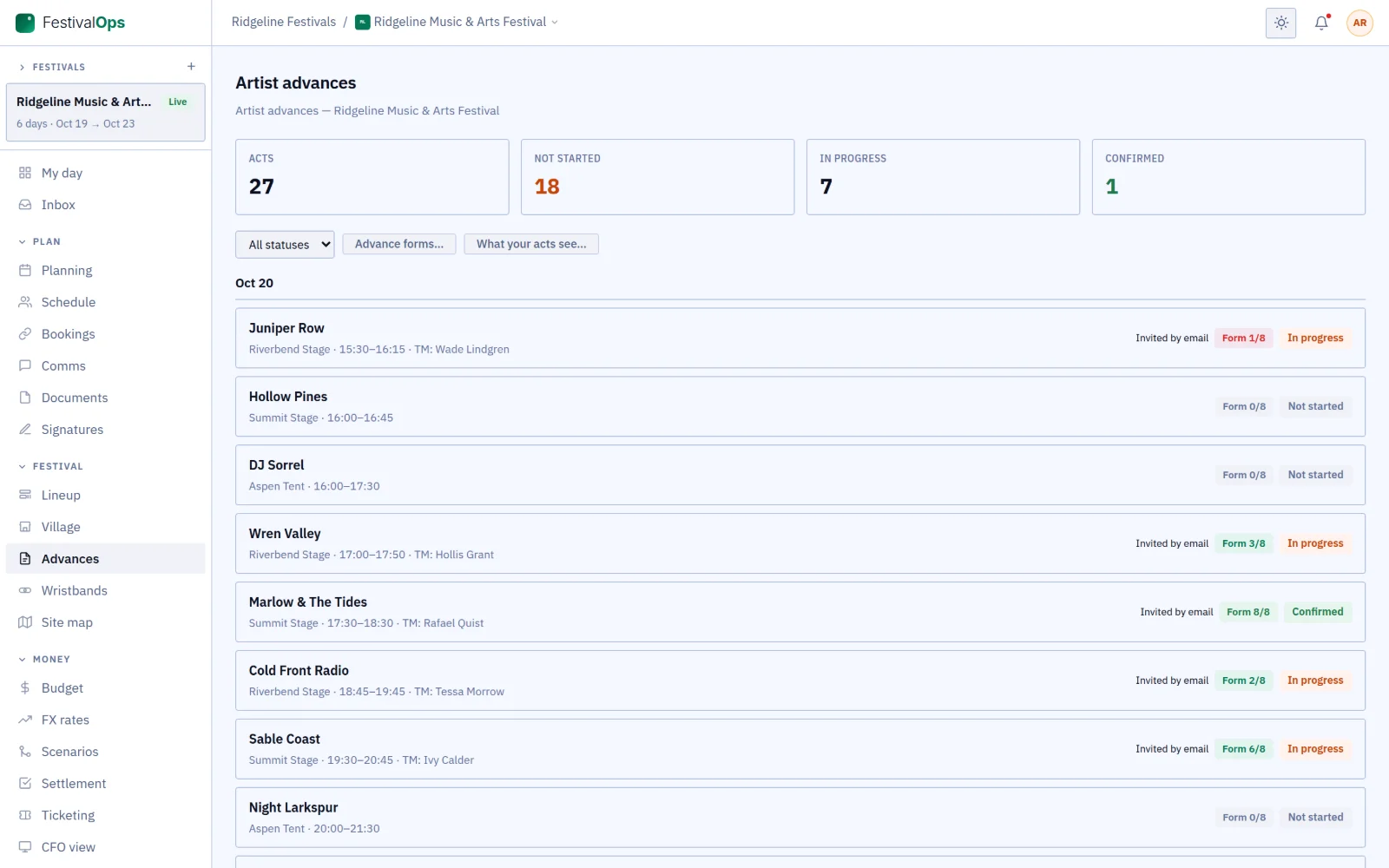
See who still owes you answers.

The board shows how far each act has got through its form, so you chase the ones that are behind, not everyone.

The Advances board with a form progress chip per act
04 / 15

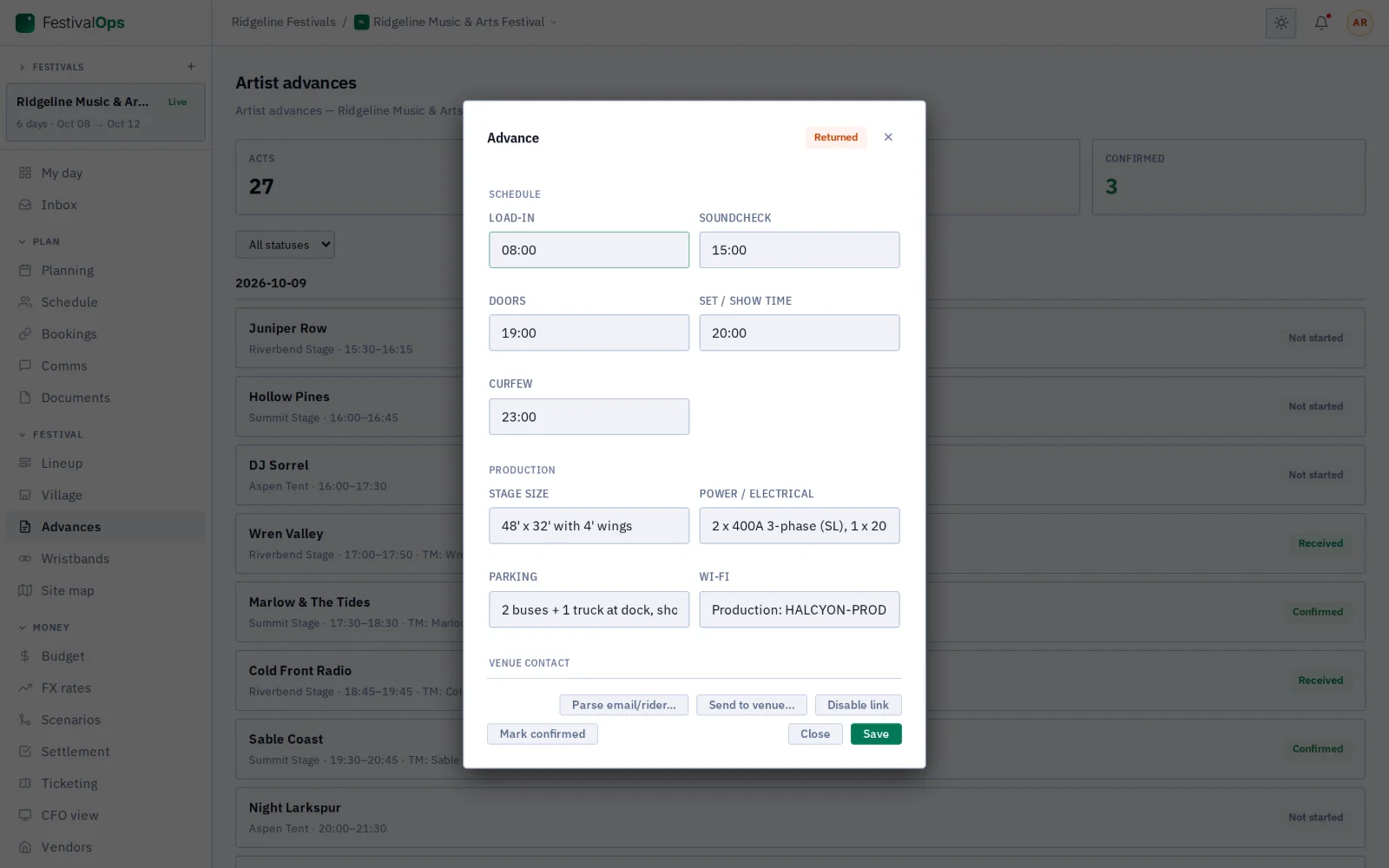
Open one act’s advance.

Arrival, soundcheck, input list, stage plot and hospitality sit together, so the stage manager reads one page.

One artist advance
05 / 15

Lay out the village.

Every stall’s pitch, power draw and water point in one list, with what each one owes you.

Vendor village
06 / 15

Get the wristbands out.

Know how many of each tier have arrived and how many are still in the box, before the gates open.

Wristband fulfillment
07 / 15

Mark the site.

Put every gate, medical tent and water point on the map, and point crew and acts to it.

Site map points of interest (list view)
08 / 15

Keep the log.

Every report from the site lands in one log, so the morning safety meeting starts from facts.

Incident and health-and-safety log
09 / 15

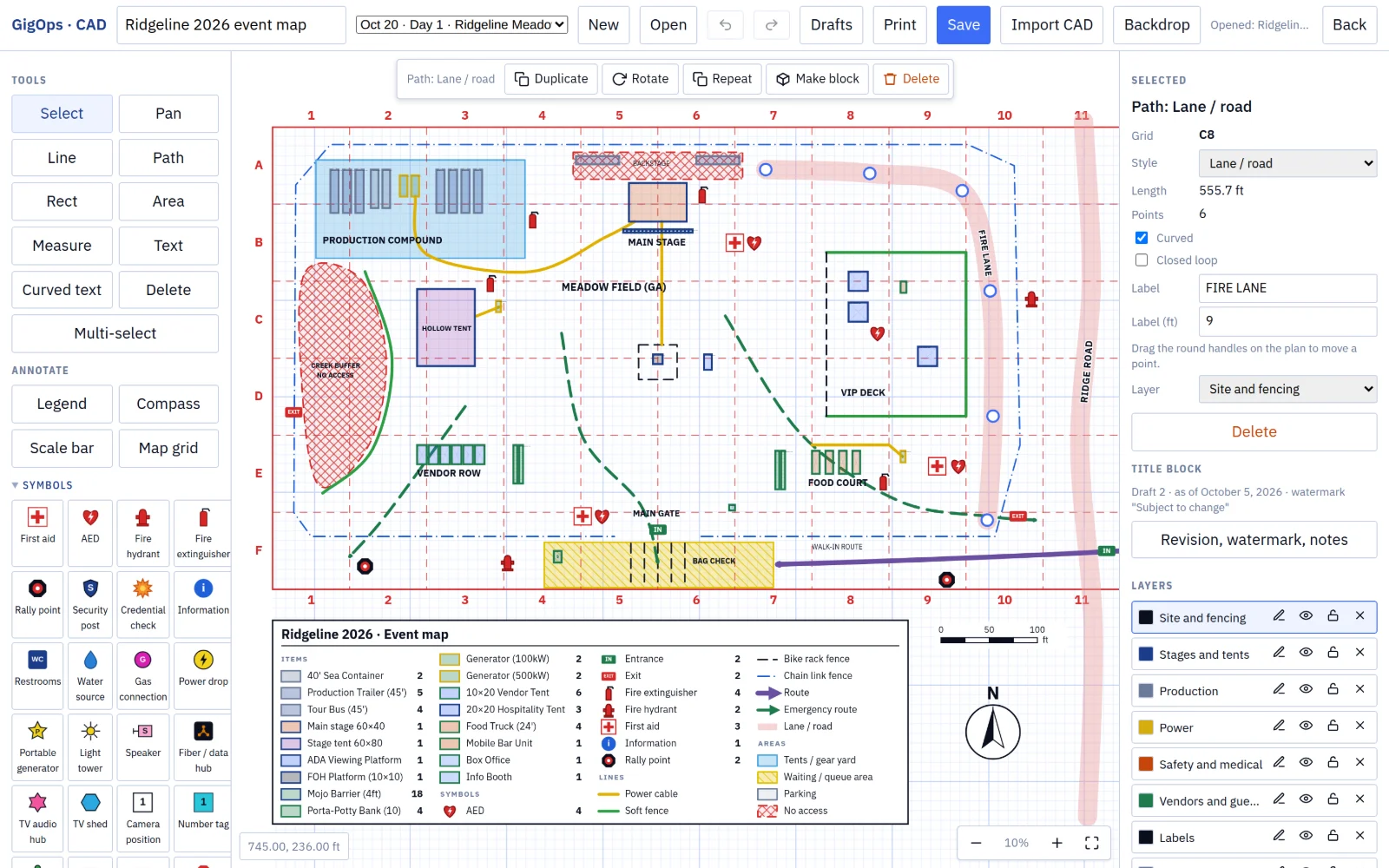
Draw the site to scale.

Fences, power runs, fire lanes and safety symbols on a map grid, with a legend that counts everything drawn.

CAD event map with fences, power, emergency routes, safety symbols, map grid and legend
10 / 15

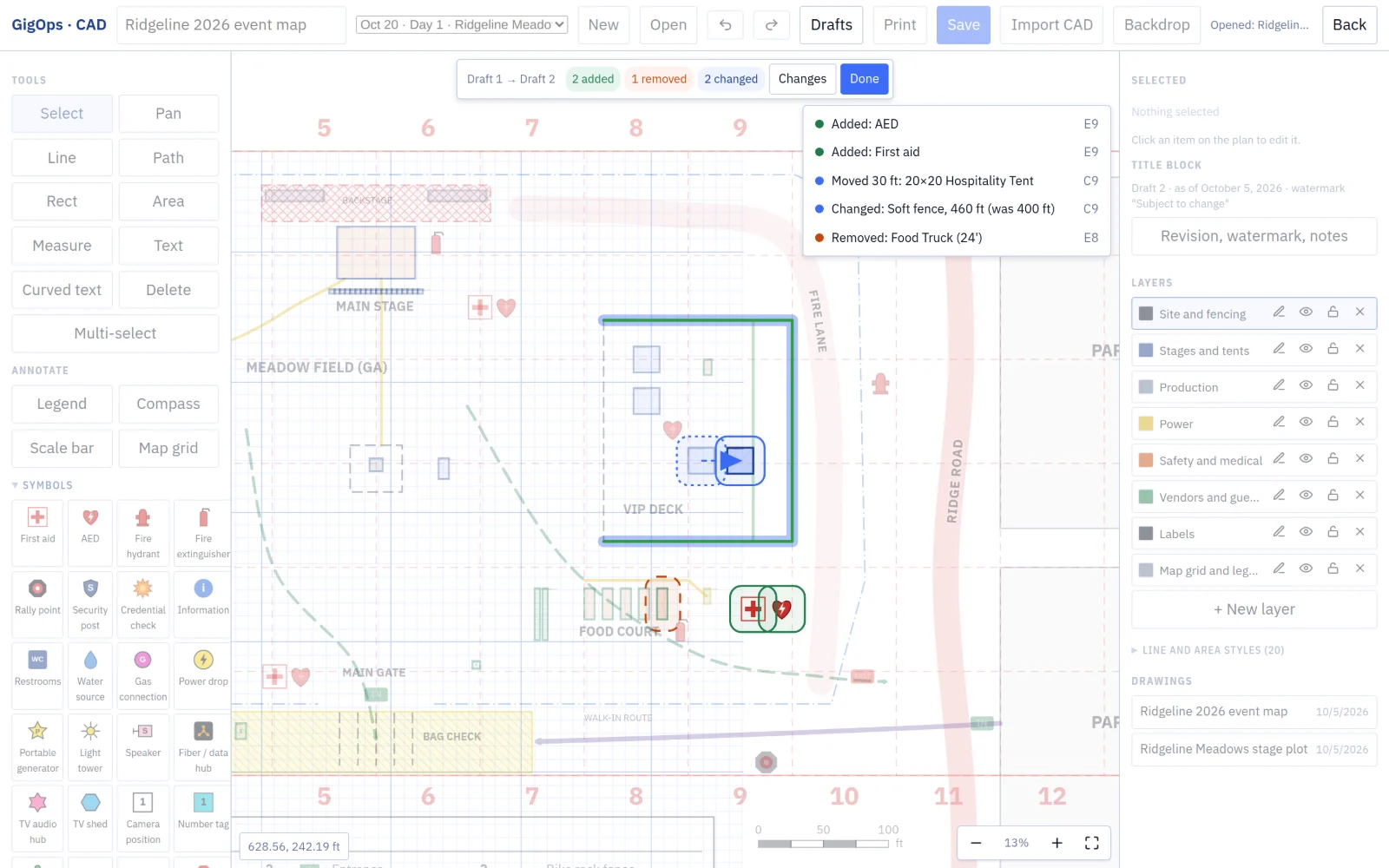
Compare the drafts.

See what moved between two versions of the plan, item by item, before you send it to the fire marshal.

CAD draft compare, Draft 1 to Draft 2, with the changes listed
11 / 15

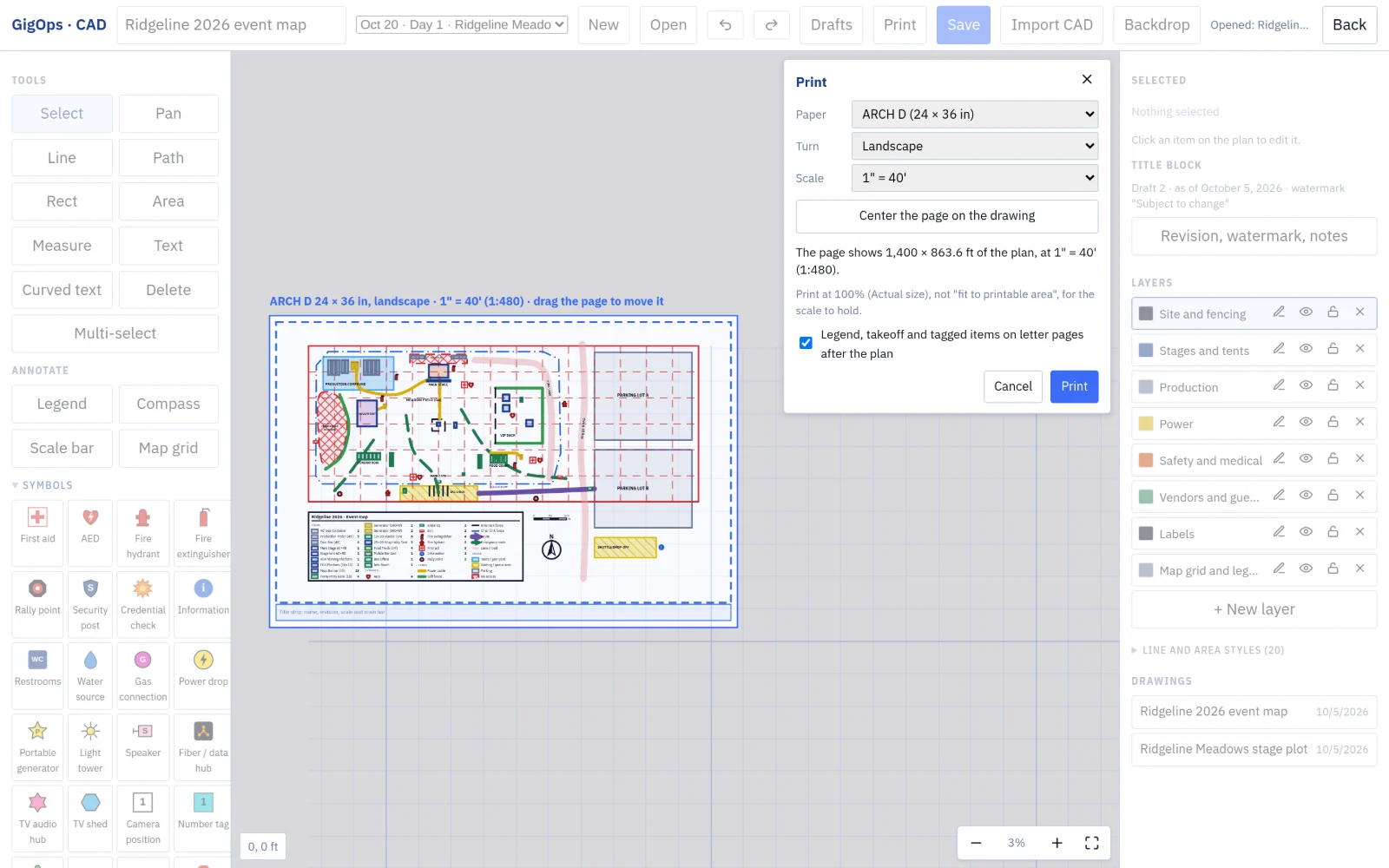
Print it to scale.

Pick the sheet and the scale, and the plan prints at true size with its title strip, ready for the site office wall.

CAD print setup on ARCH D landscape at 1 inch to 40 feet
12 / 15

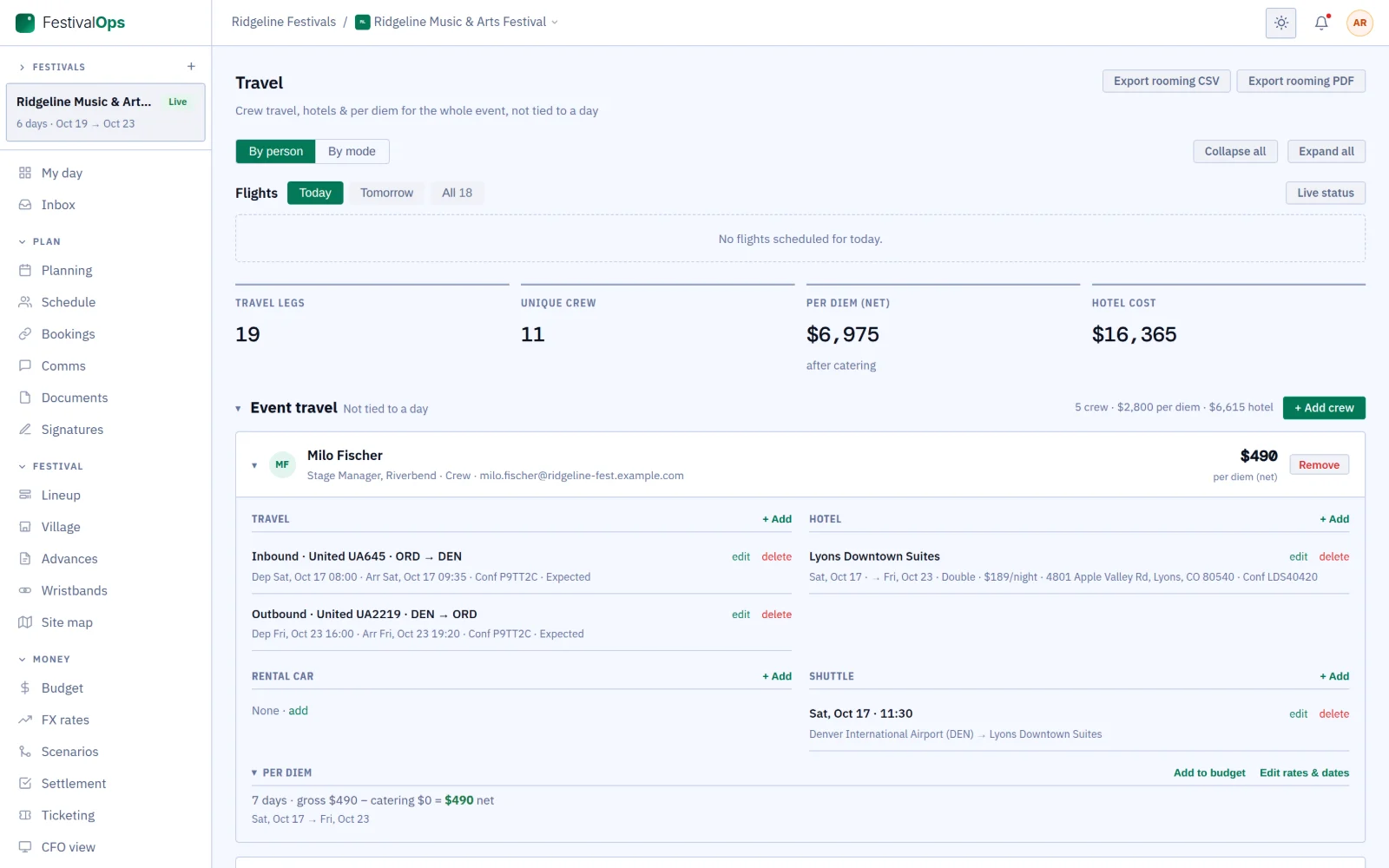
Book the festival’s travel once.

Crew who work every day get one set of flights and one hotel stay, not a booking for each day.

Event travel: crew flights, hotel, shuttle and per diem for the whole festival
13 / 15

Count every day.

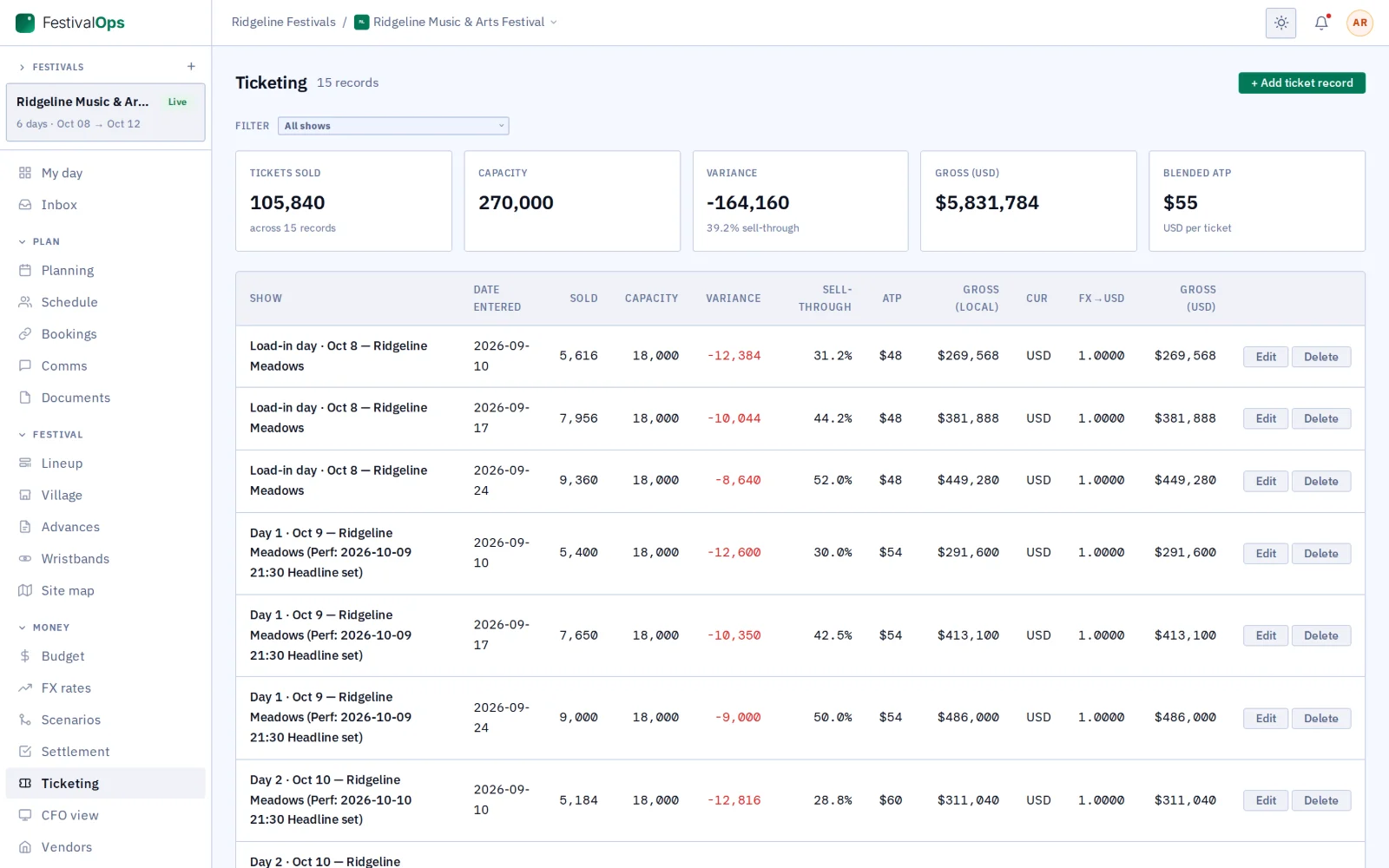
See sales for each day of the festival, from a ticket feed or typed in by hand.

Multi-day ticketing
14 / 15

Read the money.

See what each day cost and earned, and where the festival lands overall.

Festival profit and loss by day
15 / 15

Start each day on My day.

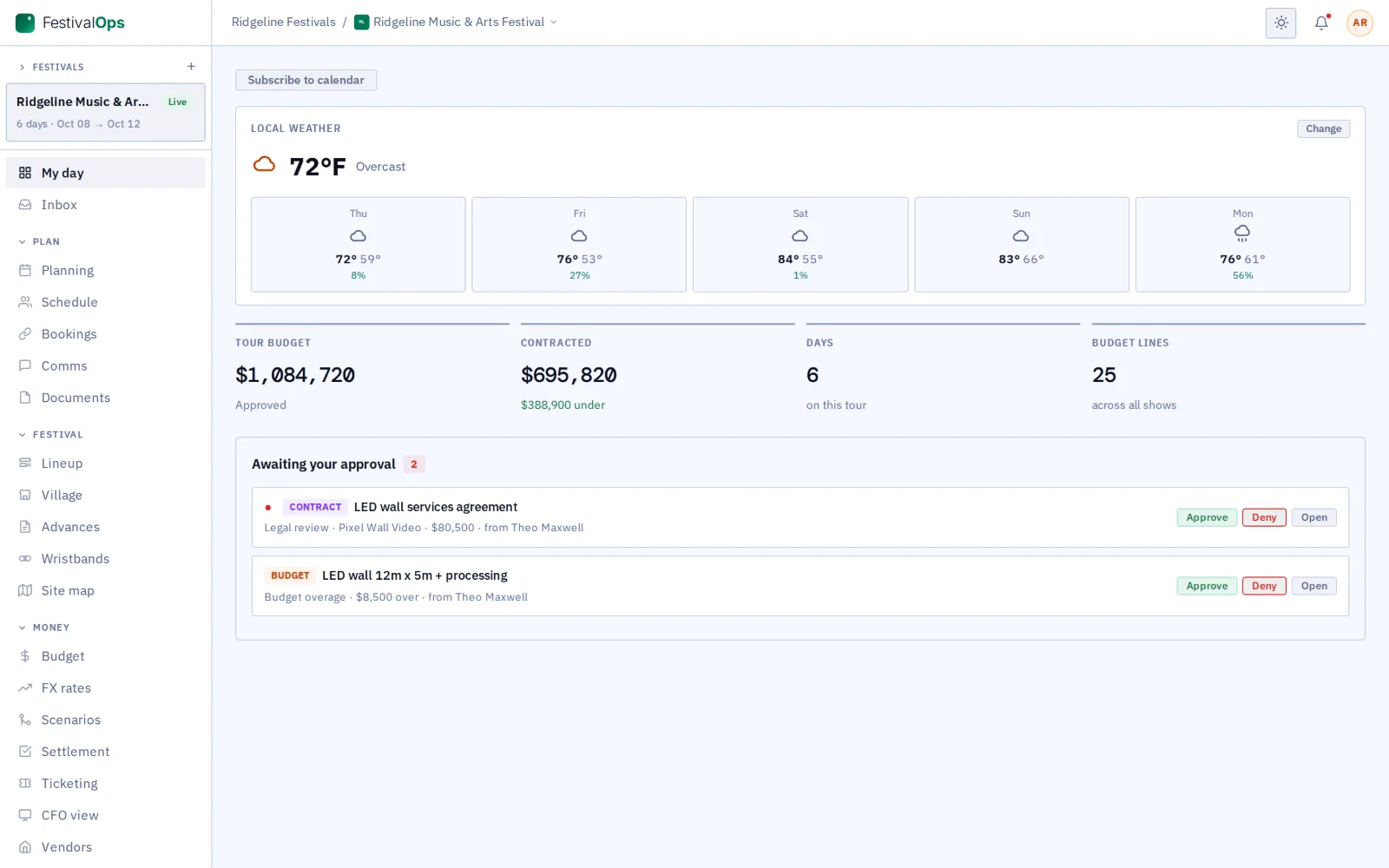
The weather on site, the budget and what is waiting for your sign-off, first thing.

My day in FestivalOps green
Works with the rest of GigOps

Acts on TourOps work with you on the festival link.

TourOps
  • The festival link: put an act on TourOps onto its set, or invite it by its tour manager’s email when it is not on GigOps yet.
  • The act reads its set, the run-of-show rows you share (or the full lineup when you show it) and what you tick, never your contracts, settlements or internal notes.
  • The advance, the thread and its pass requests travel on the link.
VenueOps
  • A festival books indoor stages and after-party rooms like a tour does.

Across the site

  • CAD, credentials and gate scanning.
  • Passes the acts ask for, inside the limits you set.
See how it connects →
Also included

The shared core

  • My day
  • Planning and tasks
  • Crew and payroll
  • Catering and meal check-in
  • Credentials and gate scanning
  • Guest list and will-call
  • Budget and finance
  • Documents
  • Signatures (GigOps Sign)
  • Comms and alerts
  • Logistics and dispatch
  • Weather
  • CAD
And the apps

Crew are always free.

GigOps Crew
The free crew app: badge, schedule, tasks and travel on the phone.
GigOps Company
The office on your phone, for Company Users.
GigOps Scan
The gate scanner: verify credentials online or offline, and log every scan.
See the apps →

Put the next edition on FestivalOps.

7-day free trial. Company Users are $39 per user / month. View only seats are $0. Crew are always free.

Start free trial
Book a demo

Book a demo.

Leave your name and email, and we'll reply the same week to set up a walkthrough of the product that fits.

$39 per user / month · View only $0 · 7-day free trial

Your name, company and email go to a Google Sheet through Google Apps Script, where only the GigOps team reads them.