How it connects
One show, shared with every company on it.
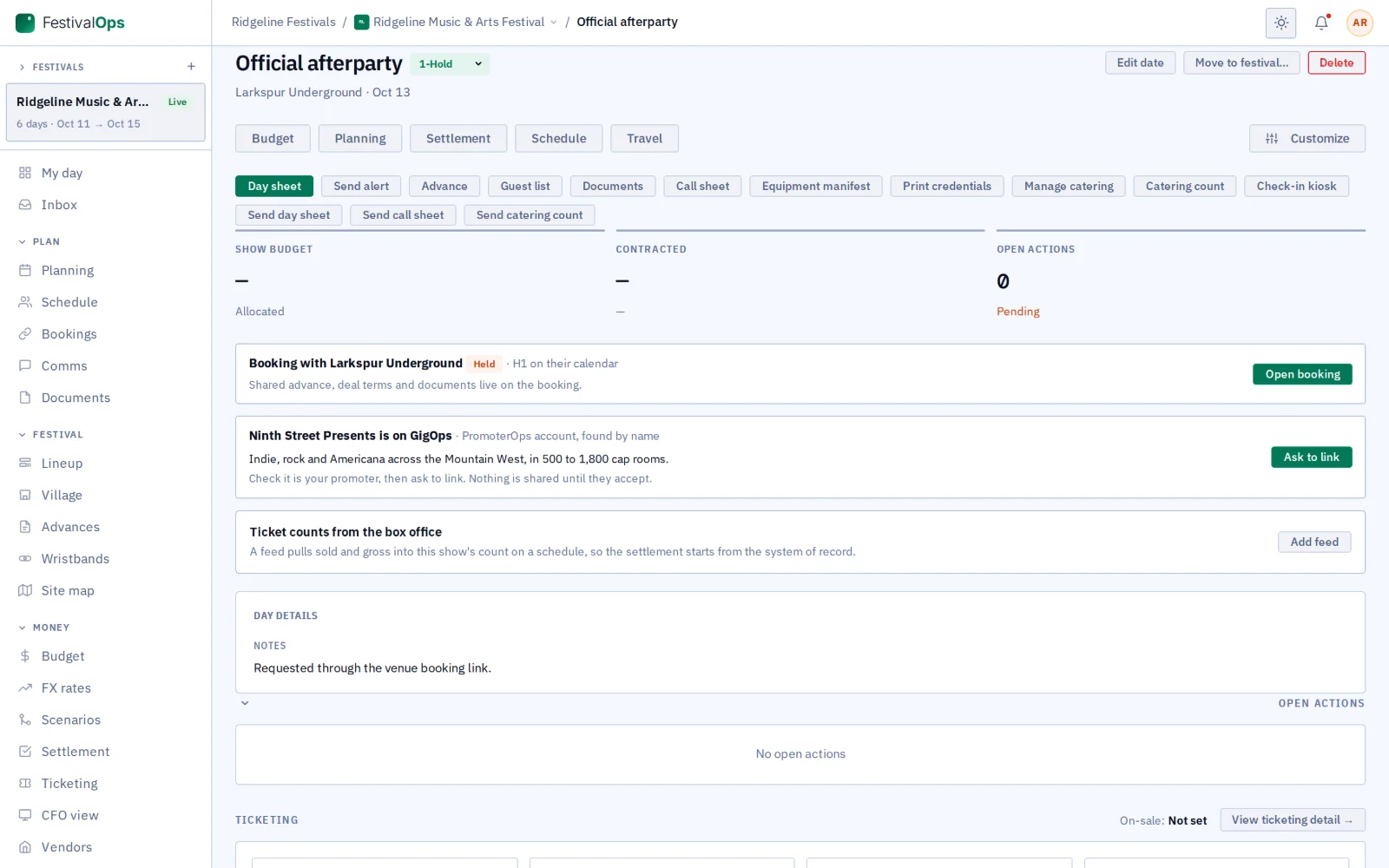
Only three things are shared between companies. A booking joins a venue and a tour or festival. The promoter link joins a tour and its promoter. The festival link joins a festival and an act on its lineup. Everything else stays inside your company.
VenueOps
Booking
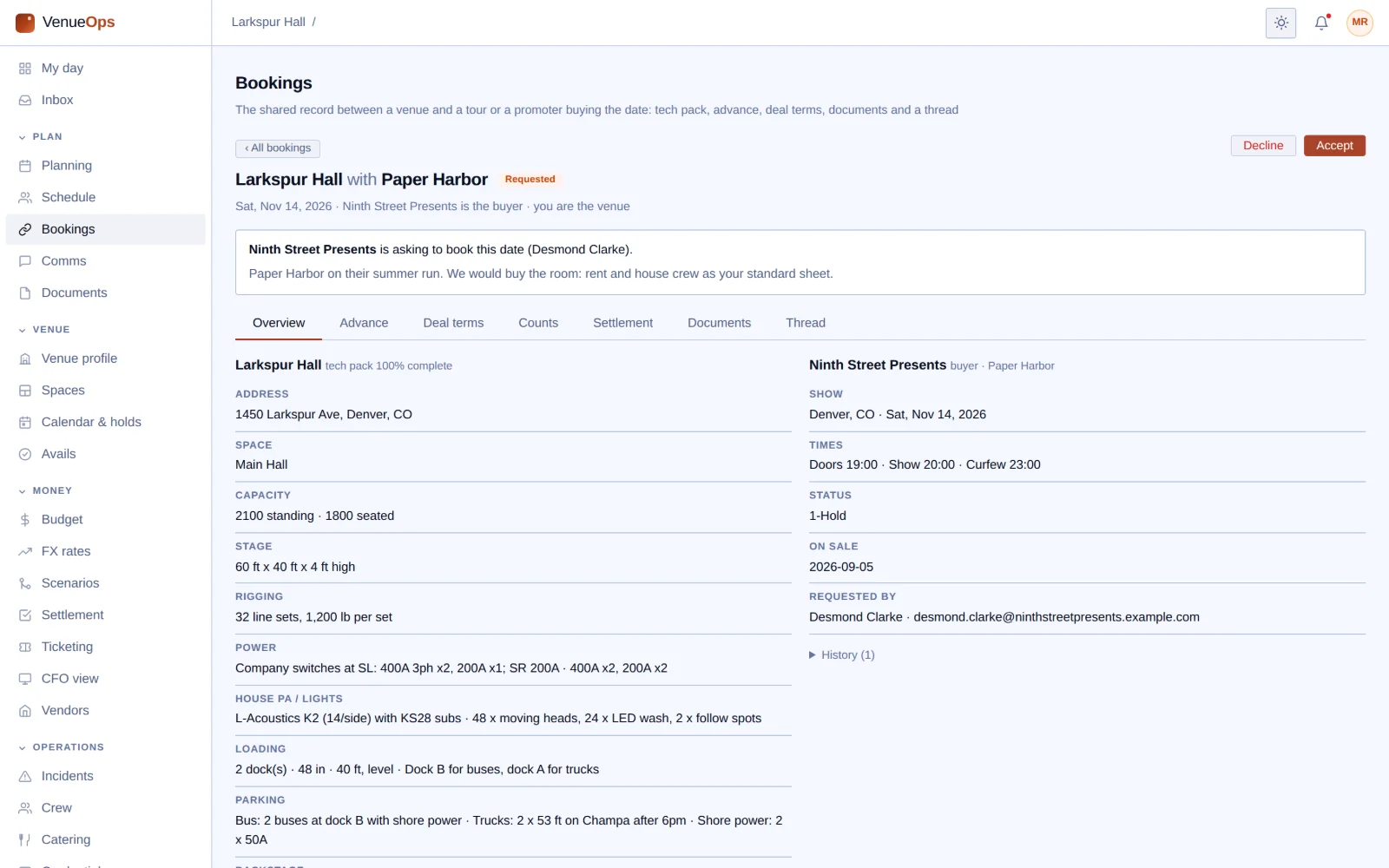
Both sides work on one page for the date.
TourOps
or
FestivalOps
TourOps
Promoter link
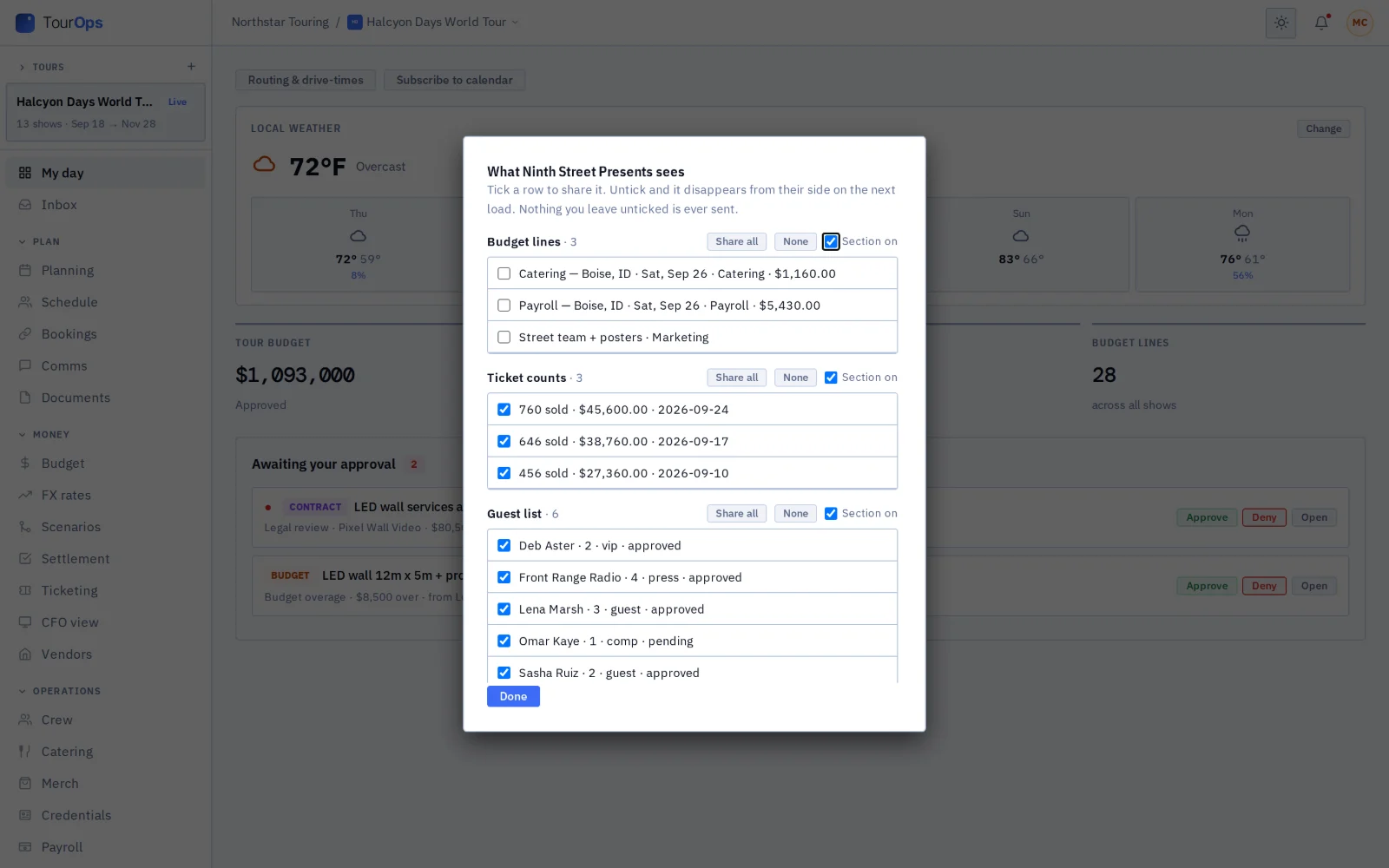
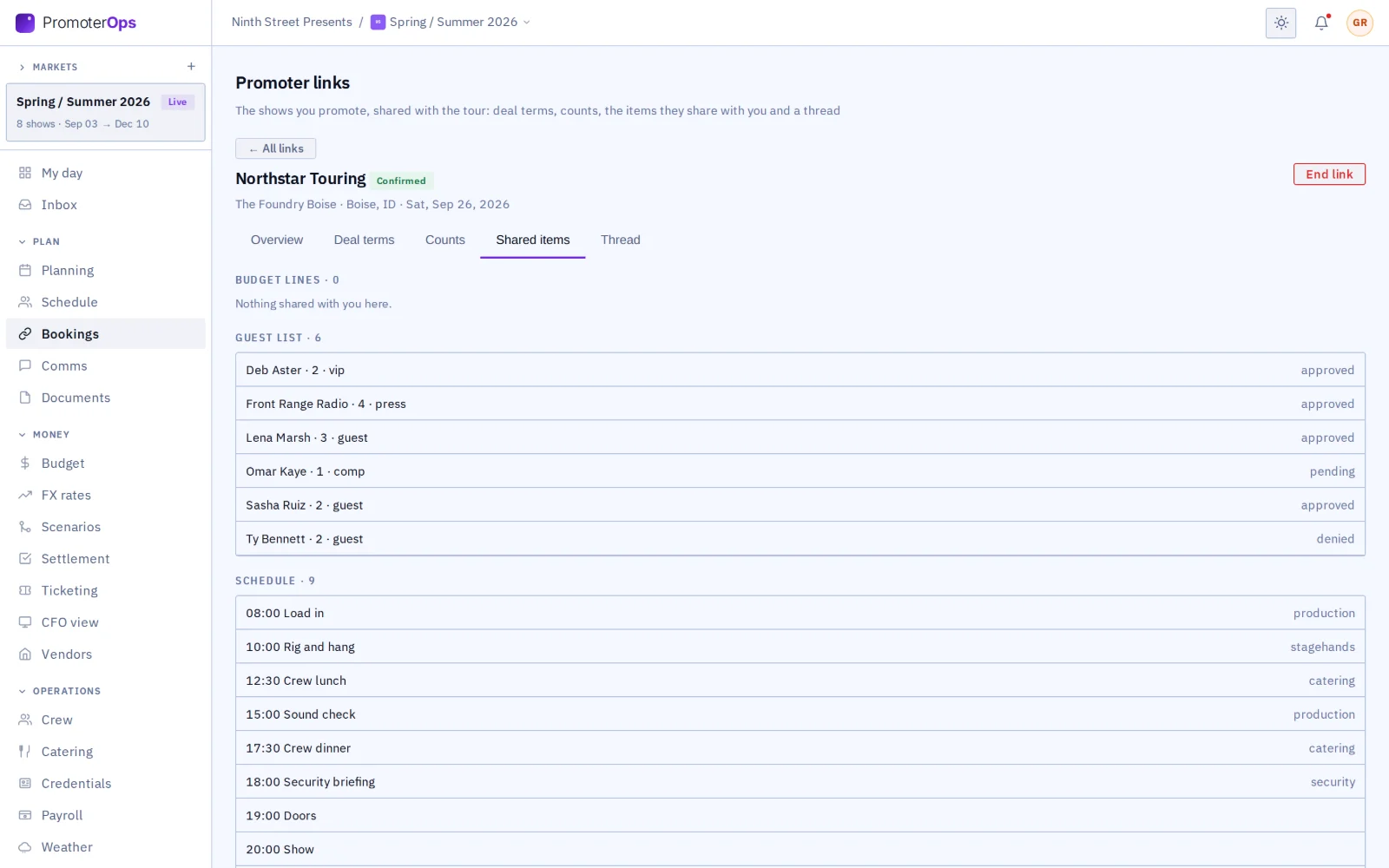
The tour picks what the promoter sees.
PromoterOps
FestivalOps
Festival link
The act reads its set and what the festival shares.
TourOps
VenueOps
Avails and hold requests
One way: the venue shares, the tour asks.
TourOps
01 / 14
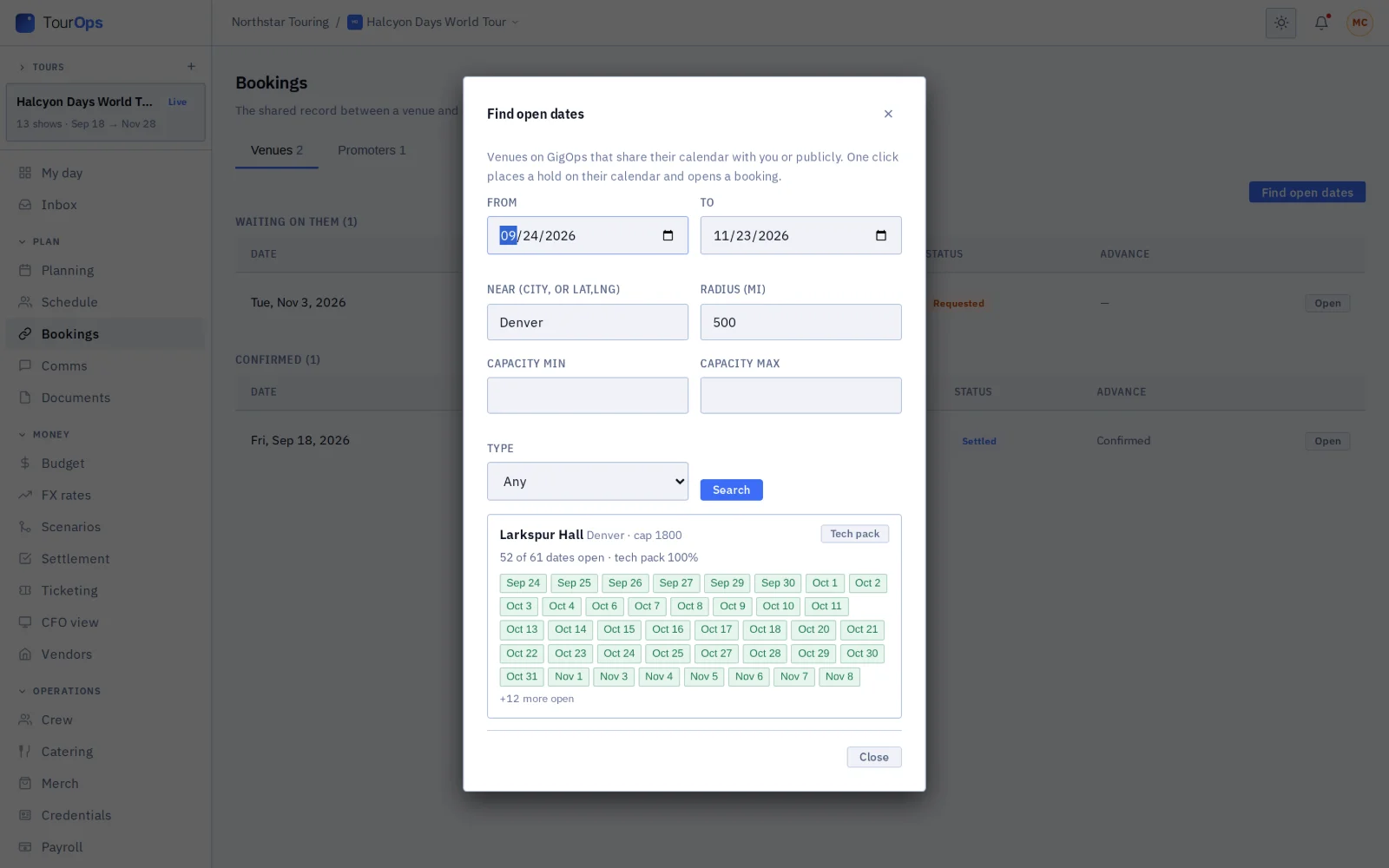
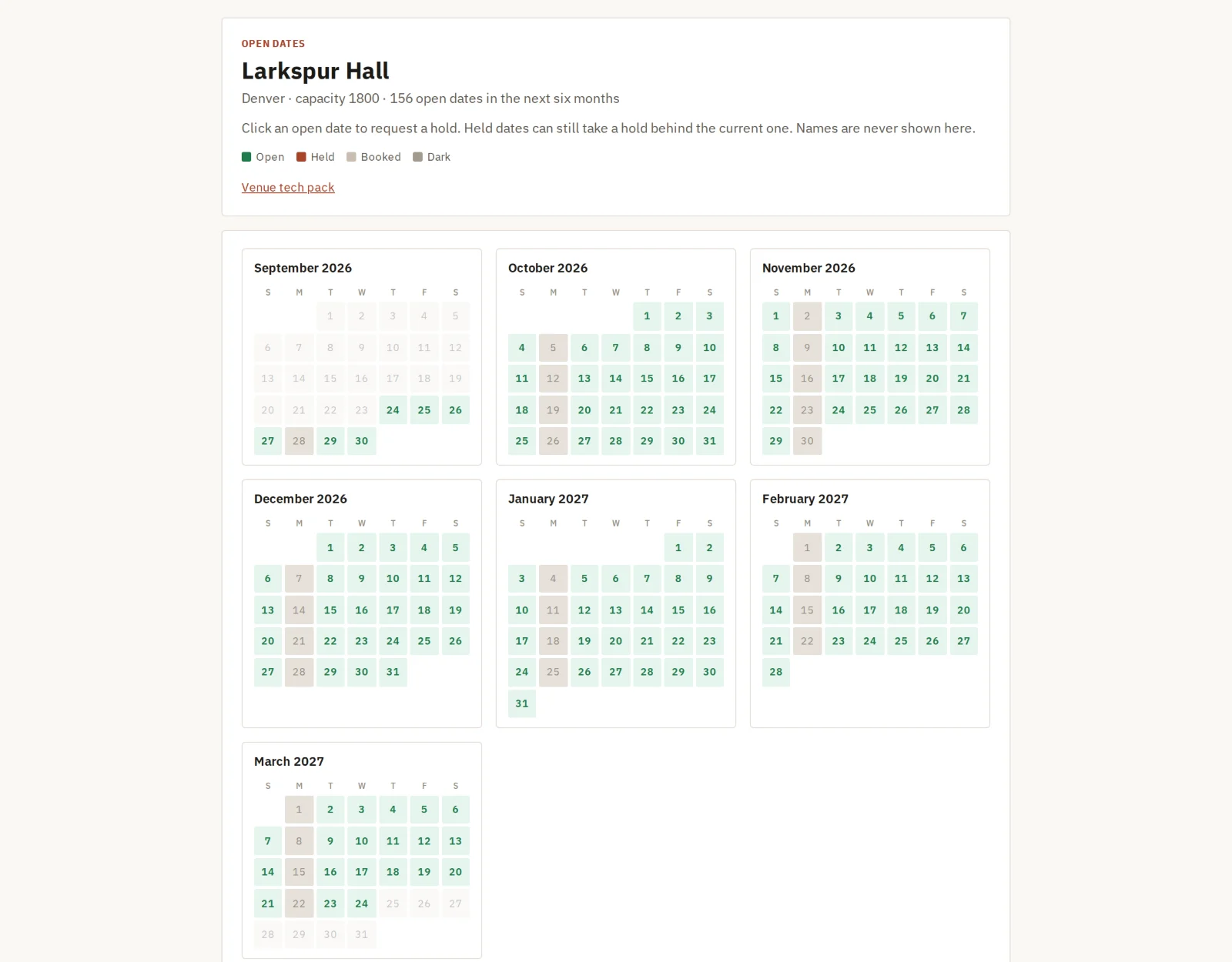
Venue avails
- A venue shares its open dates with everyone, or only with the companies it picks.
- Tours search by city, distance, capacity and type of room. One click holds the room, adds the show and opens a booking.
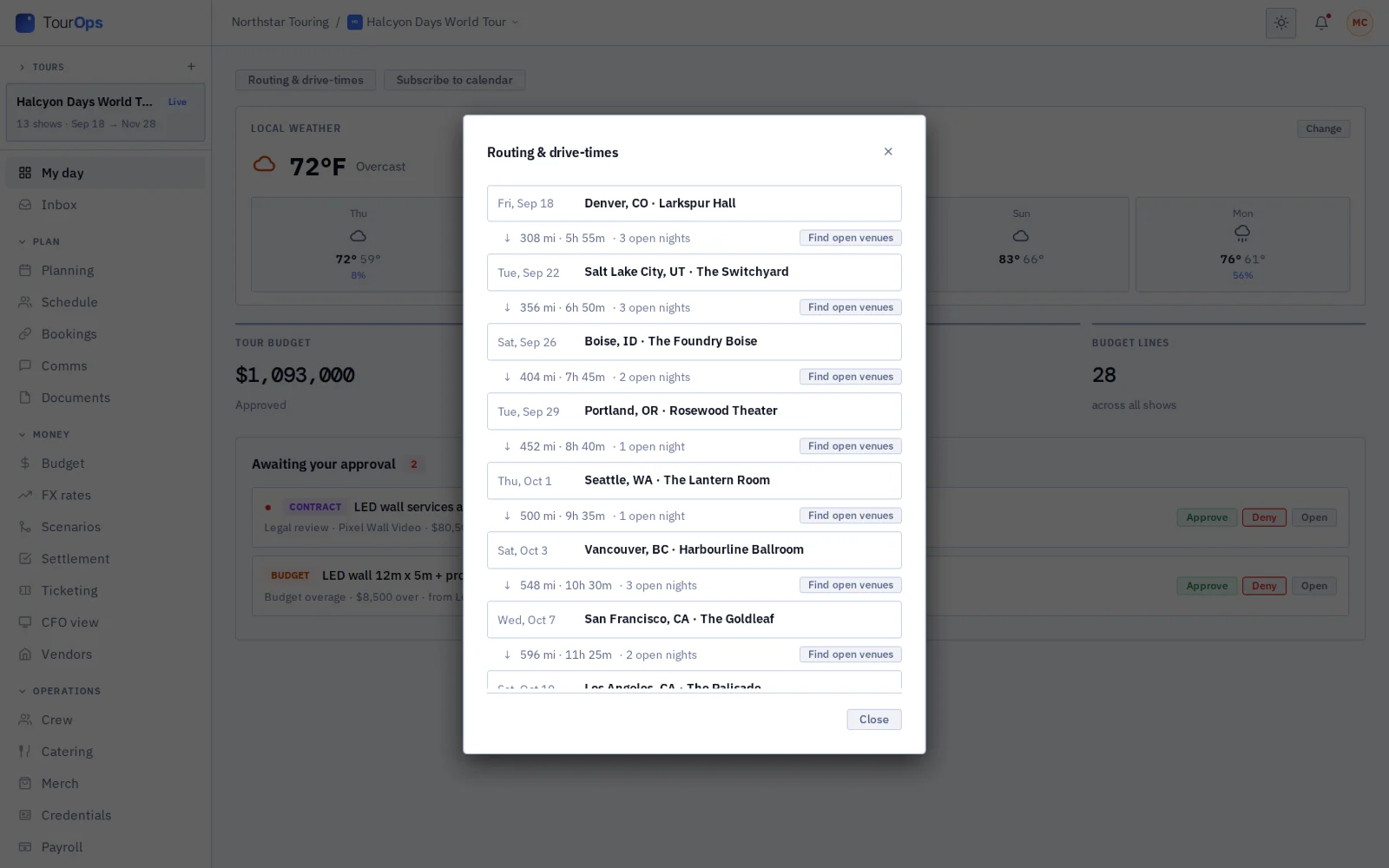
- For any night the tour has not booked, GigOps finds open venues on the route and similar rooms in the same town, and “Tell me when it opens” sends an alert when a room frees up.
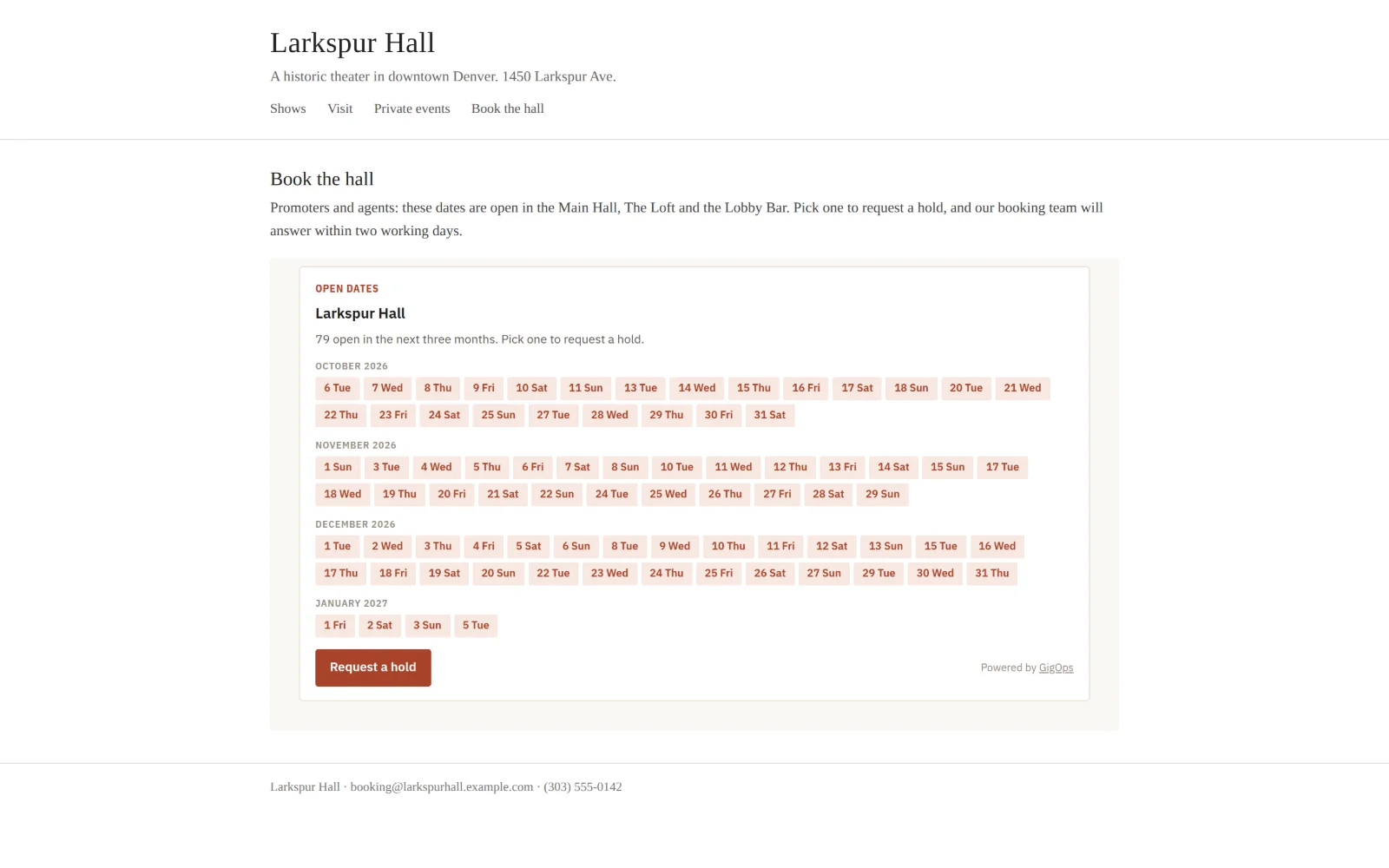
- A venue can put its open dates on its own website.
02 / 14
Tech packs and the shared advance
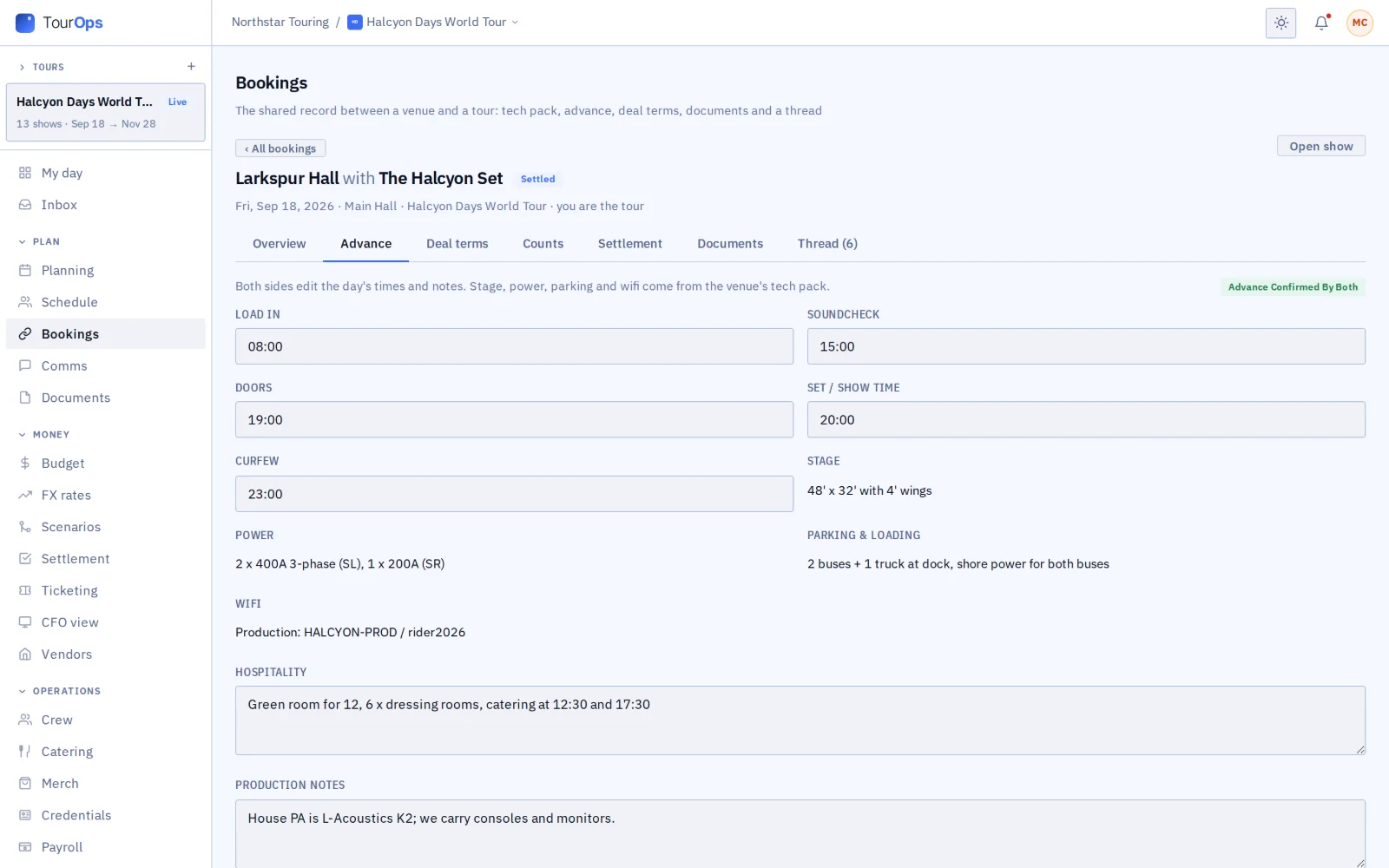
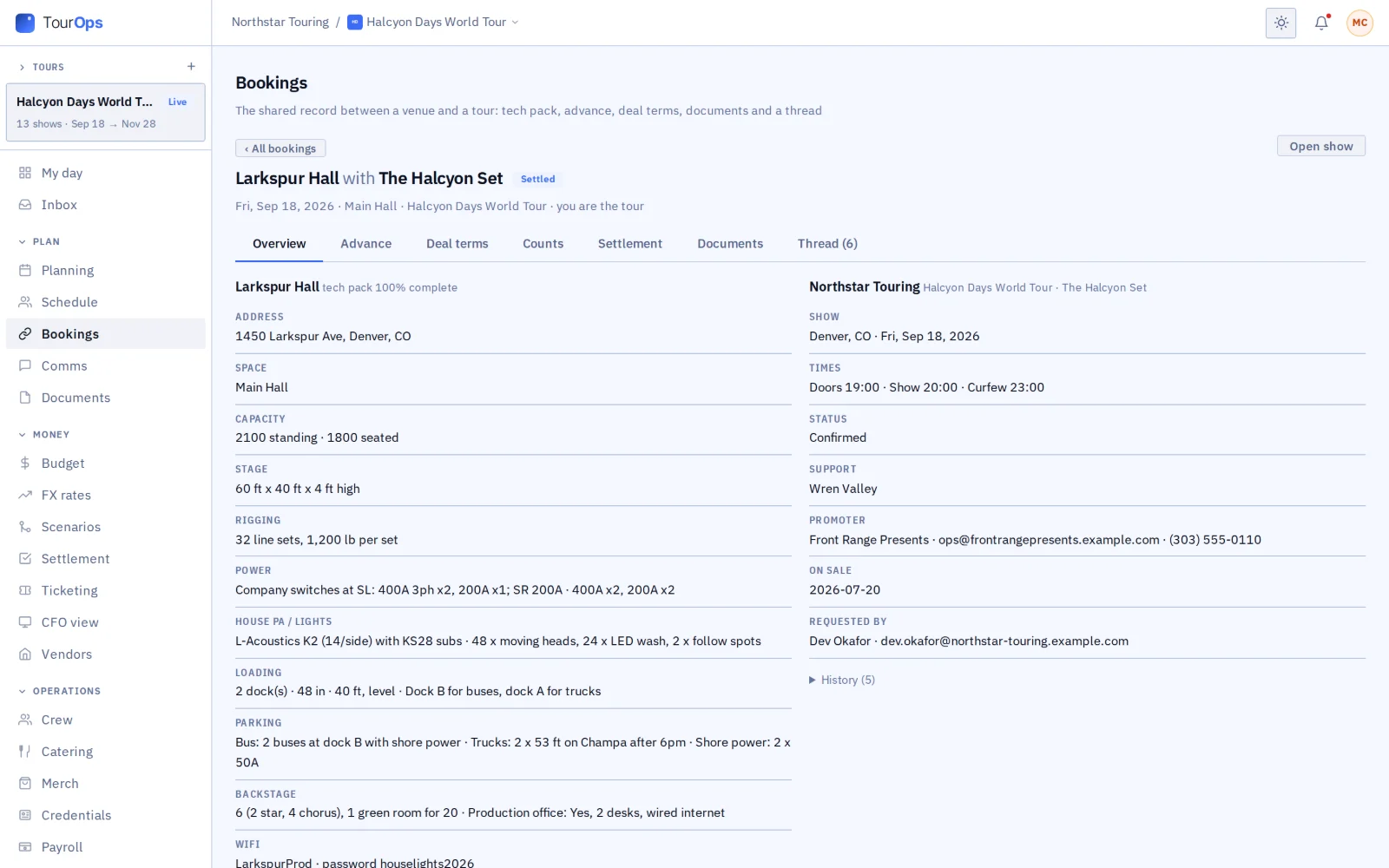
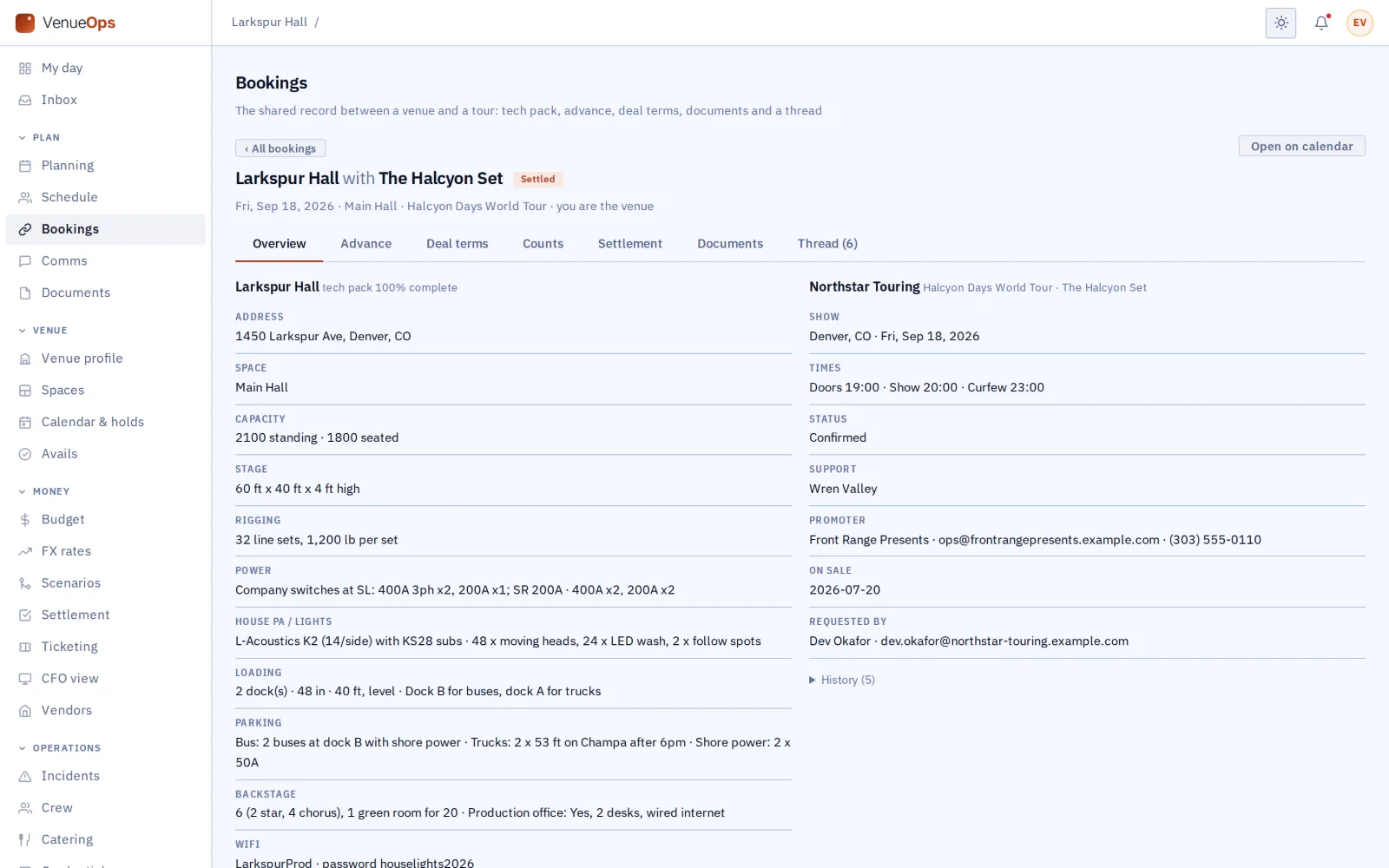
- The venue’s tech pack is on the tour’s booking from the first request. The wifi and house notes appear once the date is confirmed.
- Both sides work in one advance: each fills in its own part, and both sign off.
- A venue not yet on GigOps gets a link to set up its own account, with the advance attached.
03 / 14
Deals and the deal memo
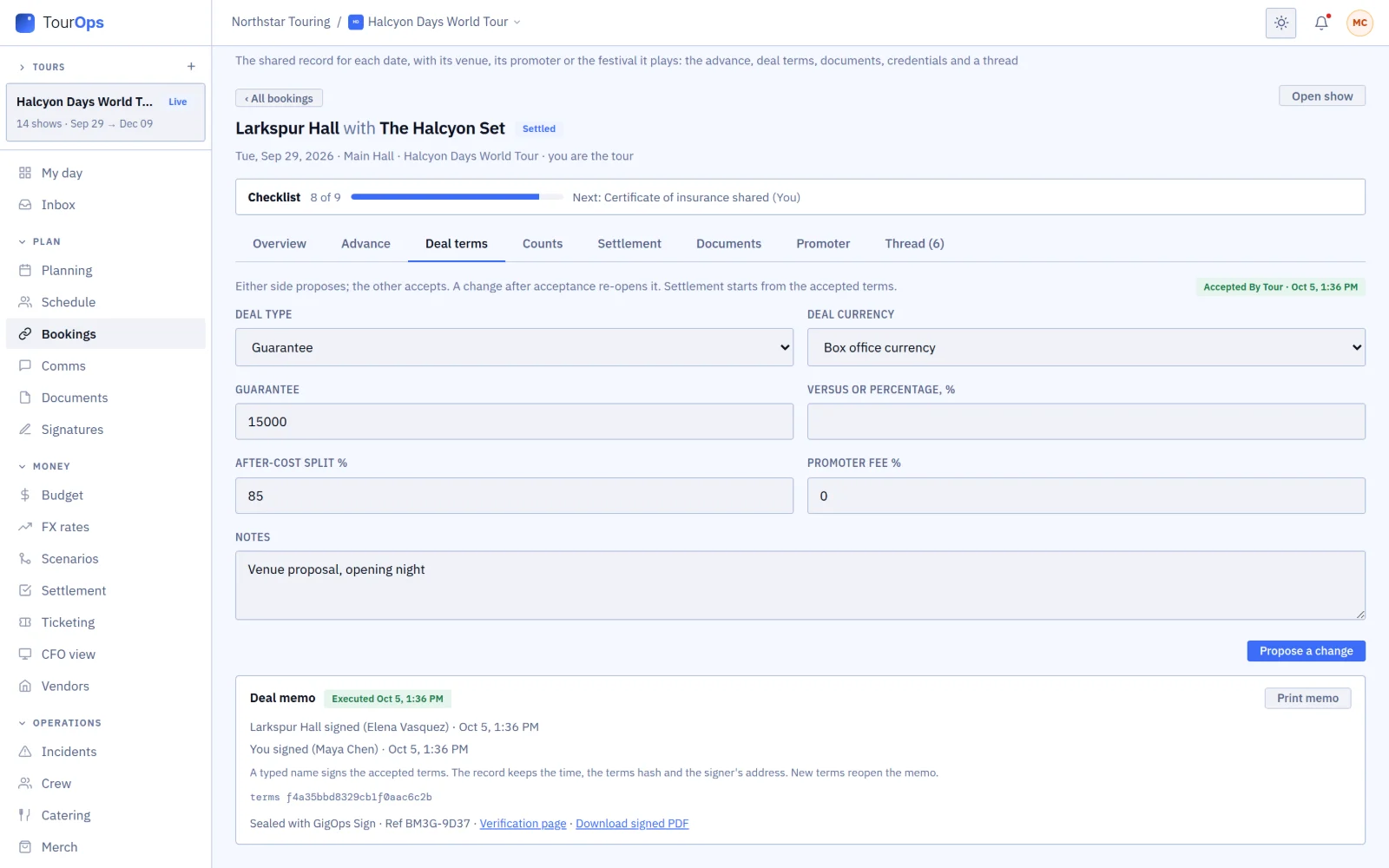
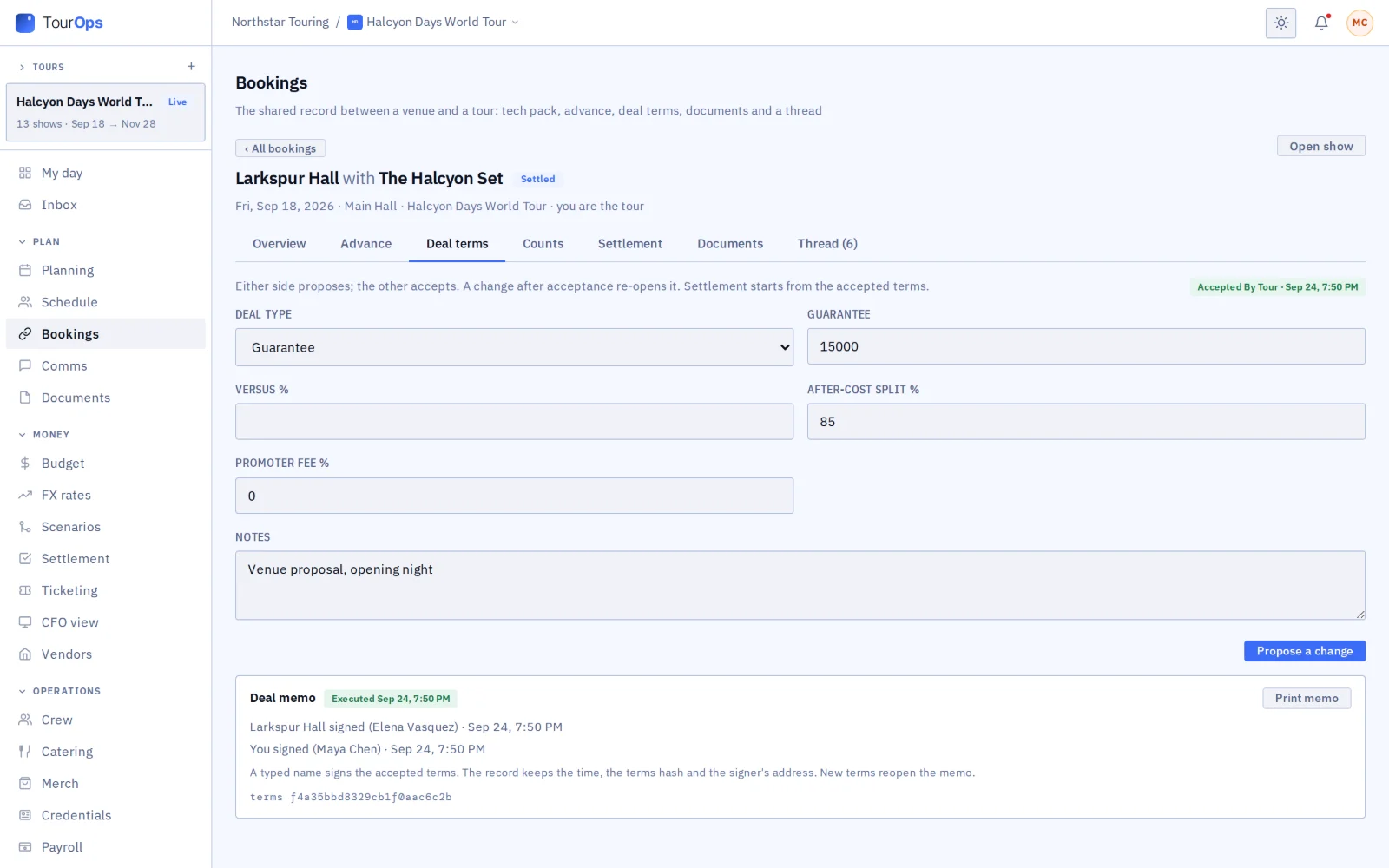
- Either side proposes the terms and the other accepts.
- Both sign by typing their name, and any change after that reopens the terms for both.
- The signed memo is sealed with GigOps Sign: a PDF with a QR code on every page that opens its verification page.
- With a promoter or venue that is not on GigOps, the tour sends the deal memo for signature instead.
04 / 14
Tickets and counts
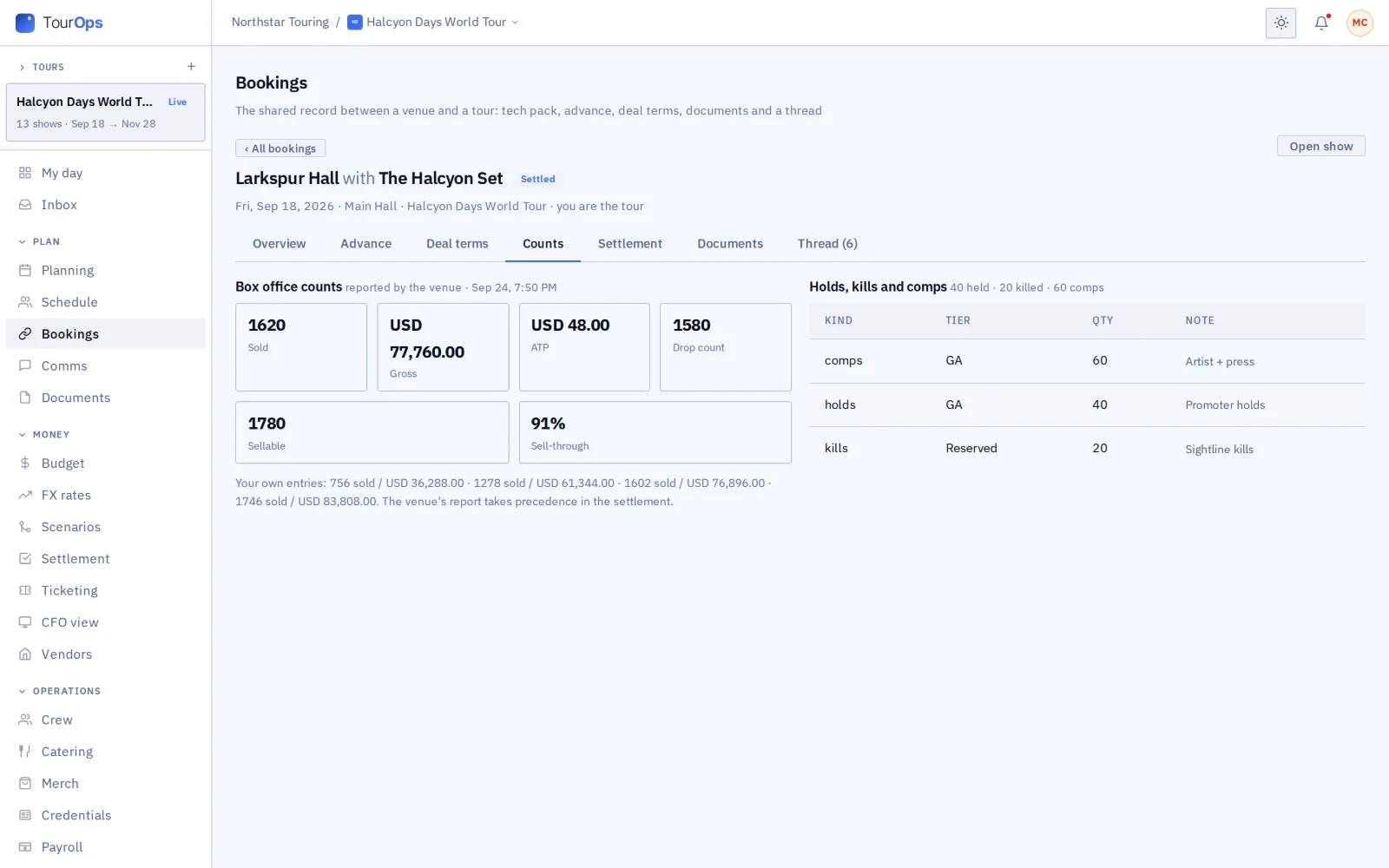
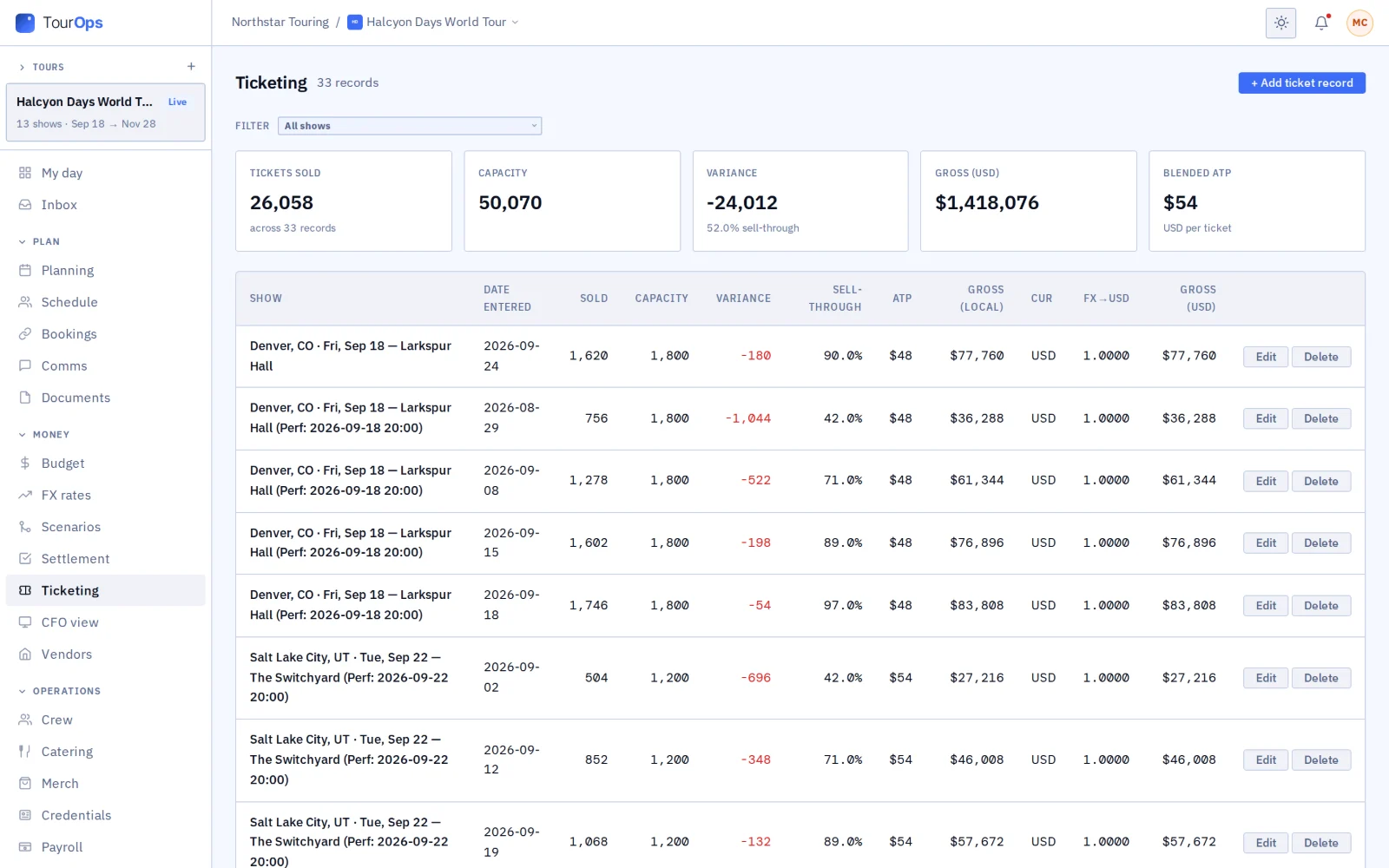
- Counts come from the venue, the promoter or the ticketing system’s count feed, each marked with where it came from. Each show uses one count: the venue’s, else the promoter’s, else the tour’s own, never added together.
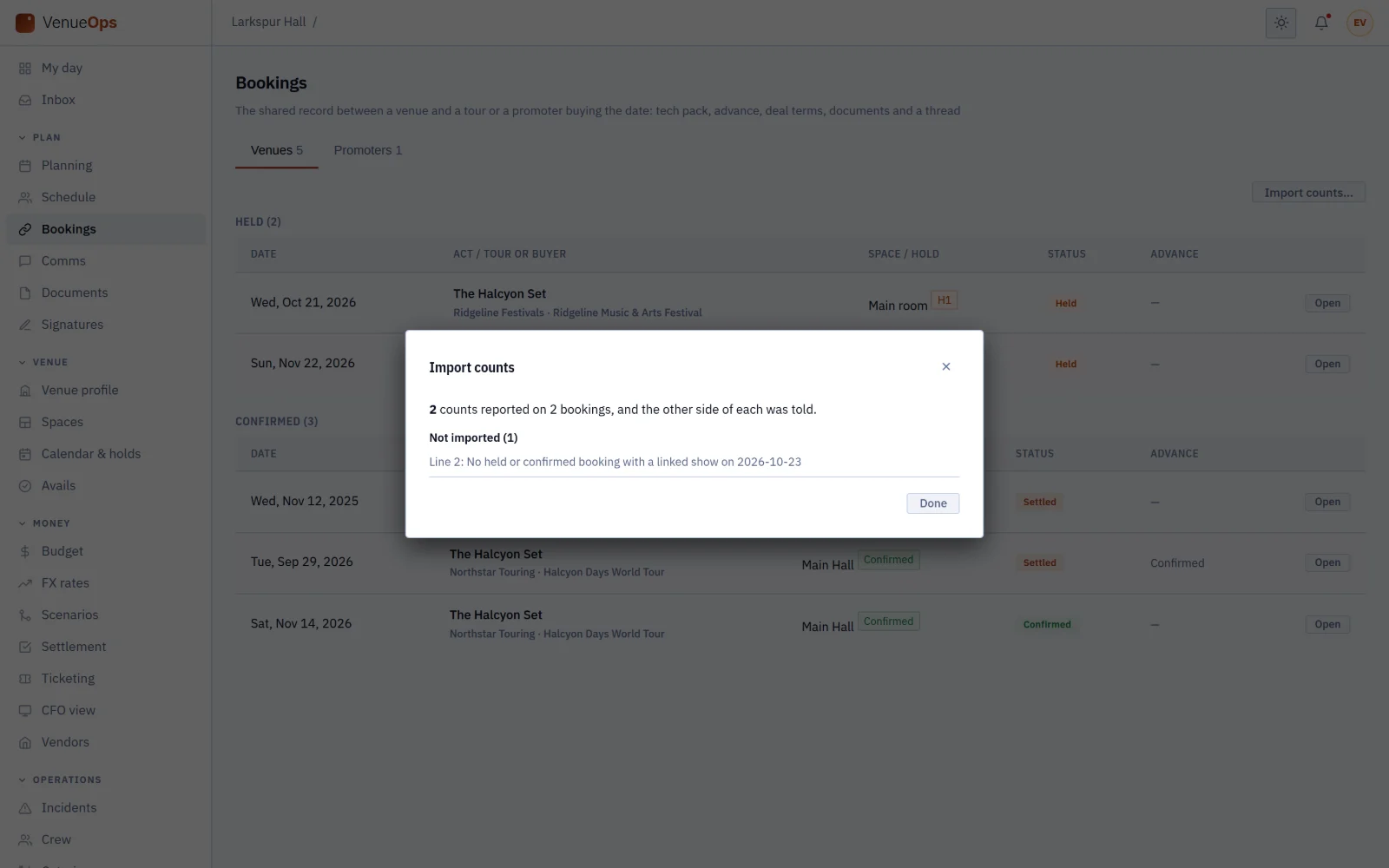
- A venue imports its box office report as a spreadsheet, or pastes the count email and checks what AI reads from it.
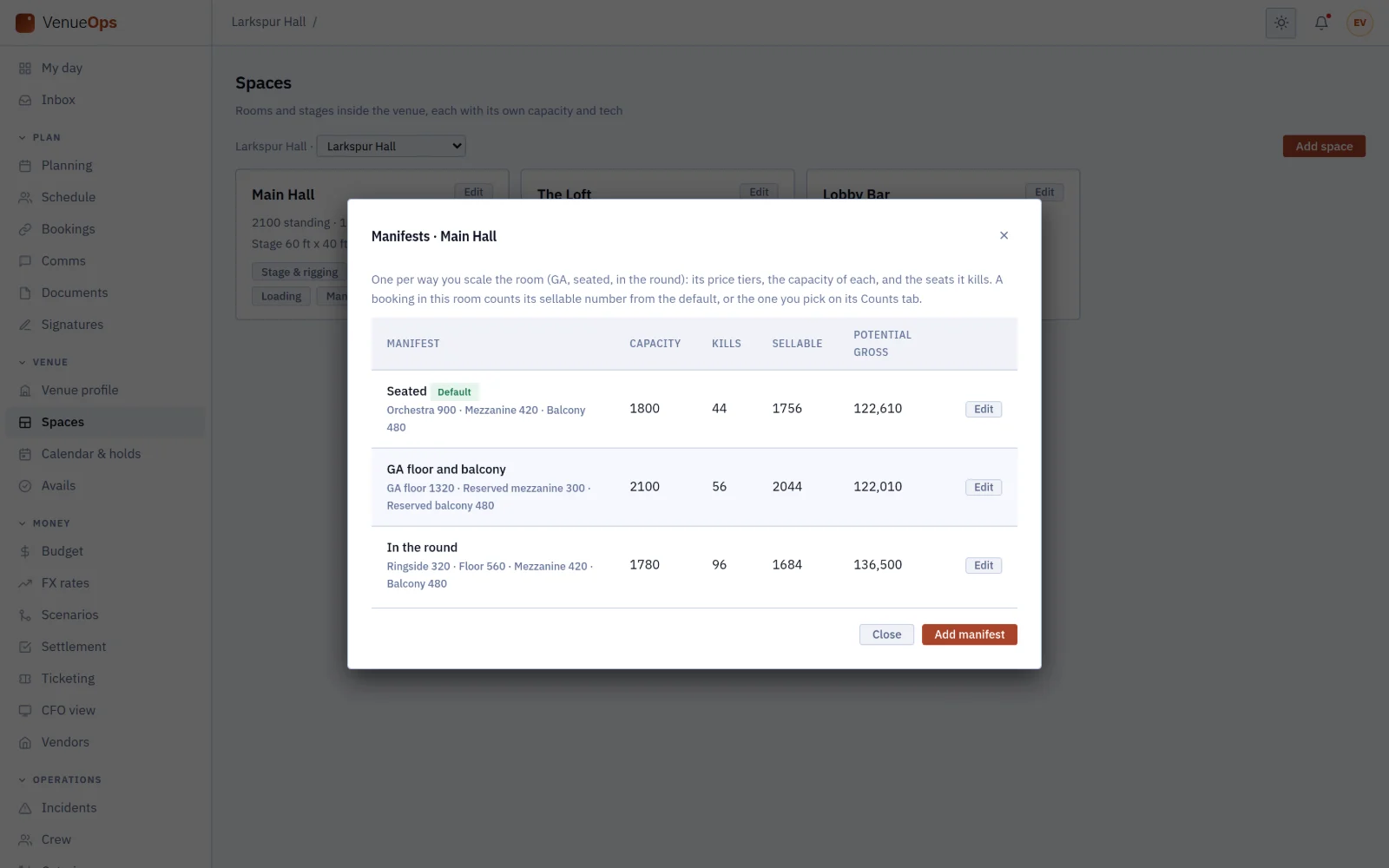
- Each room keeps its seating layouts, so sales are read against what the night could sell.
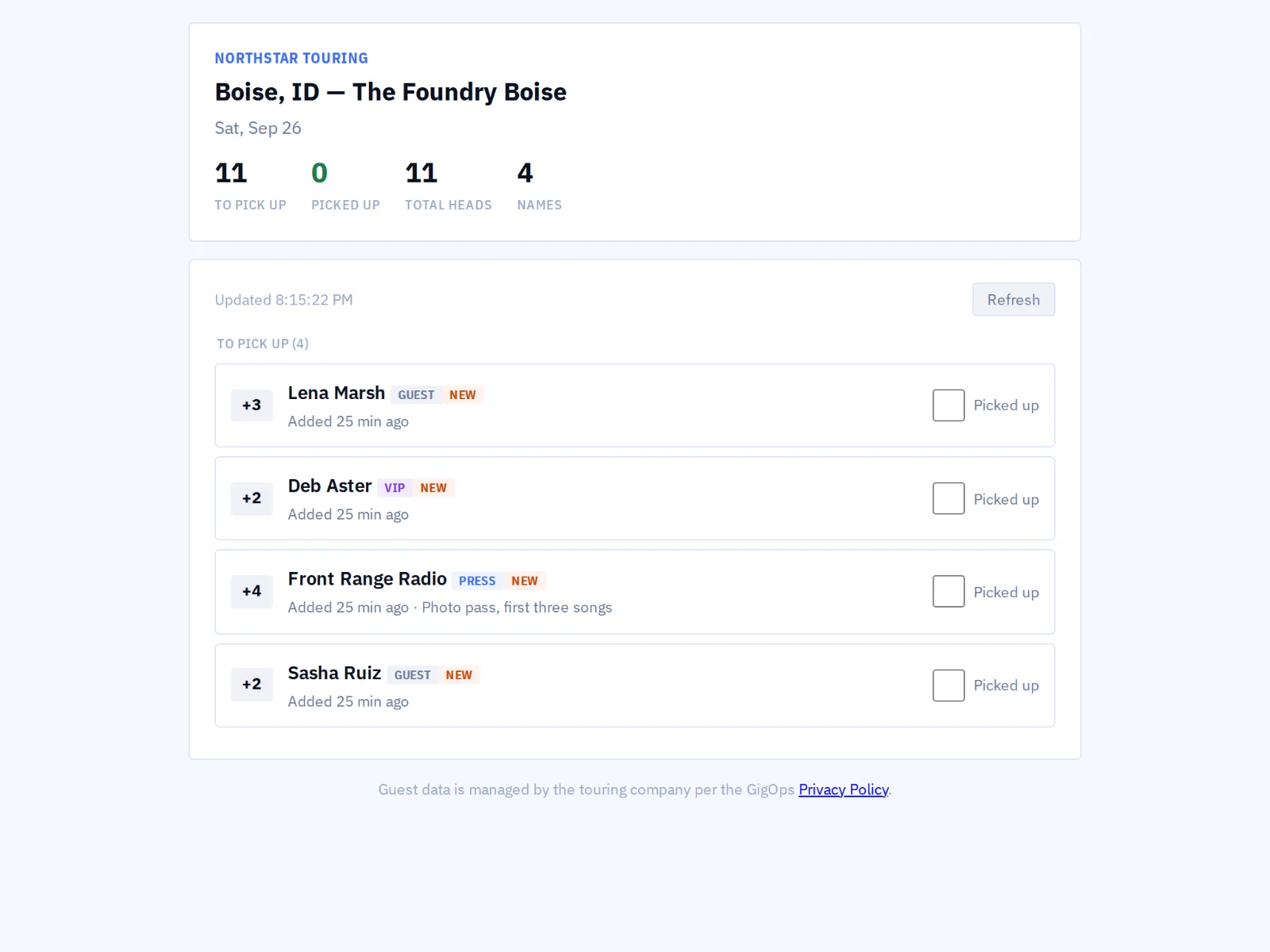
- Guest lists from every side merge into one will-call list. GigOps reads ticket counts; it does not sell tickets.
05 / 14
Accounting and settlement
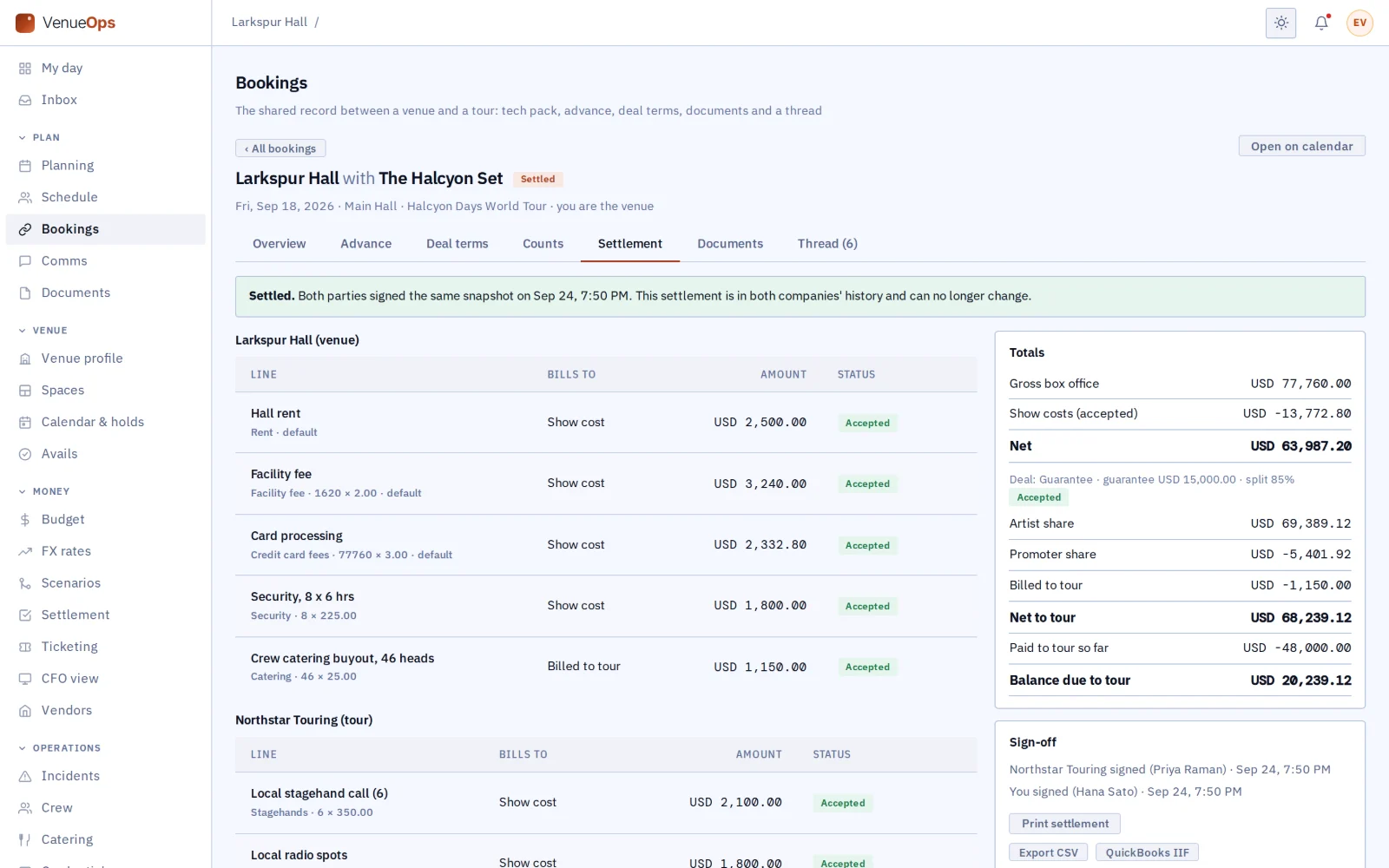
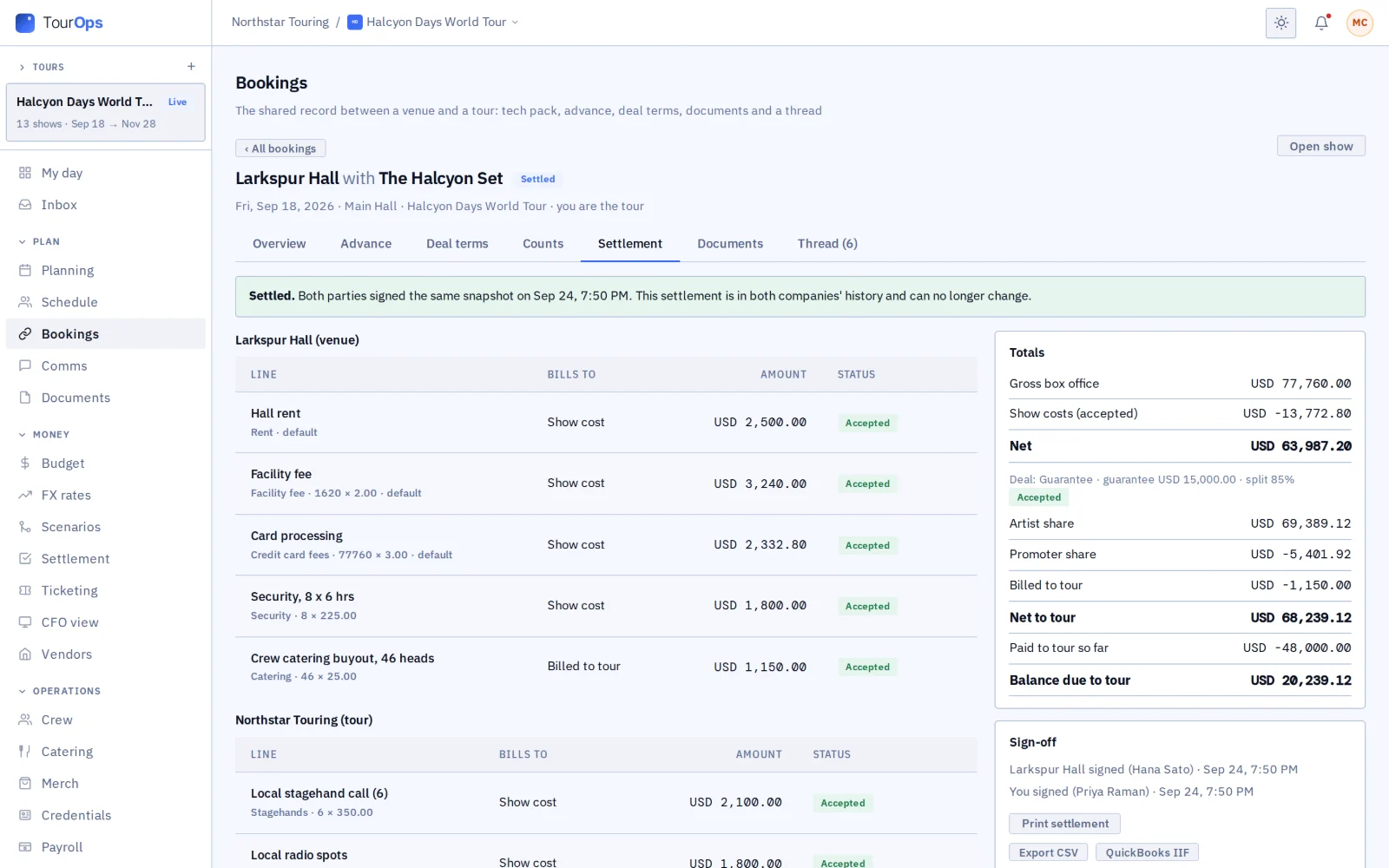
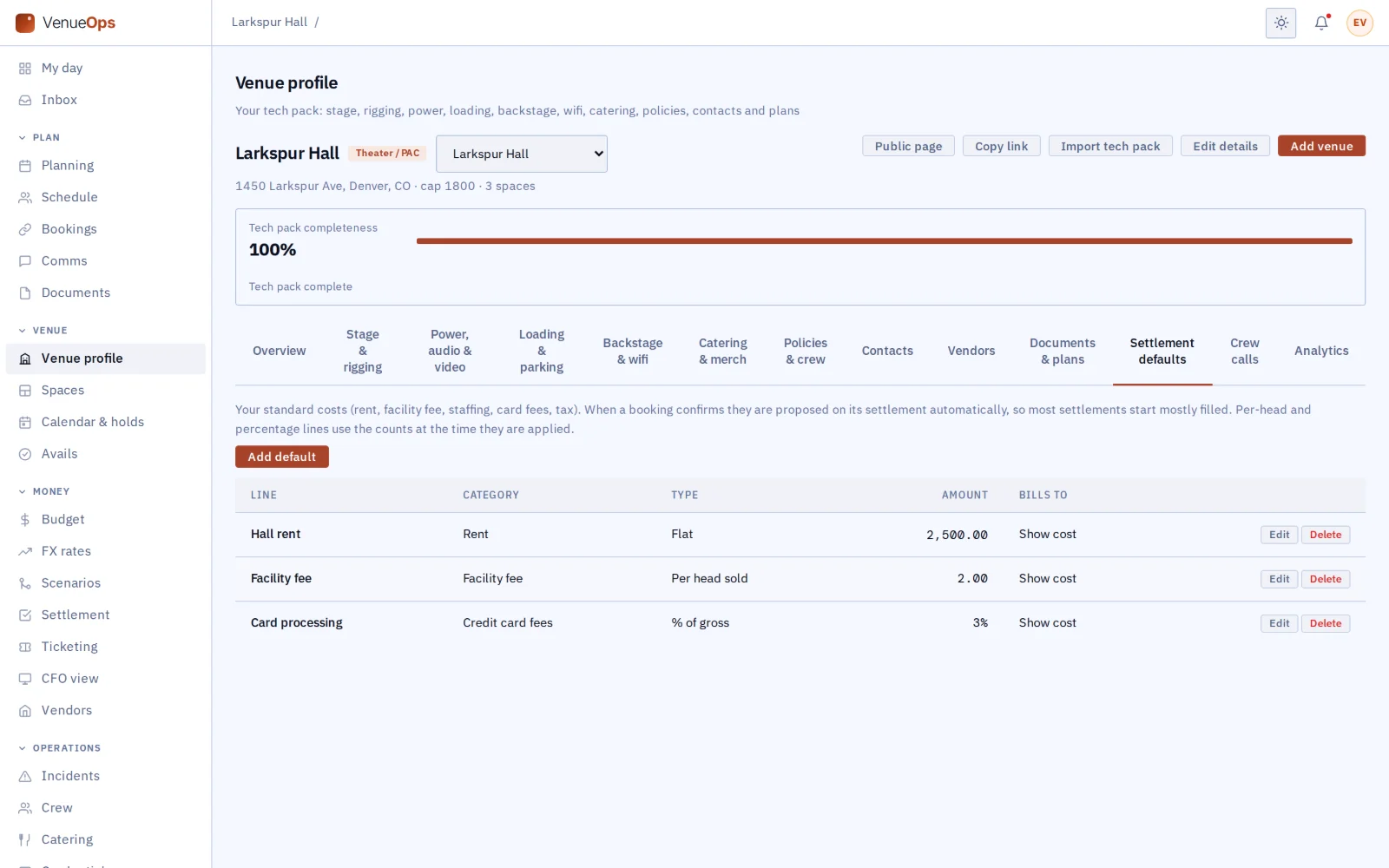
- Both sides add their lines to one settlement. The venue’s usual terms fill in when the date is confirmed, and the tour’s budget lines come straight in.
- GigOps does the math for guarantee, versus, percentage, flat rent, four-wall, co-pro and door deals, in the deal’s own currency.
- Each side can keep private lines the other never sees. Two signatures lock it, and the locked settlement is sealed with GigOps Sign.
- Export to QuickBooks Desktop or a spreadsheet, or sync approved costs and locked settlements to your own QuickBooks Online. Send payroll to ADP, QuickBooks or Paylocity.
06 / 14
Vendors across the network
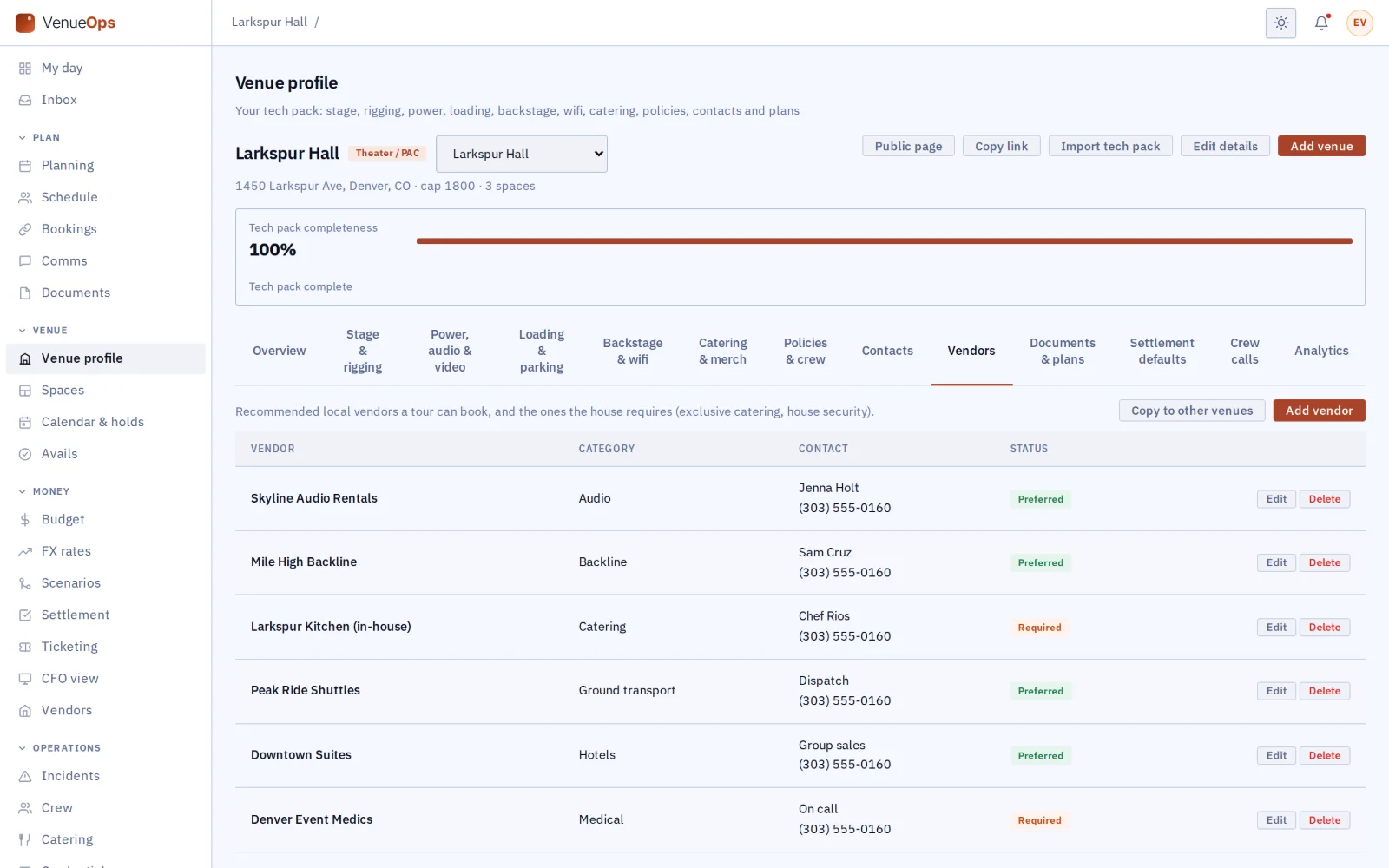
- A venue’s preferred and required house vendors travel with every booking.
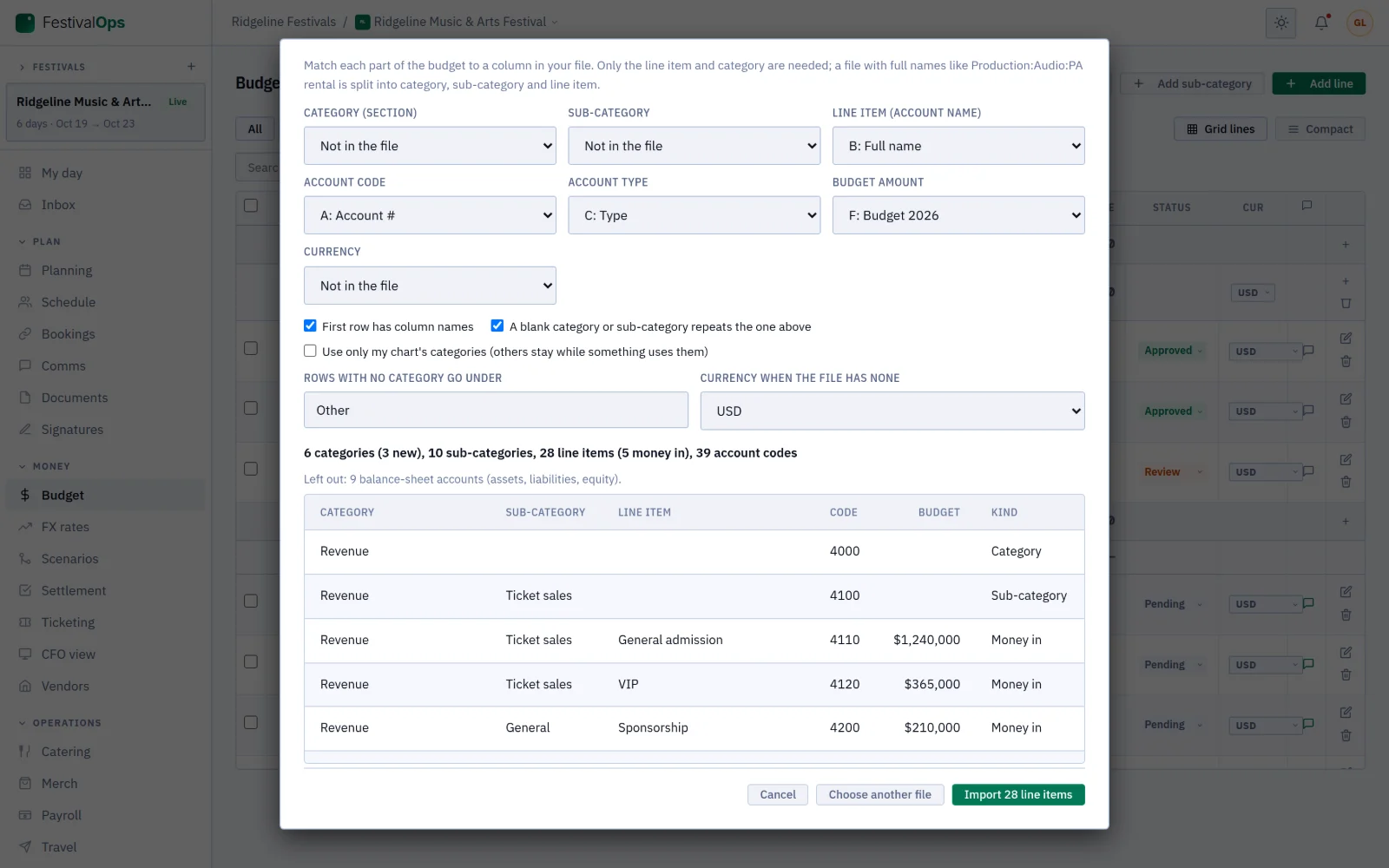
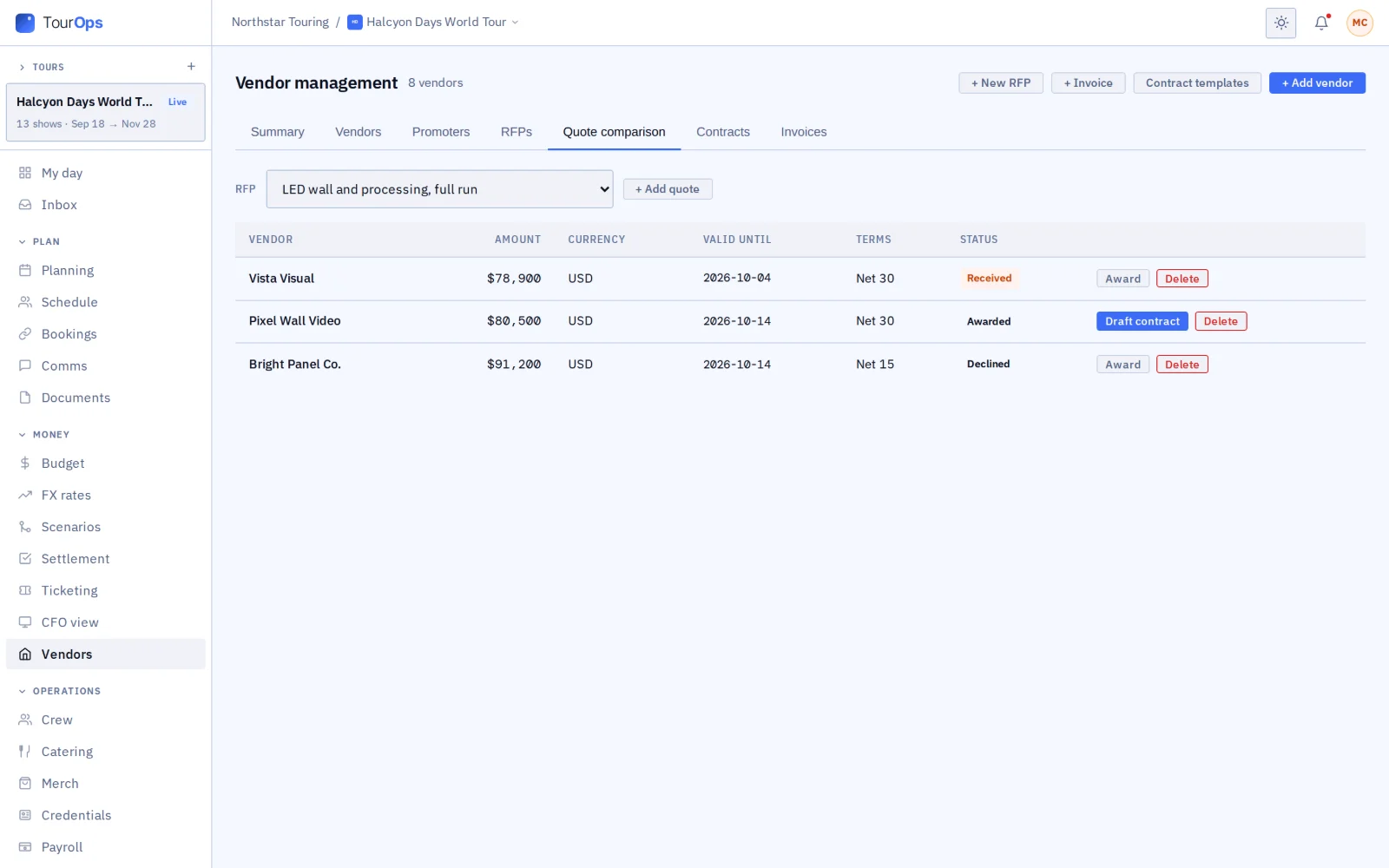
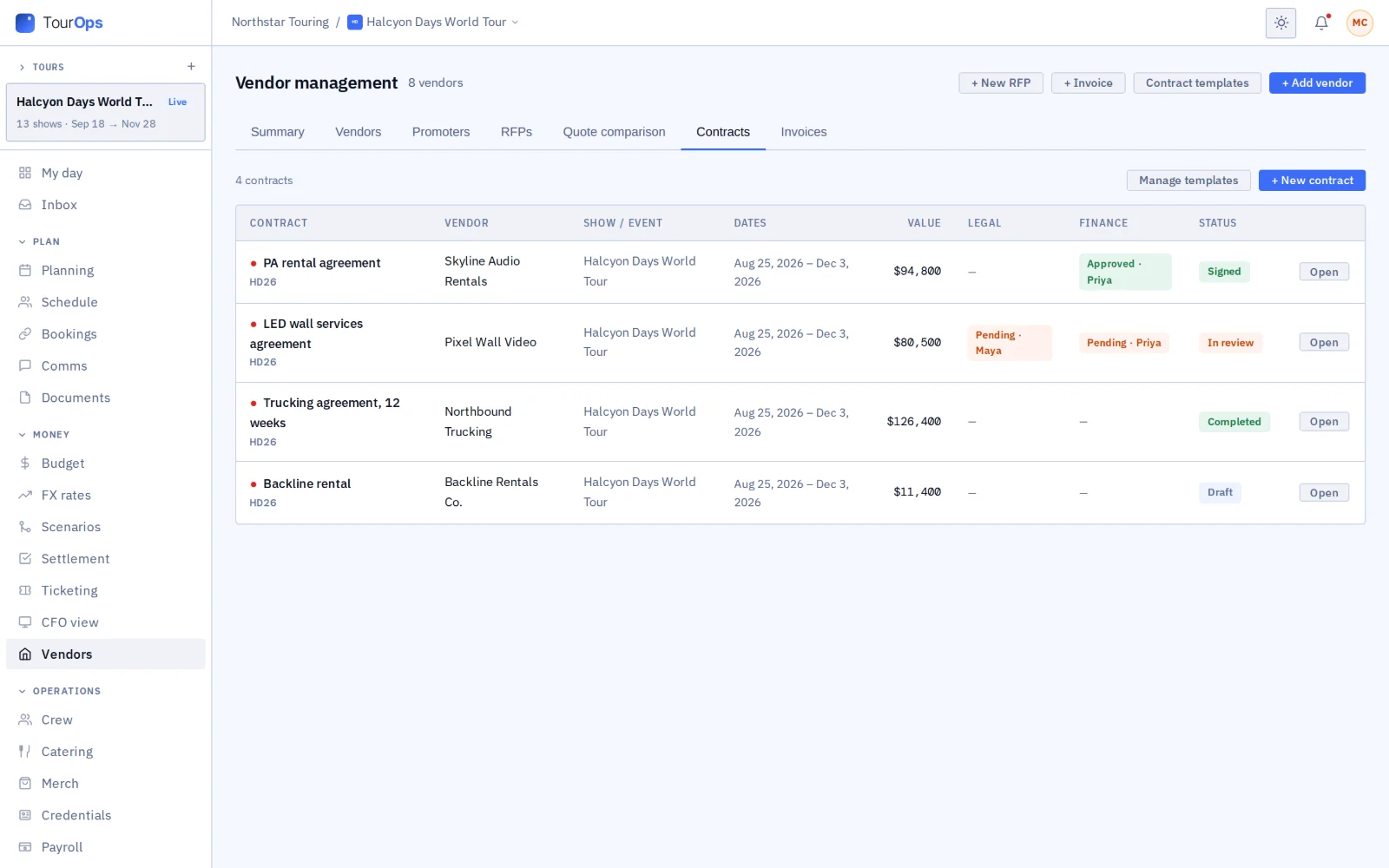
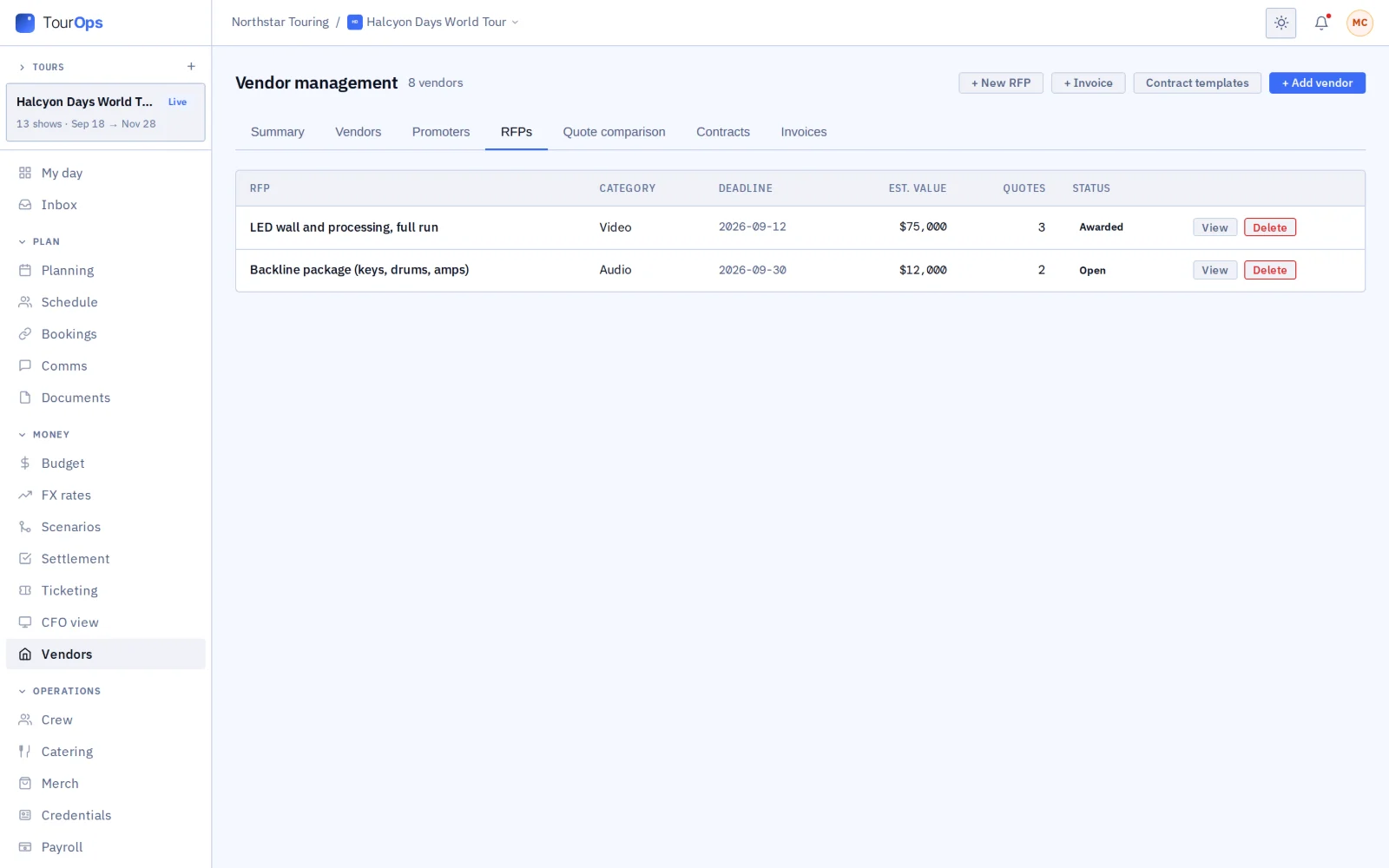
- Send RFPs and compare the quotes, approve contracts, and tie invoices to budget lines. A festival runs its vendor village the same way.
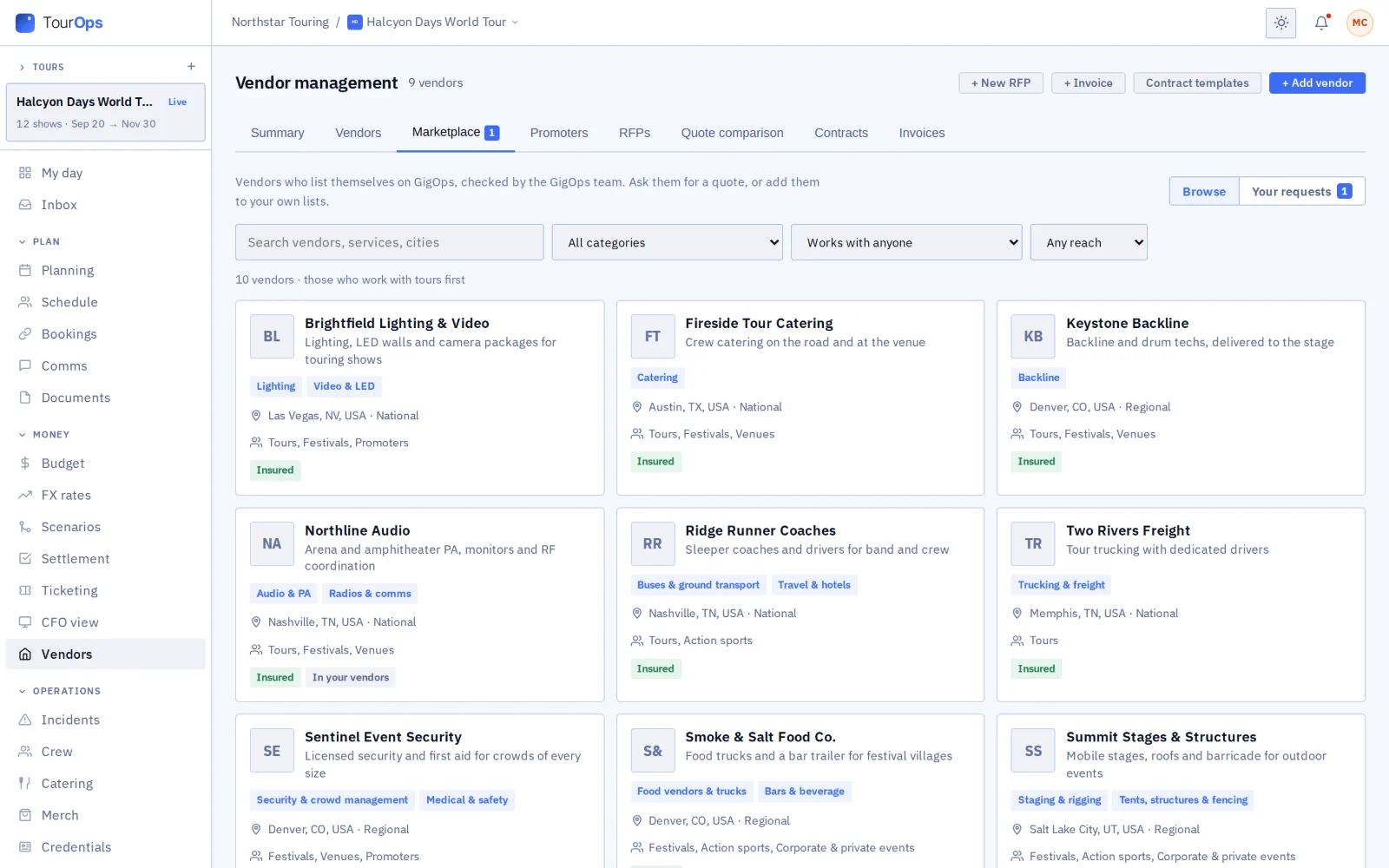
- Each venue’s public page lists its preferred vendors, so a tour sees them before it books.
- In the vendor marketplace, vendors list themselves through GigOps Vendor and the GigOps team approves each listing. A signed-in company searches it in Vendors > Marketplace, sends quote requests and adds vendors to its own lists.
- It is for signed-in companies, not a public directory, and nothing is paid, booked or rated through it.
07 / 14
Documents, plans and CAD, shared on your terms
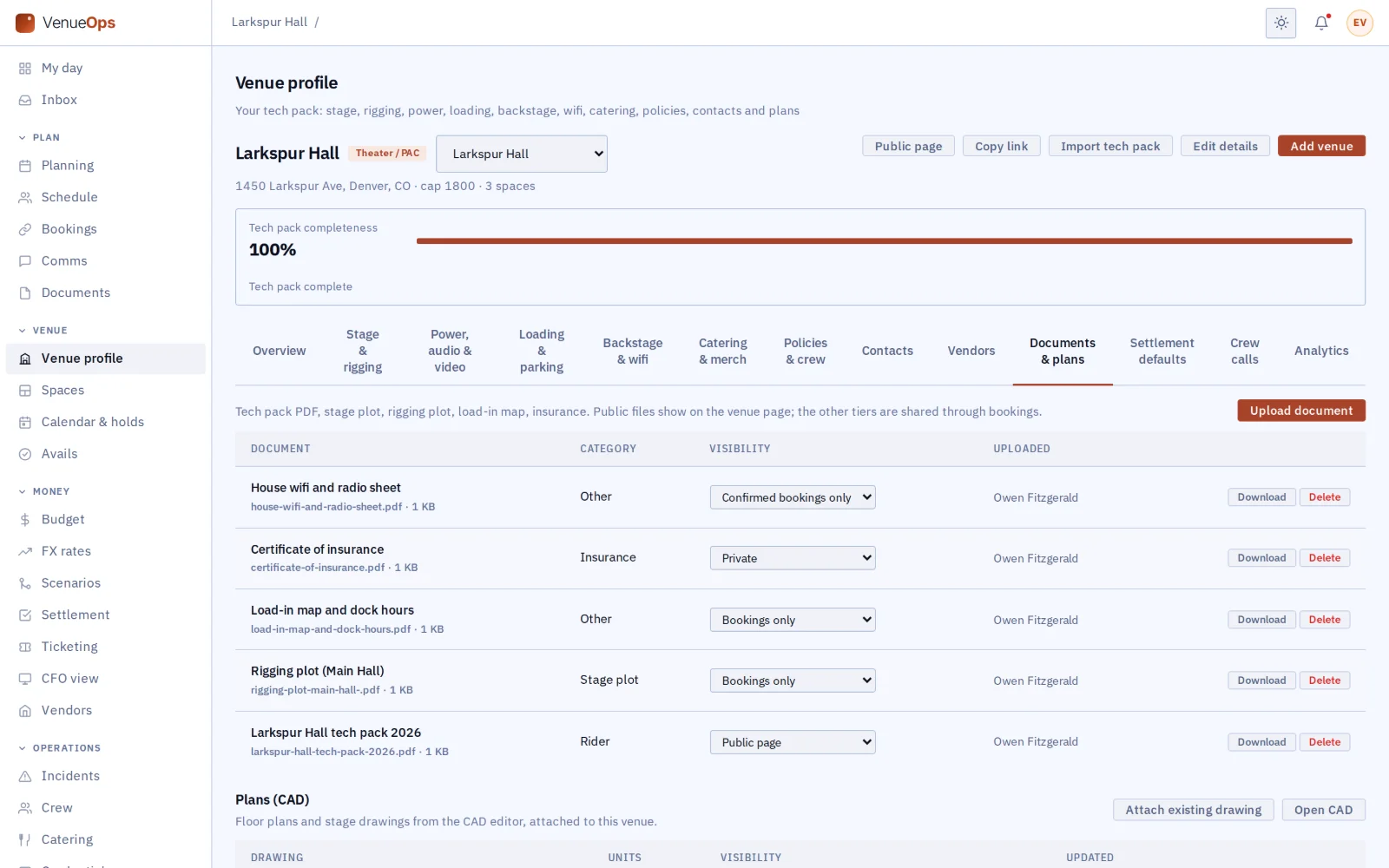
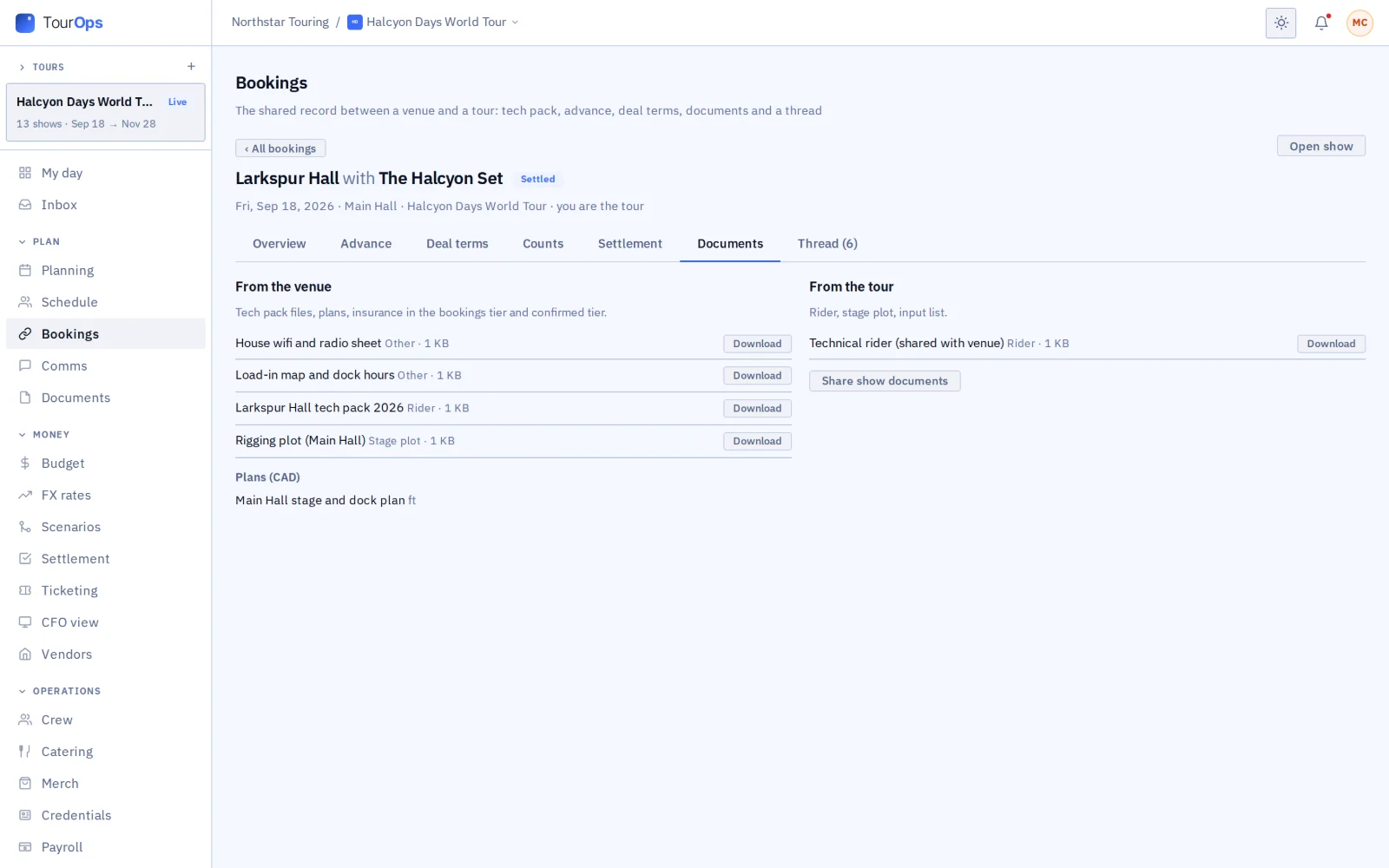
- Every file and plan says who can see it: anyone, the companies you book with, those companies once the booking is confirmed, or only your team.
- The tour’s rider and stage plot go to the venue the same way, and a standard rider can go on every booking.
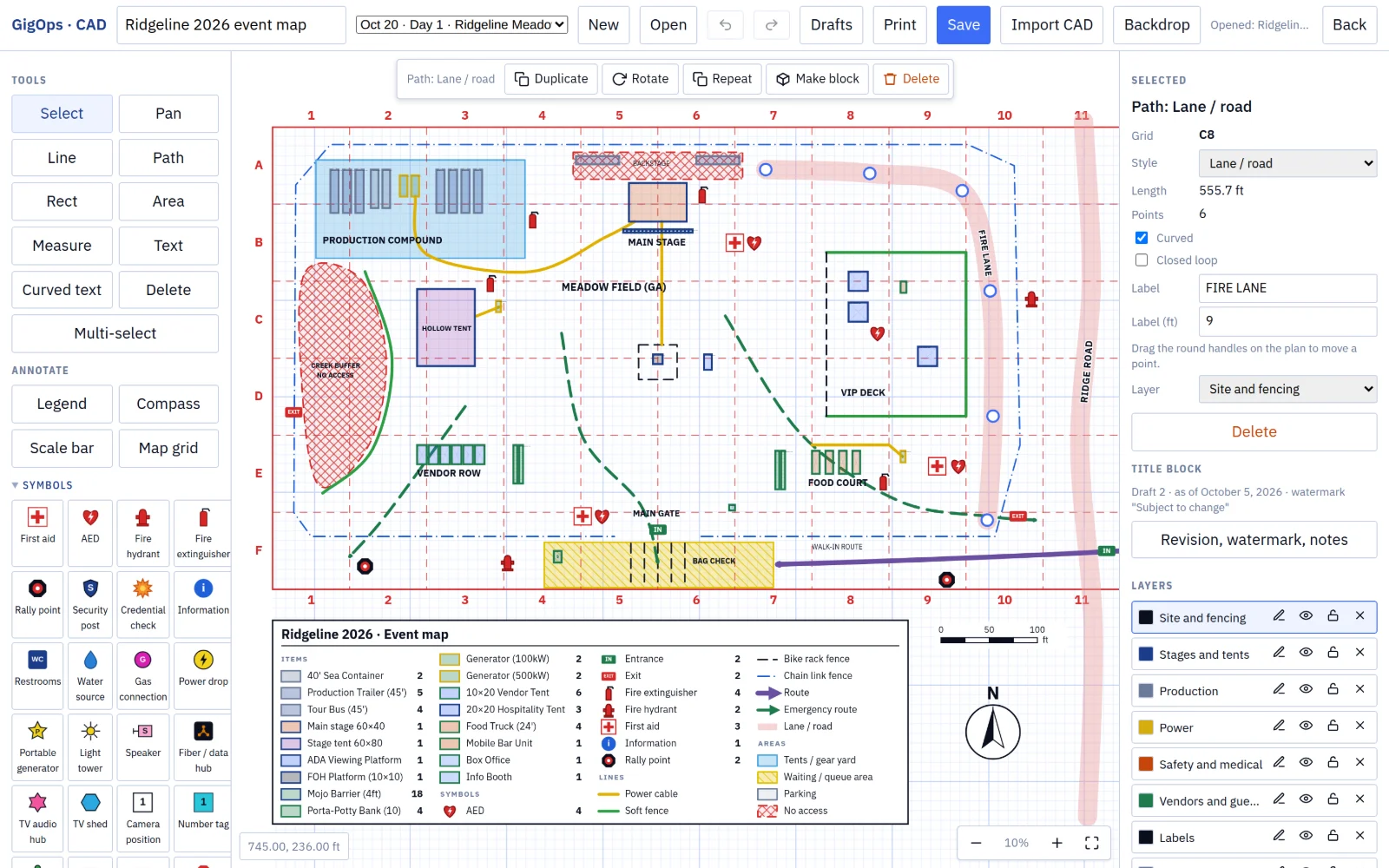
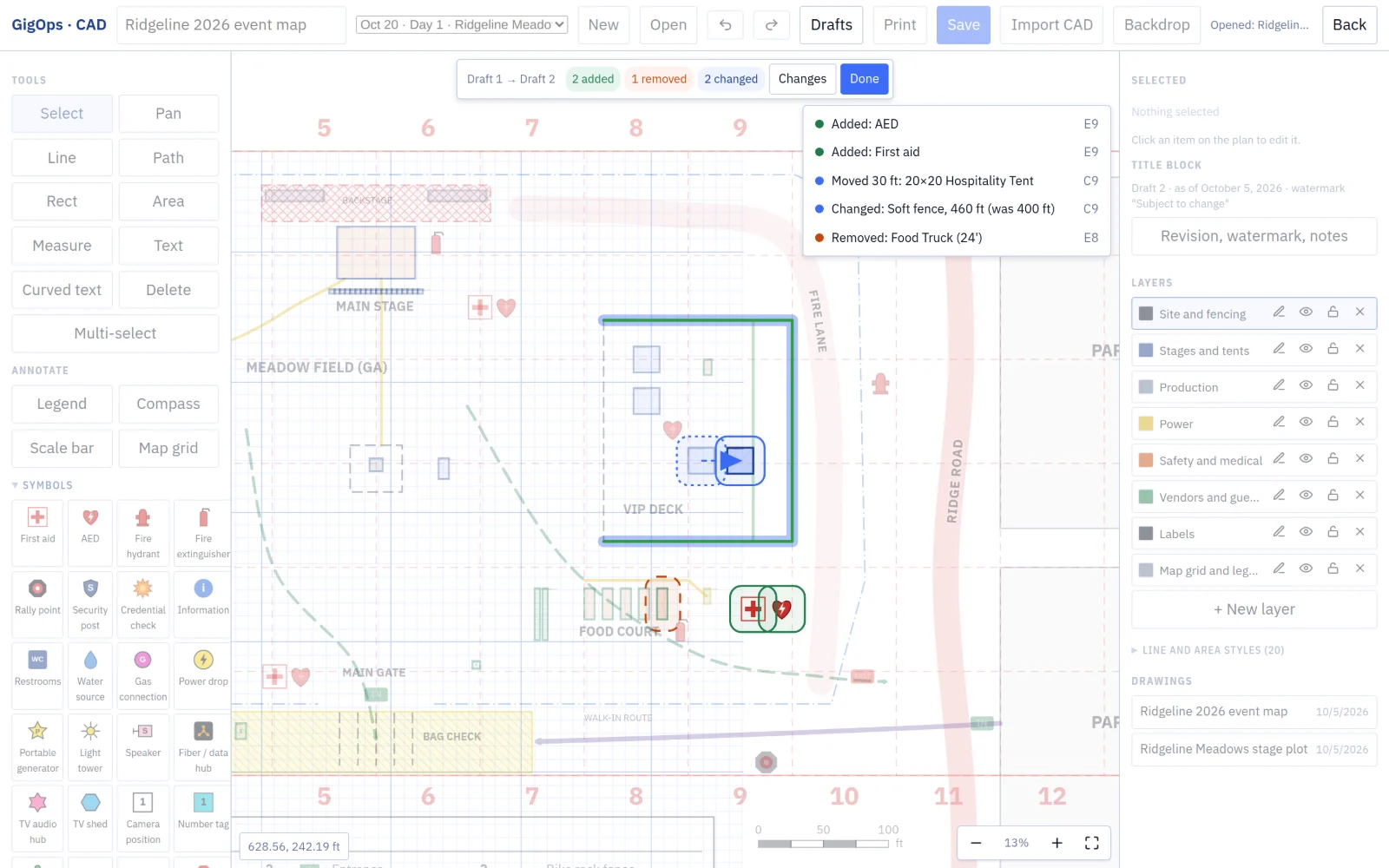
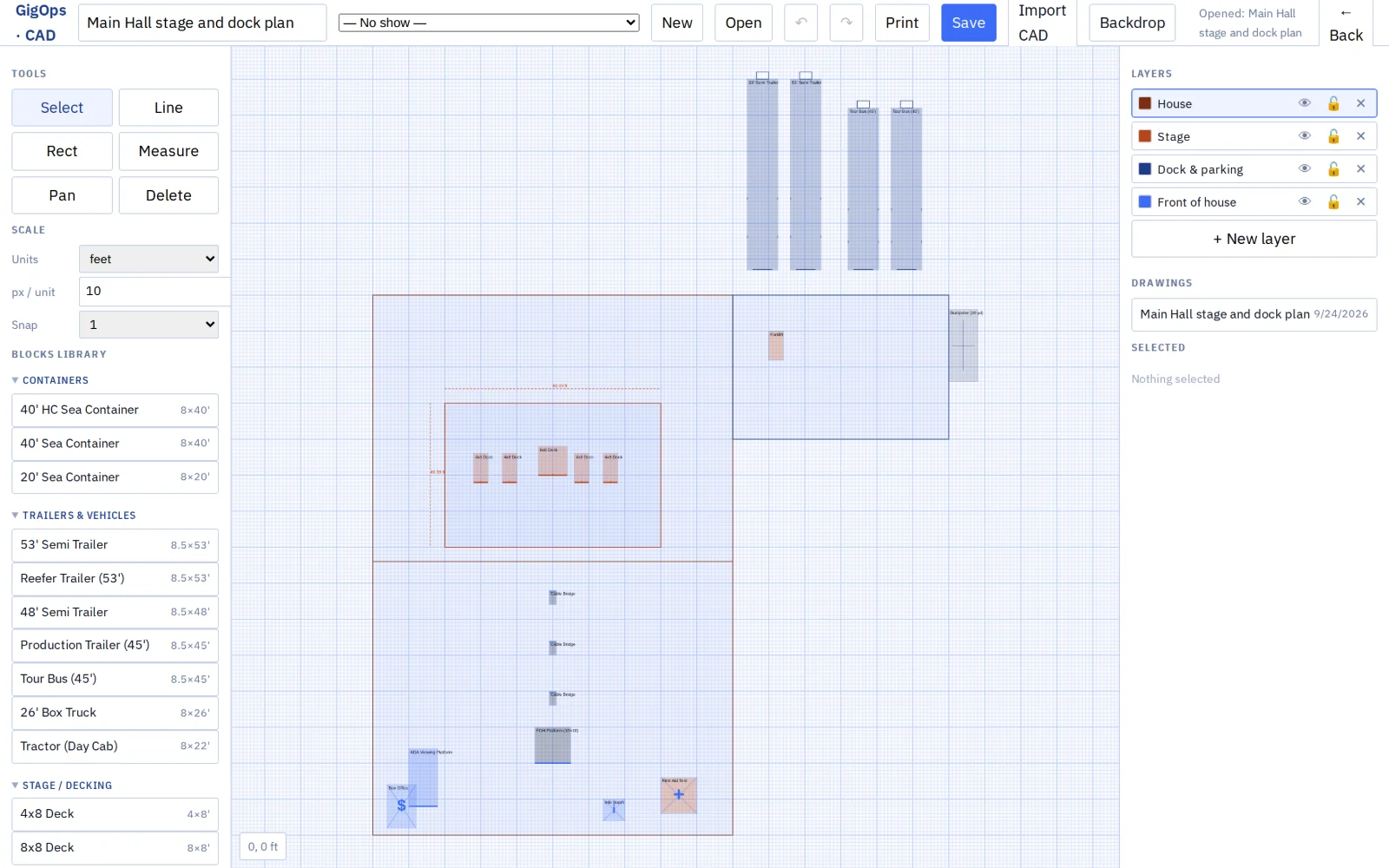
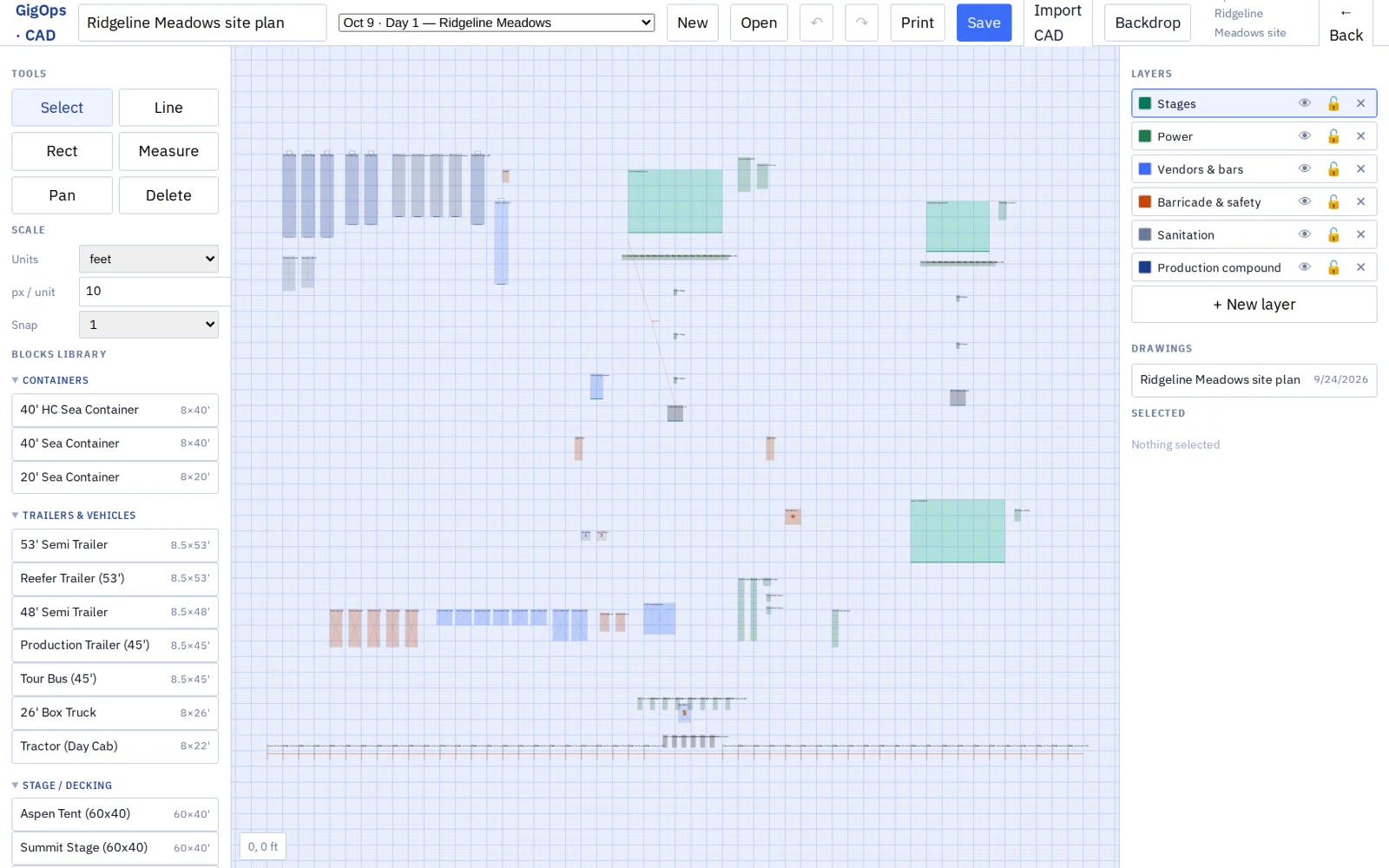
- CAD draws to real size, with a library of real gear, layers, and drawing to scale over a photo or PDF of the site. It imports DXF and DWG files.
- It draws cable runs, fences, routes, lanes and zones, with 25 symbols, a map grid, a title block and a legend, and it counts and measures everything drawn.
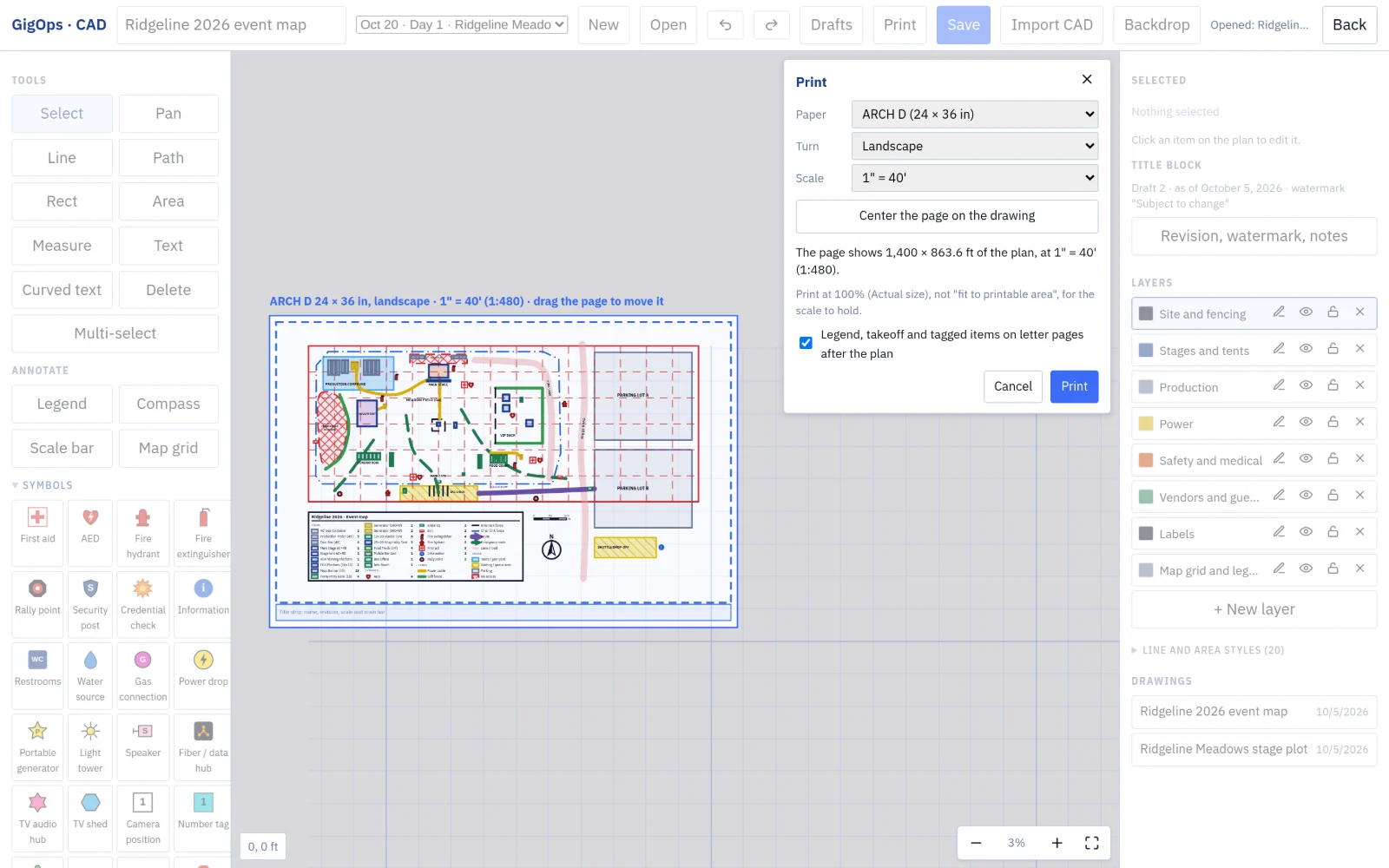
- Numbered drafts can be compared (“Moved 30 ft”), and plans print to true scale from Letter to ARCH E or A4 to A0. A plan shared on a booking or a promoter link opens read only.
08 / 14
The promoter link
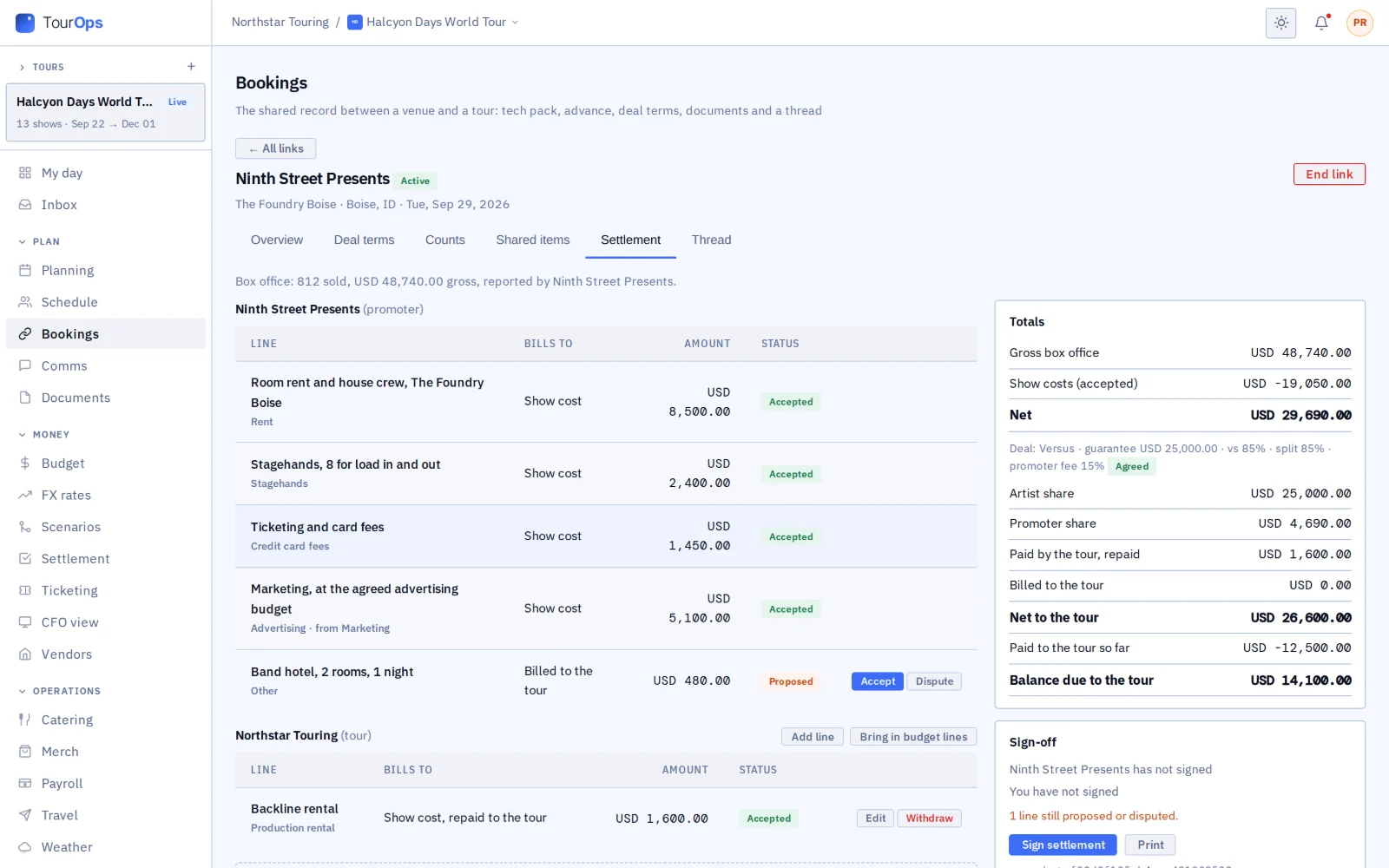
- The tour picks exactly what the promoter sees.
- The promoter’s counts come back to the tour, and the date settles on the link, signed by both.
- A promoter buying a venue’s date is the buyer on the venue’s booking, and its deal with the act never reaches the venue.
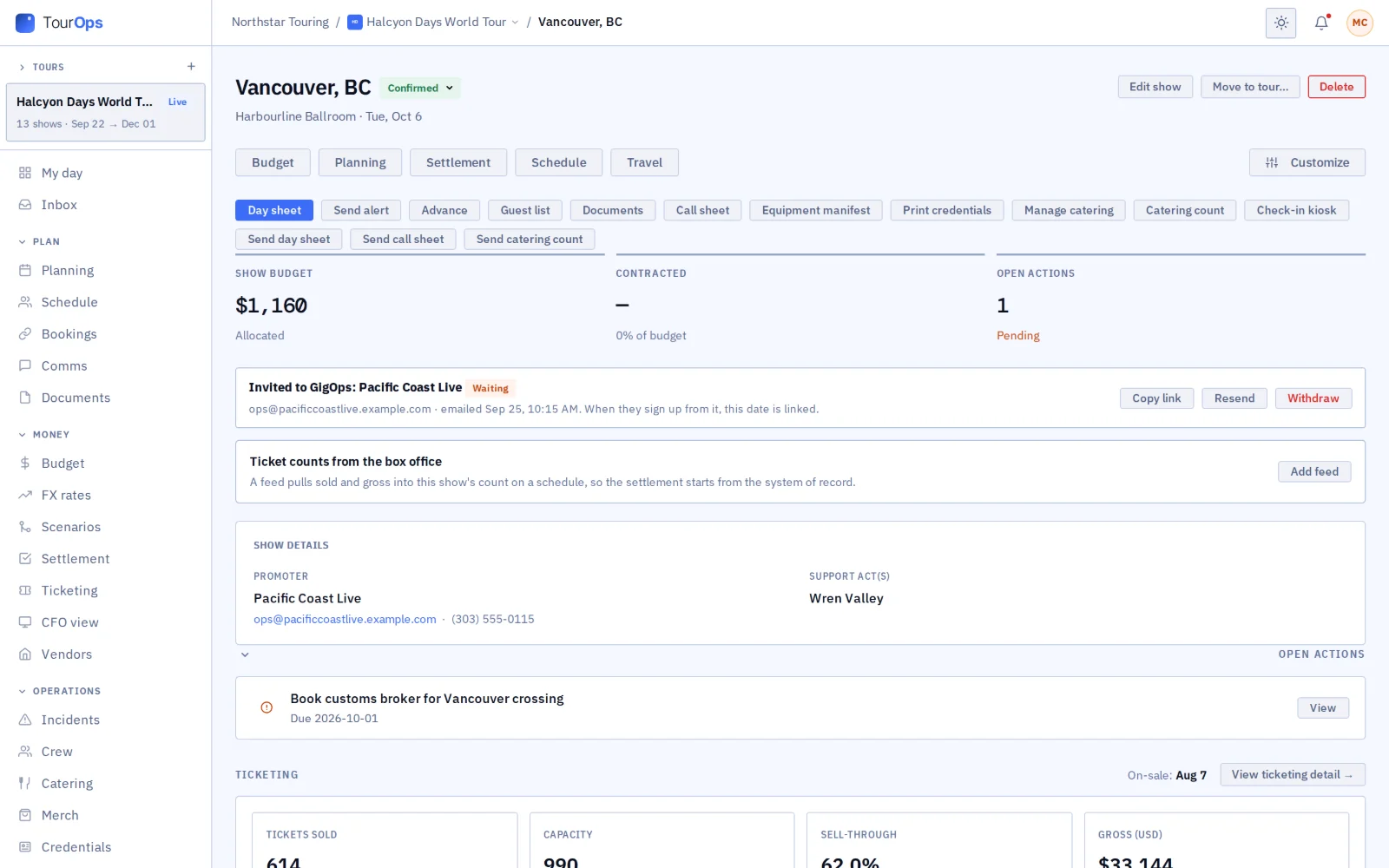
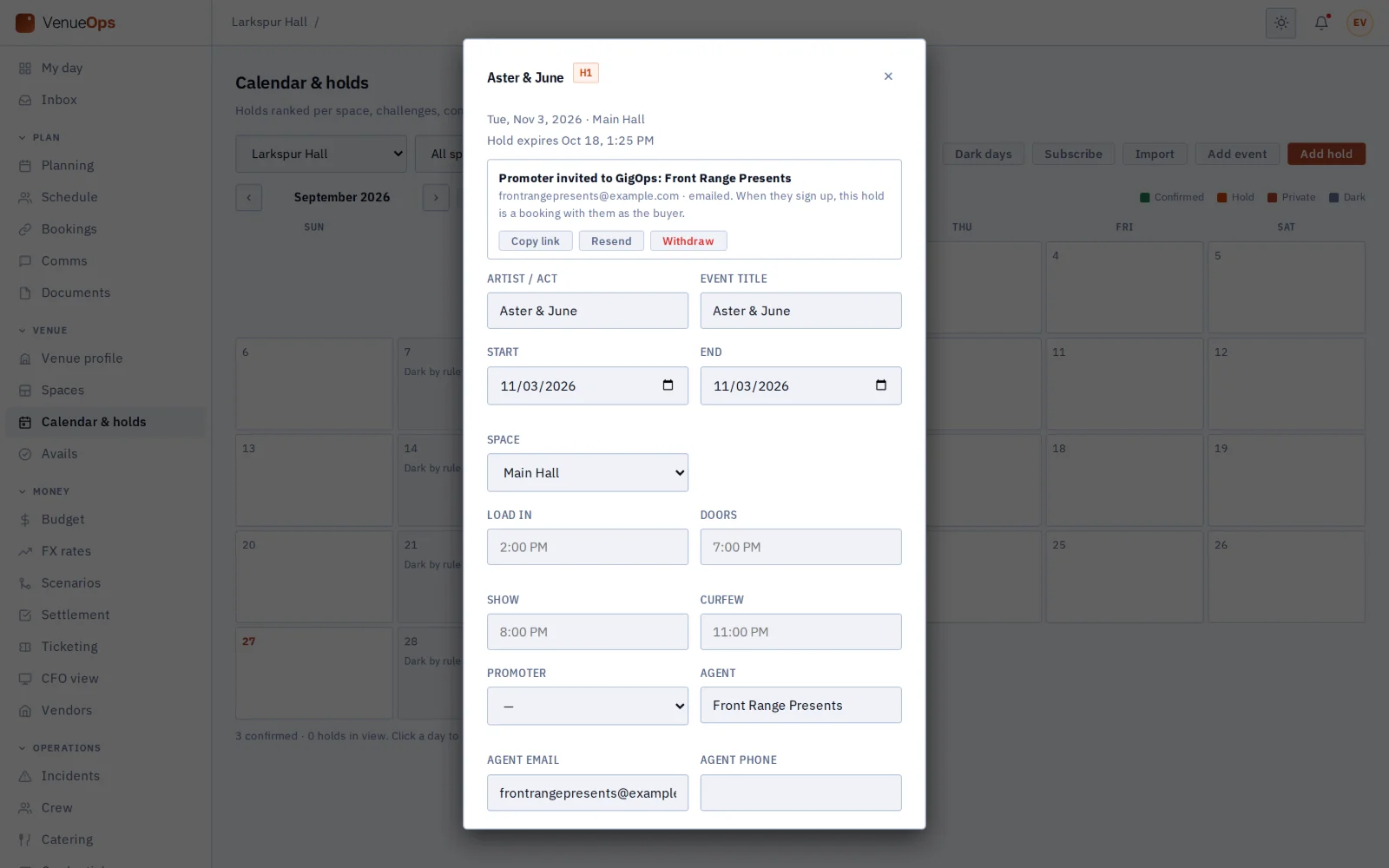
- A promoter that is not on GigOps is invited from the tour’s show or the venue’s hold, and the date is linked when it signs up. One that chose to be found is offered by its name.
09 / 14
The festival link
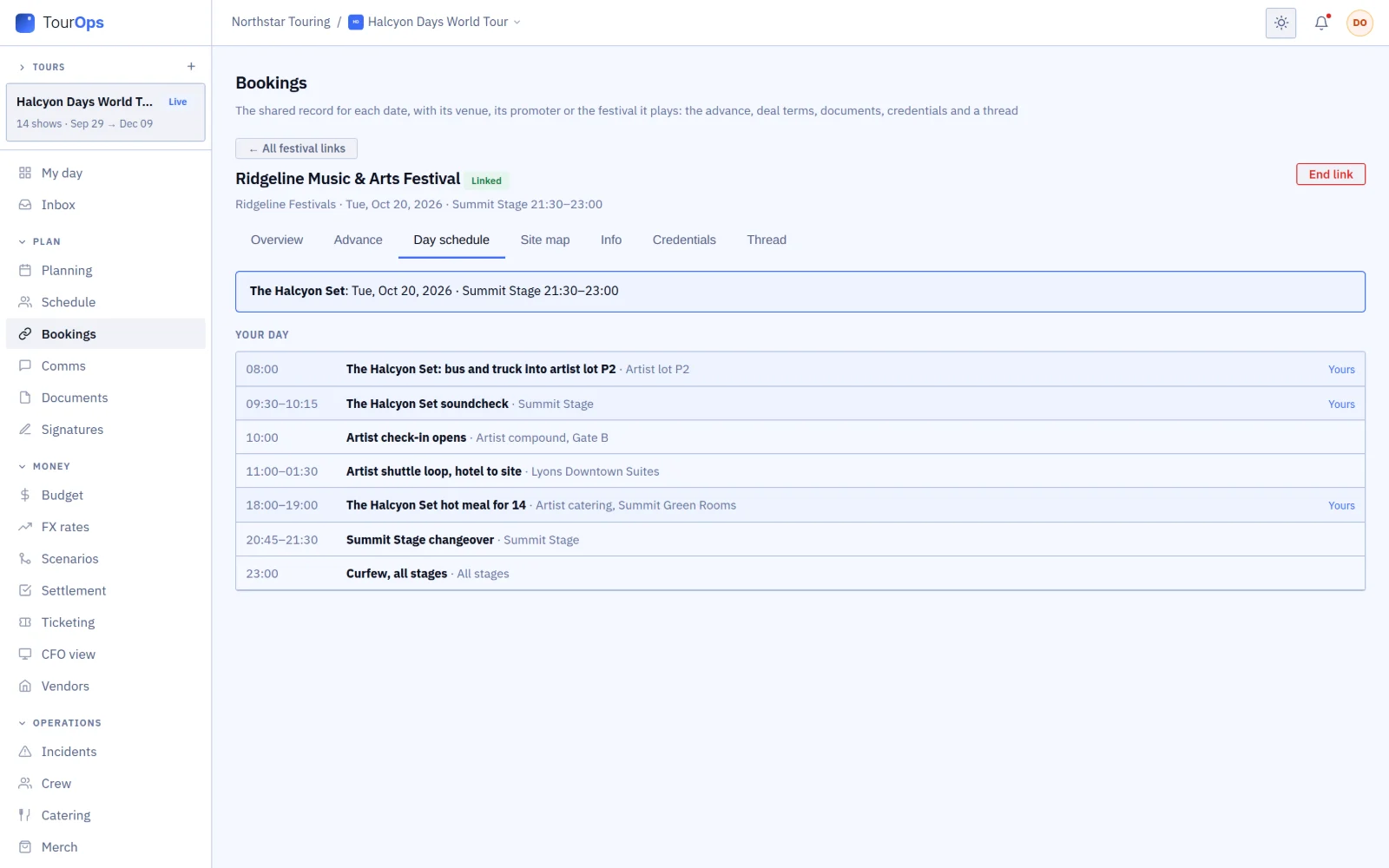
- A festival puts an act on TourOps onto its set; the act accepts it onto one of its own shows.
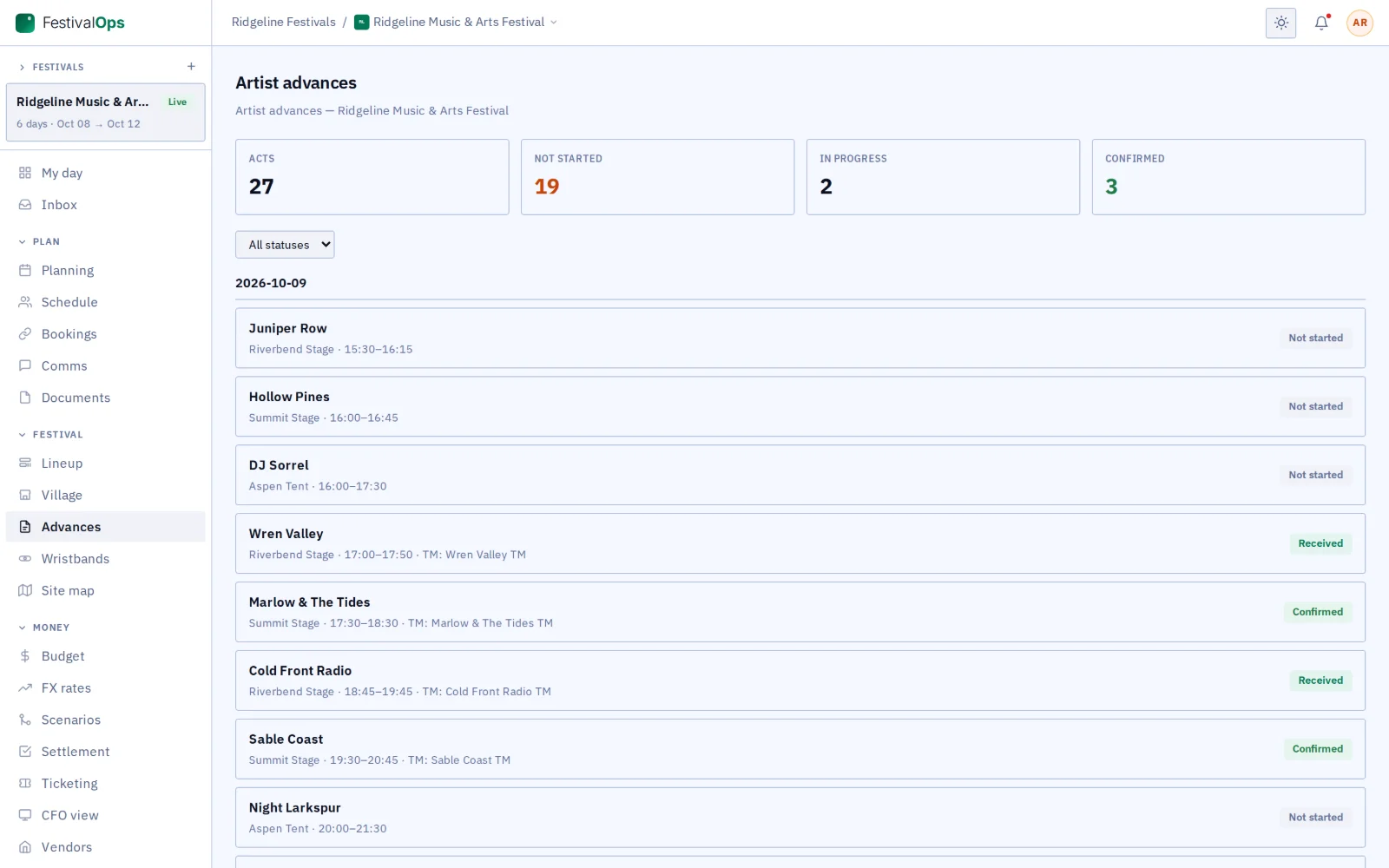
- The act reads its set, the run-of-show rows meant for it (or the full lineup, when the festival shows every set), and the locations and documents the festival picks. It never sees the festival’s contracts, settlements, invoices, insurance or internal notes.
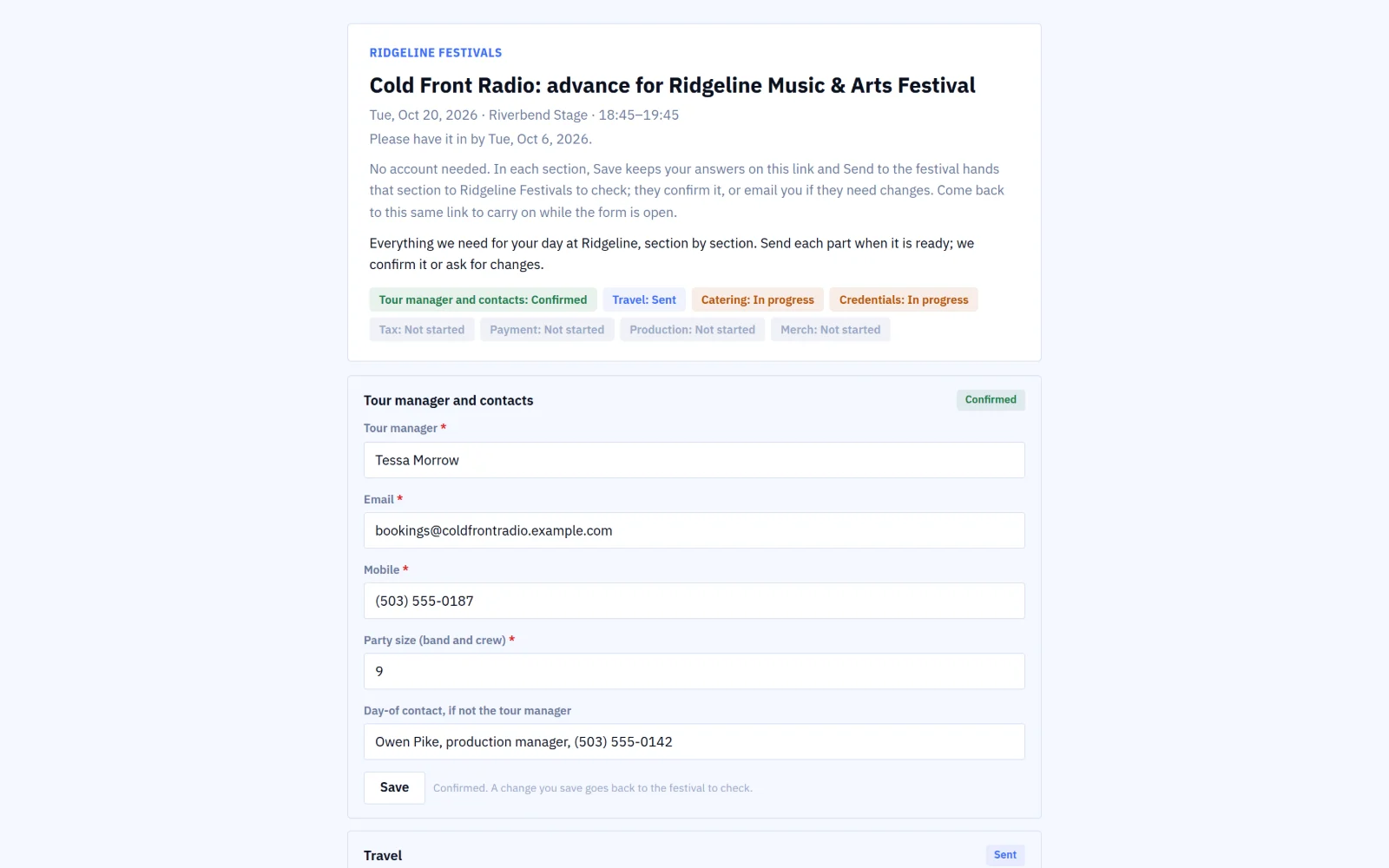
- The advance form is answered on the link, and confirmed answers land on both sides (passes, the act’s hotel and arrival).
- An act not on GigOps is invited by its tour manager’s email and finds the link waiting when it signs up.
10 / 14
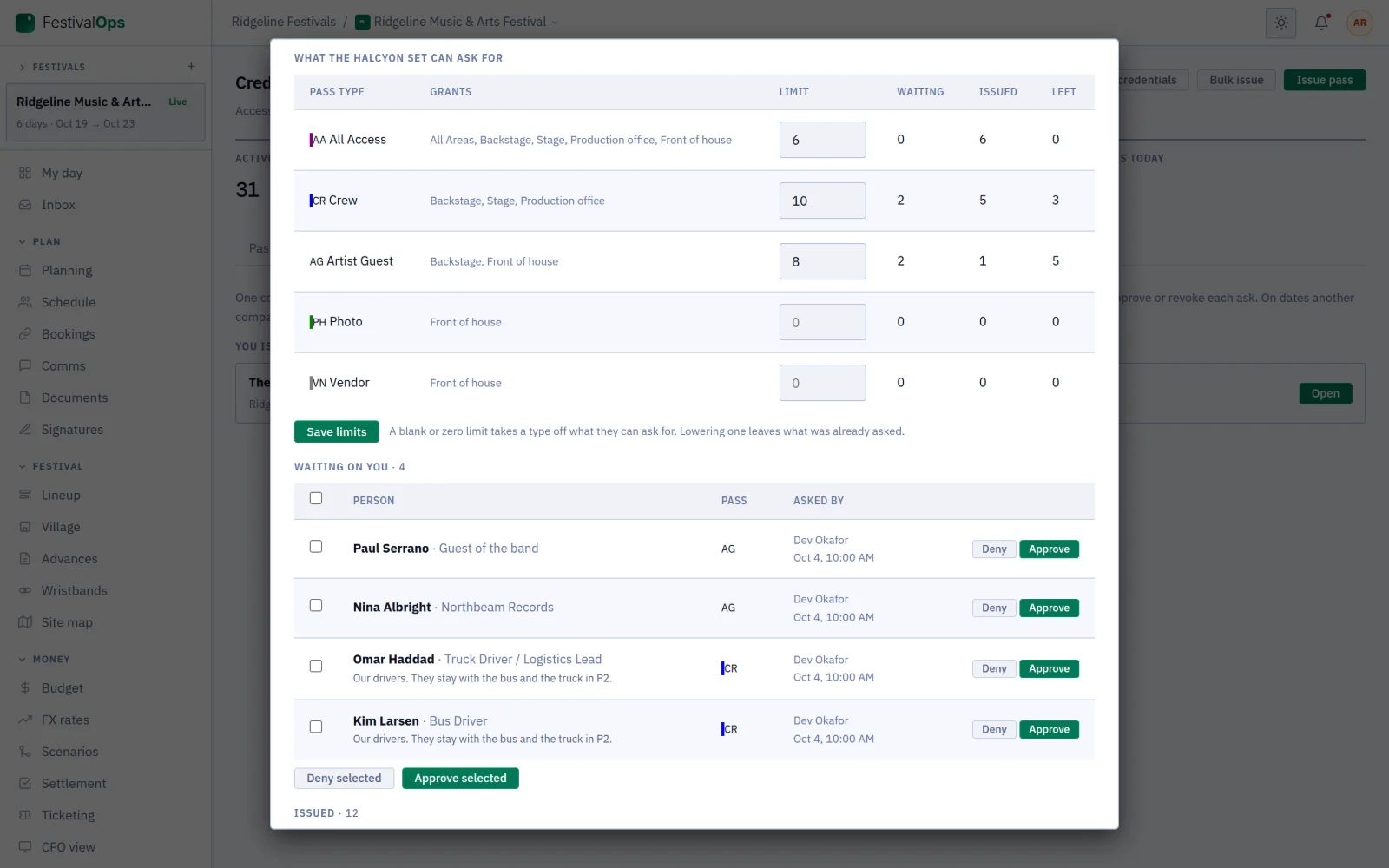
Credentials across companies
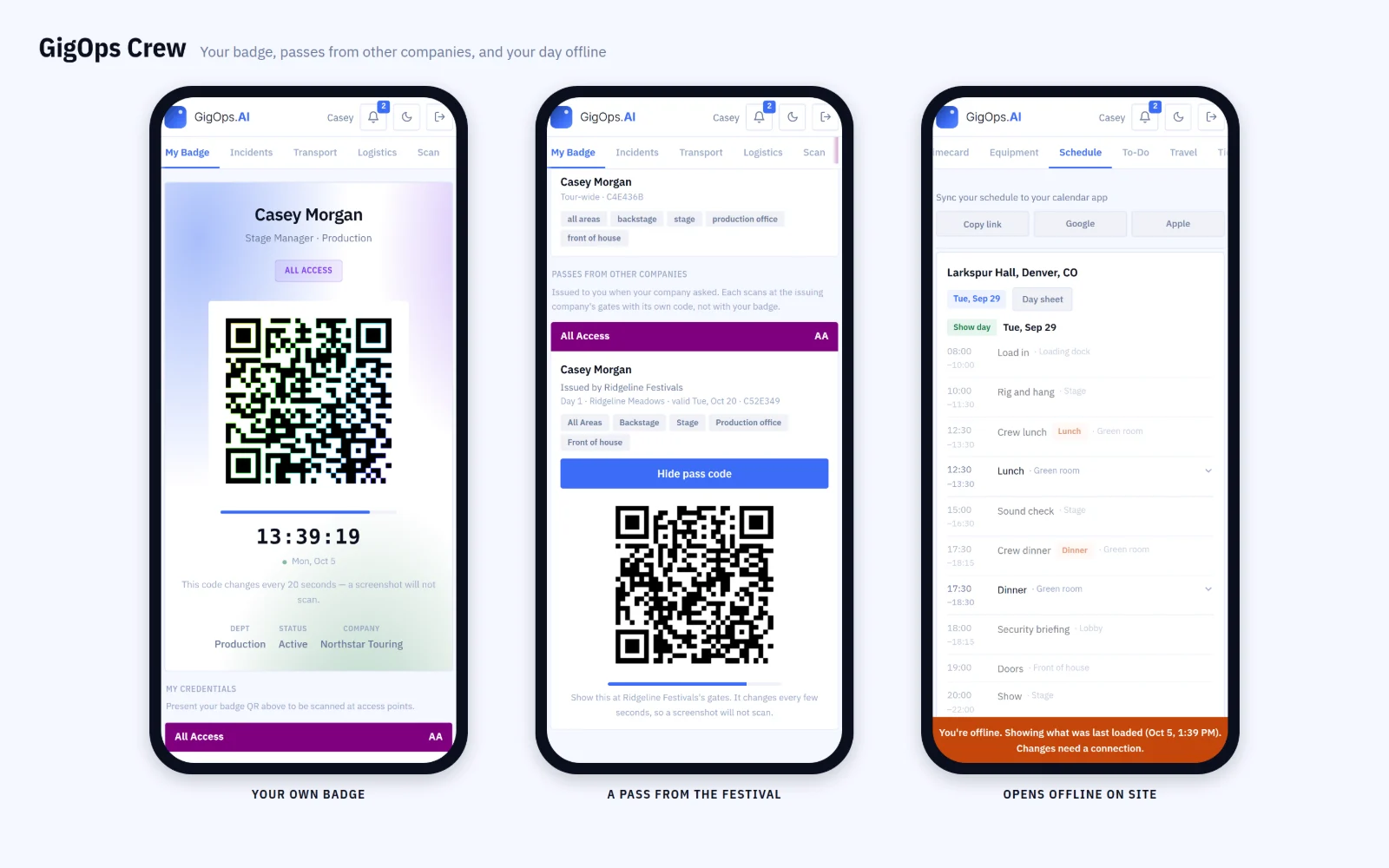
- One company issues the passes on a date and runs its gates: the festival on a festival link, the tour (or the promoter it hands over to) on a promoter link.
- The other side asks for passes inside limits the issuer sets per pass type, and the issuer approves, denies or revokes each one.
- Approved passes print on the issuer’s laminates, scan at its gates (offline too), and reach the crew member in GigOps Crew with a rotating code.
11 / 14
Signed, sealed, checked
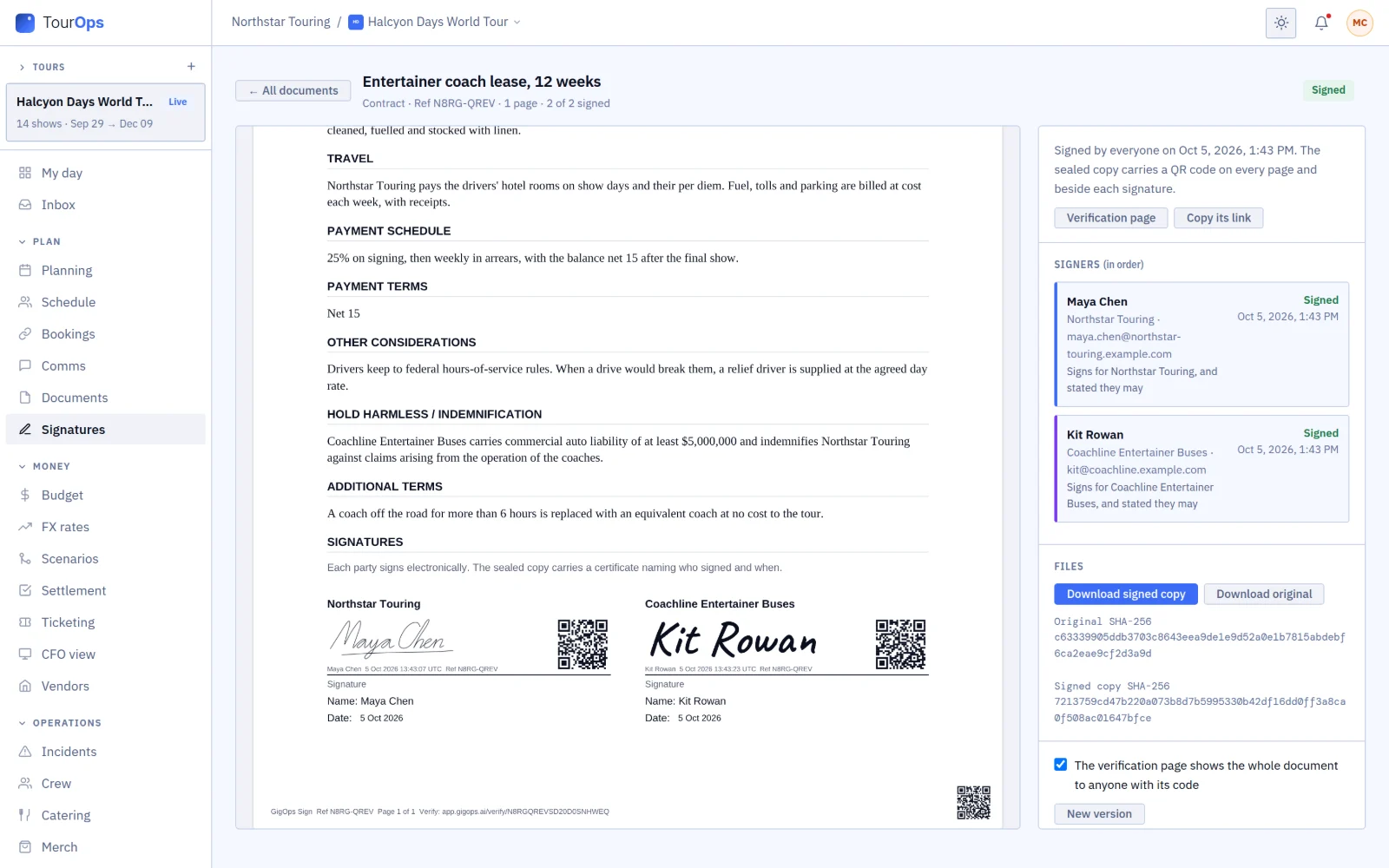
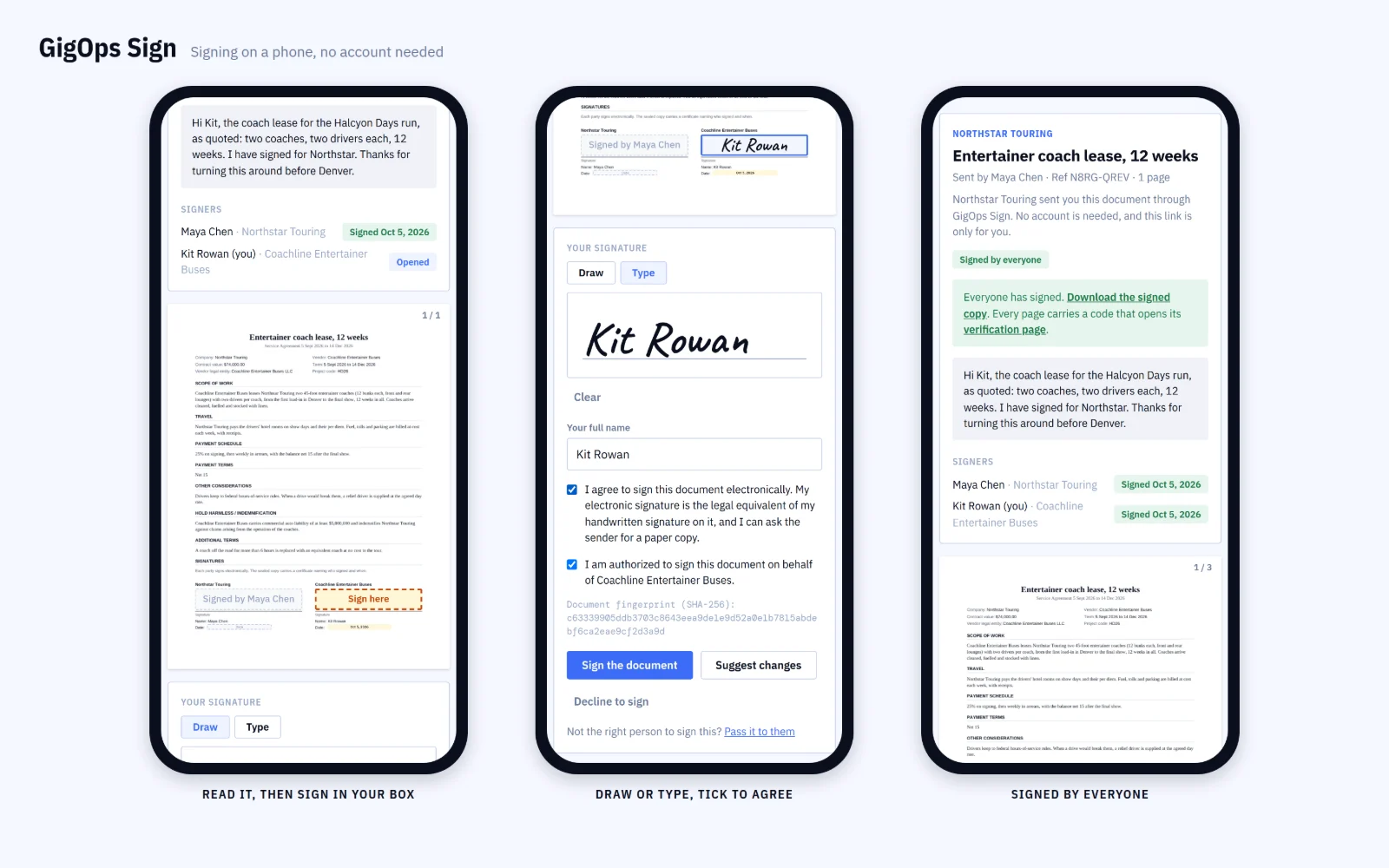
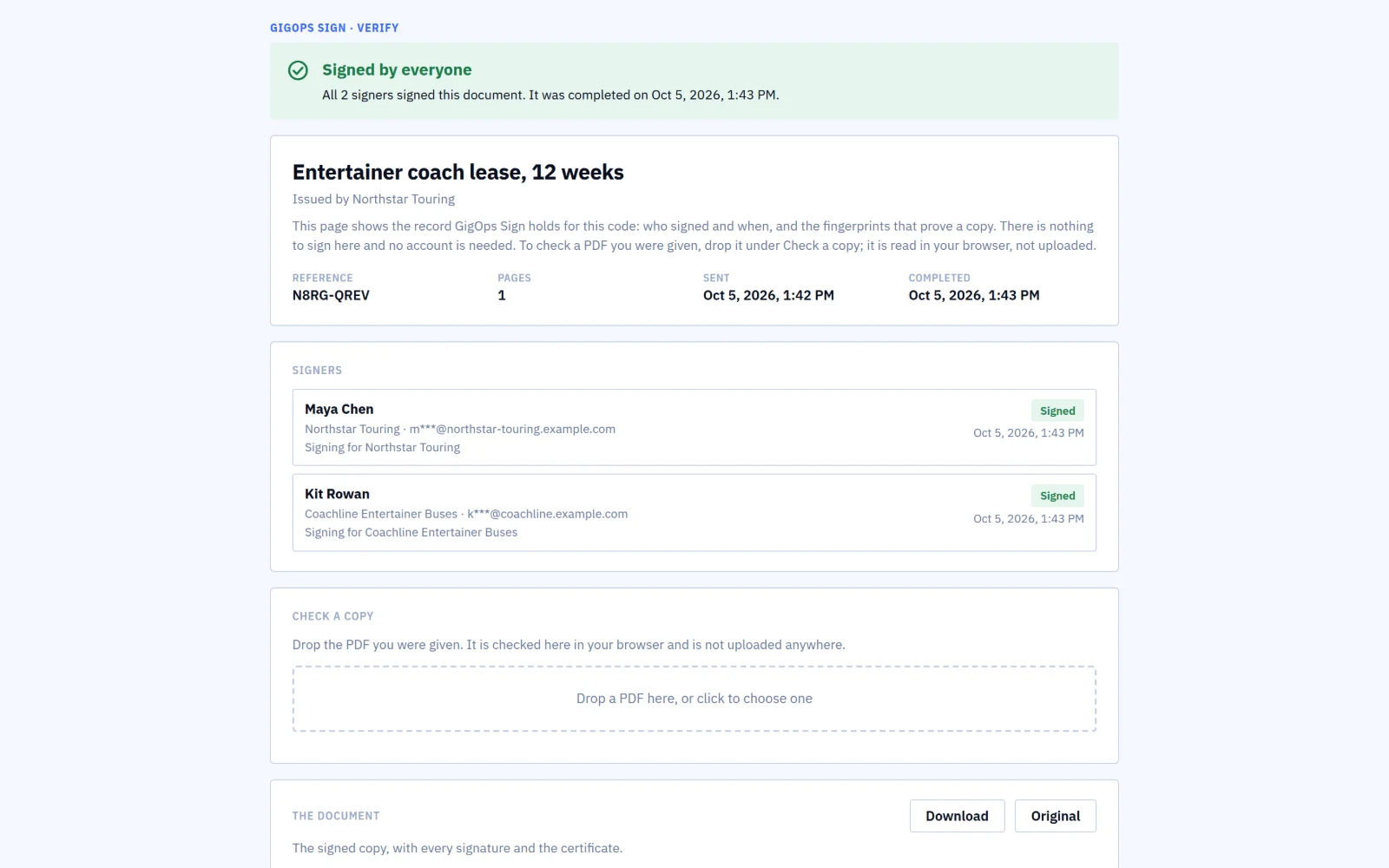
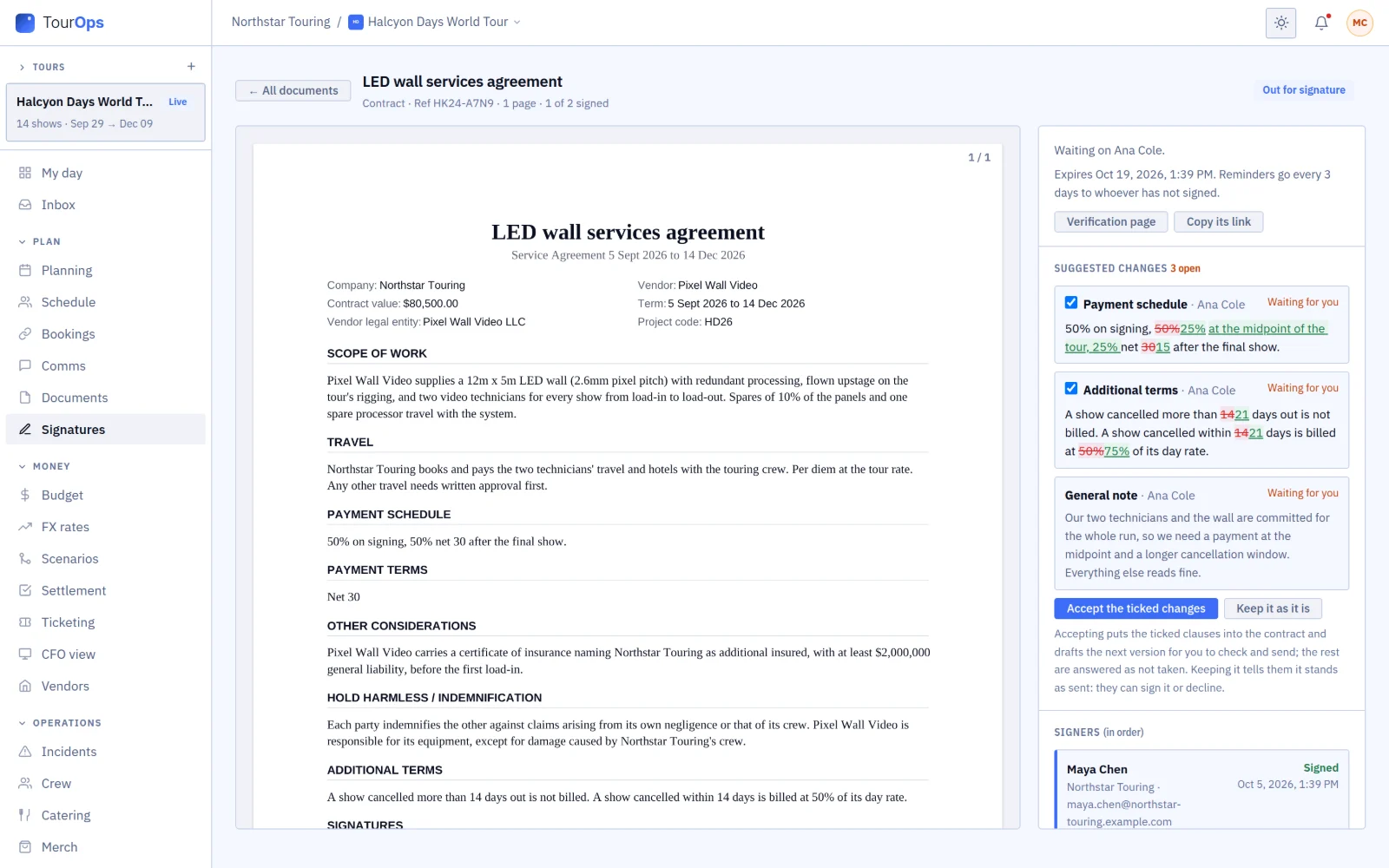
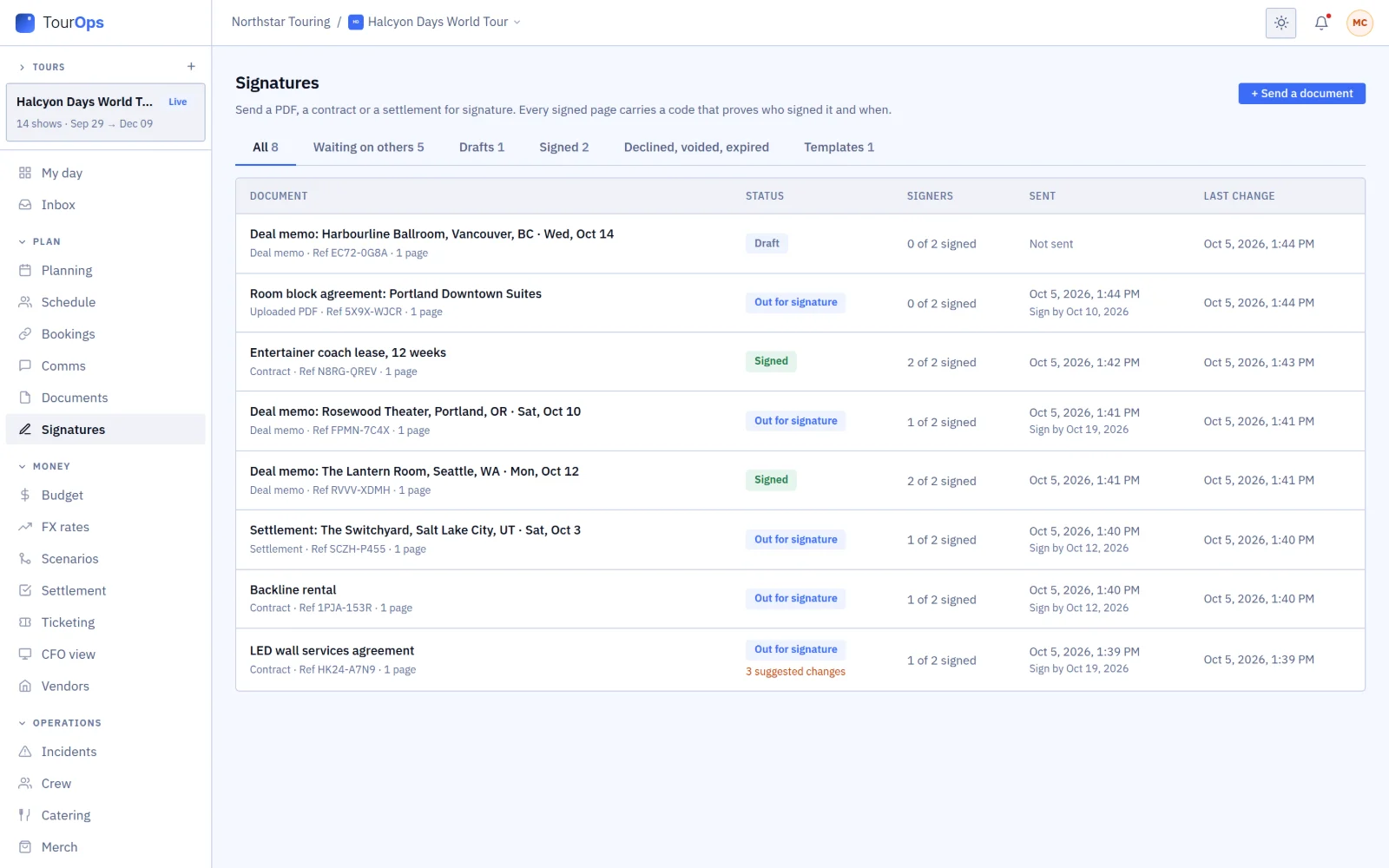
- GigOps Sign sends any PDF, contract, settlement or deal memo for signature to people with no GigOps account. They draw or type a signature, can suggest changes as redlines, and can pass it on to the right person or sign for their business.
- Each signer can be asked for a code by email or text first.
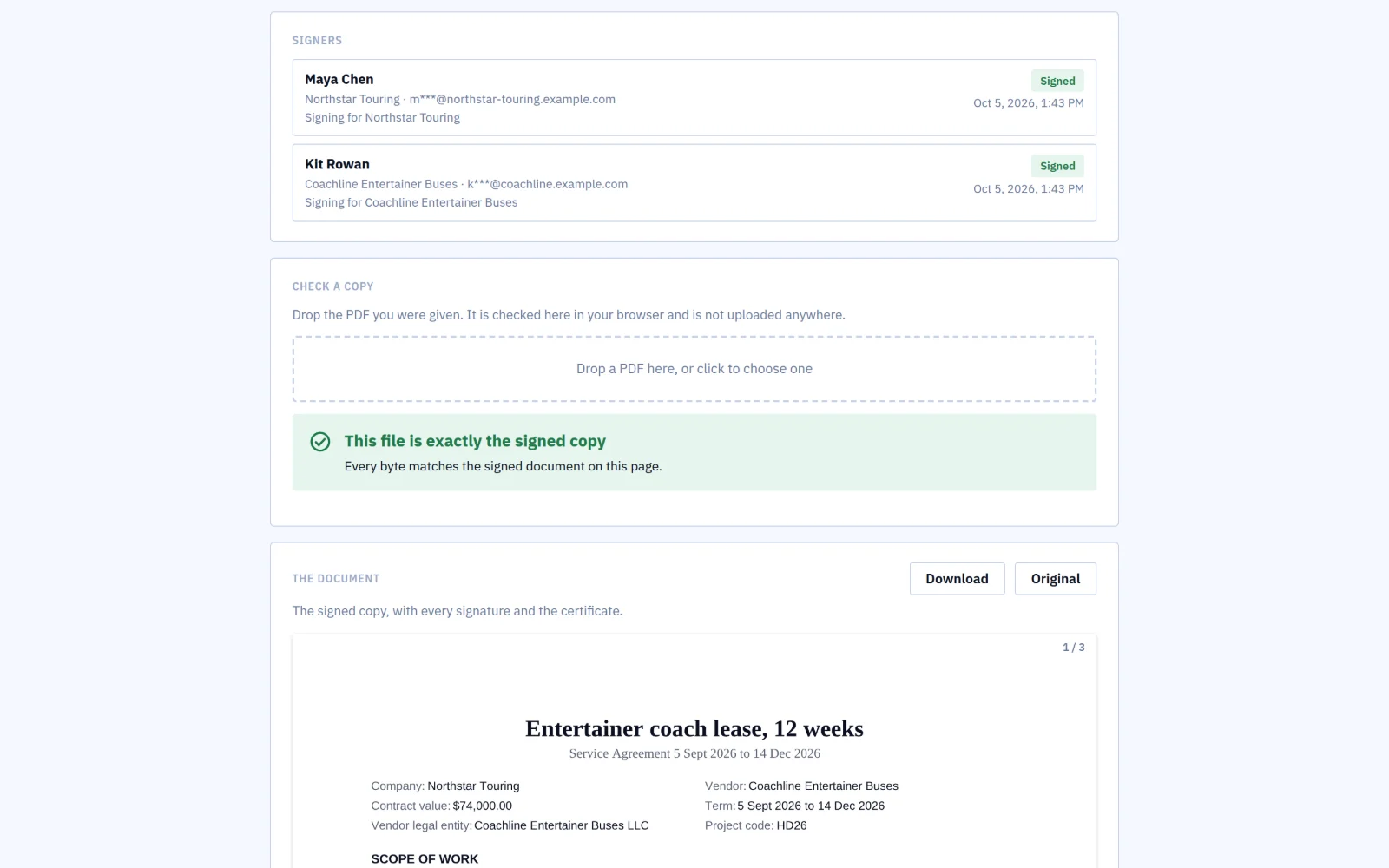
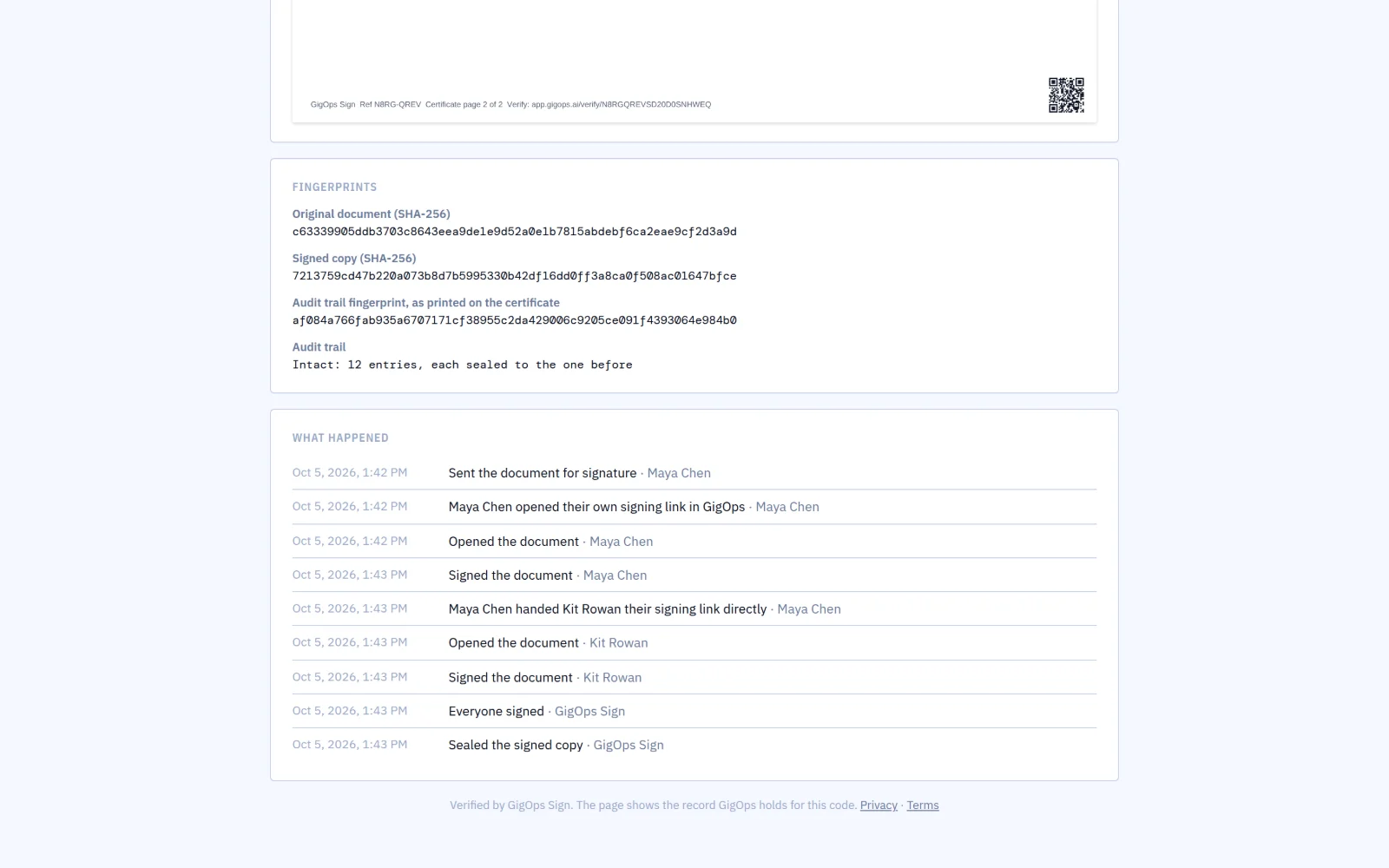
- The sealed PDF carries a QR code on every page and beside every signature, and a certificate with a record of every step that shows if anything was changed.
- Anyone can drop a copy on the verification page to check it, page by page, without uploading it. Records outlast the sender’s account for 7 years.
- Settlements, deal memos and accepted offers signed between GigOps companies are sealed the same way.
12 / 14
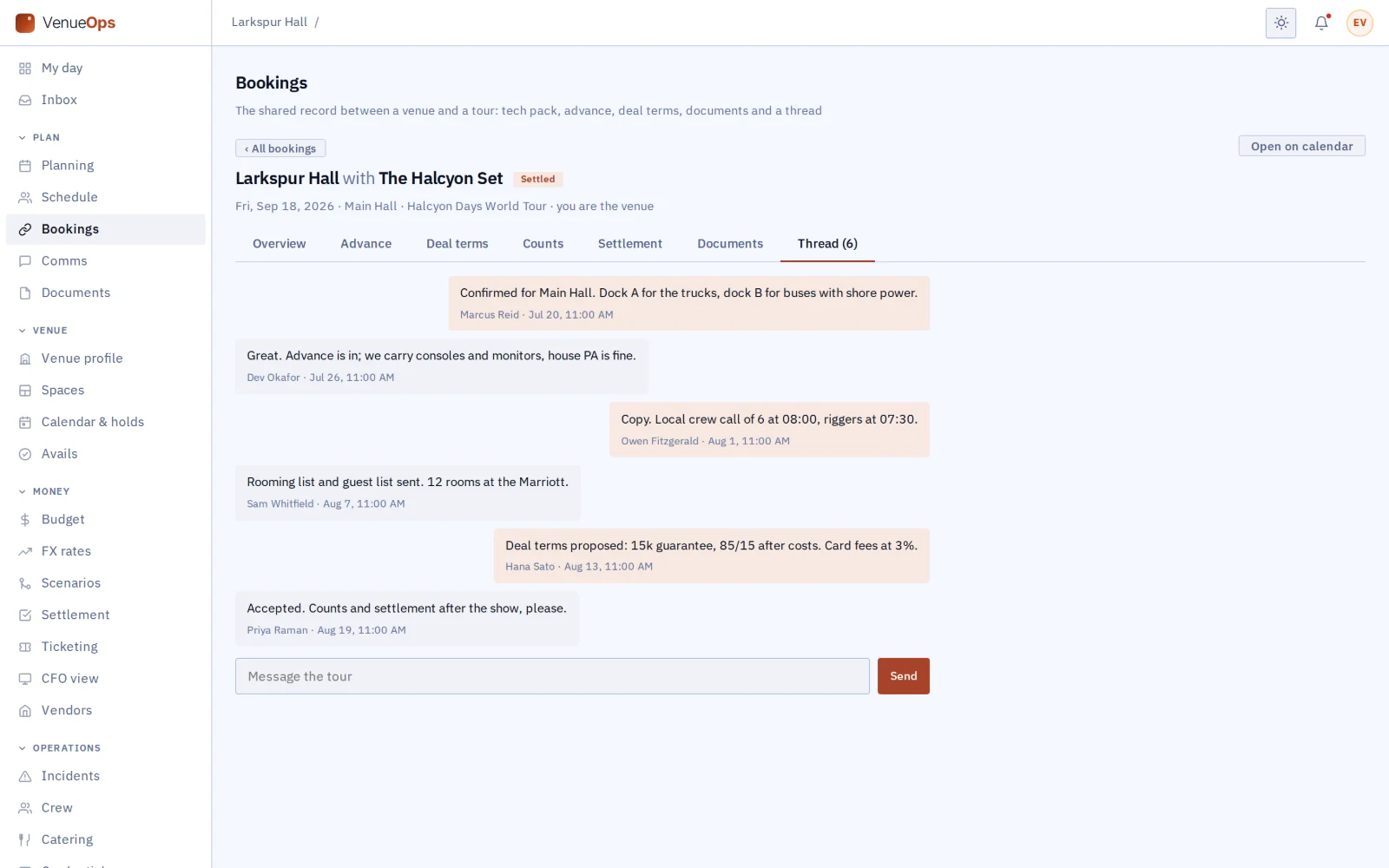
Booking thread
- Messages on the booking reach the other company as notifications.
- Disputing a settlement line posts the note to the thread.
- The thread closes, and stays readable, a week after the settlement locks.
13 / 14
Your own systems
- A Company Admin can make API keys so your own software reads from GigOps. Each key gets only what you allow: shows, tours, venues and avails, bookings, counts, the budget summary or crew.
- A key can also be allowed to ask for holds or post ticket counts. It sees only your company, with the access of the admin who made it.
- Webhooks tell your systems when a show is added or changed, a booking or offer changes status, counts are posted, a settlement is signed or a hold is asked for. Each one is signed, so you can check it came from GigOps.
- QuickBooks Online: a Company Admin connects your company’s own QuickBooks and matches your account codes to its accounts. Approved budget lines go over as bills and locked settlements as journal entries, on demand or every night, never twice.
- Single sign-on: people sign in through your identity provider (OpenID Connect) with their work email, and you can require it for everyone but owners, who keep their password.
- QuickBooks Online and single sign-on need setting up by a Company Admin before they work.
14 / 14
One login, many companies
- A production manager who works for a venue and freelances for a tour switches without a second account.
Put your next show on one shared page.
7-day free trial. Company Users are $39 per user / month. View only seats are $0. Crew are always free.
Book a demo
Book a demo.
Leave your name and email, and we'll reply the same week to set up a walkthrough of the product that fits.