{{ menuLabel }} How it connects Apps Pricing Sign in Start free trial
{{ f.tagline }}

Get found by the teams that run live events.

Tours, festivals, venues and promoters plan their shows on GigOps. List your business once, and they can find you, ask you for quotes and add you to their vendor lists.

List your business Vendor sign in

Free to list.

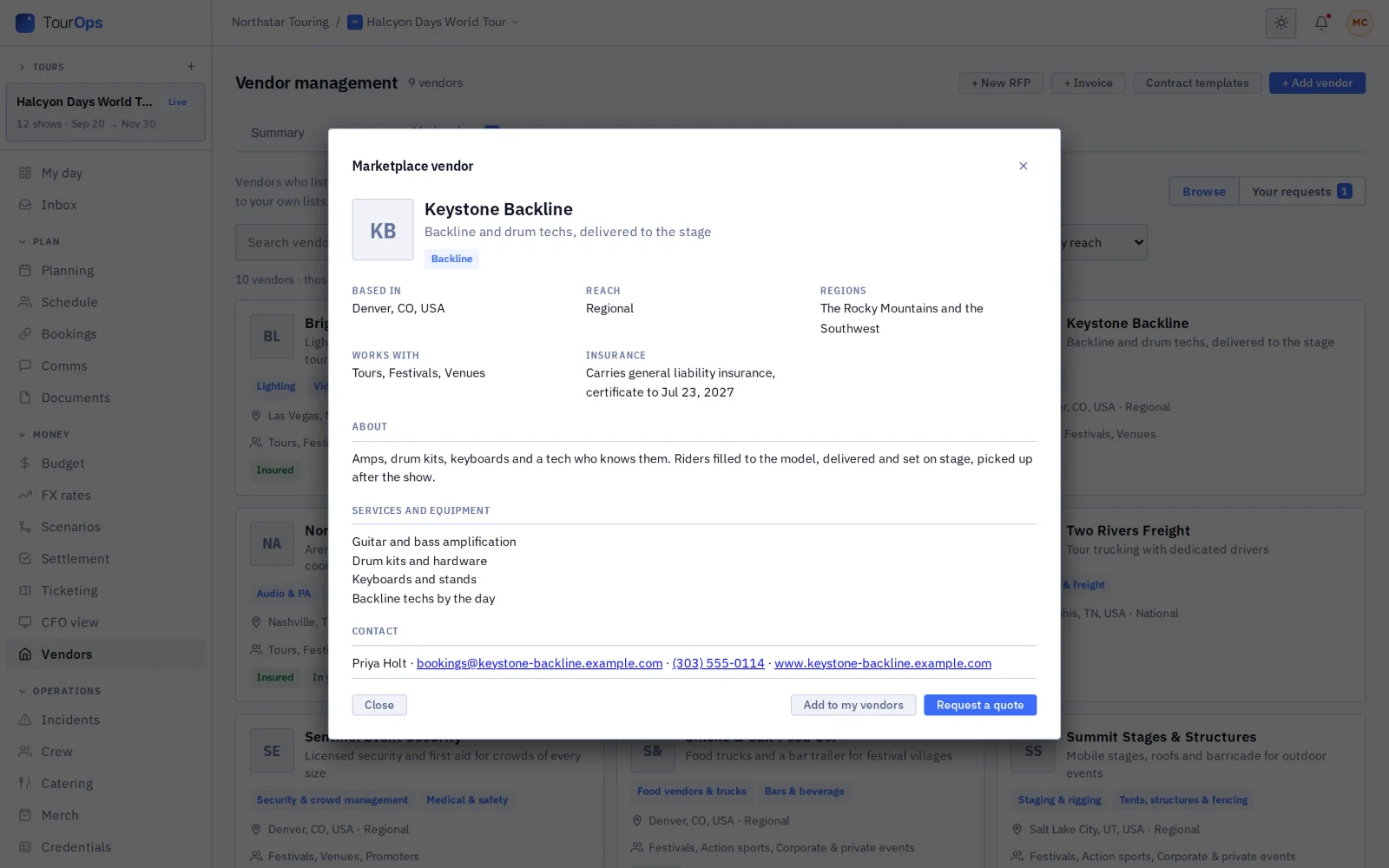
The GigOps marketplace inside TourOps: vendor cards with categories, home city, reach, who they work with and an Insured badge.
Where your listing shows up

One listing appears in the marketplace for every kind of team on GigOps.

{{ f.forWho }}
Who lists

Every trade a show hires.

A listing picks up to eight categories.

{{ g.name }}

{{ c }}

Something else? There is an Other category too.

How it works

From sign-up to your first request.

  1. {{ s.num }}

    {{ s.title }}

    {{ s.body }}

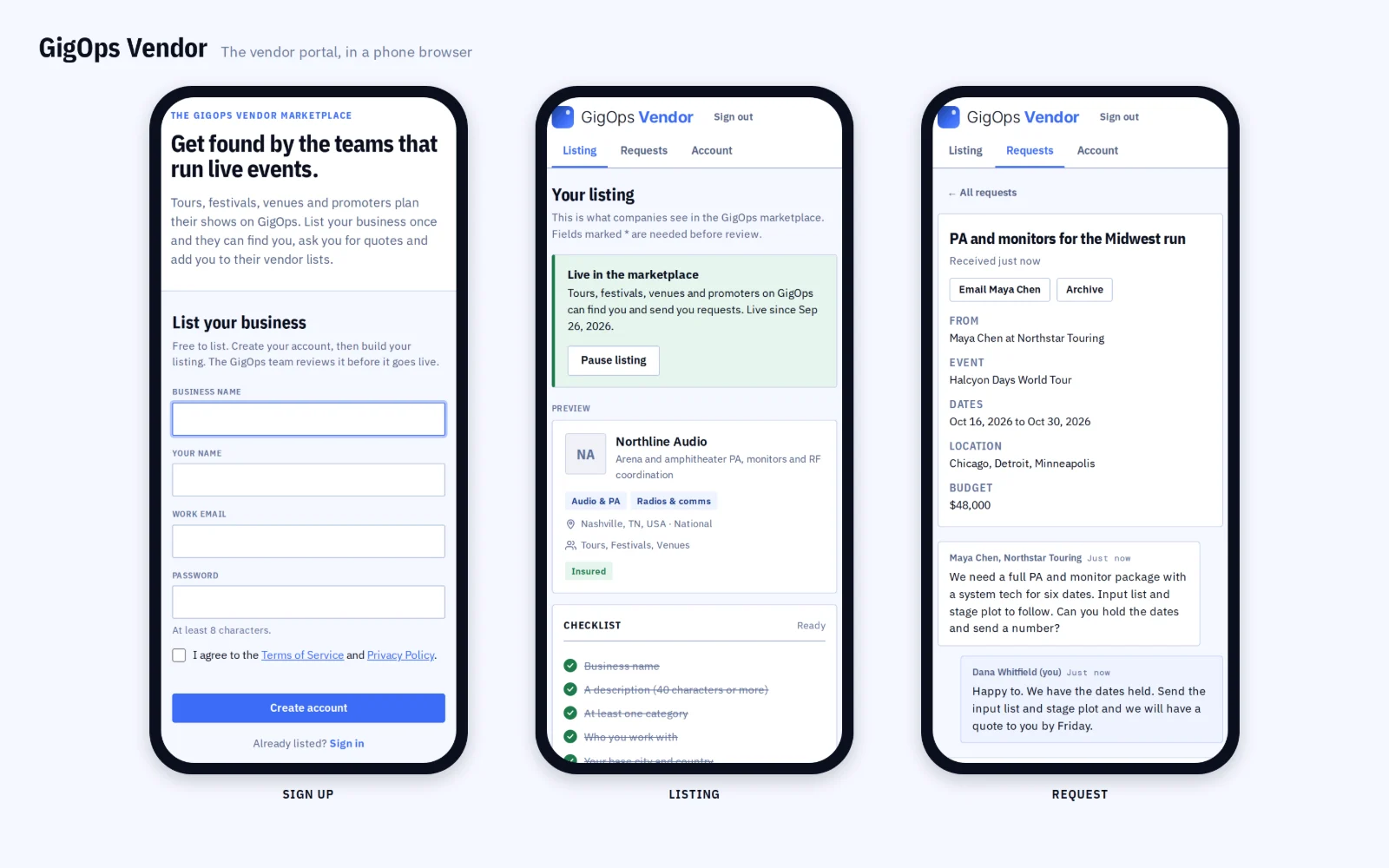
Three phones showing GigOps Vendor: the sign-up form, a listing and a request.
{{ b.label }}

{{ b.title }}

  • {{ i }}
{{ b.img }}
Questions

Before you list.

{{ q.q }}
{{ q.a }}
Forgot your password?
Reset it here. Already listed? Vendor sign in.

List your business.

Free to list. Build your listing, send it for review, and start getting requests.

The GigOps Vendor sign-up page: the vendor pitch beside the List your business form.
GigOps Vendor

Get found by the teams that run live events.

Tours, festivals, venues and promoters plan their shows on GigOps. List your business once, and they can find you, ask you for quotes and add you to their vendor lists.

Free to list.
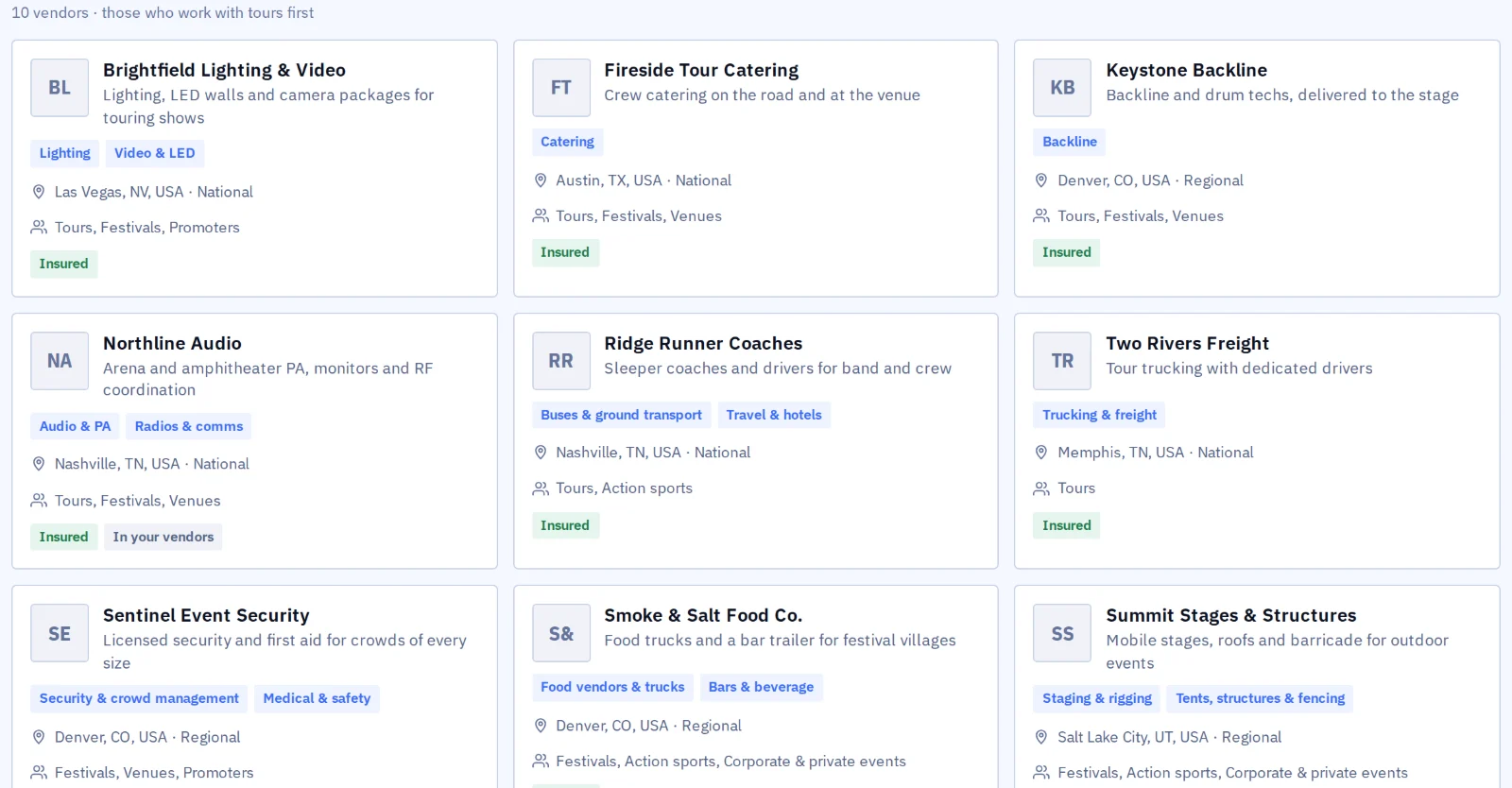
The GigOps marketplace inside TourOps: vendor cards with categories, home city, reach, who they work with and an Insured badge.
Where your listing shows up

One listing appears in the marketplace for every kind of team on GigOps.

TourOps
Touring acts, tour managers, production companies.
FestivalOps
Festivals and their site and production teams.
VenueOps
Venues, rooms and venue groups.
PromoterOps
Promoters and talent buyers.
ActionOps
Action and adventure sports events.
Who lists

Every trade a show hires.

A listing picks up to eight categories.

Production

Audio & PA Lighting Video & LED Backline Staging & rigging Power & generators Special effects Radios & comms

Site & safety

Tents, structures & fencing Sanitation & waste Security & crowd management Medical & safety Crew & labor Credentials, wristbands & RFID

Travel & logistics

Trucking & freight Buses & ground transport Travel & hotels

Hospitality

Catering Food vendors & trucks Bars & beverage

Retail & media

Merch & printing Photo, video & content Sponsorship & activations

Something else? There is an Other category too.

How it works

From sign-up to your first request.

  1. 01

    Create your account.

    Your business name, your name and a work email. Confirm the email and you are in.

  2. 02

    Build your listing.

    What you do and where you work: categories, who you work with, how far you travel, services and equipment, past clients, insurance and your logo. A live preview shows the card companies will see.

  3. 03

    Send it for review.

    The GigOps team checks every listing before it goes live. You get an email when it is live, or a note on what to change.

  4. 04

    Answer requests.

    Companies send requests with their event, dates, location and budget. Reply in GigOps Vendor or straight from your inbox.

Three phones showing GigOps Vendor: the sign-up form, a listing and a request.
What companies see

Your listing, where the shows are planned.

  • Companies search the marketplace by what you do, who you work with and how far you travel.
  • Vendors that work with a company's kind of event are listed first for that company.
  • Your profile shows your description, services, past clients, contact details and whether you carry insurance.
  • A company can add you to its vendor list, a festival's vendor village or a venue's preferred vendors.
A vendor's profile in the GigOps marketplace, with Add to my vendors and Request a quote.
Requests

Requests come with the details.

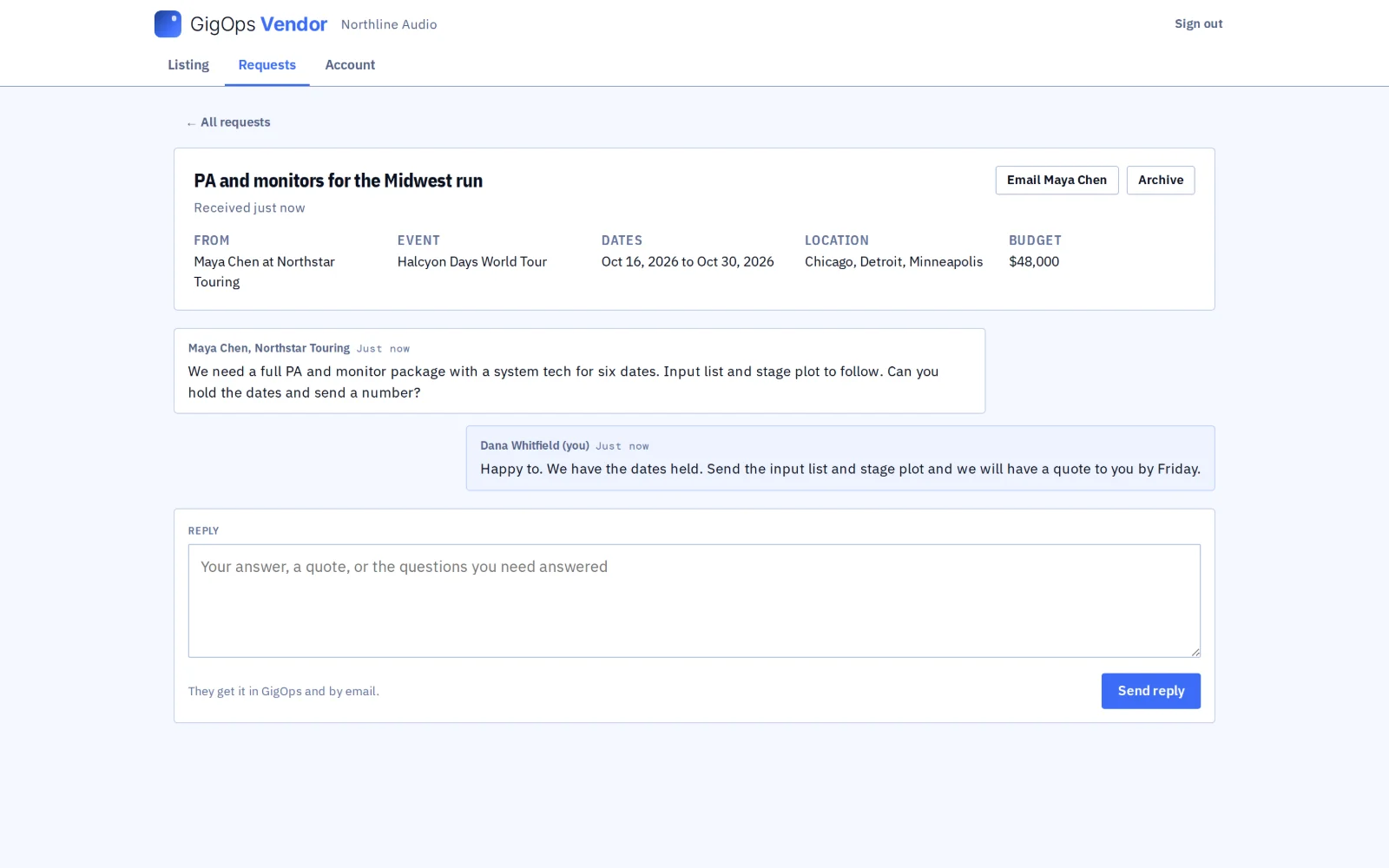
  • A request names the company and the person asking, and carries the event, dates, location, budget and a message.
  • You get an email, and the request waits in the Requests tab of GigOps Vendor.
  • Reply there, or answer the email to write to the person directly.
A request in GigOps Vendor from a touring company, with the event, dates, location and budget, and the vendor's reply.
Checked before it goes live

Every listing is reviewed.

  • The GigOps team reviews every listing before any company sees it, so the teams browsing know who they are talking to.
  • Change your listing any time. A new business name goes back for review.
  • Pause your listing when you are booked out, and resume it when you are ready.
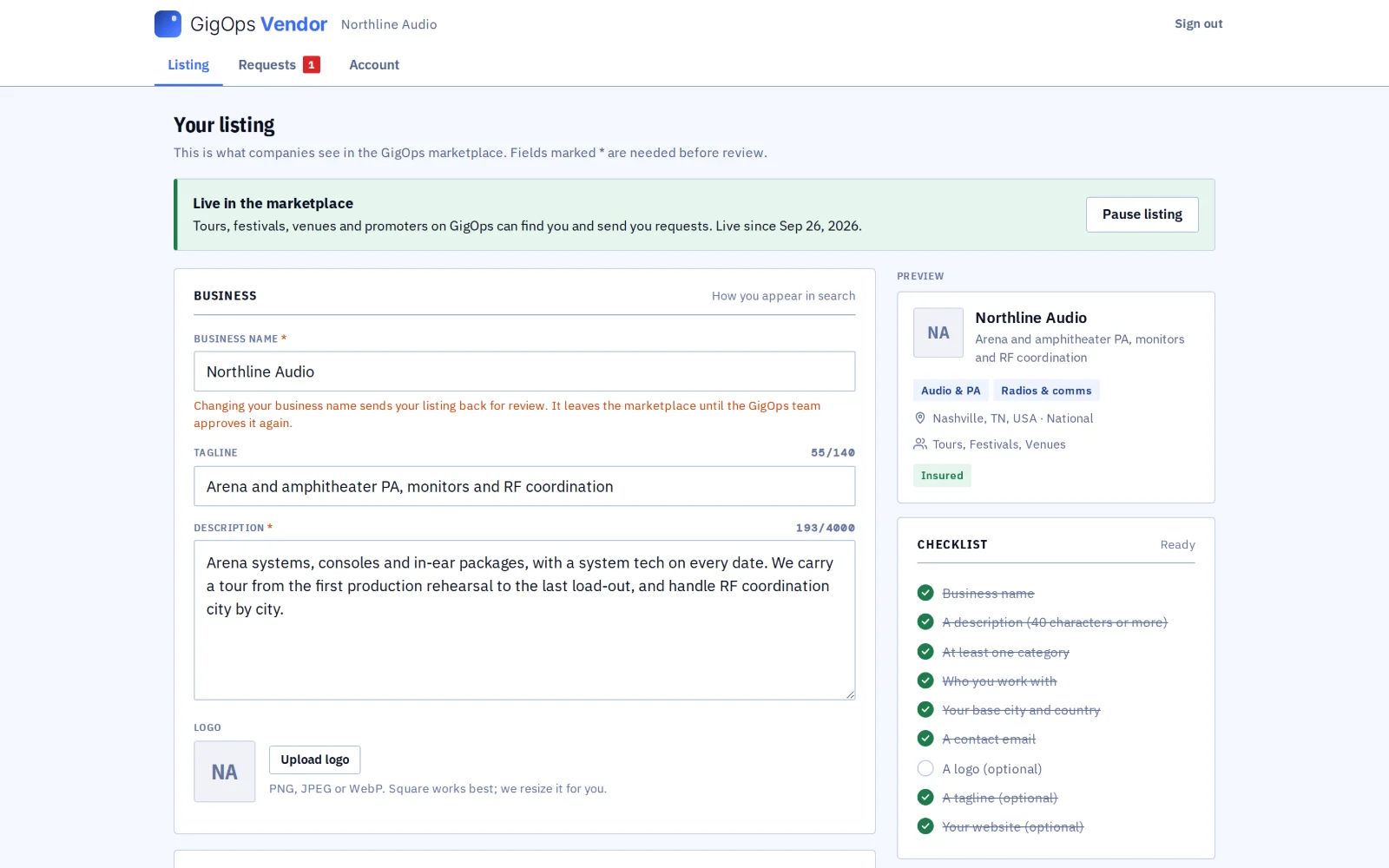
A vendor's listing in GigOps Vendor: live in the marketplace, with the edit form, a preview of the card and a finished checklist.
Questions

Before you list.

What does it cost?
Nothing. Listing your business on GigOps is free.
Who sees my listing?
Companies signed in to GigOps, once the GigOps team approves it. It is not a public directory.
How do requests reach me?
By email, and in the Requests tab of GigOps Vendor. You can reply in either place.
Do companies book or pay through GigOps?
No. A company finds you and sends a request. Quotes, contracts and payment stay between you and them.
I got an invitation email. What now?
Use the button in the email. The sign-up form opens with your address filled in, so there is no confirmation email to wait for.
Can I take my listing down?
Pause it from your listing and it leaves the marketplace until you resume. To delete your account, email hello@gigops.ai.
Forgot your password?
Reset it here. Already listed? Vendor sign in.

List your business.

Free to list. Build your listing, send it for review, and start getting requests.
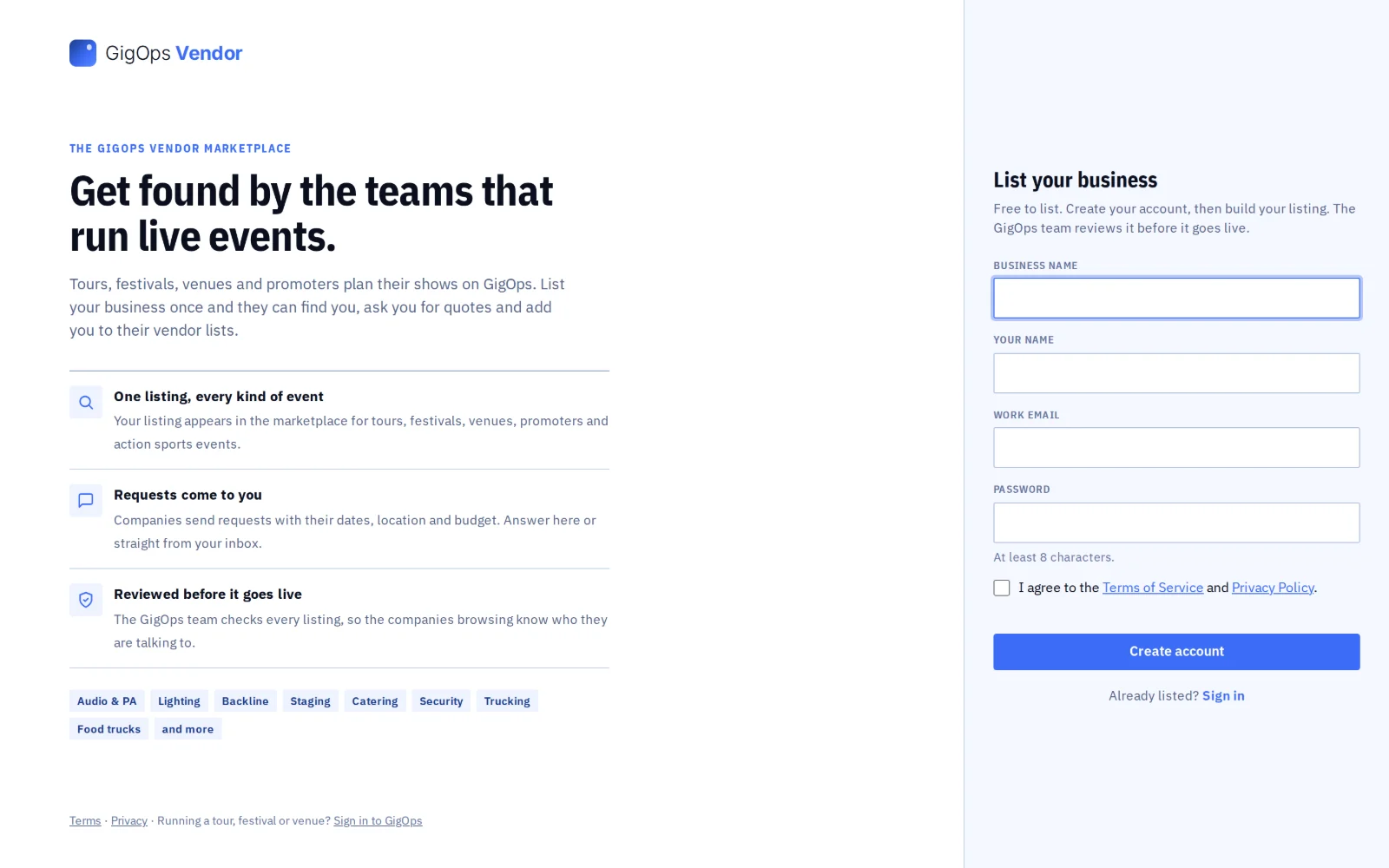
The GigOps Vendor sign-up page: the vendor pitch beside the List your business form.