{{ menuLabel }} How it connects Apps Pricing Sign in Start free trial
{{ f.tagline }}
by GigOps

Run the road.

One act, many cities, a roster that travels. TourOps runs the tour from routing and advancing to travel, show day and settlement.

Start free trial Book a demo
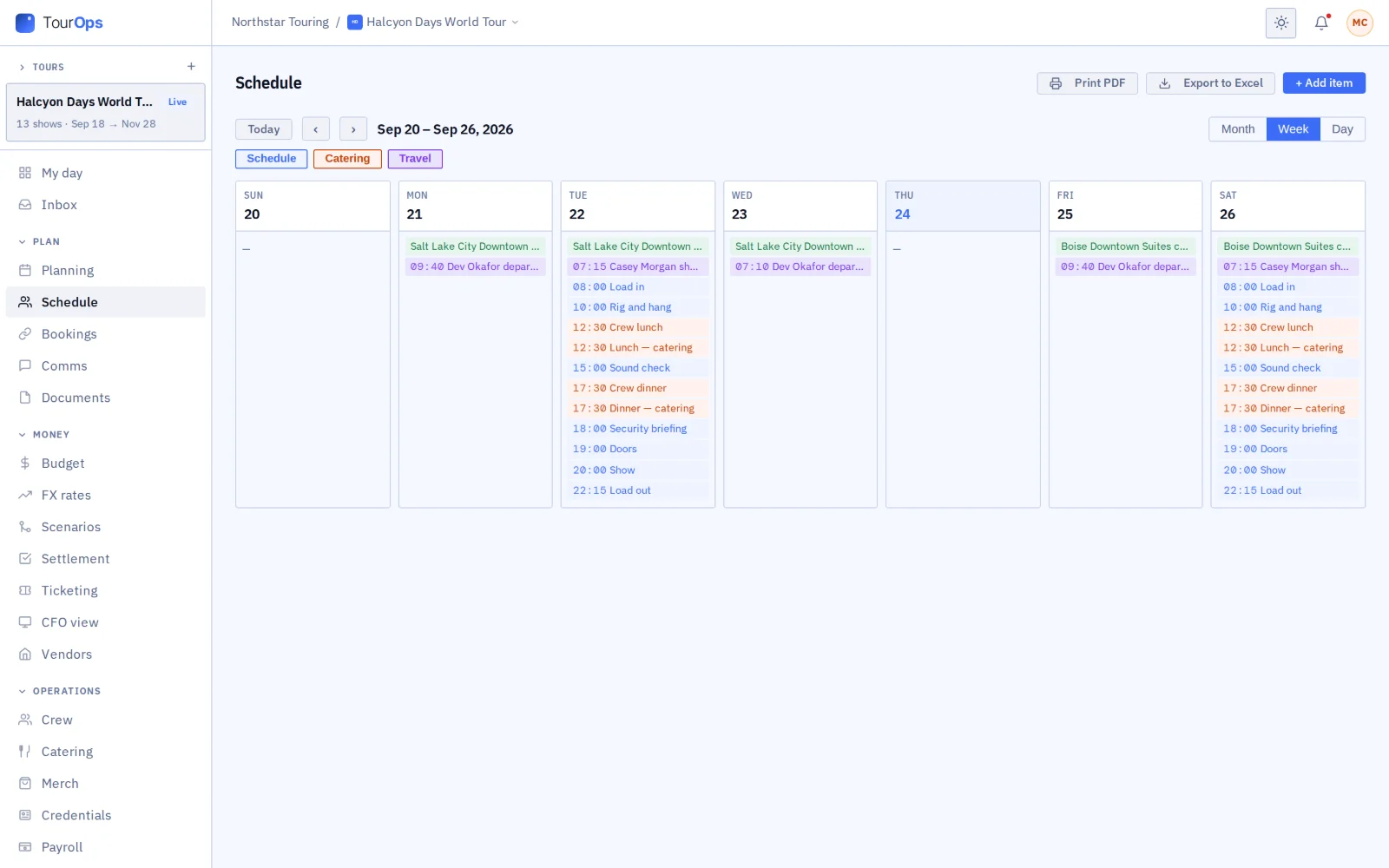
Tour schedule, week view
What you get

Everything the tour runs on, in one place.

{{ c.title }}

{{ c.body }}

Also in TourOps

{{ a.title }}
{{ a.body }}
A tour in TourOps

From the first routing gap to the last settlement.

{{ r.num }}

{{ r.title }}

{{ r.body }}

{{ r.img }}
Works with the rest of GigOps

The venue, the promoter and the festival share the show with you.

{{ w.title }}

  • {{ i }}
See how it connects →
Also included

The shared core

  • {{ c }}
And the apps

Crew are always free.

{{ a.name }}
{{ a.line }}
See the apps →

Put the next run on TourOps.

7-day free trial. Company Users are $39 per user / month. View only seats are $0. Crew are always free.

Start free trial Book a demo
Book a demo

Book a demo.

Leave your name and email, and we'll reply the same week to set up a walkthrough of the product that fits.
{{ accLabel }}
{{ accLabel }}
{{ accLabel }}
Could not send. Please email hello@gigops.ai directly.

$39 per user / month · View only $0 · 7-day free trial

Your name, company and email go to a Google Sheet through Google Apps Script, where only the GigOps team reads them.

TourOps
by GigOps

Run the road.

One act, many cities, a roster that travels. TourOps runs the tour from routing and advancing to travel, show day and settlement.

Start free trial
Tour schedule, week view
What you get

Everything the tour runs on, in one place.

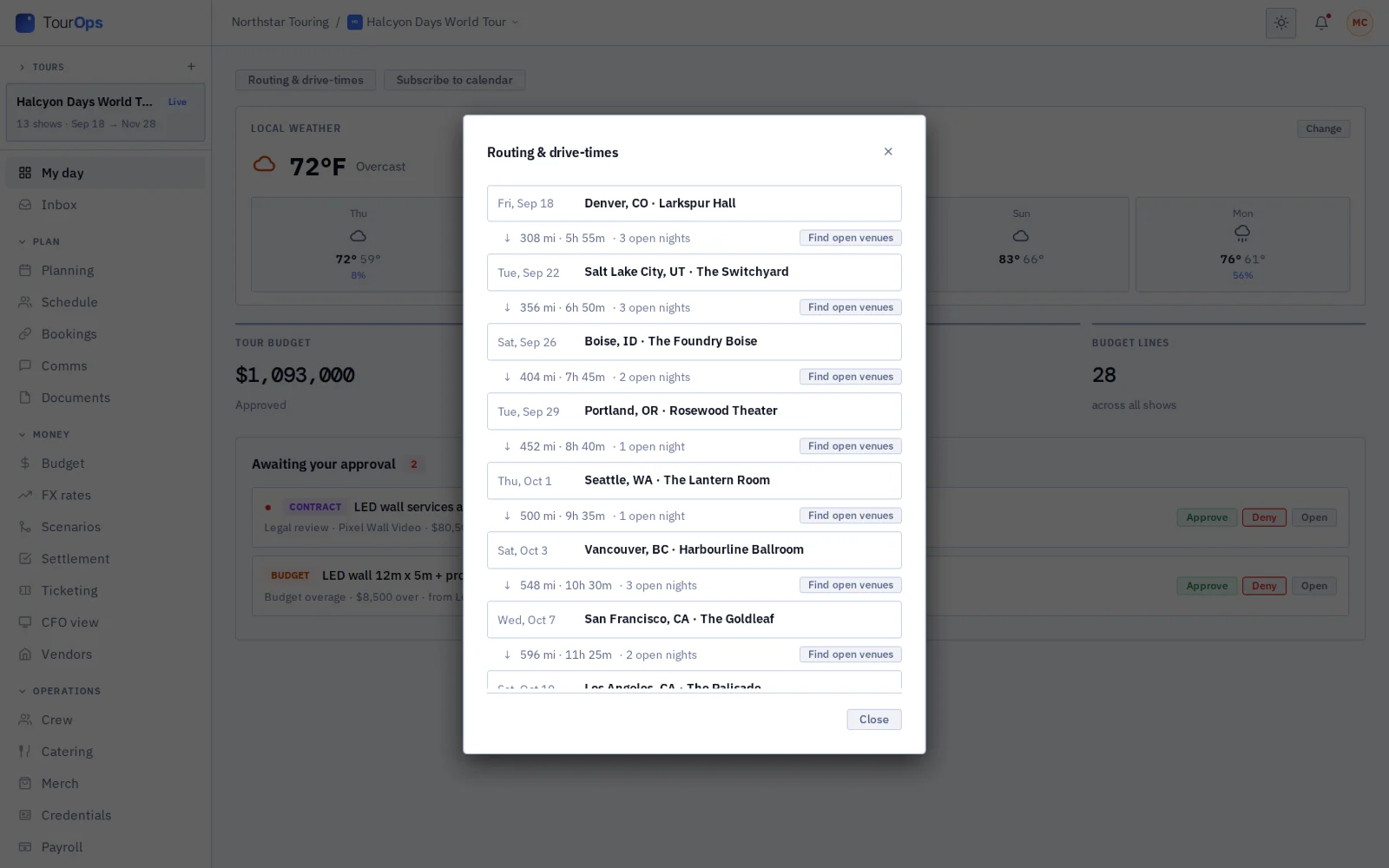
Routing and drive times

See the stops in order with the drive time and distance between them, and how many nights are still open. Holds show on the tour map in their own colors. For any night you have not booked, GigOps finds open venues on the route and similar rooms nearby. It tells you when a room you are watching opens a date.

Advancing every venue

Each venue gets its own advance form by email, with no account needed. Paste the venue’s reply or tech pack and GigOps fills in the advance for you to check. A venue not yet on GigOps can set up its own account from the form, with the advance attached.

One page per show

One page holds the budget, tasks, schedule, travel, alerts, guest list, documents, call sheet, equipment list, passes and catering for the date. Times show on the venue’s clock, wherever you are.

Day sheet

Print the day’s plan, built from the run of show, the advance, catering, travel, hotels, drive times and crew. A copy is saved on the device, so it opens without signal.

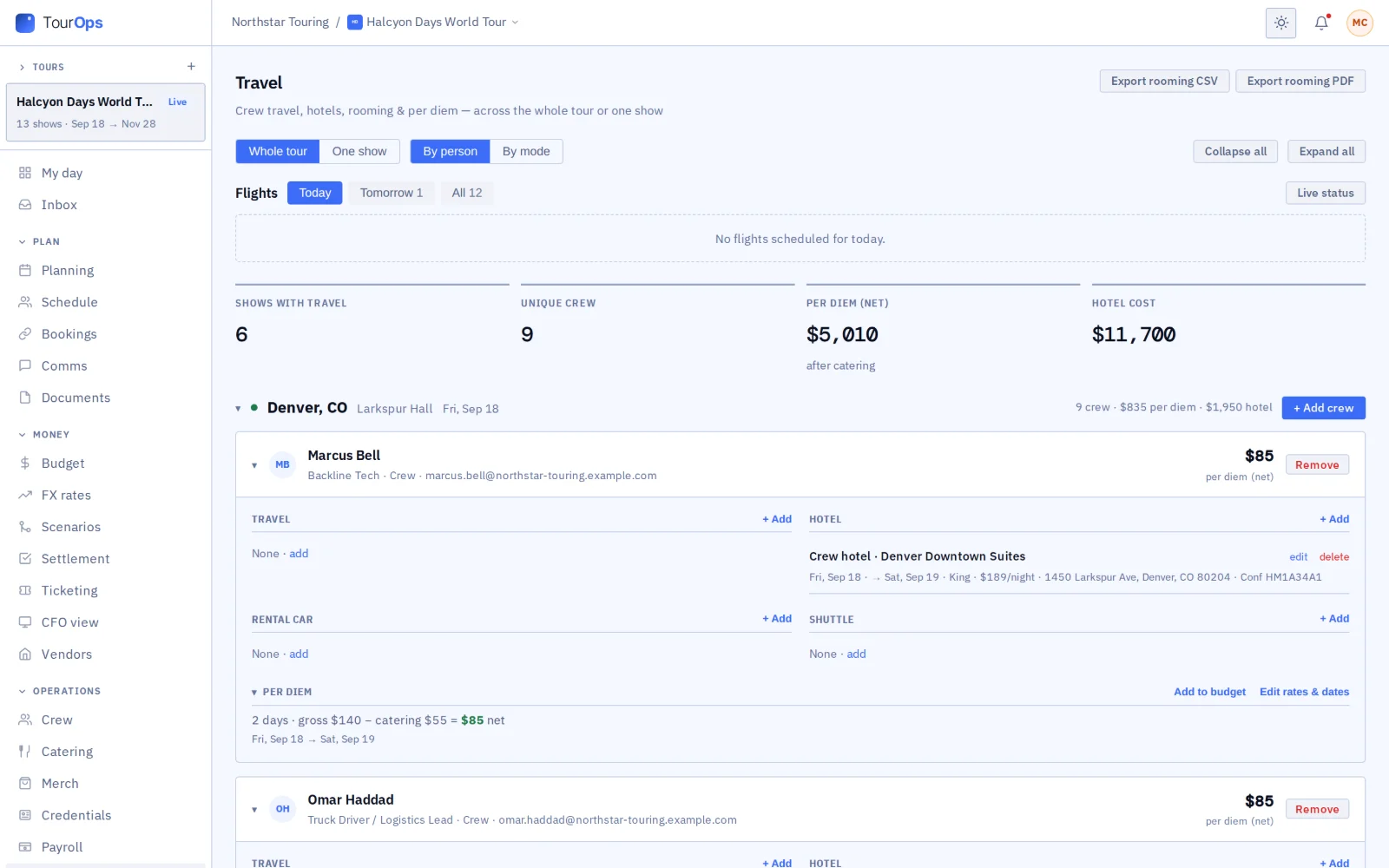
Travel, hotels and per diem

Track flights live, and manage hotel blocks, rooming lists, rental cars and shuttles. Per diem is paid by the meal.

Tour calendar

Everyone on the tour can add the schedule, catering and travel to the calendar on their own phone or computer.

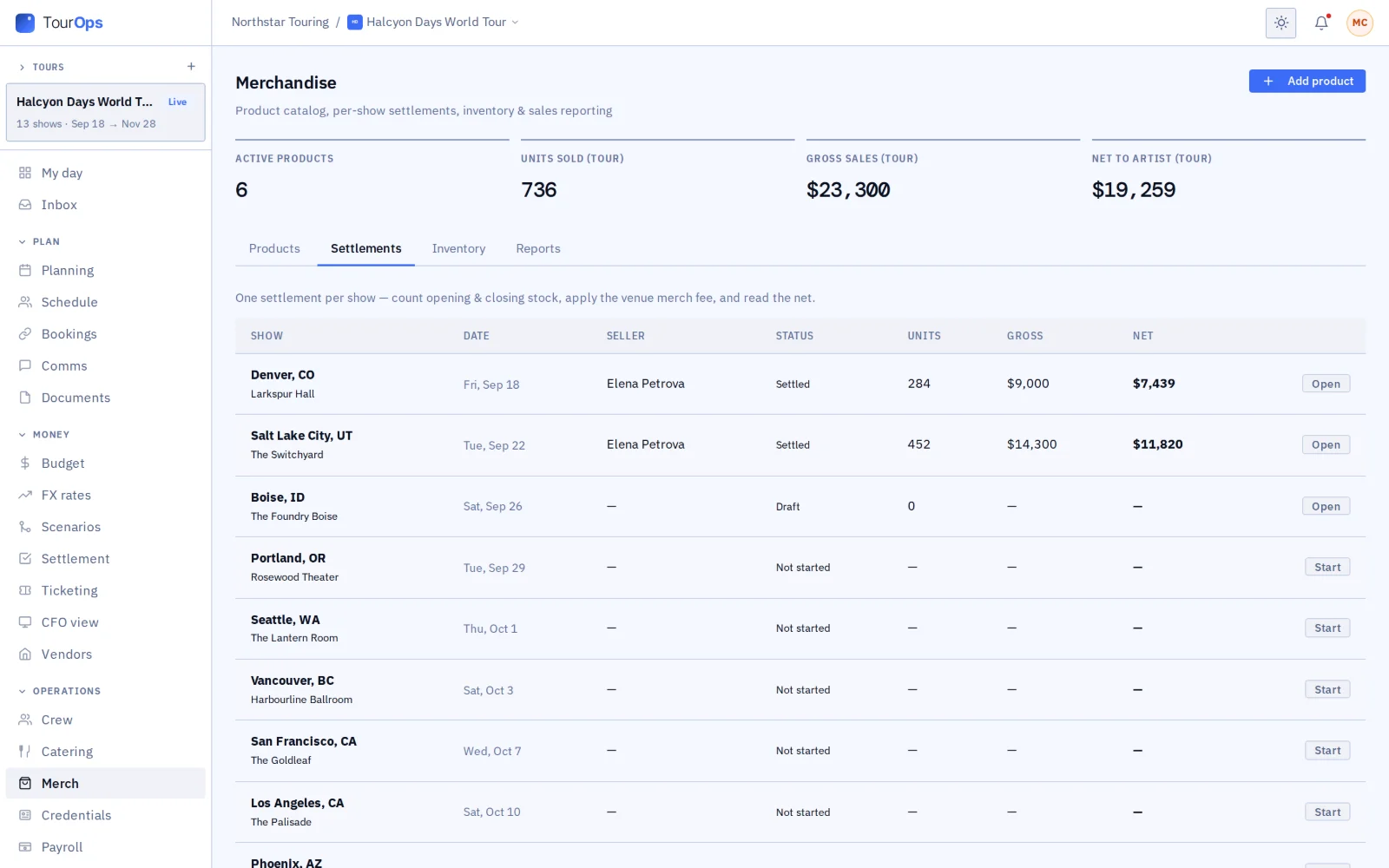
Merch

Keep the catalog and stock, settle merch with each venue after the show, fee included, and read the reports.

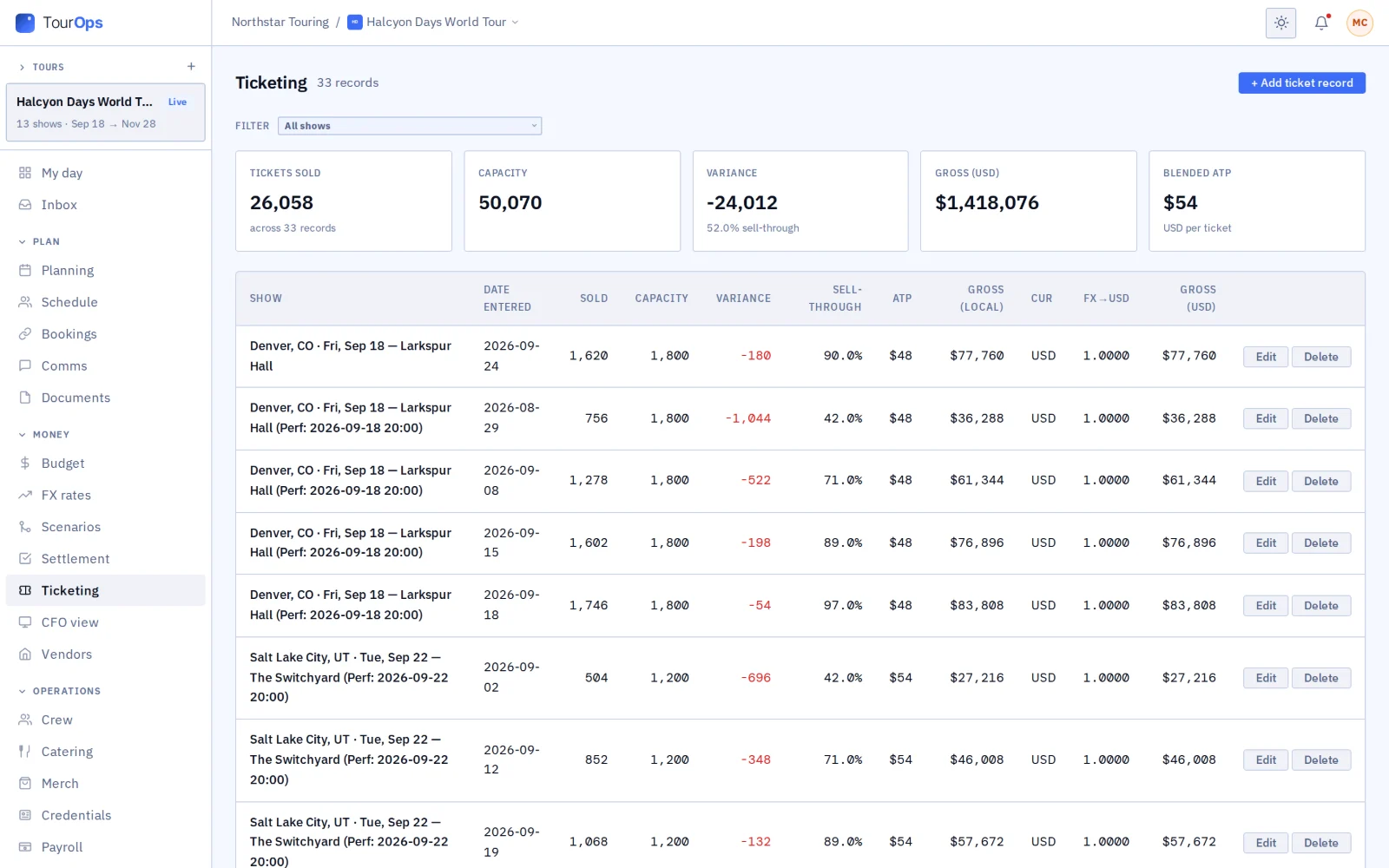
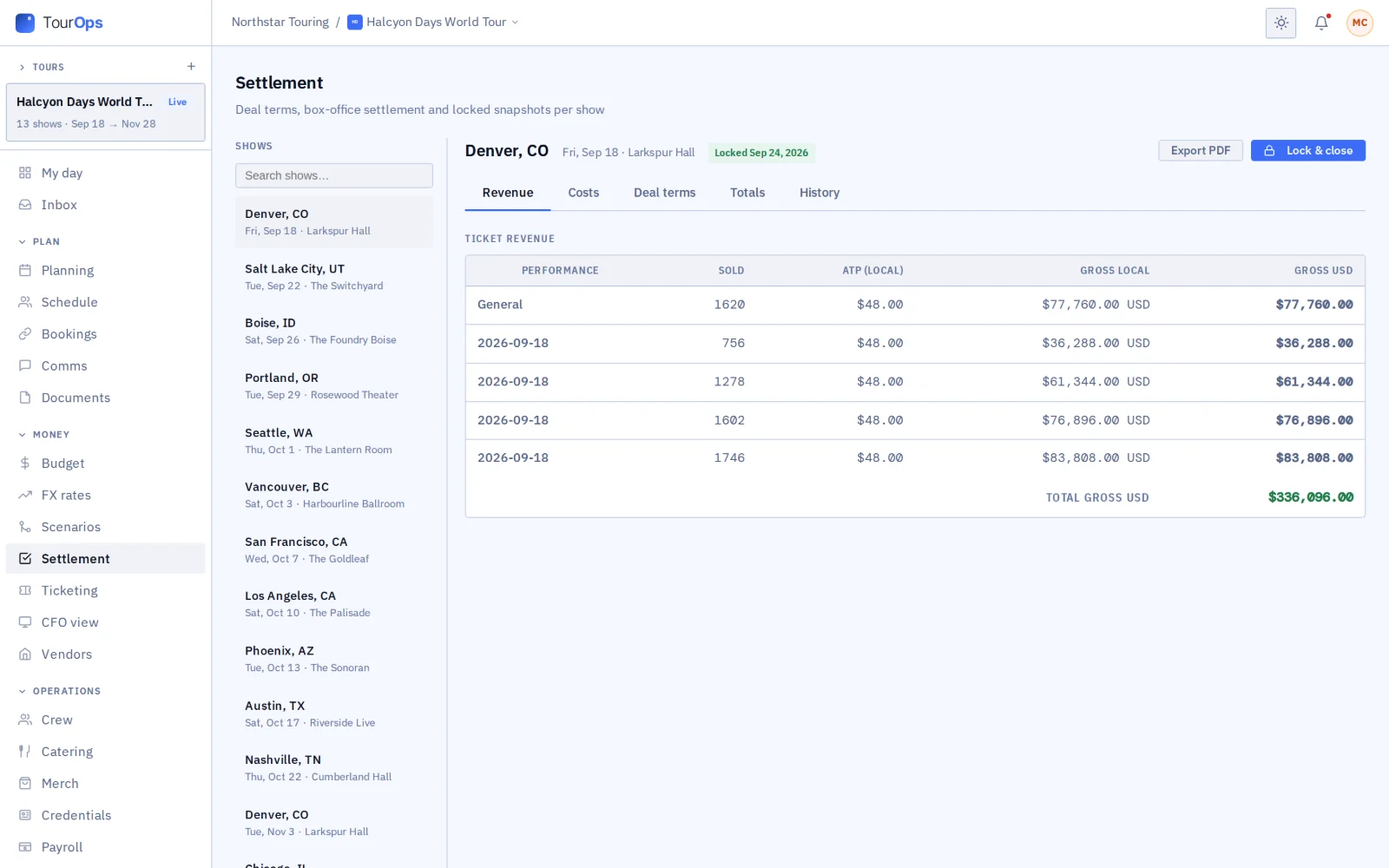
Ticketing and settlement for each show

Follow the counts, and take them straight from the venue when it is on GigOps.

Show alerts

When the call time moves, everyone on the show gets a text and an email.

A tour in TourOps

From the first routing gap to the last settlement.

01 / 12

Route the run.

Lay the dates out in order and see where the long drives fall before anyone books a bus. Gaps in the routing show as open nights, with rooms you could fill them with.

Routing with drive times, and open venues on the route
02 / 12

See the holds on the map.

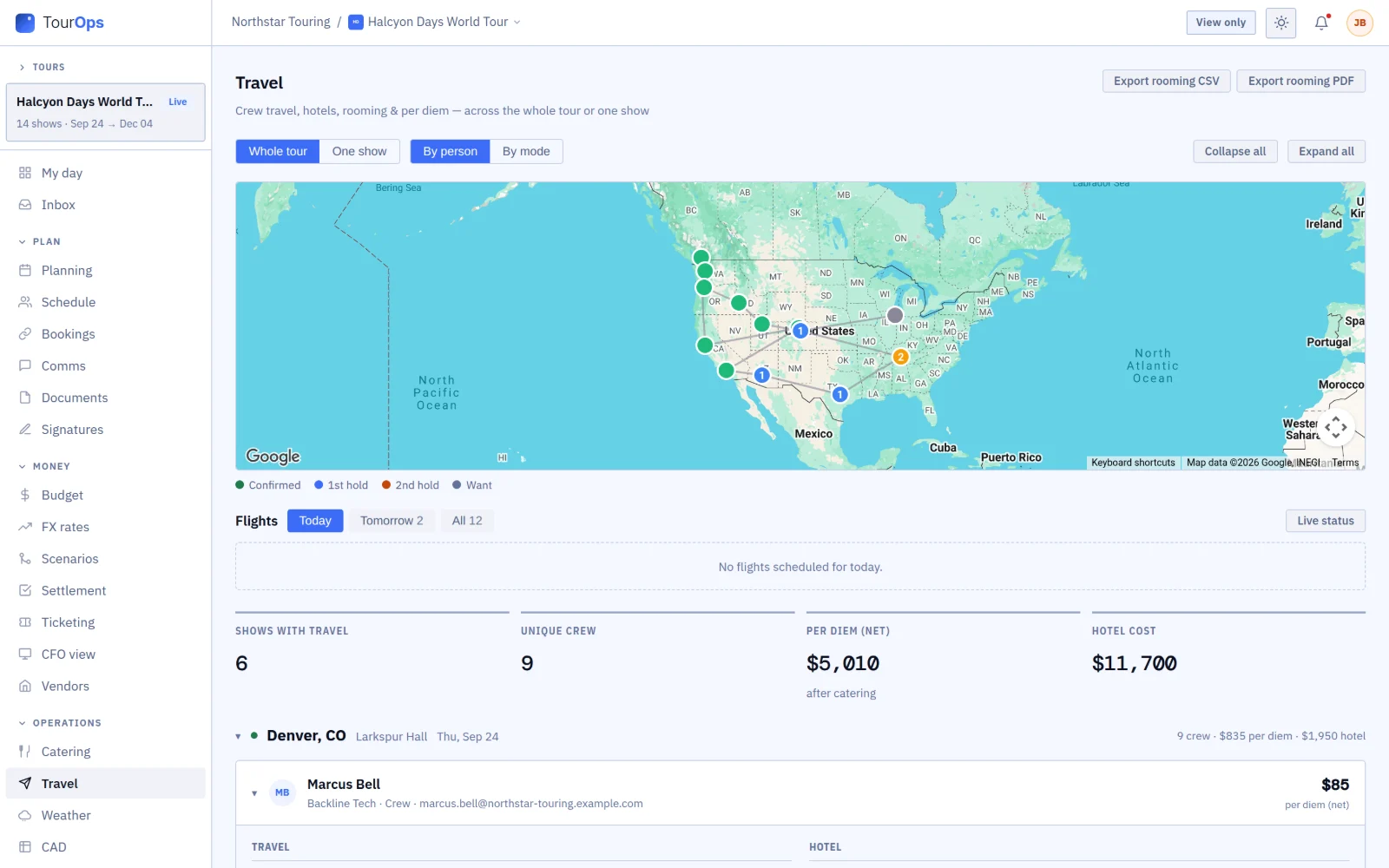
Confirmed dates, first holds, second holds and wants each get their own color, so you can tell at a glance which part of the run is still soft.

The tour map: confirmed dates in green, first holds in blue, a second hold in amber, a want in grey
03 / 12

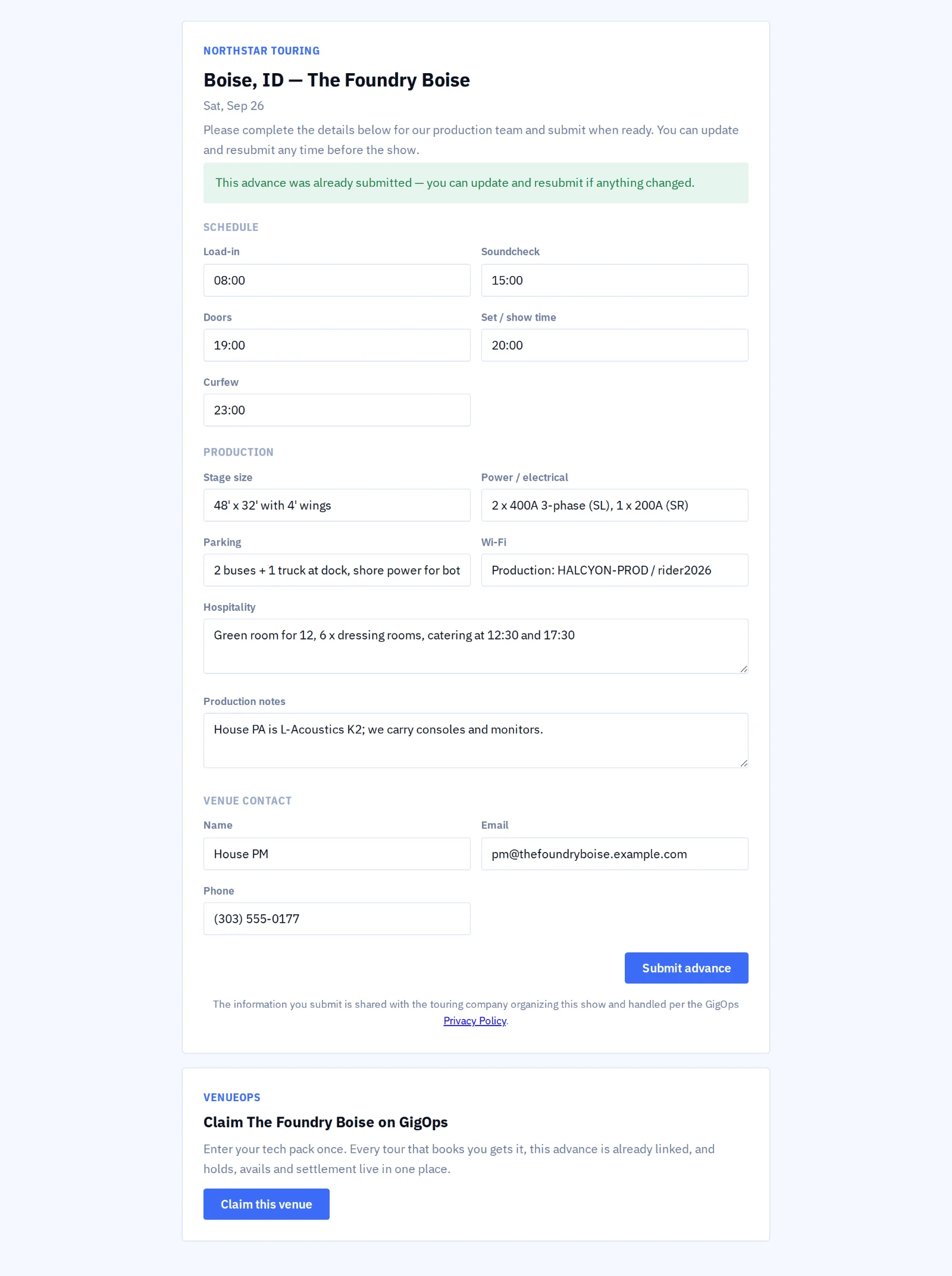
Send the advance.

The venue answers in a form linked from your email, without signing up for anything. Its answers land in your advance, so nobody retypes the times and the hospitality.

Public advance form a venue fills in
04 / 12

Work one date at a time.

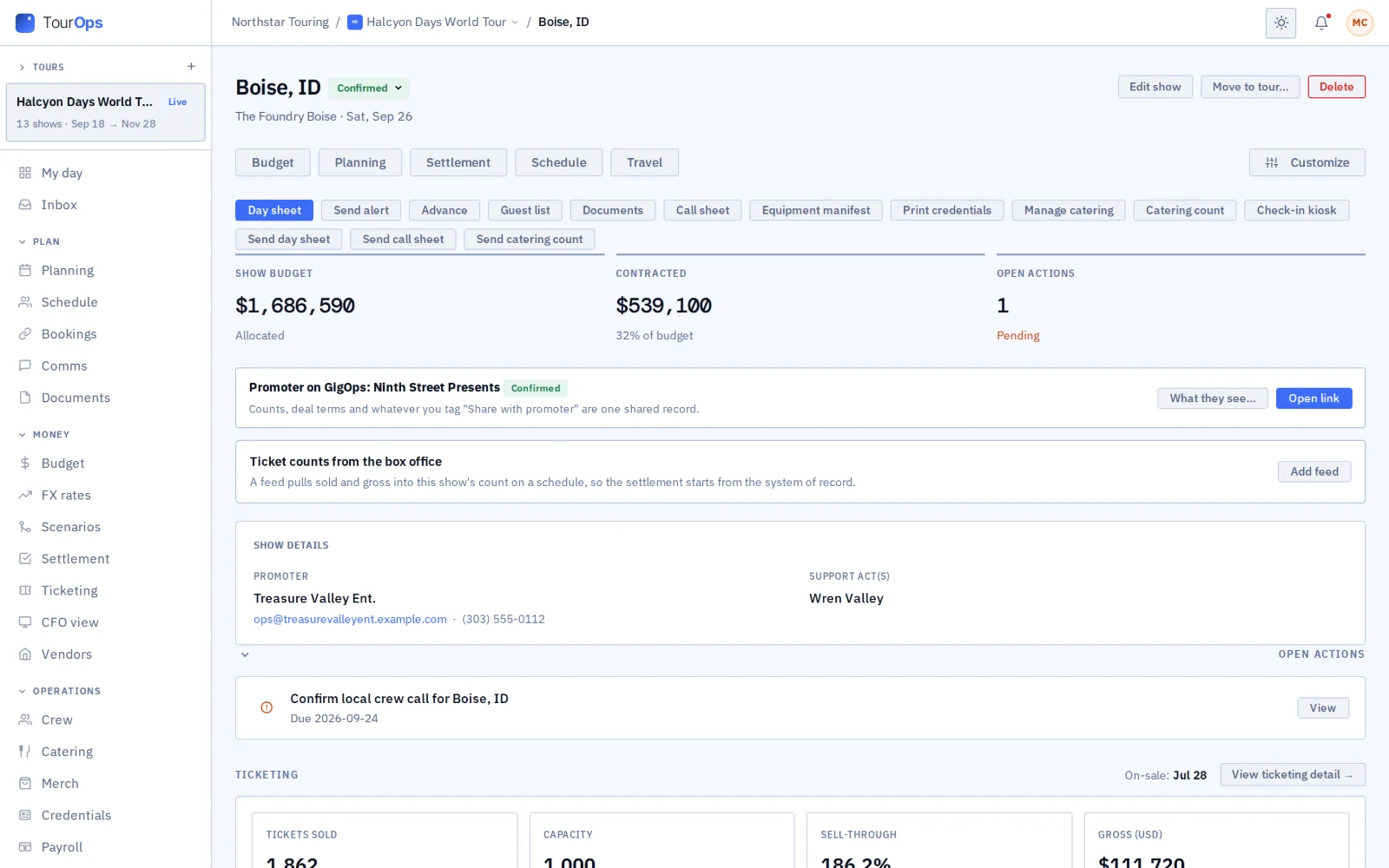
Open a show and everything for that night is there, including whether the promoter is on GigOps and where the ticket counts come from.

One show: promoter on GigOps, box office feed, show tools
05 / 12

Remember the room.

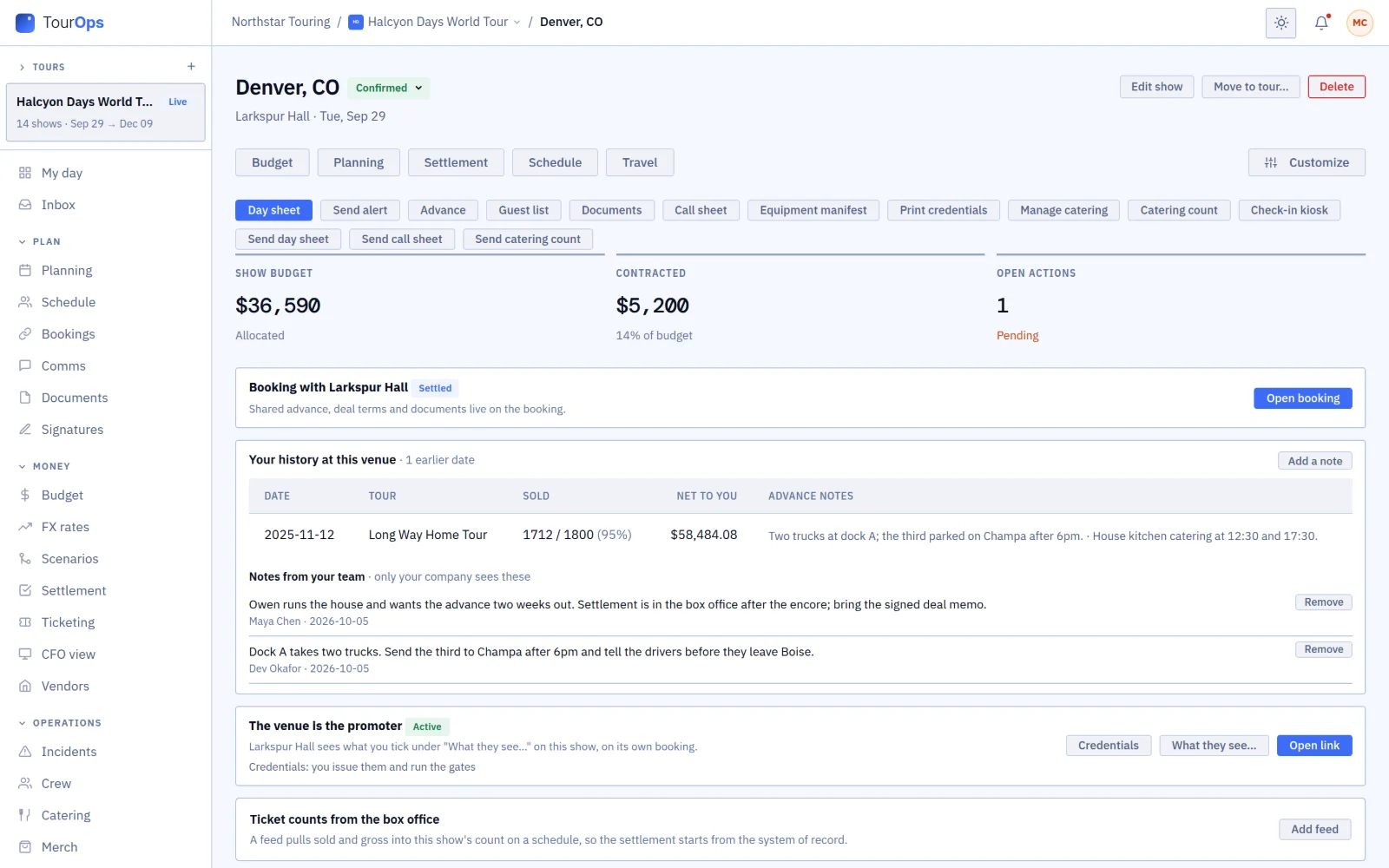
Back at a room you played before? See what sold last time, what you netted and the notes your team left, like where the third truck parked.

A show page at a room the tour played before, with the earlier date and two private team notes
06 / 12

Check the stage before you load in.

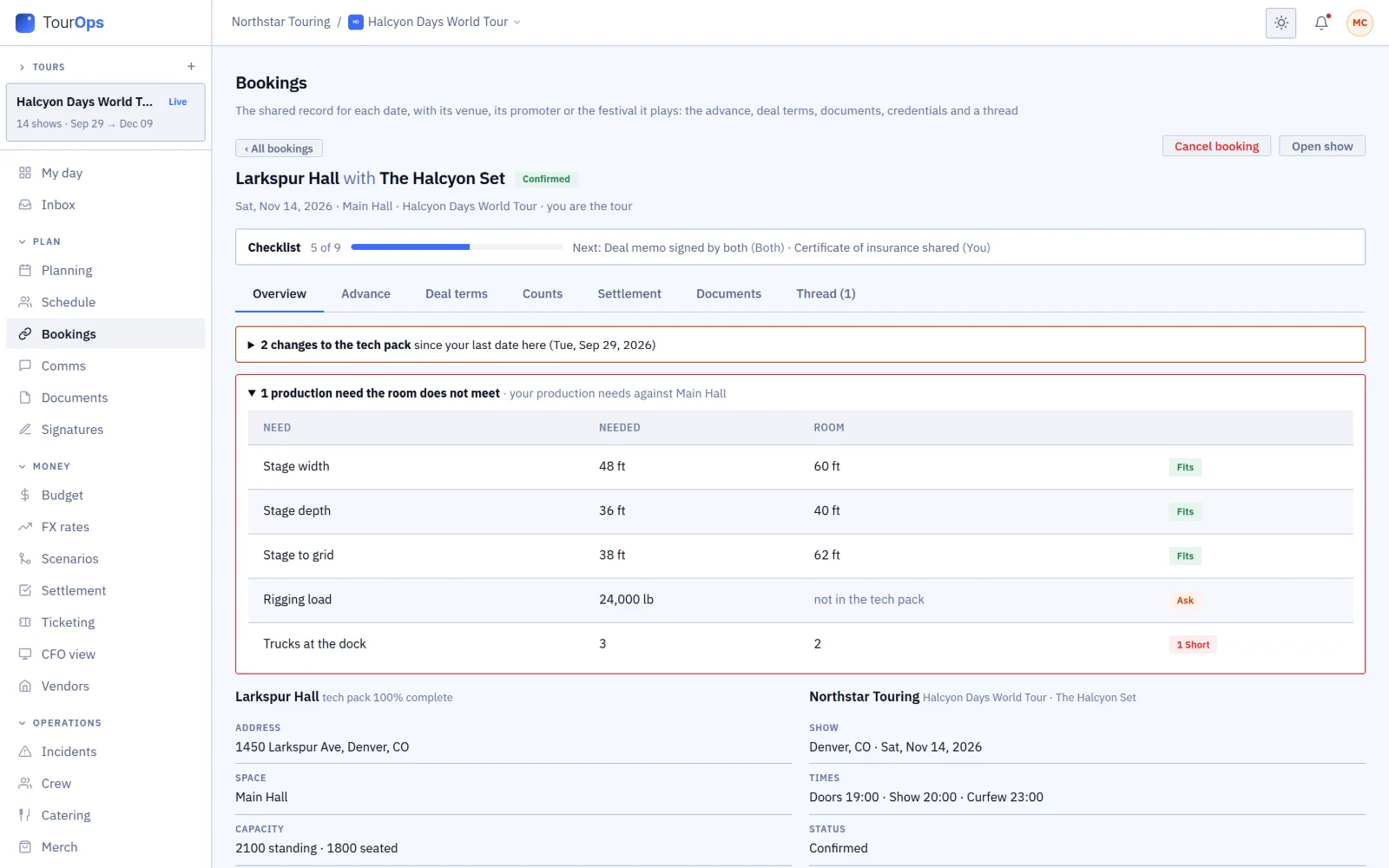
Your production’s needs sit against the room’s tech pack on the booking, and anything short or missing is flagged while there is still time to fix it.

A booking from the tour side: production needs against the room, one truck short
07 / 12

Print the day sheet.

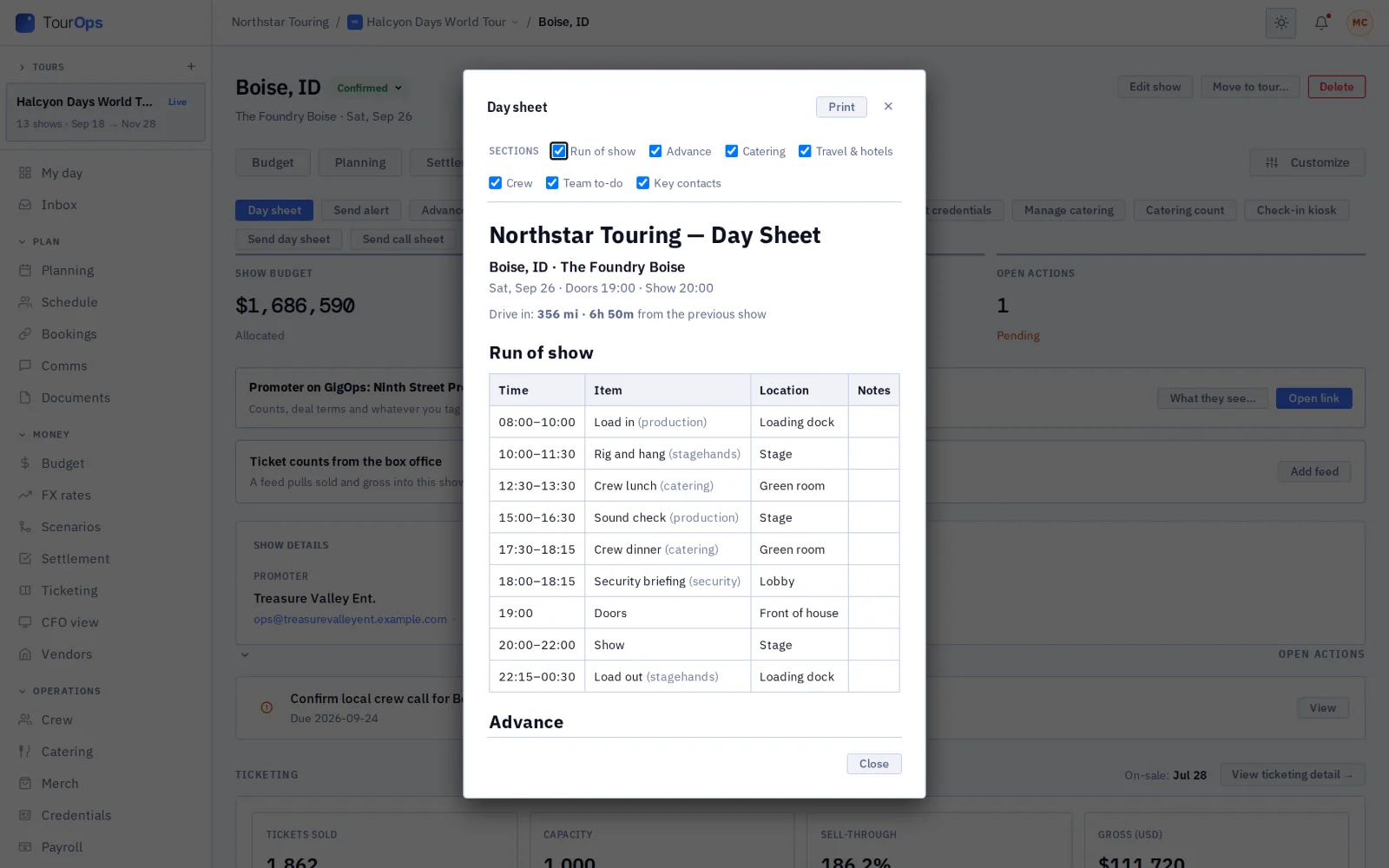
Hand everyone the same plan for the day. Nobody copies times from three emails into a document the night before.

Printable day sheet
08 / 12

Move the party.

See every person’s flights, hotel and per diem in one list, and export the rooming list for the hotel.

Travel, hotels and per diem per person
09 / 12

Settle the merch.

Count in, count out and the venue’s cut, worked out per show instead of on the back of a count sheet.

Merch settlements per show
10 / 12

Watch the counts.

Follow sales for every show in one place, and see which markets need a push.

Ticket counts and sales history per show
11 / 12

Lock the settlement.

Close the night with the deal math done, and keep the signed numbers with the show.

Show settlement, locked
12 / 12

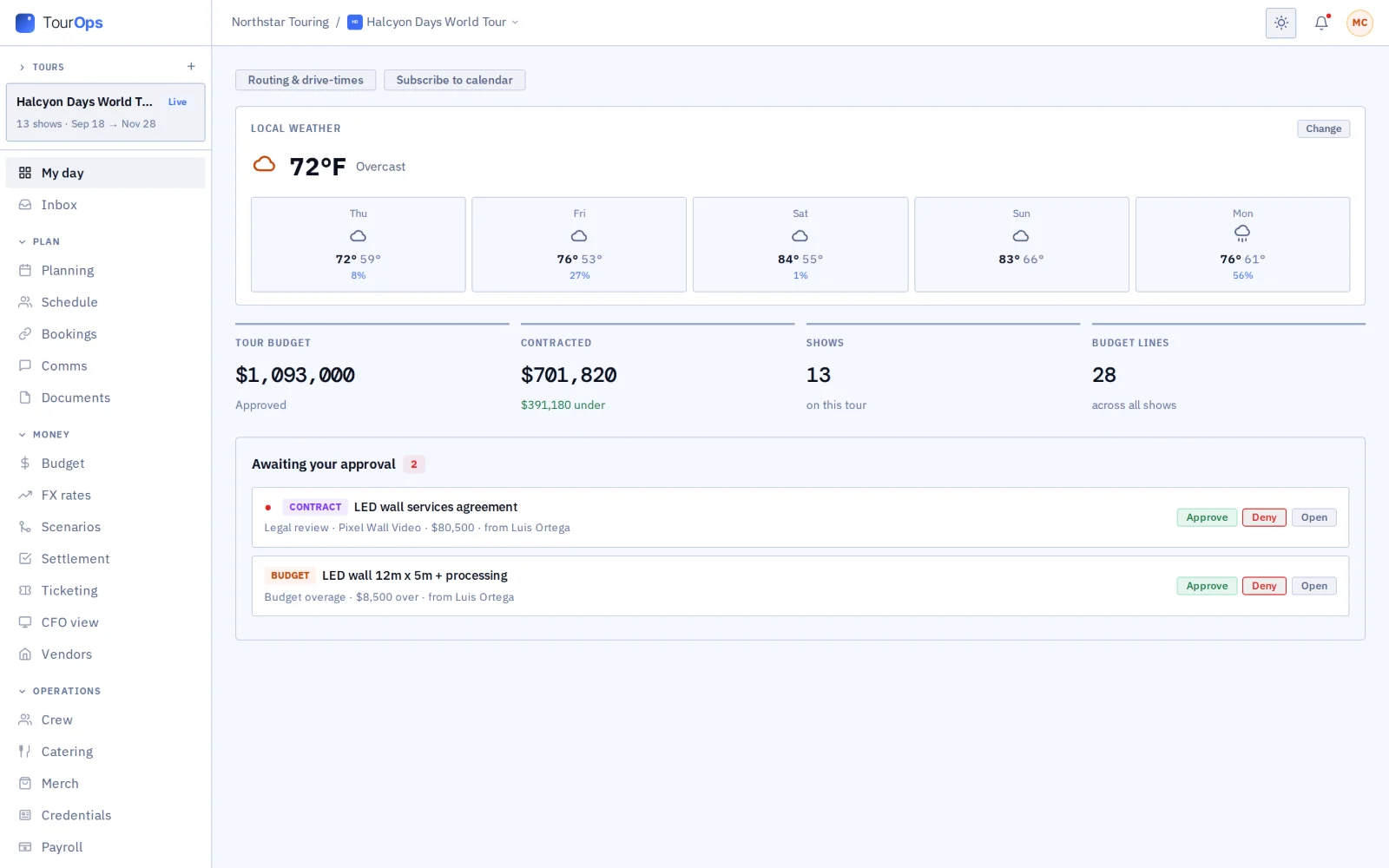
Start each day on My day.

Your first screen each morning shows the weather where you are playing, the budget and anything that needs your approval.

My day: weather, budget, approvals waiting
Works with the rest of GigOps

The venue, the promoter and the festival share the show with you.

VenueOps
  • Search venue avails and ask for holds from your routing.
  • Every booking carries the venue’s tech pack from the first request.
  • One shared advance, counts from the box office and a settlement both sides sign.
  • Venue history: every earlier date at the room, with tickets sold, sell-through and the team’s private notes (“dock is tight”).
  • What changed in the tech pack since your last date there, was and now.
  • A stage fit check: your stage size, height to grid, rig weight and trucks against the room, as fits, short by how much, or not answered.
  • Your standard rider and stage plot on every booking.
  • Quotes from the venue’s preferred vendors in one click.
  • Net and balance in your own currency when the room settles in another.
PromoterOps
  • The promoter link: one shared page with your promoter for the show.
  • You pick exactly what the promoter sees.
  • The promoter’s counts come back to your ticketing.
  • The show form says whether your promoter is on GigOps, and links or invites it when you save.
FestivalOps
  • A festival links your set to your own show: the advance, your passes and the run-of-show rows meant for you arrive there.
See how it connects →
Also included

The shared core

  • My day
  • Planning and tasks
  • Crew and payroll
  • Catering and meal check-in
  • Credentials and gate scanning
  • Guest list and will-call
  • Budget and finance
  • Documents
  • Signatures (GigOps Sign)
  • Comms and alerts
  • Logistics and dispatch
  • Weather
  • CAD
And the apps

Crew are always free.

GigOps Crew
The free crew app: badge, schedule, tasks and travel on the phone.
GigOps Company
The office on your phone, for Company Users.
GigOps Scan
The gate scanner: verify credentials online or offline, and log every scan.
See the apps →

Put the next run on TourOps.

7-day free trial. Company Users are $39 per user / month. View only seats are $0. Crew are always free.

Start free trial
Book a demo

Book a demo.

Leave your name and email, and we'll reply the same week to set up a walkthrough of the product that fits.
$39 per user / month · View only $0 · 7-day free trial

Your name, company and email go to a Google Sheet through Google Apps Script, where only the GigOps team reads them.