Vendors and procurement
Three quotes.
One comparison.
Audio, lights, staging, catering, security, fencing: the businesses you hire for every event. Keep them with their insurance, ask for quotes through an RFP, compare what comes back line by line, award one, and let the contract carry the number into the budget.
In every product. No module to buy.

What it replaces
Three PDFs
that do not line up.
Procurement on an event is an inbox. Quotes arrive as PDFs that price different things in different orders, the comparison is a spreadsheet somebody builds once, and the contract goes to legal as an attachment and comes back as another one.
The quotes
Priced differently on purpose
One quote bundles what another itemises, so comparing them is a transcription job before it is a decision. Quotes read into line items sit side by side on the same rows.
The insurance
Expired, and nobody looked
A certificate of insurance expires between the booking and the build. Here it is a date on the vendor rather than a PDF in a folder nobody opens.
The number
Agreed, then typed again
The awarded figure gets retyped into the budget by somebody reading the contract. An approved contract carries it across itself.

How it works
Ask, compare, award, sign.
The businesses, and their paperwork
Keep every vendor you use by category, with their contacts and their certificate of insurance and its expiry. The summary says what you are spending with whom across the event, so the relationship is visible rather than spread across six people’s inboxes.
Ask properly, once
Raise an RFP for what you actually need and send it to the vendors you want to hear from. Their quotes come back against it, and a quote that arrives as a PDF can be read into line items rather than retyped, with the chance to fix what it read before you keep it.
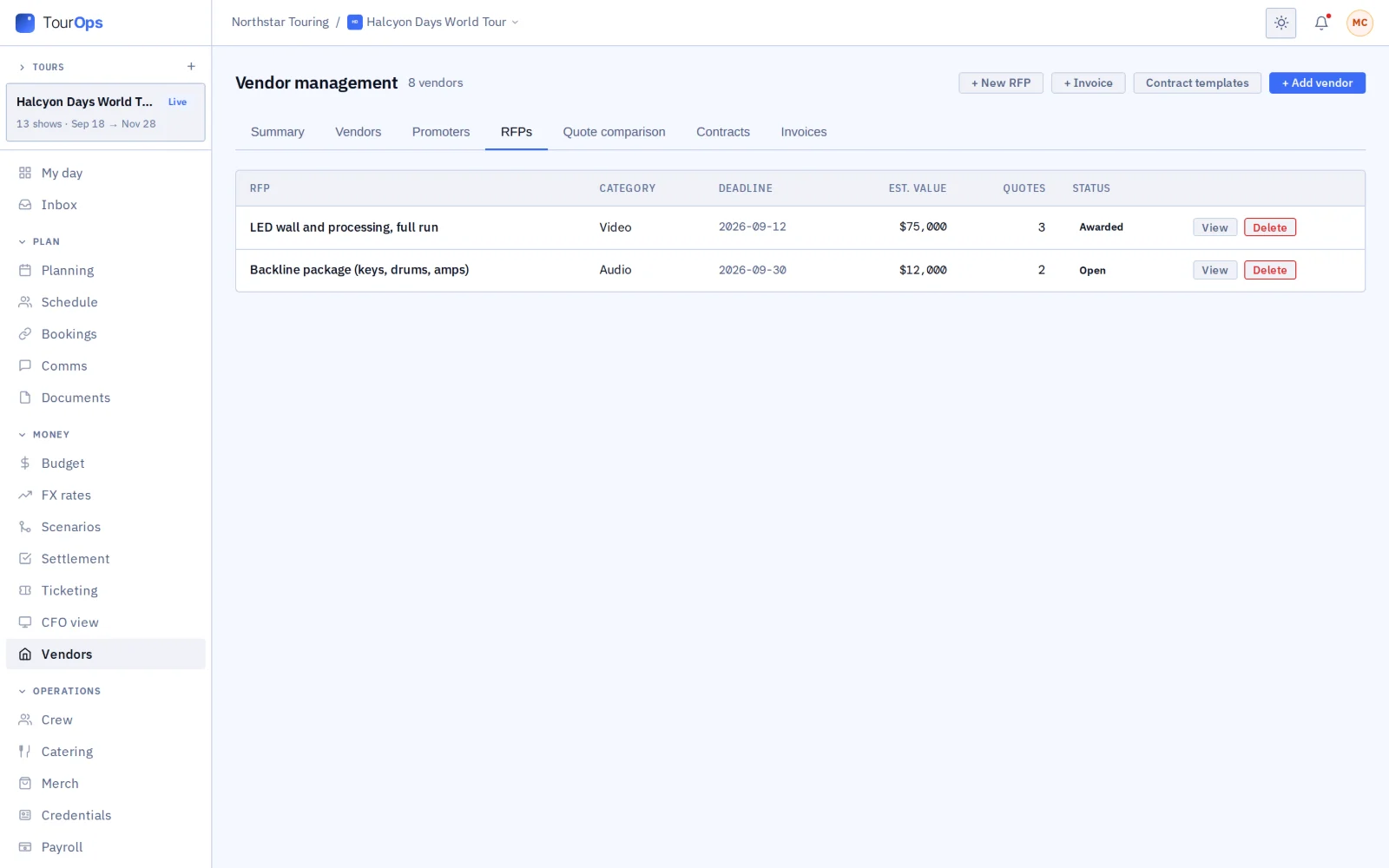
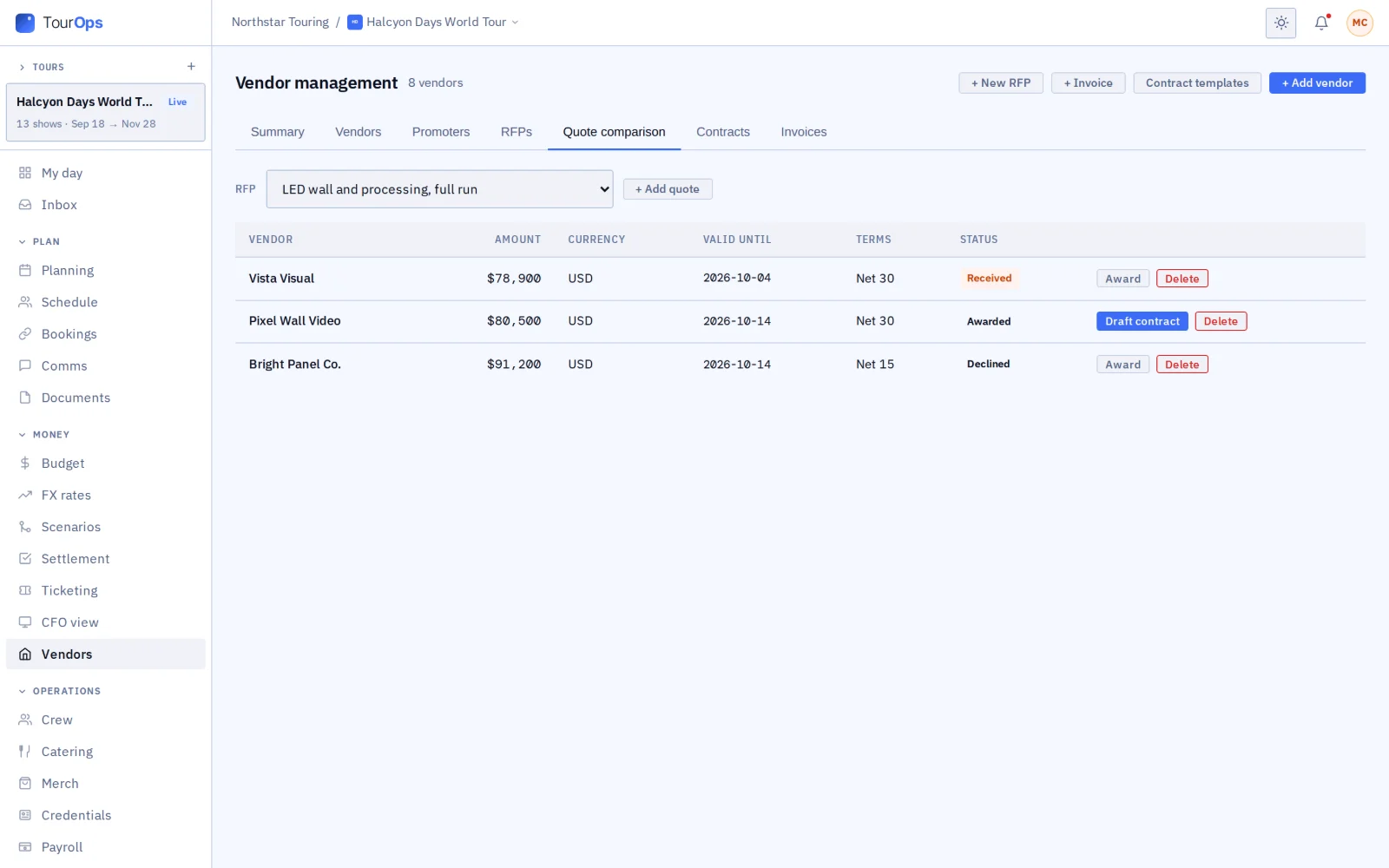
Compare on the same rows
Every quote against the RFP, side by side and line by line, so the cheapest total and the cheapest thing you actually want are both visible. Award one and the others are closed out without a round of apologetic emails.
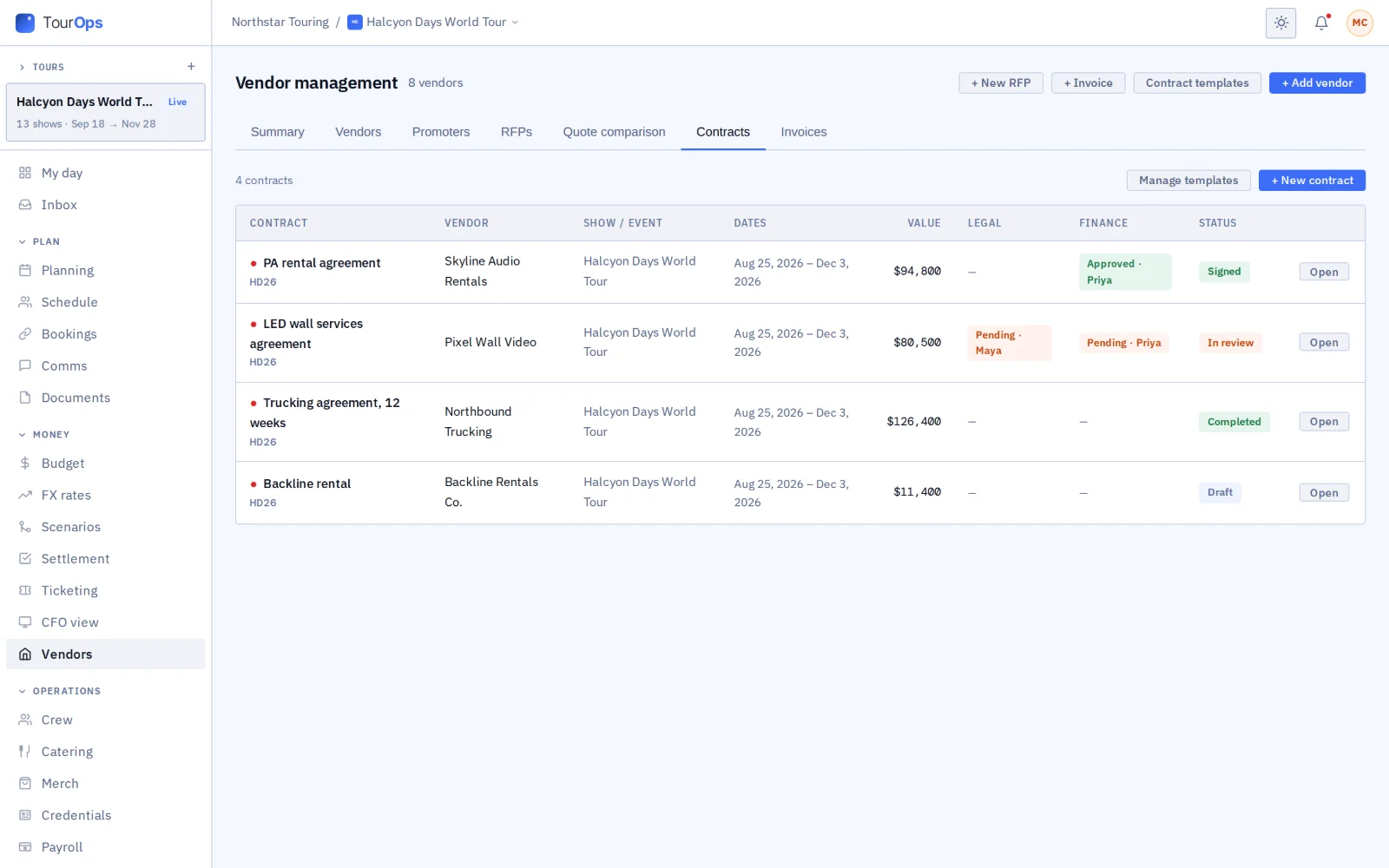
Contract, approval, budget
Draw up the contract from the award, send it for legal and finance review, and send it to the vendor through GigOps Sign. An approved contract puts its value into the budget on its own, and the vendor’s invoices are logged against it as they arrive.
What it connects to
- Invoices against the contract
- Log what the vendor bills and see it against what was agreed, so the overage is a visible difference rather than a surprise at settlement.
- Read a quote or an invoice
- A PDF or a photo can be read into line items instead of typed, and you correct what it read before it is saved.
- A marketplace, inside the product
- Vendors list themselves and companies on GigOps find them by category and area, then send a request. It is for signed-in companies; there is no public directory.
- A venue’s preferred vendors
- A venue can share the businesses it likes working with, so a visiting tour starts from the house list rather than from scratch.
- Co-promoters and promoters
- The same tabs hold the promoters you work with, and in PromoterOps the co-promoters on a show.
- Signed and sealed
- Contracts go out through GigOps Sign and come back sealed with a QR code anyone can check against the original.
- Who can see it
- Owners, Company Admins, Managers, Ops and Coordinators work with vendors. What each seat sees of the money follows the usual finance rules.
Step by step in the help guide: vendors, RFPs, contracts and invoices, the budget and documents. Signing: GigOps Sign. Vendors can list themselves at For vendors.
Who it is for
Who is buying.
FestivalOps
The biggest procurement job on the calendar: staging, fencing, power, toilets, medical and security, all out to quote and awarded before build week.
Explore FestivalOpsTourOps
Buses, trucking, backline and local labour, with the insurance checked and the award in the tour budget.
Explore TourOpsVenueOps
The house’s preferred vendors, shared with the tours that book you, and the contracts the building runs on.
Explore VenueOpsPromoterOps
Market by market suppliers and the co-promoters on a show, with every cost against the show it belongs to.
Explore PromoterOpsActionOps
Course build, timing, medical and broadcast suppliers, quoted and contracted against the event budget.
Explore ActionOpsQuestions
What people ask about vendors.
- Can GigOps compare quotes for me?
- It puts them on the same rows. Quotes come back against one RFP, and a PDF quote can be read into line items rather than retyped, so you are comparing like with like. The decision is yours; the transcription is not your job.
- Does an awarded contract reach the budget?
- Yes. An approved contract puts its value in as a budget line, so the number you agreed is the number in the plan without anybody keying it a second time. Invoices then log against the contract as they arrive.
- Does it track certificates of insurance?
- Yes, with their expiry, on the vendor. A certificate that lapses between the booking and the build is visible as a date rather than buried in a PDF in a folder.
- What is the marketplace?
- A place inside the product where vendors list their business and companies on GigOps find them by category and area, then send a request. It is for signed-in companies only; there is no public directory, and nothing is booked, paid or rated through it.
- Can vendors see my event?
- No. A vendor sees the request you send them and what you choose to share on it. They have their own sign-in with no company and no view of your operation.
- How do contracts get signed?
- Through GigOps Sign. The contract goes to the vendor on a private link, comes back sealed, and carries a QR code anyone can use to check the copy they are holding against the original.
Put the next build out to quote.
Vendors and procurement come with every product. 7-day free trial. Company Users are $39 per user / month. View only seats are $0. Crew are always free.
Book a demo.
Tell us about the show you are planning, and we will walk you through the product that fits it, on your own dates. We reply within 48 hours.