Advancing
Advance the date.
Not the inbox.
Every show has one advance: load-in, soundcheck, doors, set time, curfew, stage, power, parking, Wi-Fi, the venue contact, hospitality and production notes. The venue fills in its part, from its own GigOps account or from a link that needs no login, and the day sheet, the run of show and the crew call all read from it.
In TourOps, FestivalOps, VenueOps and ActionOps. No module to buy.

What it replaces
Eleven emails deep,
and the curfew moved.
An advance is not hard. Keeping one straight across a thread, a rider, a spreadsheet and three people who each typed the load-in somewhere different is hard. One page per date fixes the part that actually goes wrong.
The thread
Answers scattered down a chain
Load-in is in message four, parking is in message nine, and the venue contact changed somewhere in between. On the day, somebody scrolls. Here the latest answer is the only answer, in the field it belongs to.
The retype
The same time, typed four times
Doors go into the advance, the day sheet, the run of show and the crew call, and one of the four is wrong by the time the trucks arrive. The advance is the source for all of them, so the move happens once.
The chase
Asking forty acts the same thing
A festival advances a whole lineup at once. A form goes to every act, the board shows who has answered and who has not, and reminders go out on their own before the due date.

How it works
Four ways in, one page out.
When the venue is on GigOps, you share the page
A booking opens one advance that both companies work. Each side edits the shared fields and sees the other’s as they land. Stage, power, parking and Wi-Fi come straight from the venue’s tech pack and are read only here, so nobody retypes them. Both sides mark their side complete and it reads confirmed by both.
When it is not, send a link
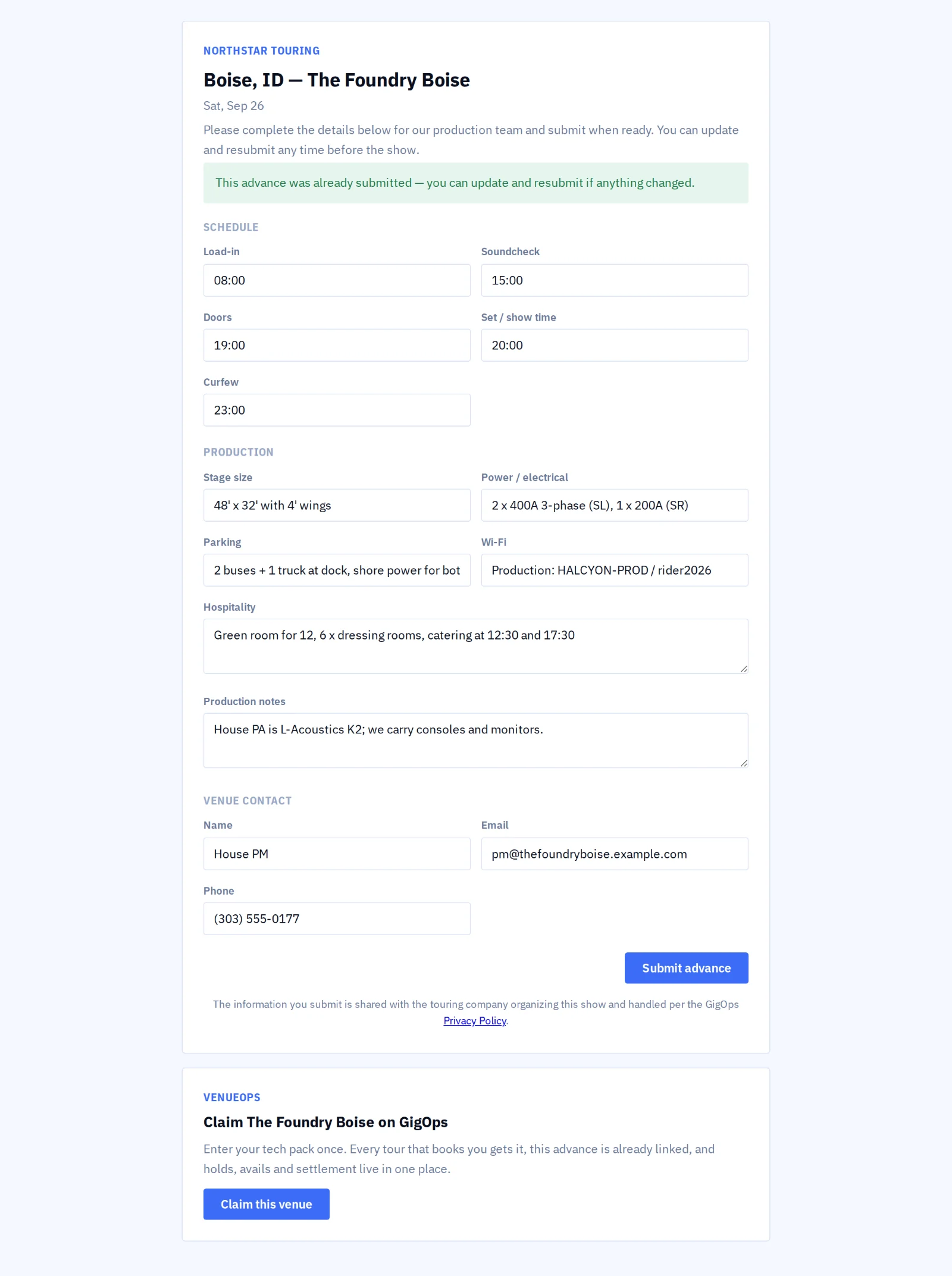
Send the advance from the show page and the venue gets a link it fills in online, with no login and no account. Write the note yourself or have GigOps draft one from the show, asking for what is still missing. The status moves from sent, to returned, to confirmed, and your Company Admins hear when it comes back.
Advance a whole lineup at once
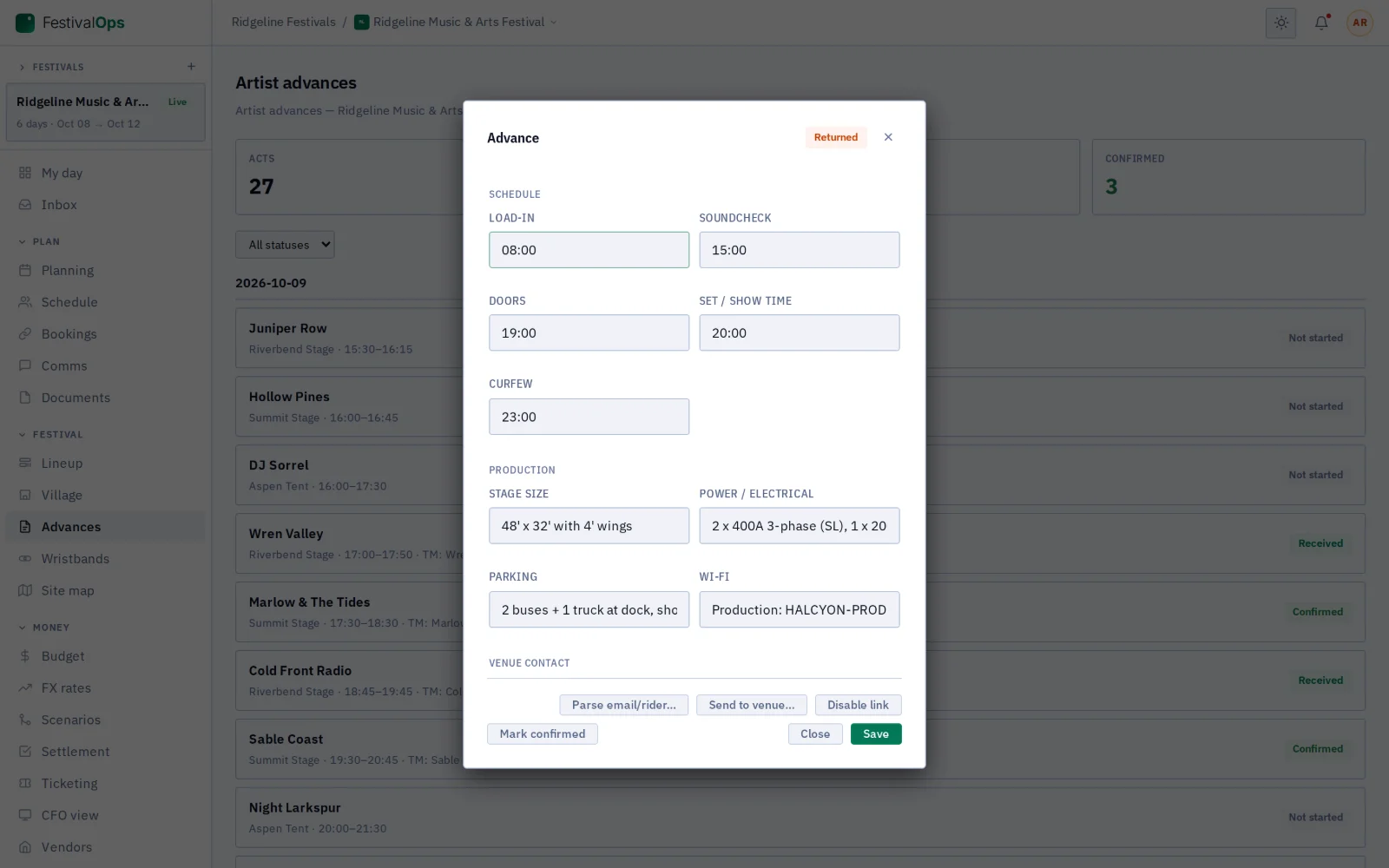
Every set time on the lineup becomes a row on the advance board, grouped by day with its stage and tour manager. Each act carries its own schedule, production and hospitality, plus internal notes only your team reads. The cards across the top count what is not started, in progress and confirmed.
Let the acts fill in their own
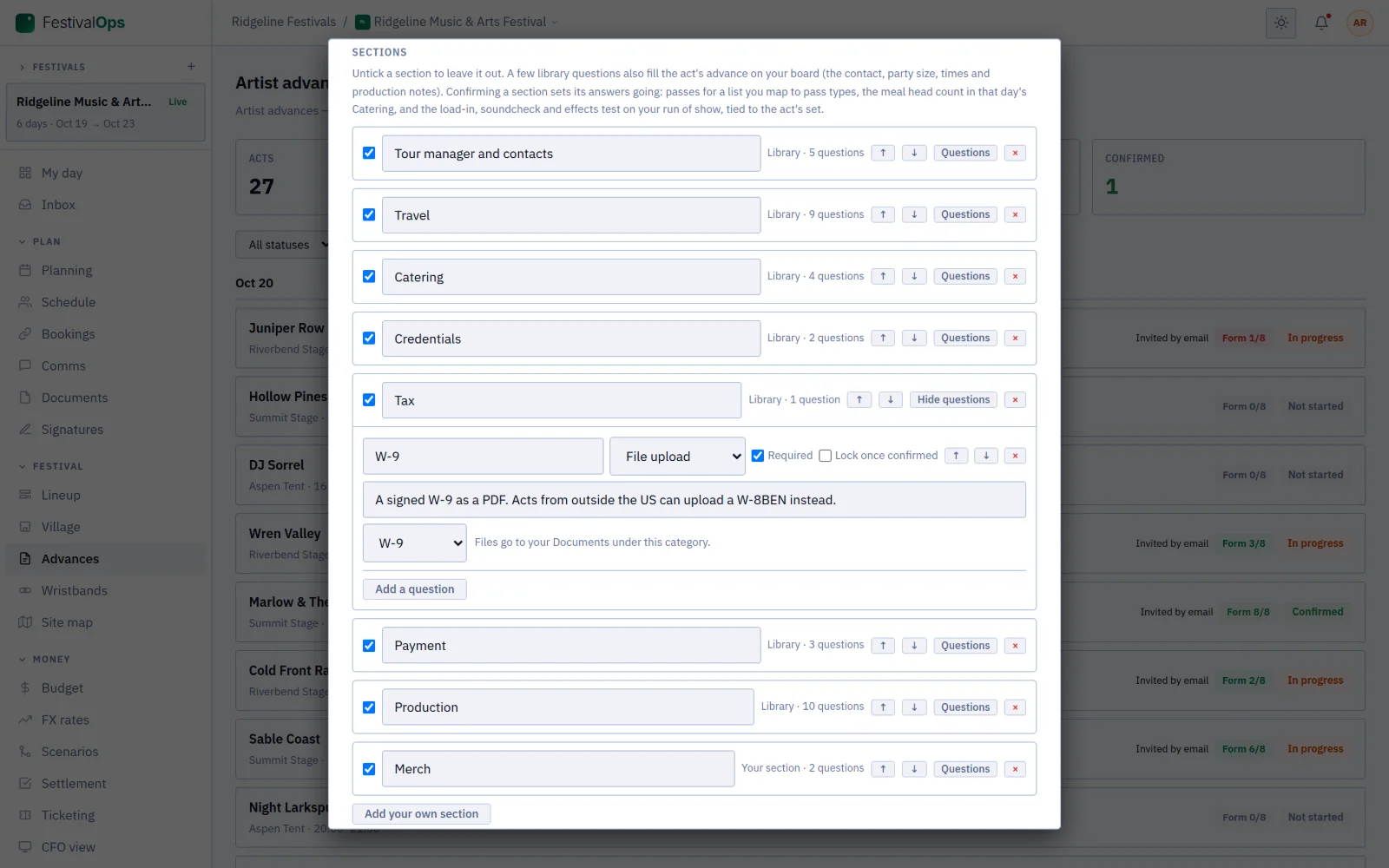
Build a form from the library, travel, catering, passes, tax and production, or from nothing, and set a due date. Acts on GigOps get a bell and an email; acts invited by email get a private link and need no account. Reminders go a week and two days before the date, and you confirm each section or ask for changes.
What it connects to
- Fill it from the email you already have
- Paste the venue’s advance email or the artist’s rider, or pick a PDF, a photo or a document you uploaded, and the fields come back filled in. Nothing saves until you have read every one.
- Check it against the rider
- GigOps compares the saved advance with the rider on power, stage size, curfew against the set and hospitality, and lists what looks wrong from high to low. It is advice; it changes nothing.
- The day sheet and the run of show
- Both read from the advance, so a time that moves moves once. The day sheet prints, emails and lands on every crew phone.
- Invite the act to advance with you
- A festival can invite an act onto GigOps. Once linked, the act edits the same advance, never your internal notes, and can ask you for credentials from it.
- Confirmed answers go to work
- Confirm a section and its answers set off: passes for a list mapped to pass types, the meal head count in that day’s Catering, and times on the run of show.
- Documents on the date
- Riders, stage plots, input lists, insurance and permits attach to the show or the booking, each shared at the tier you pick.
- Signed when it needs to be
- A deal memo or a contract goes out through GigOps Sign from the same date, and comes back sealed with a QR code anyone can check.
More on how two companies share one show: How it connects. Step by step in the help guide: advancing a show, artist advances and forms, the advance on a booking and documents.
Who it is for
Every side of the same date.
TourOps
Advance every venue on the run from the show page. Fill it from the venue’s email, send it to a venue that is not on GigOps, and check it against the artist’s rider before the trucks leave.
Explore TourOpsFestivalOps
Advance a whole lineup. Build the form your acts fill in, open it to the lineup, and confirm each section so passes, the meal count and the run of show take the answers.
Explore FestivalOpsVenueOps
Answer the advance once. Stage, power, parking and Wi-Fi come from your tech pack, so you fill those in a single time and every tour that books you reads the same thing.
Explore VenueOpsActionOps
Athlete advances for a comp: arrival and departure, party size, ground transport and what each rider needs on site, on the same board as the start list.
Explore ActionOpsQuestions
What people ask about advancing.
- Can I advance a venue that is not on GigOps?
- Yes, and most are not. Send the advance from the show page and the venue gets a link it fills in online, with no login and no account. When it comes back the status reads Returned and your Company Admins are told. You can copy the link to send it yourself, or disable it.
- Can GigOps fill the advance from the venue’s email?
- Paste the email or the artist’s rider, or pick a PDF, a photo or a document you already uploaded, and choose Extract details. Load-in, doors, stage, power, hospitality and the contact come back filled in. Nothing is saved until you check every field.
- Does it check the advance against the rider?
- Yes. Paste the rider and GigOps compares it with the saved advance on power, stage size, curfew against the set and hospitality, then lists anything that looks wrong from high to low. The findings are advice only and change nothing; you decide what to do.
- What changes when the venue is on GigOps too?
- You work the same advance instead of sending one. Both sides edit the shared fields, and stage, power, parking and Wi-Fi come from the venue’s tech pack and are read only. When both sides mark it complete it shows as confirmed by both.
- Can my acts fill in their own advance?
- On a festival, yes. Build a form from the library or from nothing, open it to acts and send it. Acts on GigOps get a bell and an email, acts invited by email get a private link and need no account, and reminders go out before the due date.
- What happens when I confirm an act’s answers?
- Confirming a section sets its answers going: passes for a list you mapped to pass types, the meal head count in that day’s Catering, and times on the run of show. If something is wrong, type what needs changing and the act hears about it.
Advance the next run on GigOps.
Advancing comes with every product. 7-day free trial. Company Users are $39 per user / month. View only seats are $0. Crew are always free.
Book a demo.
Tell us about the show you are planning, and we will walk you through the product that fits it, on your own dates. We reply within 48 hours.