Catering
Count who is called.
Count who ate.
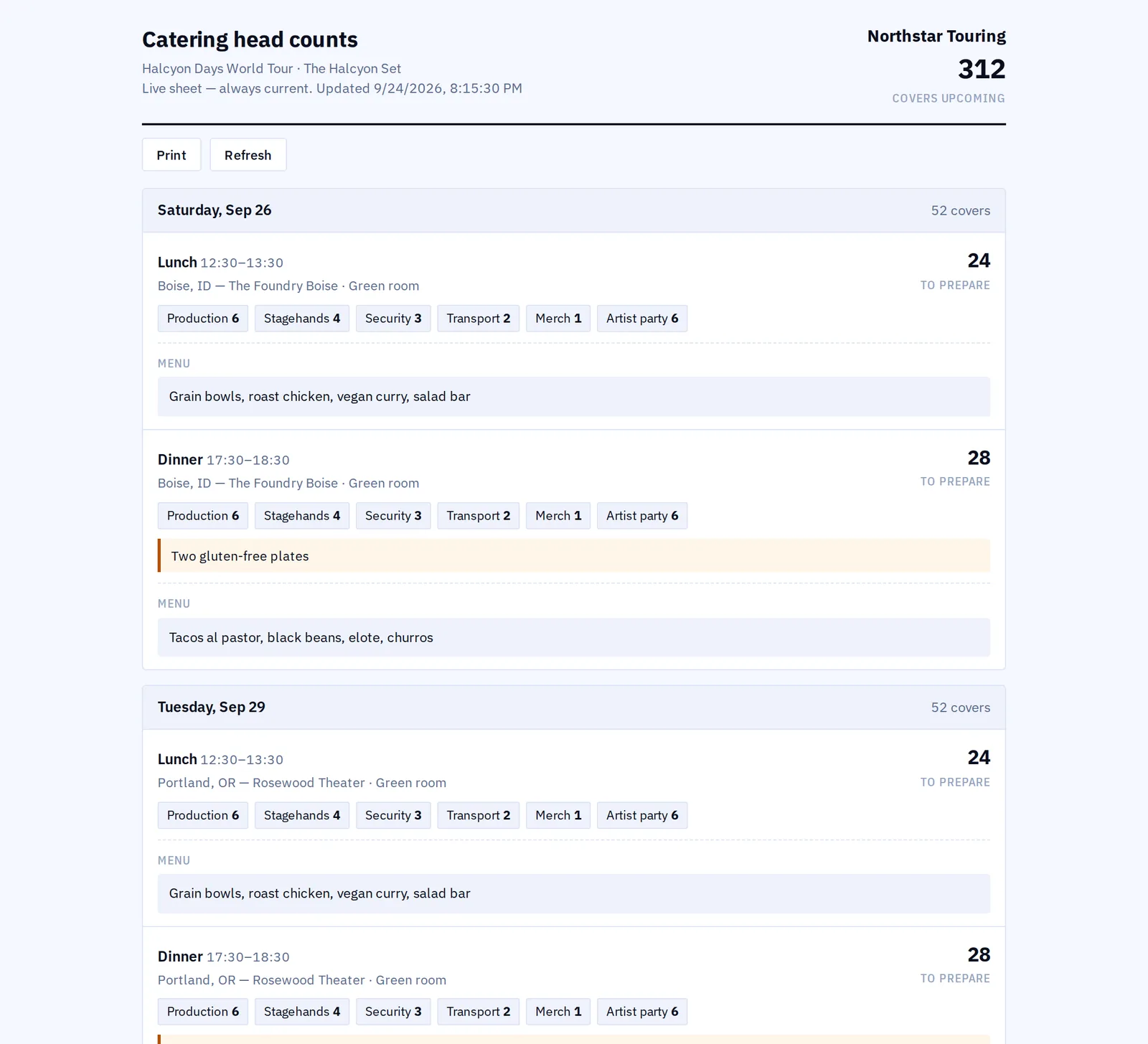
Meals for every show with times, head counts, cost per person and menus. The count comes from who is actually on the show rather than from a guess, a kiosk at the catering door counts who really ate, and the caterer reads their numbers on a live link.
In every product. No module to buy.

What it replaces
Forty ordered.
Twelve ate.
Catering is the easiest line on the budget to get wrong, because the number is guessed on Monday for a Thursday, nobody counts what actually happened, and the same guess is made again next week.
The guess
A number from last time
The head count is somebody’s estimate, repeated. Here it is worked out from who is called on that show, in the departments you set up, so it moves when the crew list moves.
The door
Nobody counting
What was ordered is known; what was eaten is not, so the overspend is invisible. A kiosk at the catering door counts who checked in, by department.
The email
The caterer asking again
Counts go to the caterer by email, change, and go again. A live link gives them their own numbers as they stand, and a report when they want it on paper.

How it works
Planned, eaten, paid for.
Meals on the show, not in an email
Add each meal to the show with its time, its cost per person and its menu. The head count is worked out from who is called on that show rather than typed, so it follows the crew list instead of lagging it. The cost lands on the show and in the budget without a second entry.
A kiosk at the catering door
Run the check-in on an iPad at the door. Crew scan their department card and the count is what happened rather than what was ordered. Set allotments per department, and only a Company Admin can type over a live count, so the number stays worth having.
The caterer gets their own view
Send the caterer their head counts as a report, or give them a live link that shows the numbers as they stand. Print department cards for the crew to scan, and compare what was planned with what was eaten once the day is done.
What it connects to
- Departments you already set up
- The departments on the crew roster are the ones catering counts and the ones the cards are printed for, so there is one list and not three.
- Allotments per department
- Set how many each department is allowed, so an overrun is visible at the door rather than on the invoice.
- Planned against actual
- Compare what was ordered with what was eaten, per meal and per show, which is the number that changes next week’s order.
- A line in the budget
- Catering cost reaches the budget on its own, which is why a catering line appears there that nobody typed.
- Per diem knows about it
- Catering comes off the gross per diem to give the net, so a day with a meal is not paid for twice.
- From the advance
- When an act confirms a hospitality section on an advance form, the meal head count for that day takes it.
- Who can see it
- Owners, Company Admins, Managers, Ops and Coordinators plan meals. Finance, Legal and View only read them.
Step by step in the help guide: meals, kiosk and the caterer link, crew and departments and the budget. What it costs: Finance.
Who it is for
Who is being fed.
TourOps
Meals per show down the run, counted from the crew called that day, with the cost landing in the tour budget and coming off the per diem.
Explore TourOpsFestivalOps
Catering across days and departments on a site, with a kiosk at each door and acts telling you their hospitality on the advance form.
Explore FestivalOpsVenueOps
House catering and buyouts against the rate on the tech pack, so a visiting tour knows the number before it arrives.
Explore VenueOpsActionOps
Athletes, officials and crew across a comp, counted by department and checked in at the door.
Explore ActionOpsQuestions
What people ask about catering.
- Where does the head count come from?
- From who is called on that show, in the departments you set up, rather than from a number somebody remembered. It moves when the crew list moves, so the order going to the caterer reflects the show as it is now.
- How does the check-in kiosk work?
- An iPad at the catering door runs the check-in. Crew scan their department card and the count builds as they arrive, so you know what was eaten rather than only what was ordered. Only a Company Admin can type over a live count.
- Can the caterer see their own numbers?
- Yes. Send them a report, or give them a live link that shows the counts as they stand. They need no account, and the link stops working when you disable it.
- Does catering affect per diem?
- Yes. Catering comes off the gross per diem to give the net, so a day where the crew were fed is not also paid as if they were not.
- Why is there a catering line in my budget I did not add?
- Because the cost of the meals you planned reaches the budget on its own. That is the point: the catering number is in the show’s cost without anybody entering it twice.
- Can acts tell me what they need?
- On a festival, yes. Hospitality is a section on the advance form the act fills in, and confirming that section sets the meal head count for the day it belongs to.
Stop guessing the head count.
Catering comes with every product. 7-day free trial. Company Users are $39 per user / month. View only seats are $0. Crew are always free.
Book a demo.
Tell us about the show you are planning, and we will walk you through the product that fits it, on your own dates. We reply within 48 hours.