Crew
One roster.
Nobody pays for a seat.
The people who work your shows: production, stagehands, security, runners and drivers, sorted into departments, assigned to shows, clocked in and out by QR code, and paid from the hours that clock recorded. Every one of them is free, in every product, for good.
In every product. Crew seats are always free, however many you have.

What it replaces
Six group chats
and a paper timesheet.
Crew is the part of the operation that is always run out of band: a chat per department, a call sheet that changed after it went out, and hours written on paper and typed up later by somebody who was not there.
The call
Sent, then changed
The call time moves after the sheet goes out, so the version in somebody’s pocket is the wrong one. Here the assignment is the record, and the phone shows what it says now.
The hours
Written on paper, typed up later
Hours get written down and keyed in by somebody reconstructing a day they did not work. A QR code at the door clocks people in and out, and the time card is made from it.
The seat
A price on every extra pair of hands
Most software charges for everyone who touches it, which is a reason not to put the crew on it. Crew seats are free here, in every product, so the whole crew is on it or none of it is.

How it works
Roster, call, clock, pay.
The roster, by department
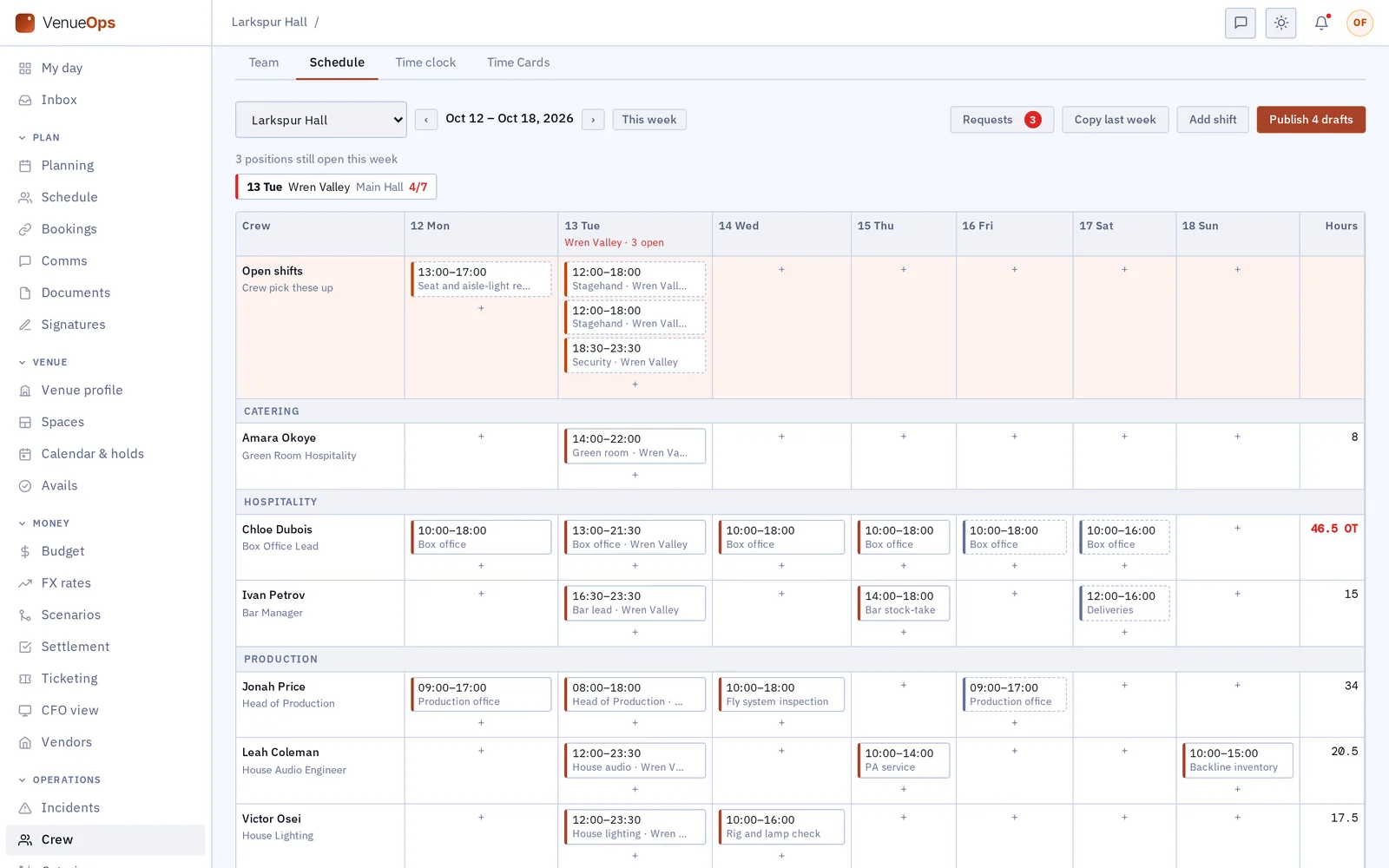
Add crew once and sort them into the departments you actually use. Find anyone by name or department, assign them to a show or to a whole tour, and see who is free before you ask. Crew book their own time off and you approve it, so the clash is caught before the call goes out.
The call, on the right phones
Build the shift pattern once and apply it, rather than typing the same calls at every show. Everyone assigned sees their own call on their phone, and sees it change when it changes, so the sheet in somebody’s pocket is never the old one.
Clocked in at the door
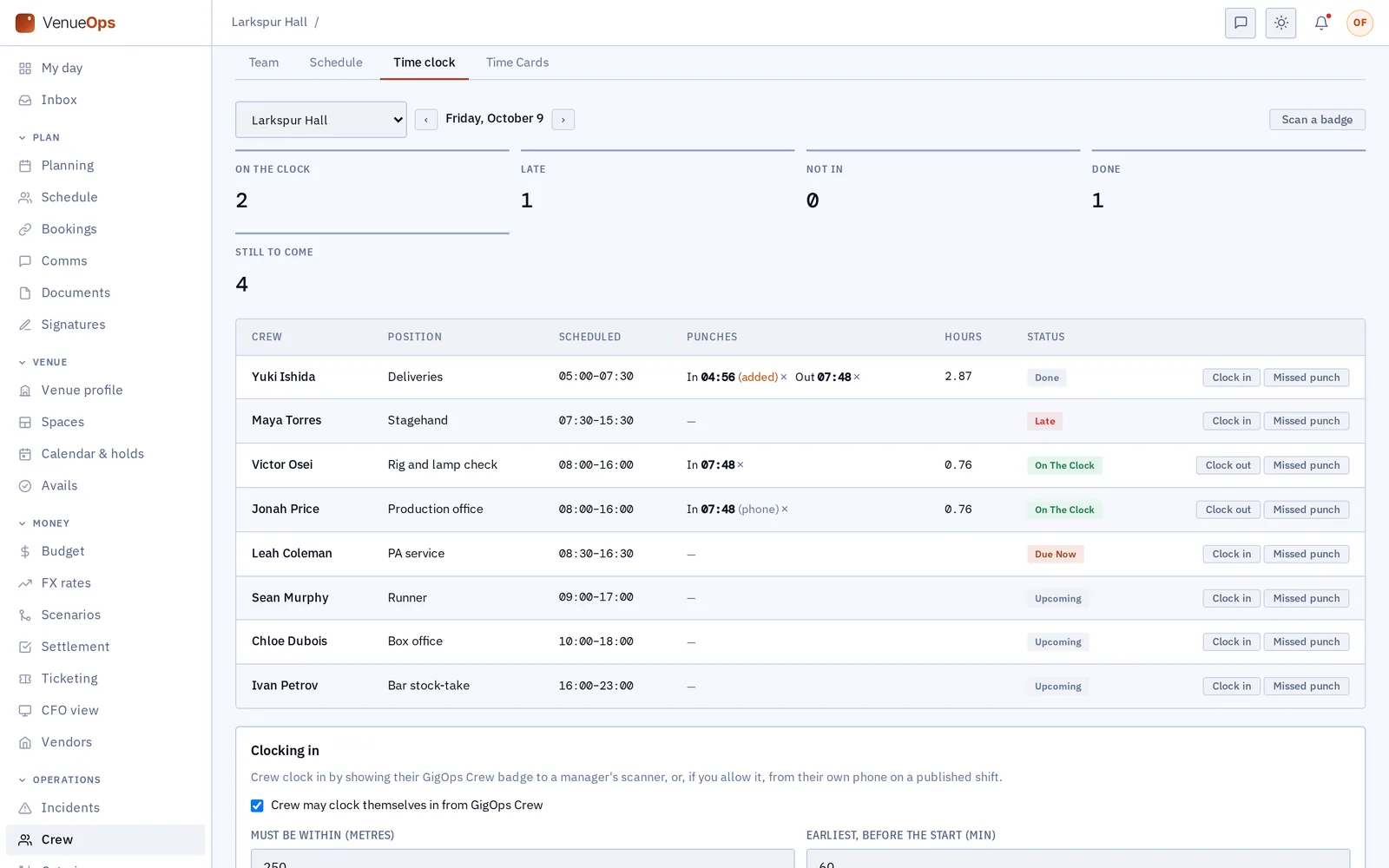
A QR code clocks crew in and out, from a tablet at the door or from their own phone. The times are the record, not a recollection, and a shift that ran long is on the card as it ran rather than as somebody remembers it.
Paid from the clock
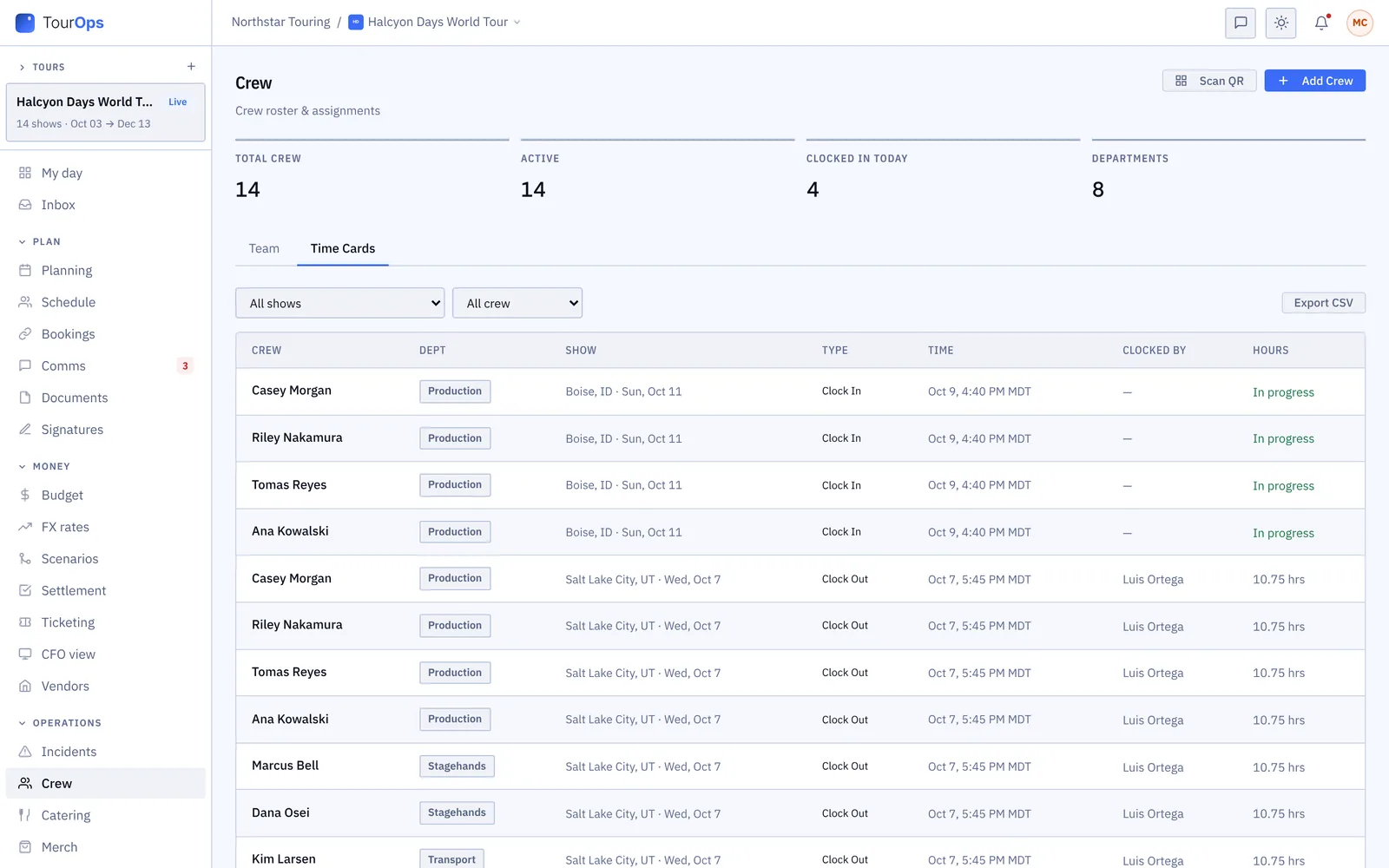
Rates and the schedule give an estimate before the run; the clocked hours give the actual, with overtime, meal premiums and union premiums worked out on them. Approve the entries and export a CSV for your payroll processor. Rates can differ for one tour or one show.
What it connects to
- GigOps Crew, free
- Every crew member gets the app: their schedule, day sheet, badge, travel, tasks and timecard. It works in a phone browser too, and opens without signal.
- Their own badge
- A rotating QR badge for the gate, plus any pass another company has issued them, each with its own rotating code.
- Time off they ask for
- Crew book blackout dates and ask for time off from the app; you approve it, and they stop showing as available for those days.
- Departments that mean something
- Departments drive the call, the catering head count and the check-in cards, so the thing you set up once is used four times.
- Incidents and tasks
- Tasks go out from the office to a person or a department, and an incident report comes back from the phone with photos on it.
- Local crew for a promoter
- In PromoterOps the same roster is Local crew: the people a show hires in that market rather than the ones who travel.
- Who can see it
- Company Admins and Manager, Ops and Coordinator seats run the roster. Payroll is narrower: Owner, Company Admin, Finance and Legal, unless a Company Admin opens it.
Step by step in the help guide: the crew roster, payroll, GigOps Crew, credentials and catering. The money side: Finance.
Who it is for
Who is on the roster.
TourOps
The crew that travels and the locals hired in each market, assigned down the run, clocked in at every door and paid from the same cards.
Explore TourOpsFestivalOps
Hundreds of people across departments and days, called by shift pattern, checked in at the gate and fed through the same departments.
Explore FestivalOpsVenueOps
The house crew: call templates per room, who is available, the clock at the dock door and the cards the promoter settles against.
Explore VenueOpsPromoterOps
Local crew per market, so the people a show hires in are on the same roster as everyone else and settle the same way.
Explore PromoterOpsActionOps
Course crew, officials and judges, with the judges working the comp from the Judging tab of the same free app.
Explore ActionOpsQuestions
What people ask about crew.
- Do I pay for crew?
- No, and not at any number. Crew seats are free in every product, including the GigOps Crew app. Paid seats are Company Users who add and change things in the office. A crew member who later needs to work in the web app becomes a paid seat; until then they cost nothing.
- How do crew sign in?
- They get an invitation and set a password, then use GigOps Crew on iOS or the same thing in a phone browser at /crew, which opens without signal and shows what it last loaded. Anyone who never set a password can ask for a fresh link from the sign-in page.
- How does the time clock work?
- A QR code clocks people in and out, from a tablet at the door or from their own phone, and the time card is made from those times. You read and export the cards, and payroll works the actual pay out from them.
- Can crew tell me when they cannot work?
- Yes. They book blackout dates or ask for time off in the app, you approve it, and they stop showing as available for those days when you are filling a show.
- Does payroll handle overtime and union rules?
- Yes. Overtime, meal premiums and union premiums come out of the clocked hours, and overtime can follow state rules or different rules at each venue. GigOps produces the numbers and a CSV for your processor; it does not move money.
- What do crew actually see?
- Their own schedule and day sheet, their badge and passes, their travel, the tasks they have been given, their timecard and the way to file an incident. They see their own, not anybody else’s.
Put the whole crew on it.
Crew seats are free in every product. 7-day free trial. Company Users are $39 per user / month. View only seats are $0. Crew are always free.
Book a demo.
Tell us about the show you are planning, and we will walk you through the product that fits it, on your own dates. We reply within 48 hours.