Run the gate.
Signal optional.
An iPhone or an iPad is the gate. GigOps Scan reads a credential in a second and says granted, wrong zone, void or expired in words, colour and sound, so the guard does not have to look at the screen. It keeps working when the signal does not, and every scan reaches the office log the moment it comes back.
Free on the App Store, for iPhone and iPad. A festival-owned device needs no account at all.

No signal needed
The signal drops.
The gate does not.
A field at the back of a site is where phone signal goes to die, and that is exactly where the gates are. GigOps Scan syncs the day’s passes to the device before the doors open and verifies them there, on the device, with no connection at all. What it cannot do is be fooled by a photograph.
Verify
Checked on the device
The day’s passes and the company’s signing key sync to the device before the doors open. A badge is then checked against them on the device itself, so a verdict takes a second whether or not there is a bar of signal.
Refuse
A photo is not a pass
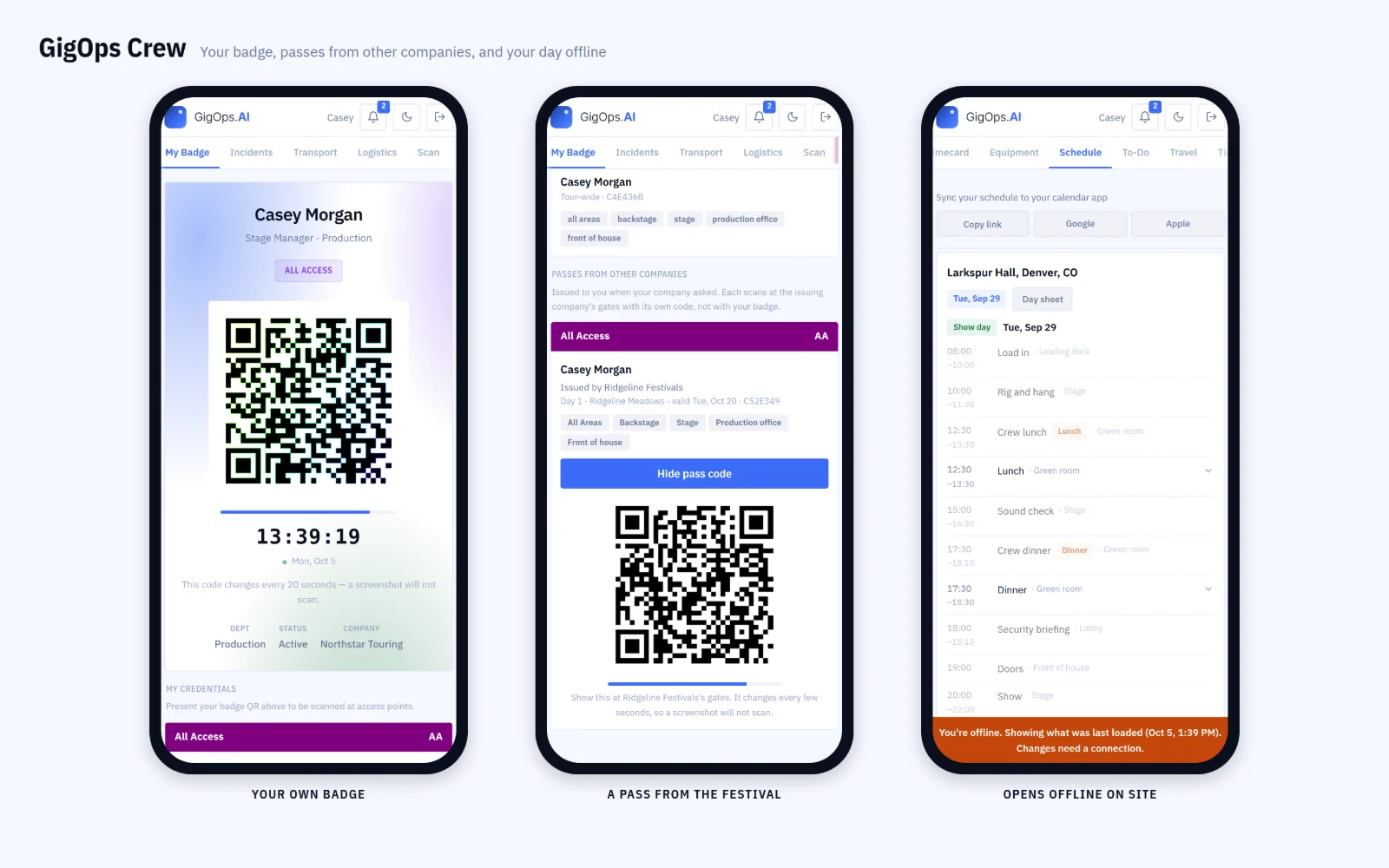
A crew badge shows a short-lived rotating code and a screen that is visibly live, so a screenshot of someone else’s phone does not open a gate. The cached pass list cannot be turned back into a working pass either, even off a lost device.
Log
Nothing is lost in the gap
Every scan is kept on the device and uploaded the moment the signal returns, so the office log is complete even for the hours it was dark. A gate tablet with a wrong clock cannot skew the times.
How it works
From the sync to the last scan of the night.
Sync before the doors.
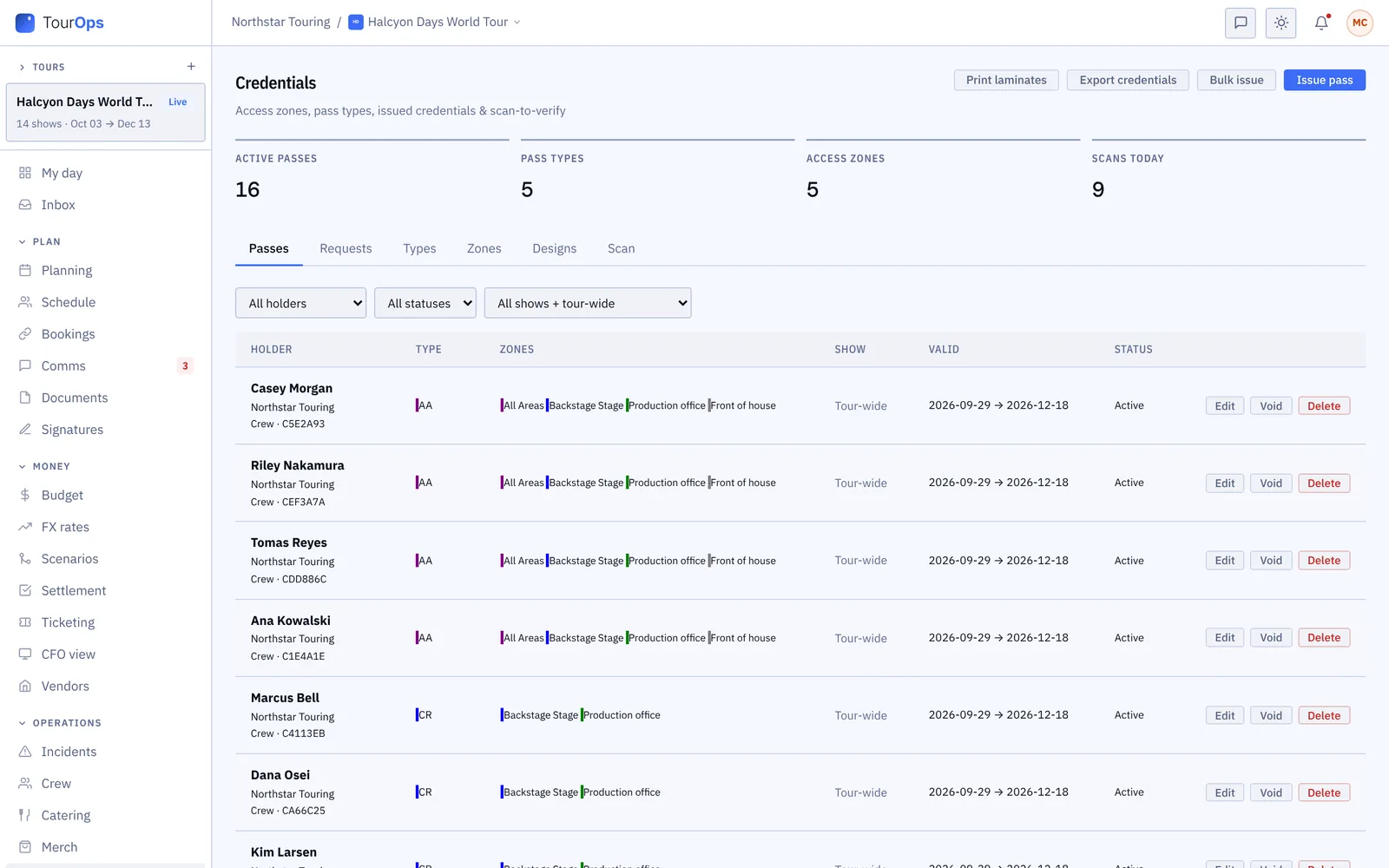
The device pulls the day’s passes, the crew list and the company’s signing key over any connection it can find. After that it is self-contained: the gate does not depend on the field’s wifi holding up.
Lock it to one gate.
Set the zone the device is working and lock it behind a PIN or the guard’s own badge, so a scanner handed between shifts keeps answering for the gate it is standing at.
Ask the other companies.
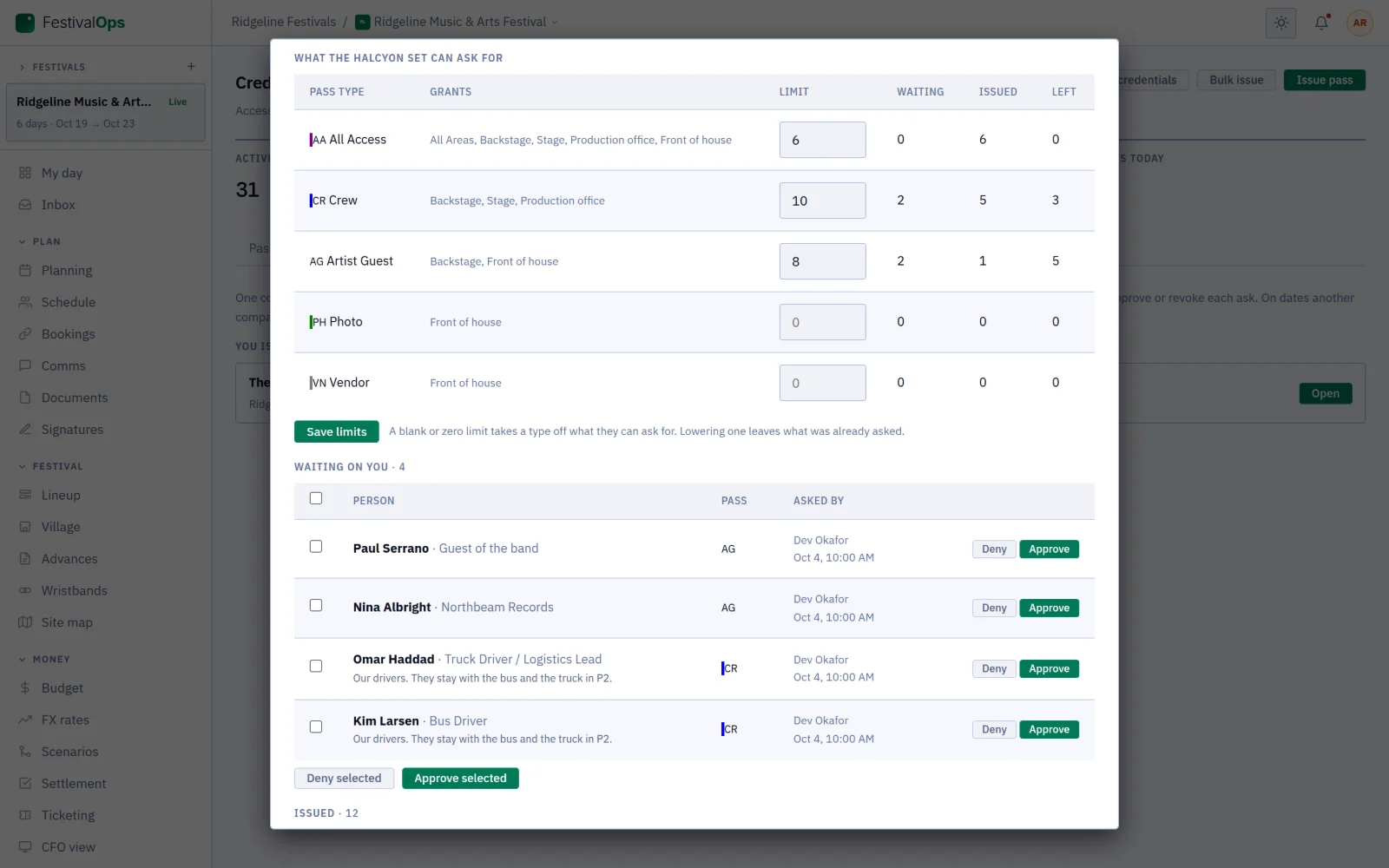
One company issues the credentials on a date and runs its gates. Everyone else working that date asks it for passes inside limits it sets, and it approves, denies or revokes each ask.
Read the night back.
Every scan lands in the office log with its gate, its verdict and its time, including the ones taken while the device was offline. A pass that will not scan can be looked up by name instead of waved through.
Also in GigOps Scan
- Words, colour and sound
- Granted, wrong zone, void or expired, said three ways at once, so a guard working a dark gate does not have to read a screen.
- Look a person up
- When a pass will not scan, search the holder by name rather than guess. The look-up works offline too.
- No account on the device
- A festival-owned or rented tablet connects with a scanner link and carries nothing but the scanner.
- iPhone and iPad
- One app, laid out for both. Free on the App Store, on iOS 17 and later.
- A bad sync cannot blind the gate
- A thin or truncated response never replaces a good cached list. The app keeps what it has and says why.
- It says when it cannot tell
- With no signing key cached, a scan reads as cannot verify rather than as a confident refusal, and says which of the two it is.
- Nothing sensitive in a backup
- The cached list and the signing key are kept out of iCloud backups, where the device’s own protection no longer applies.
GigOps Company, the office app for Company Users, lists your documents, sends reminders and answers suggested changes. Placing fields stays on the web.

Point it at the pass.
It does the rest.
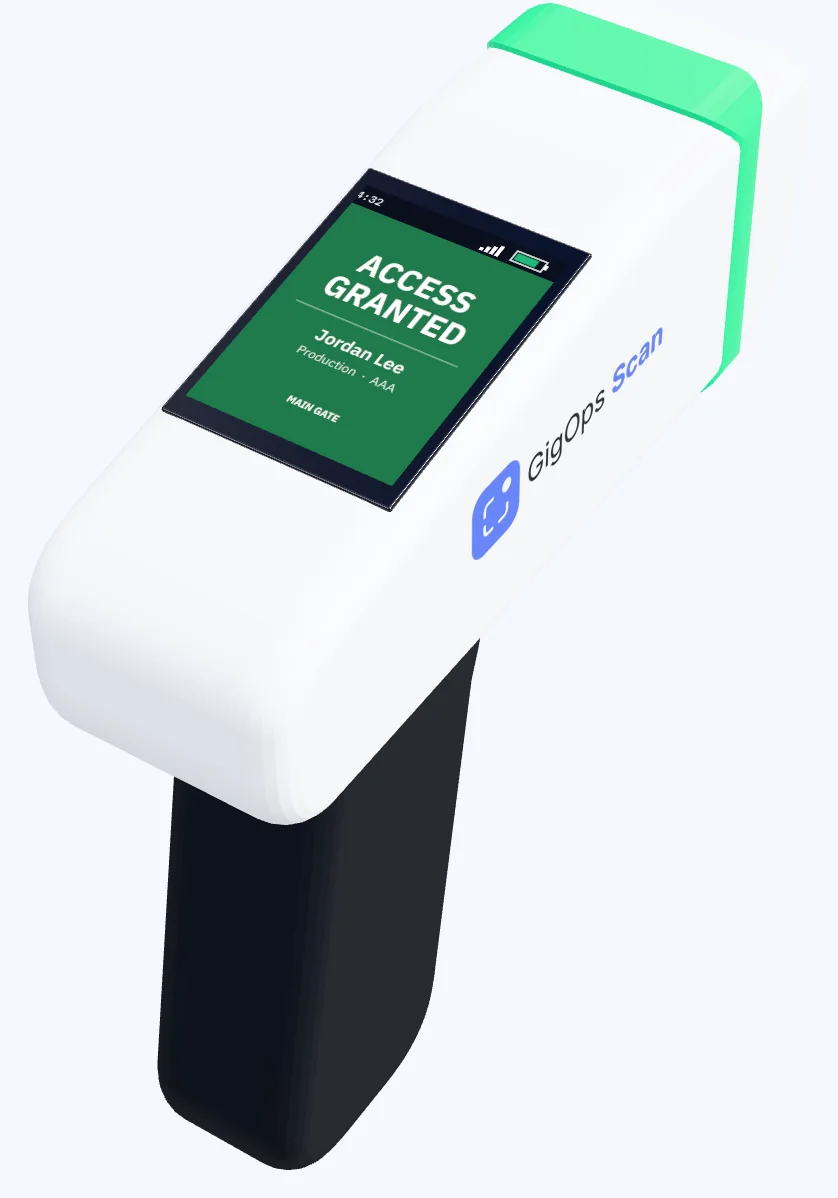
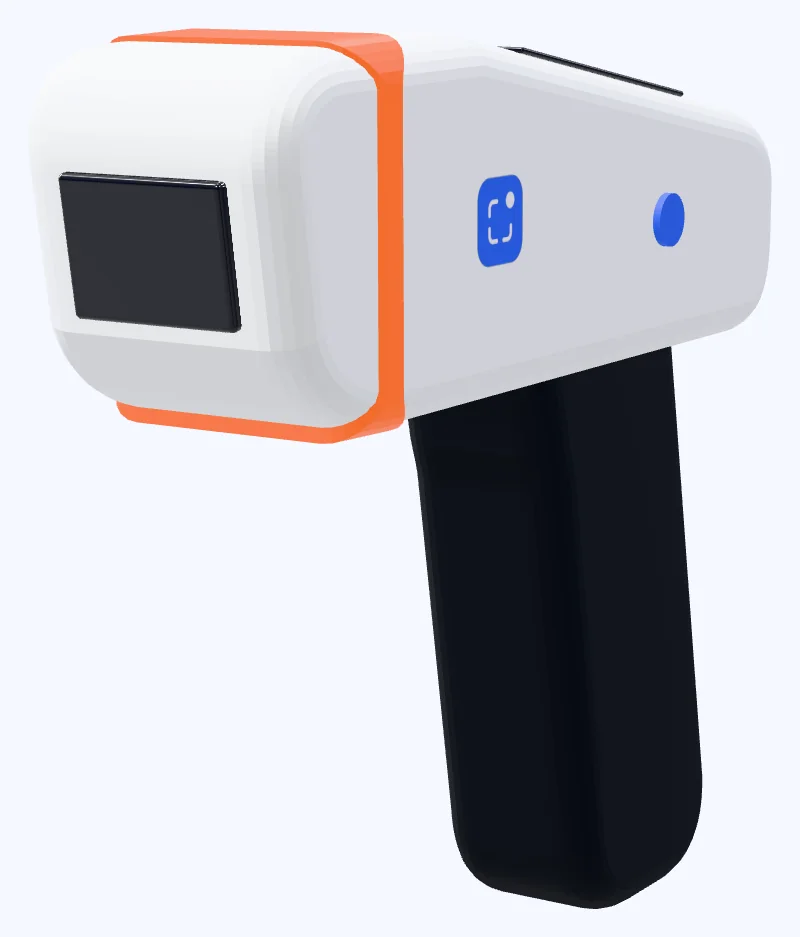
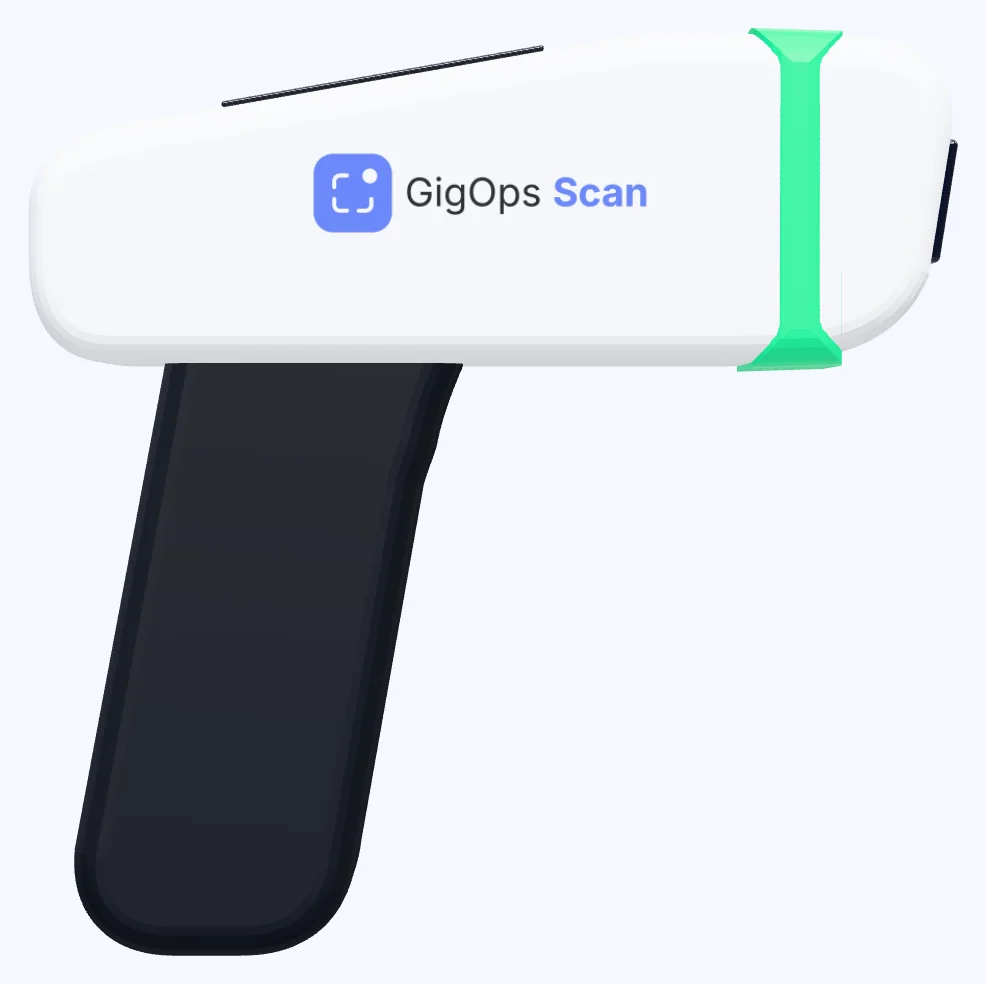
The S1 is a small gate scanner we build for GigOps Scan. There is no trigger to pull. A guard points it at a pass or at a phone badge, and it reads it on its own.
No trigger
A guard holds it in one hand, points it at a pass or at a phone badge, and it reads the code on its own.
Both of you see the answer
The verdict is on the screen facing the guard, and in the ring of light around the nose that the person at the gate can see too.
Works with no signal
It checks passes and GigOps Crew badges with no signal at all, and uploads every scan to the office scan log the moment the signal comes back.
Run the gates from the office
Assign each S1 to a gate from the web app and watch its battery and signal from there. It joins 2.4 and 5 GHz Wi-Fi.
The S1 is coming. Ask about it when you book a demo.
Where you use it
Wherever somebody has to be let in.
Festivals
Dozens of gates across a site, most of them out of signal, with crew from every company on the lineup.
Arena and stadium shows
A handful of doors, a lot of local crew, and a production office that wants the night’s log without walking out to collect it.
Touring production
The same scanner device travels, and every venue’s gate reads the same way on the road.
Action sports events
Athlete, team and media zones on a course that moves, scanned from the side of a mountain.
Venues
The house keeps one scanner and its own zones, whoever is in the building that night.
Conferences and corporate
Staff, contractor and vendor access on a build day, with the same list the credential office printed from.
Questions
Before you open the gates.
- Does it need signal?
- No. The device syncs the day’s passes and the signing key before the doors open and verifies on the device after that. Scans taken offline upload when the signal comes back.
- What stops someone using a screenshot of a badge?
- A badge shows a short-lived rotating code on a screen that is visibly live, so a photo of one does not open a gate. The pass list cached on a scanner cannot be turned back into a working pass either.
- What does it cost?
- Nothing extra. The app is free on the App Store and the scanning is part of the platform. Company Users on a paid seat set the passes up; crew seats are free.
- Do we need our own devices?
- No. A festival-owned or rented iPad connects with a scanner link and no account, so the device carries nothing but the scanner and can go back at the end of the run.
- Who decides who gets a pass?
- One company issues the credentials on a date and runs its gates. Every other company working that date asks it for passes inside the limits it sets, and it approves, denies or revokes each ask.
- Can a guard see personal details?
- A scan shows the name, the photo where there is one, the zones and the verdict. It is the credential, not the person’s record.
- What if a device is lost?
- Revoke its scanner link and it stops syncing. What is already on it cannot be turned into a working pass, and the cached list and key are kept out of iCloud backups.
Put the next gate on GigOps Scan.
It comes with every product. 7-day free trial. Company Users are $39 per user / month. View only seats are $0. Crew are always free.
Book a demo.
Tell us about the show you are planning, and we will walk you through the product that fits it, on your own dates. We reply within 48 hours.