Credentials
Who gets in,
and how far.
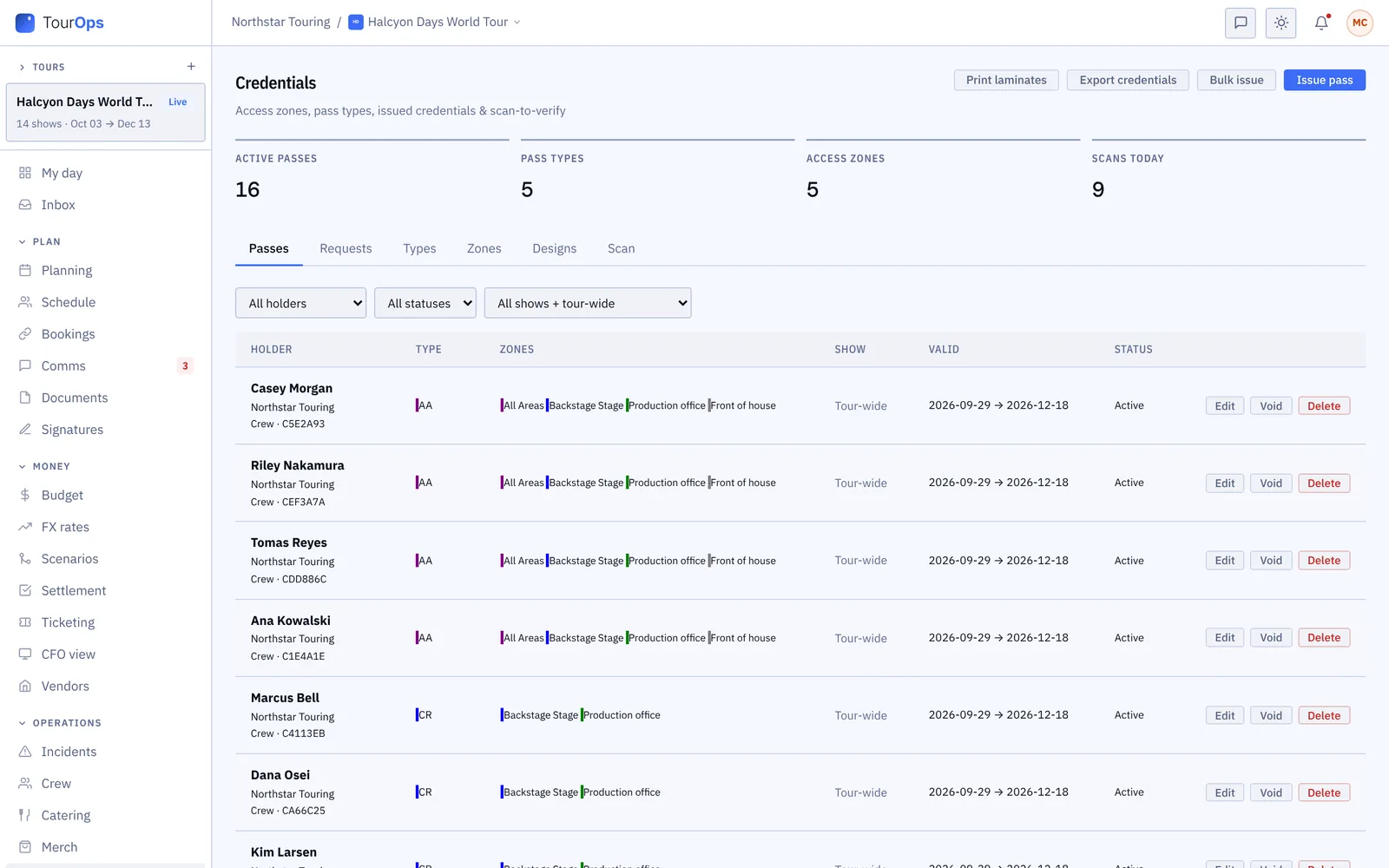
Draw the zones, build the pass types, issue the passes, print the laminates, and check them at the gate. Another company on GigOps can ask you for passes and you answer in the same place. The gate works with no signal at all.
In every product. No module to buy.
What it replaces
A spreadsheet of names
and a box of laminates.
Access control at an event is usually a list, a laminate order placed from that list, and a guard at a gate deciding from memory which colour is allowed through which door.
The list
Out of date before it is printed
The pass list is a spreadsheet that stopped being true the week the laminates were ordered. Here a pass is a record you can void, reissue or change, and the gate reads what is true now.
The colour
A guard guessing which one means backstage
Zones are drawn once and attached to the pass type, so the gate says granted or wrong zone rather than asking a guard to remember a colour chart at midnight.
The ask
Another company emailing for passes
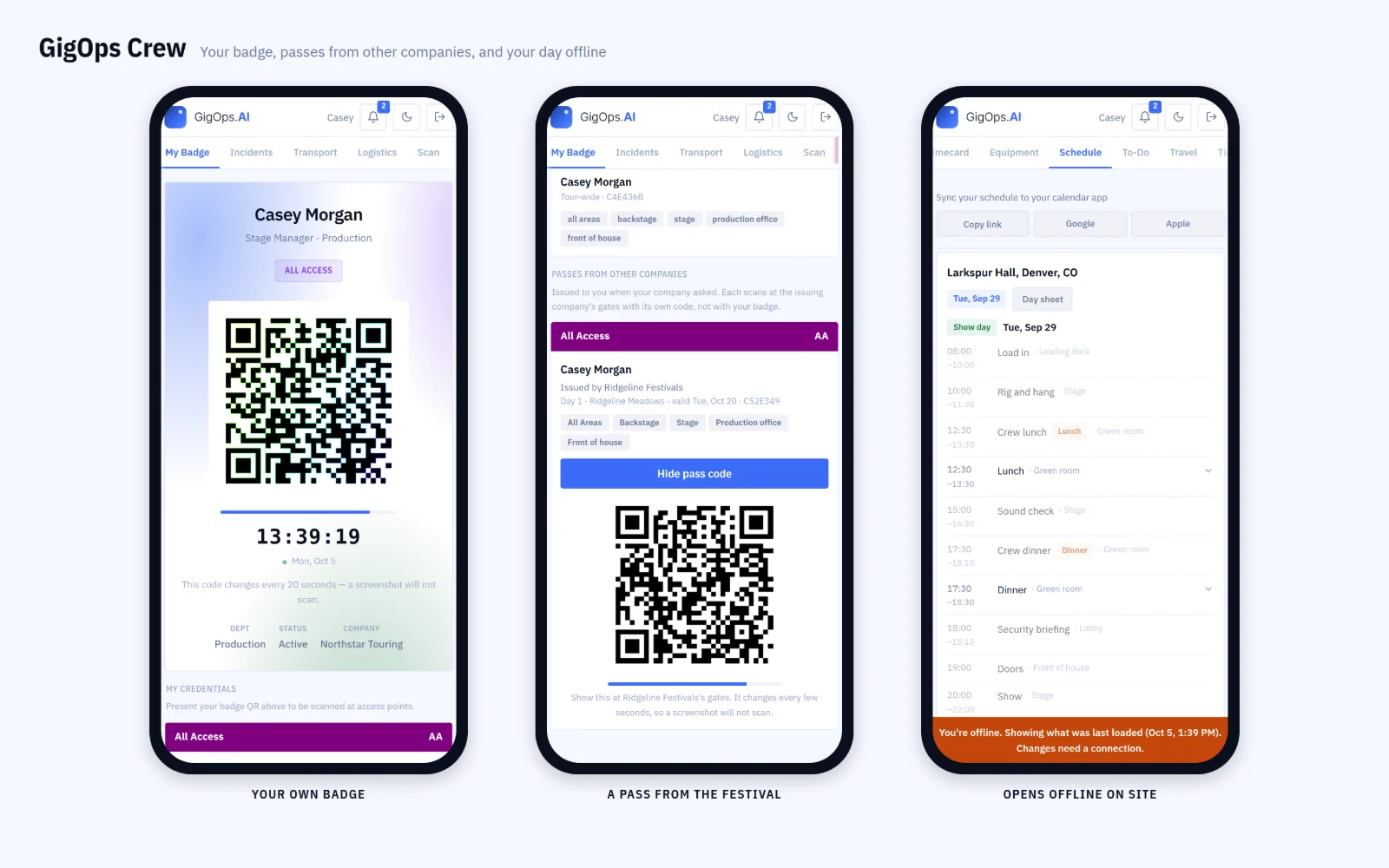
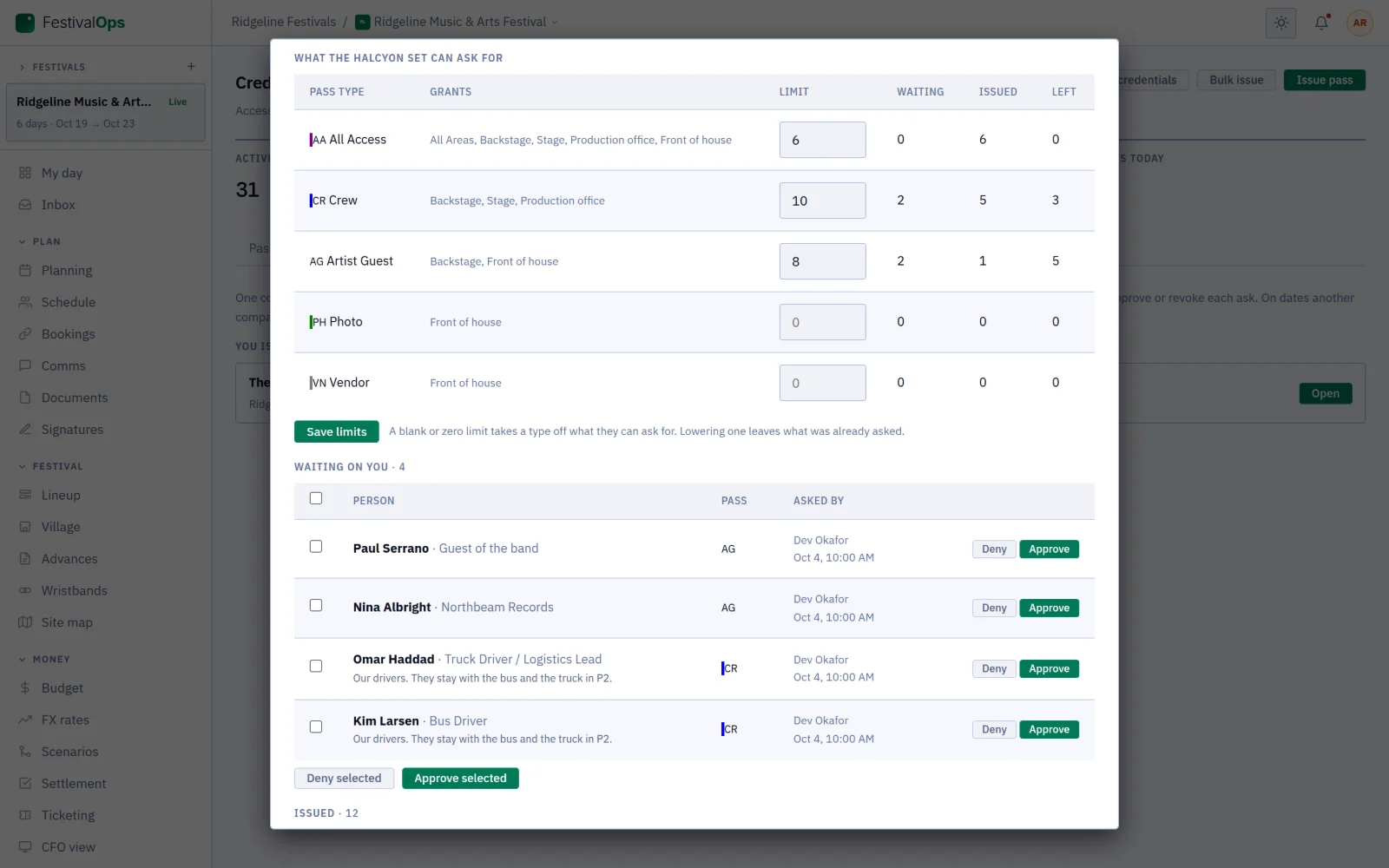
An act, a promoter or a vendor asks for passes by email and somebody transcribes the names. On GigOps they ask in the product, and you approve or decline the request where the passes live.
How it works
Zones, passes, laminates, gate.
Zones first, then the types
Draw the zones that exist at your event, then build the pass types on top of them: AAA, local crew, photo, vendor, guest. A type carries the zones it opens and the days it works, so everything issued against it inherits both and nobody is deciding at the gate.
Issue them, one or a hundred
Issue a pass to a person, or bulk issue to a whole group at once. Print laminates from a layout you design yourself, or export the lot for a card printer. A pass can be edited, voided or reissued, and voiding one takes effect at the gate rather than in a reprint.
Wristbands by the thousand
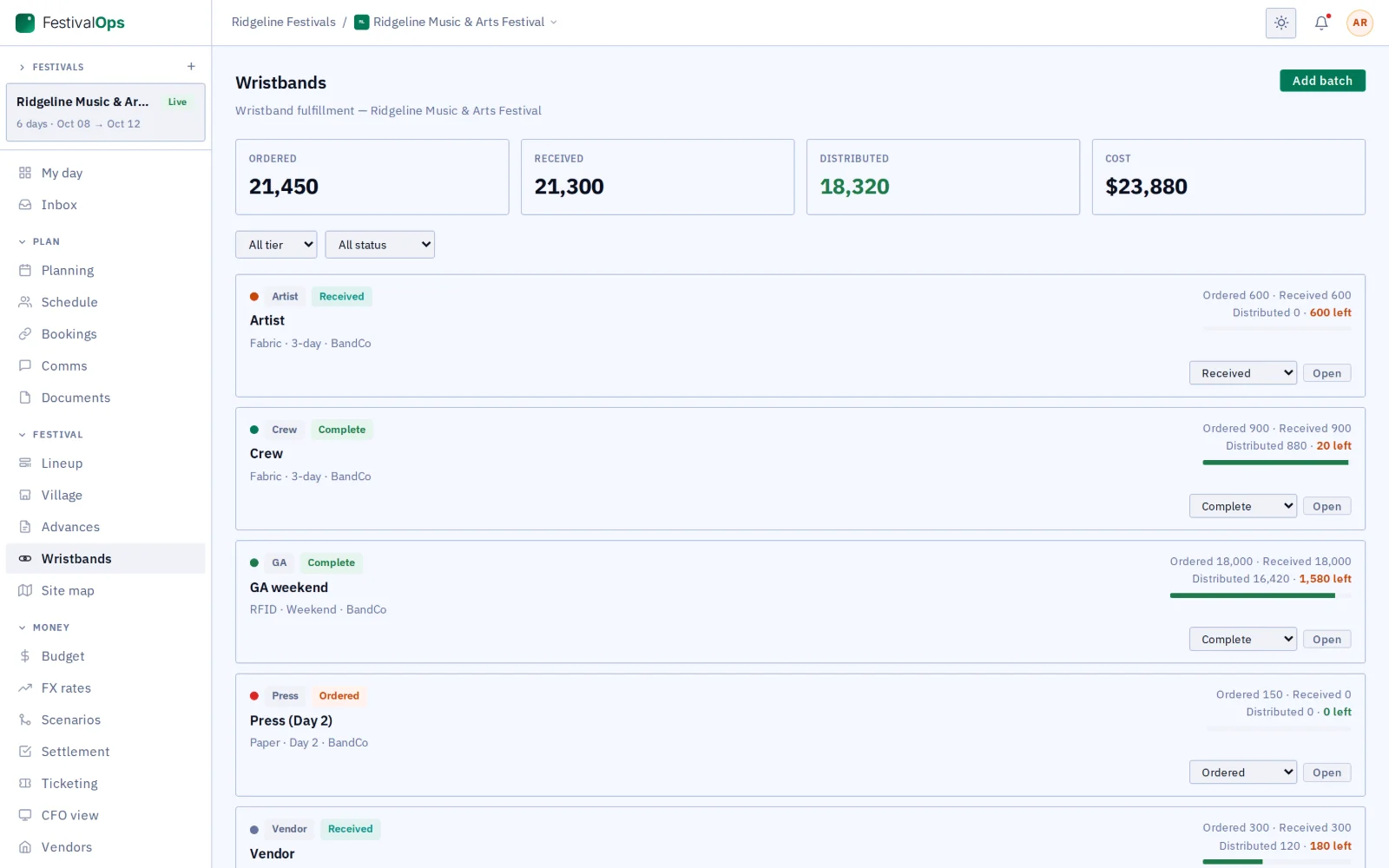
A festival orders wristbands in batches, one per tier: GA, VIP, artist, crew. Track each batch from order through production and delivery to distribution, with quantities and cost, so you know what is left before the gates open rather than after.
The gate, signal or not
An iPhone or iPad becomes the gate with GigOps Scan: granted, wrong zone, void or expired, in words, colour and sound. It checks against a list synced before the doors open, so it works with no signal, and every scan reaches the office log when the signal comes back. A festival-owned device needs no account.
What it connects to
- Requests, both ways
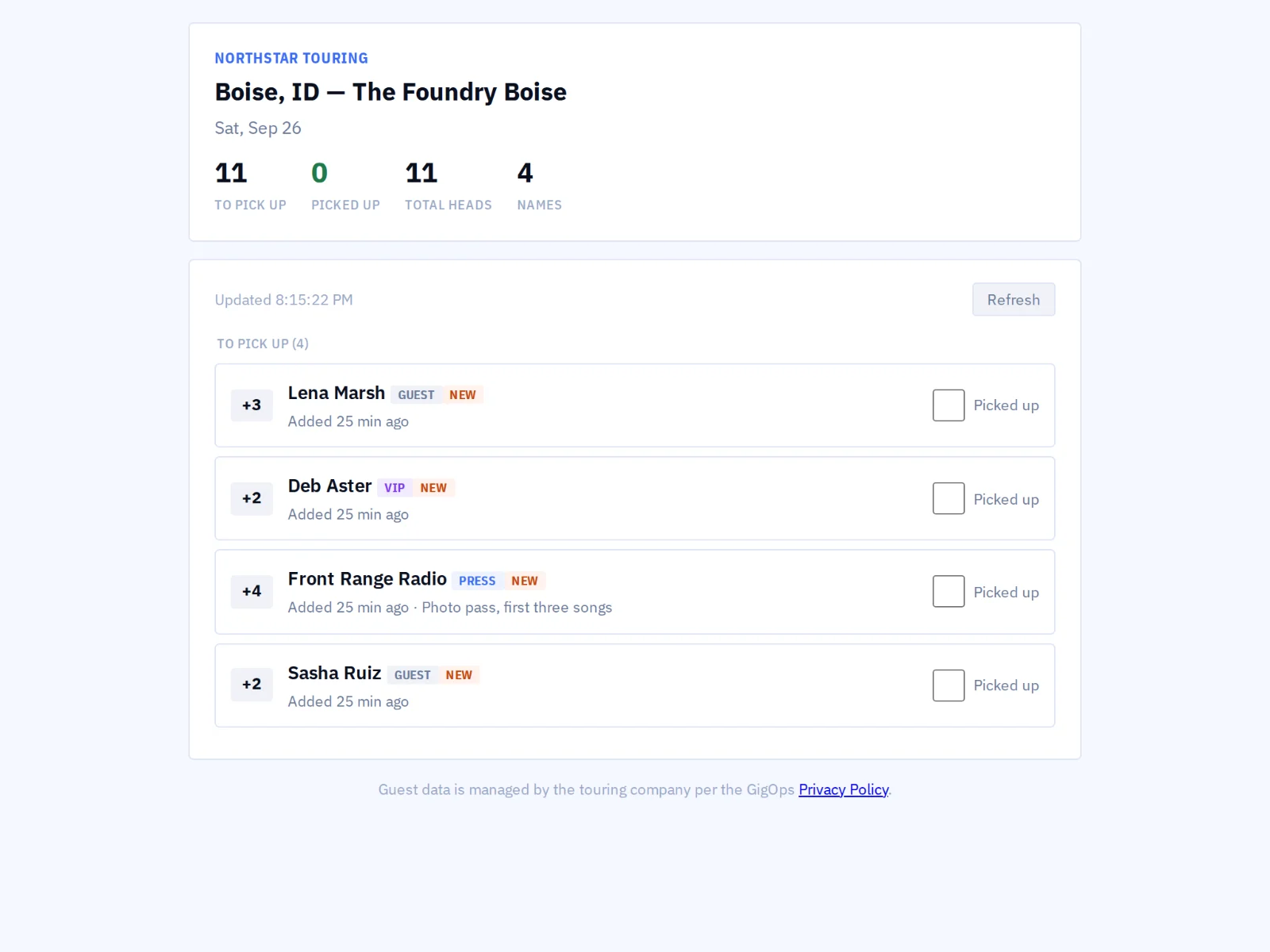
- An act or a vendor on GigOps asks you for passes and you approve or decline them in the product. You can ask another company for passes for your people the same way.
- Design your own laminate
- Build the layout once, with your artwork and the fields you want on it, and print from it. Or export the credentials for a card printer to do it.
- A pass on the phone
- Crew carry a rotating QR badge in GigOps Crew, plus passes other companies have issued them, each with its own rotating code. A screenshot of one opens nothing.
- A guard with no account
- A scanner link turns a festival-owned device into a gate for one zone, behind a PIN, with no login and nothing of yours on it.
- Will-call and the guest list
- The other list at the door: who is on it, who has collected, and what the box office still holds.
- Every scan is logged
- The office scan log shows every read, granted or refused, with the gate and the time, including the hours a device was offline.
- Who can see it
- Owners, Company Admins, Managers, Ops and Coordinators edit credentials. Finance, Legal and View only seats do not see them.
More on asking another company for passes: How it connects. Step by step in the help guide: credentials, wristbands and GigOps Crew. The scanner itself: GigOps Scan.
Who it is for
Who is checking the door.
FestivalOps
Zones across a site, pass types per tier, wristband batches by the thousand, and artists asking for their own passes through the festival link.
Explore FestivalOpsTourOps
The touring party’s own passes, plus whatever each venue or festival issues your crew, all on the same phone.
Explore TourOpsVenueOps
House passes for staff and contractors, and the passes a visiting tour asks the building for.
Explore VenueOpsActionOps
Athletes, teams, officials and media, with zones for the course, the start gate and the broadcast positions.
Explore ActionOpsPromoterOps
Guest list and will-call at the door on a show you promote, against the counts the box office is reporting.
Explore PromoterOpsQuestions
What people ask about credentials.
- Does the gate work without signal?
- Yes, and that is the point. The day’s passes and the signing key sync to the device before the doors open, so a badge is checked on the device itself. Every scan is kept and uploaded the moment the signal comes back, so the log is complete for the hours it was dark.
- Can somebody use a photo of a pass?
- No. A crew badge shows a short-lived rotating code on a screen that is visibly live, so a screenshot of somebody else’s phone does not open a gate. The cached pass list on a device cannot be turned back into a working pass either.
- Can another company ask me for passes?
- Yes, if they are on GigOps. An act, a promoter or a vendor asks in the product and the request lands on your Requests tab with the names on it. You approve or decline there, and an approved request issues the passes.
- Can I print my own laminates?
- Yes. Design the layout with your artwork and the fields you want, then print from it. If a card printer is doing the work, export the credentials in the shape it expects instead.
- What is the difference between passes and wristbands?
- A pass is issued to a named person and opens named zones. A wristband batch is bulk stock for a tier, tracked by quantity and cost from order to distribution. A festival usually needs both, and they live on separate tabs.
- Do I need special hardware?
- No. An iPhone or an iPad is the gate. A festival-owned device can run on a scanner link with no account at all, locked to one zone behind a PIN.
Run the next gate on one pass list.
Credentials comes with every product. 7-day free trial. Company Users are $39 per user / month. View only seats are $0. Crew are always free.
Book a demo.
Tell us about the show you are planning, and we will walk you through the product that fits it, on your own dates. We reply within 48 hours.